Give your Perfex CRM a brain.
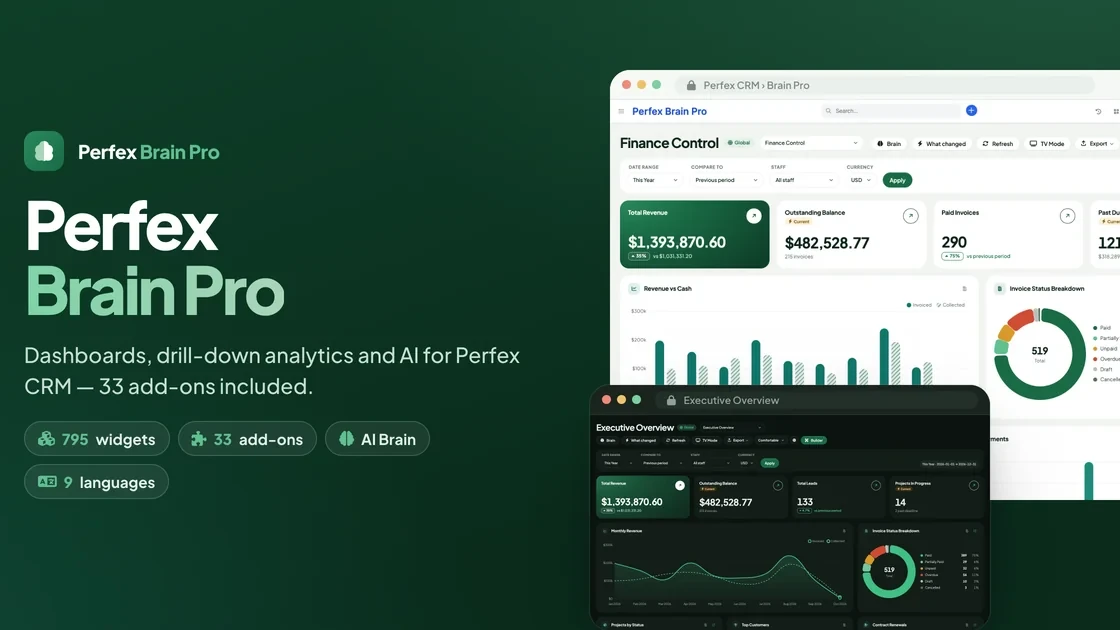
Perfex Brain Pro turns Perfex CRM into a complete reporting and analytics platform. Build drag-and-drop dashboards for every role, click any number to see the records behind it, forecast revenue and cash, get alerts and scheduled reports, and ask an AI questions about your figures.
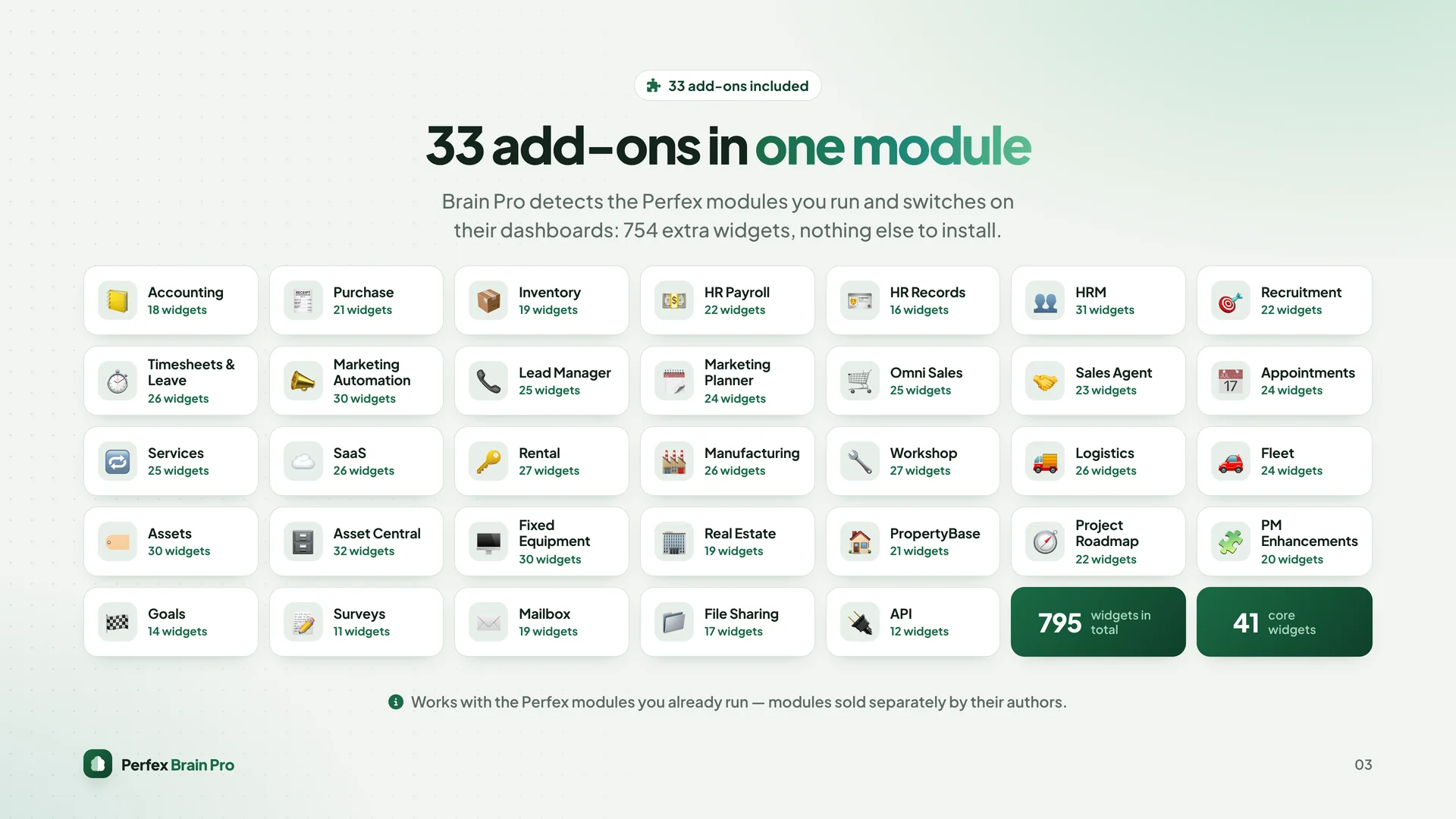
One module, 33 add-ons included. Brain Pro detects the Perfex modules you run — Accounting, Warehouse, HR, Fleet, Real Estate, Marketing Automation and many more — and switches on the matching dashboards by itself. No add-on to buy, upload or activate separately.
Live demo · Product website · Documentation
Why Brain Pro
- Everything in the box: 41 core widgets + 754 add-on widgets (795 in total) across 16 renderers, for one price.
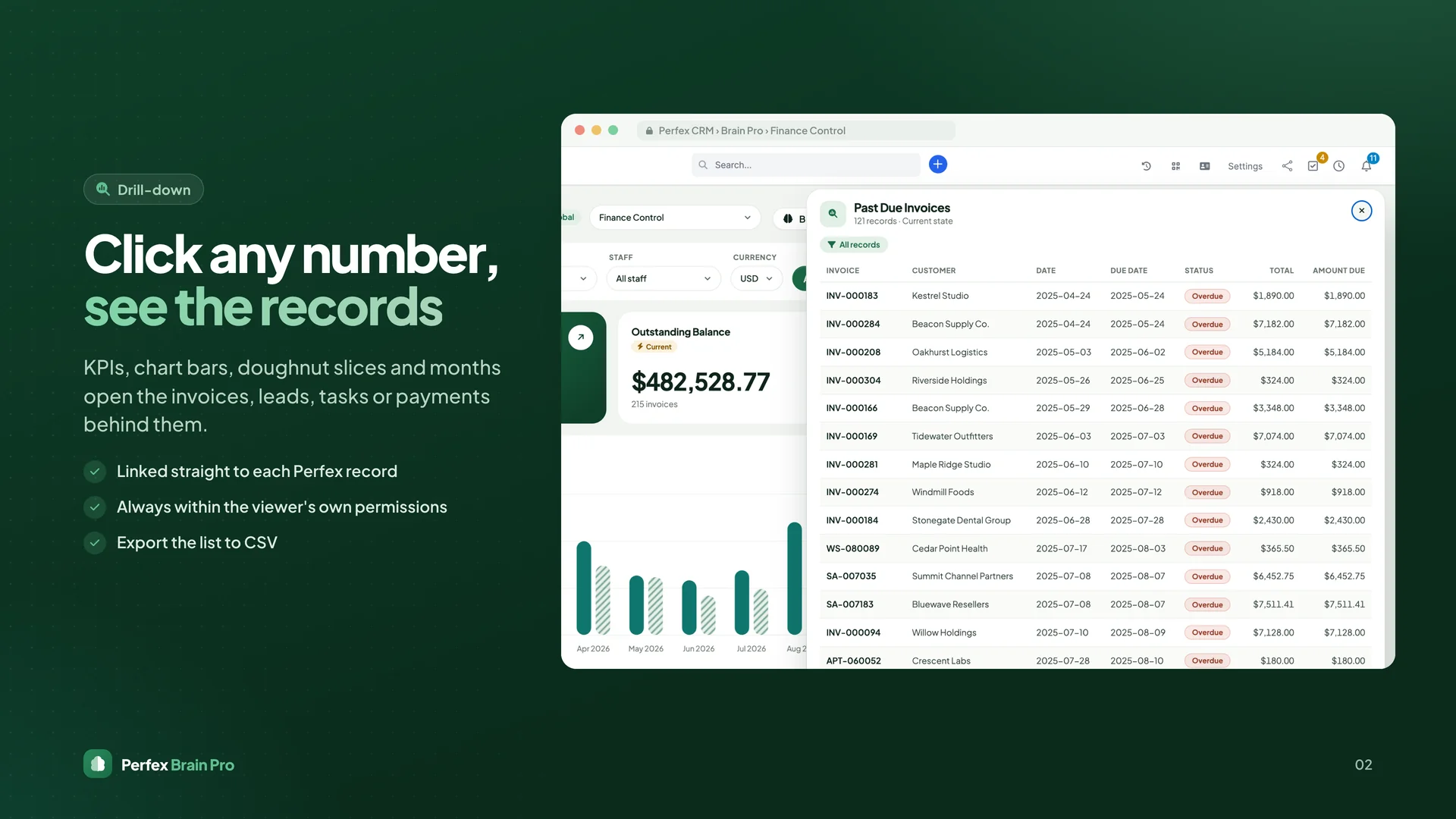
- Every number opens up: drill-down on KPIs, chart bars, slices and months, linked straight to the record.
- Safe by design: every widget, drill-down, metric, feed and AI answer respects the viewer's own Perfex permissions.
- No core file is modified: uses standard Perfex module hooks, so Perfex updates stay safe.
- Ready in five minutes: a guided setup finds your modules, suggests dashboards and assigns a home dashboard to each role.
Dashboards
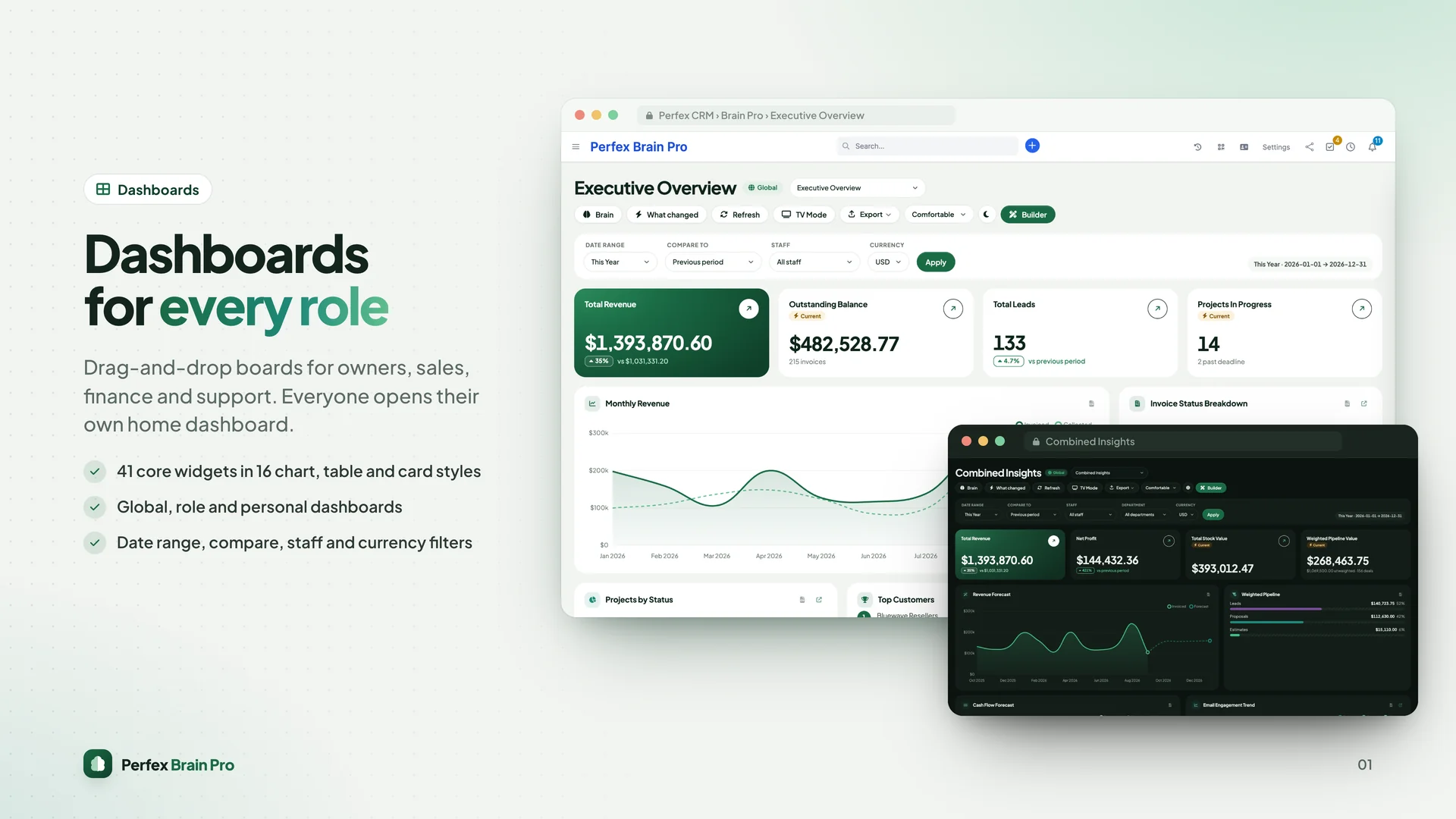
- Drag, resize and configure widgets on a 12-column grid; one-click recommended layout
- Global, role and personal dashboards, each with its own default home dashboard
- Optionally replace the Perfex admin dashboard with Brain Pro
- Date range, compare (previous period or same period last year), currency, staff and customer filters for the whole board
- KPI cards, charts (bar, line, area, doughnut, stacked), tables, leaderboards, progress, activity feeds, calendars and more
- Dashboard Manager, Dashboard Gallery with templates, JSON import / export
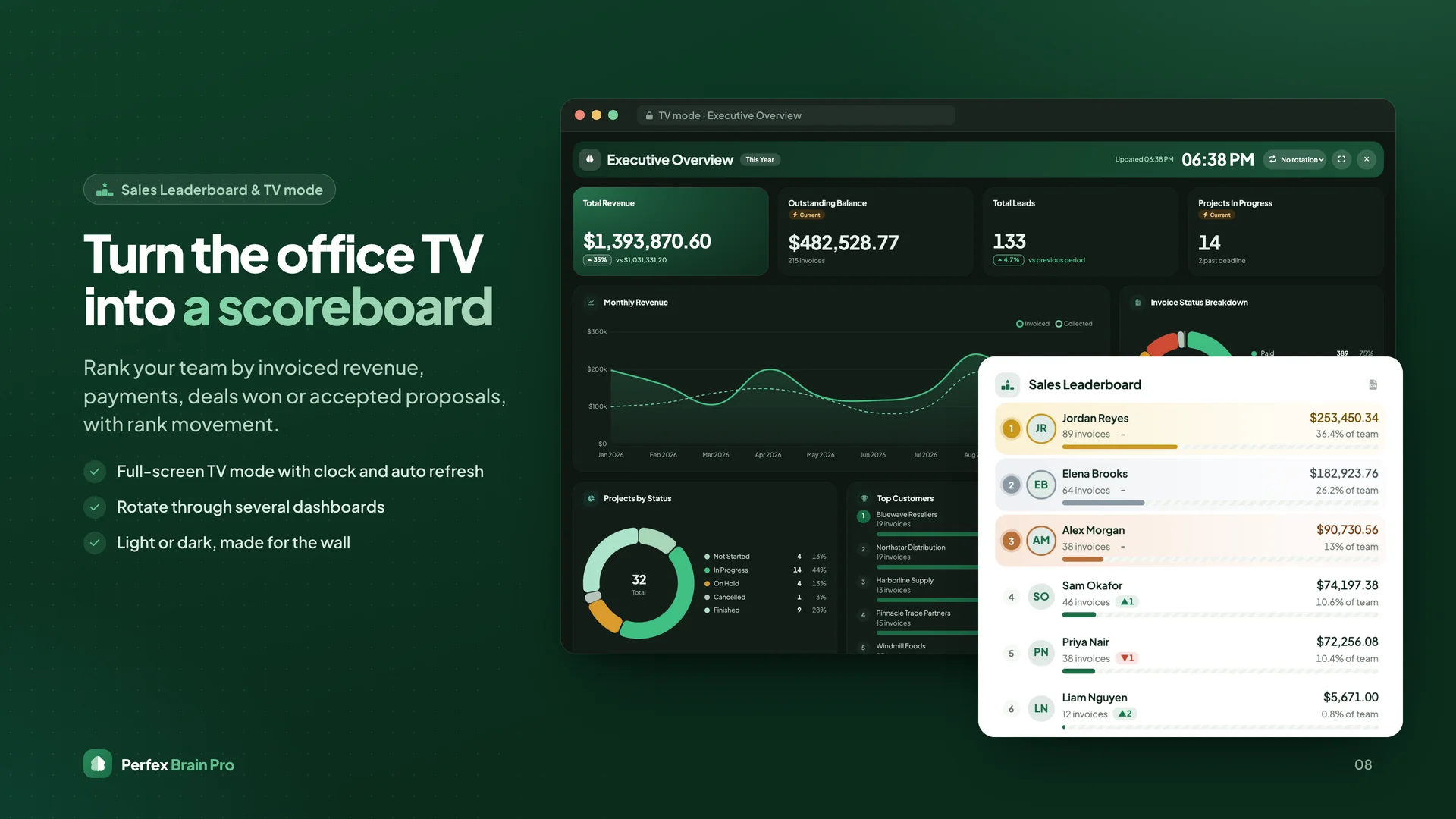
- TV mode: full-screen wall display with clock, auto refresh and dashboard rotation
- PDF, CSV, print and expiring public share links
Analytics
- Drill-down to the invoices, leads, tasks, payments or jobs behind any figure
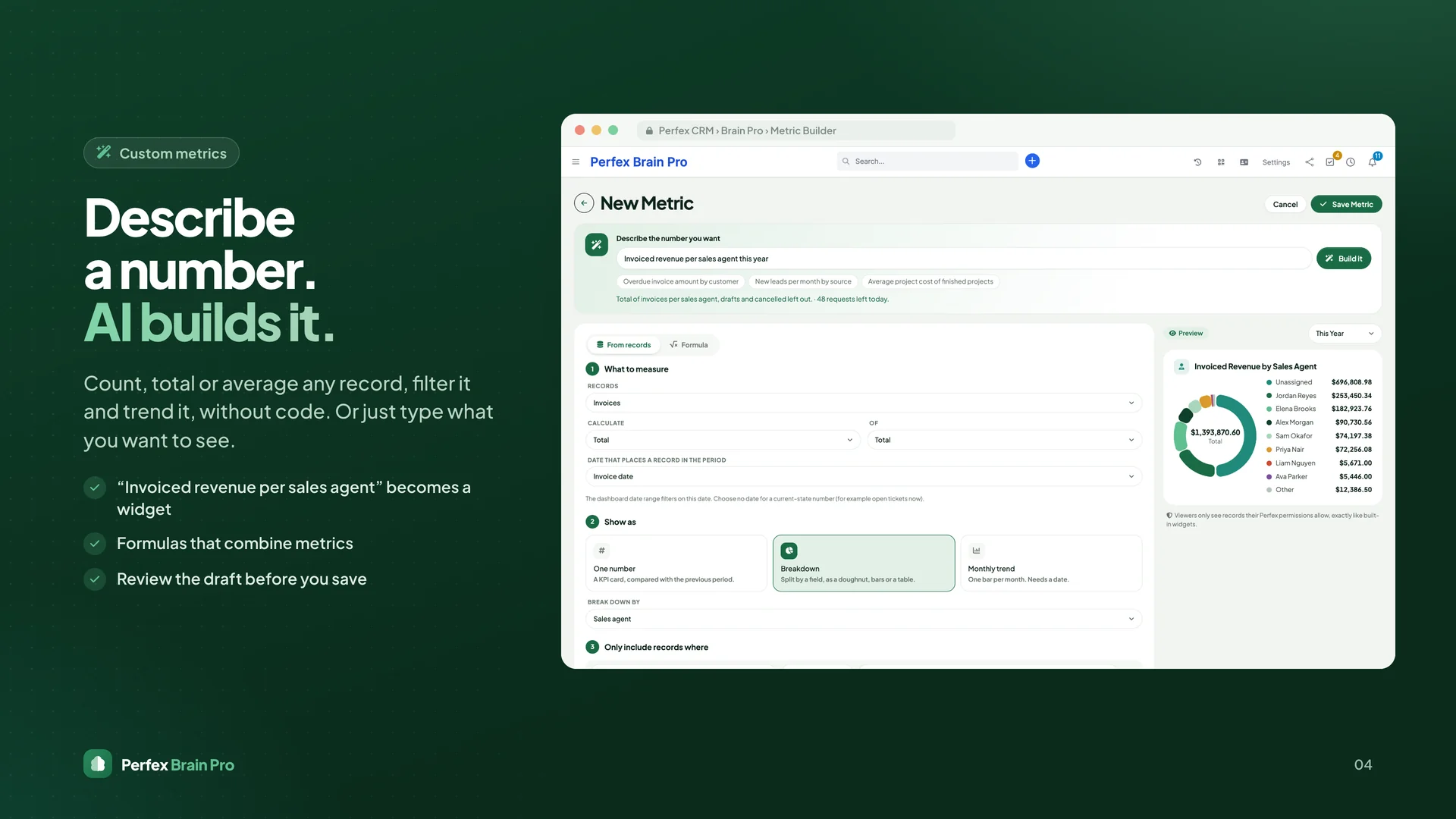
- Custom Metrics without code: count, total or average any record type, add filters, break it down or trend it by month, combine metrics in formulas
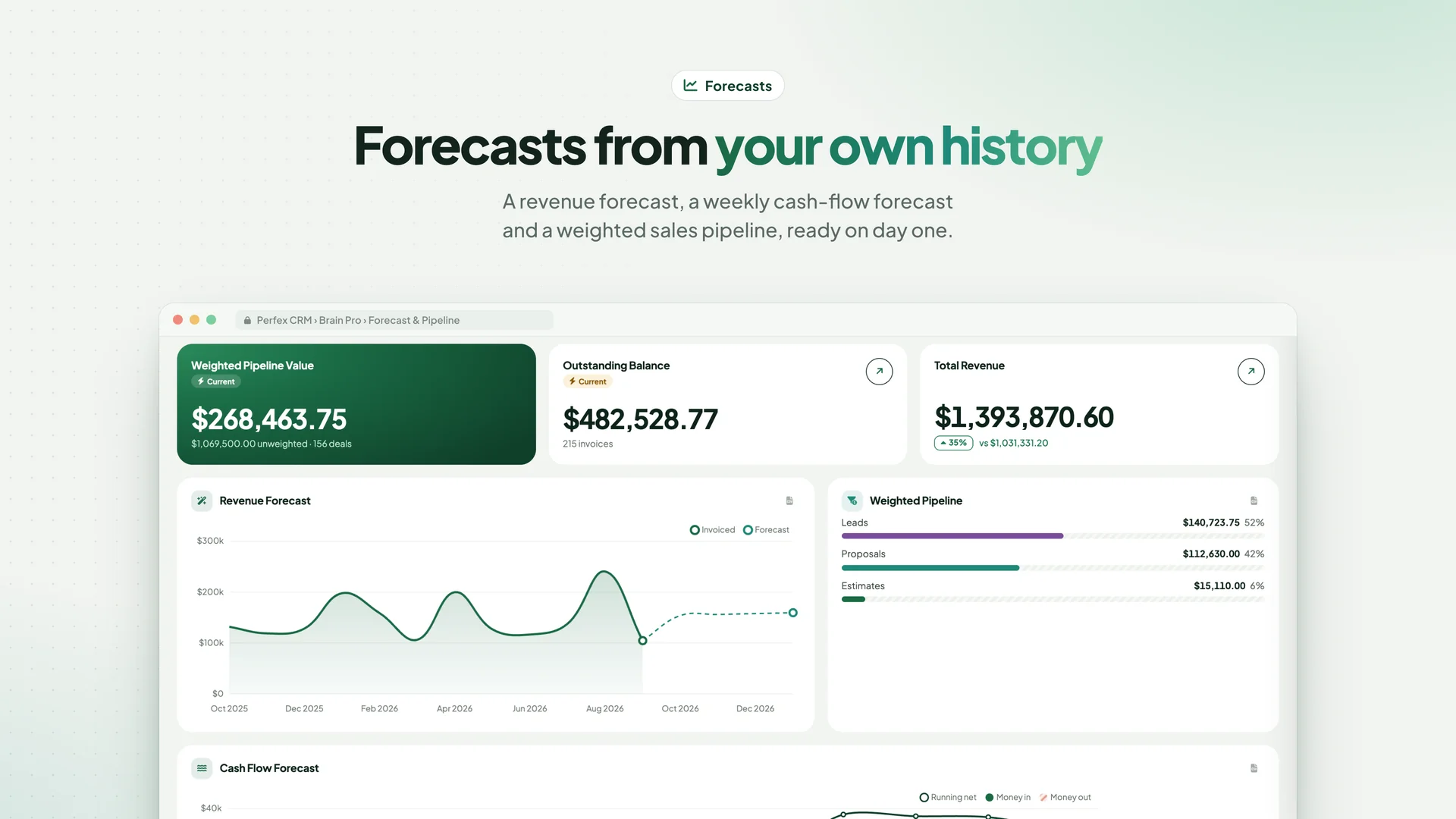
- Forecasts: revenue forecast from your own history, weekly cash-flow forecast, weighted sales pipeline
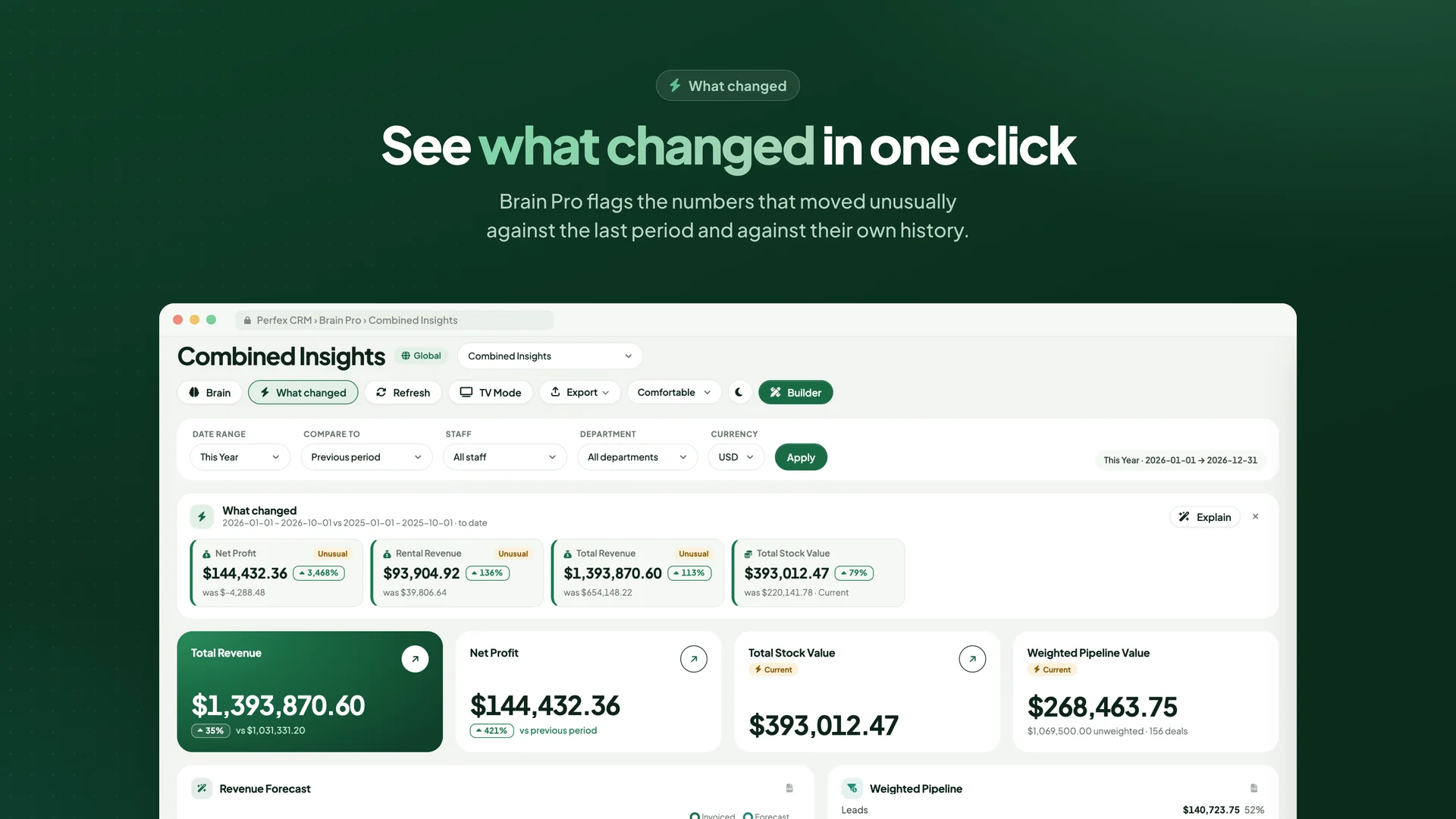
- What changed: one click shows the numbers that moved unusually against the last period and their own history
- Sales Leaderboard: rank your team by invoiced revenue, payments, deals won or accepted proposals, with rank movement — made for the office TV
- History for current-state numbers (stock, receivables…) recorded every night
- Insights tab on every customer profile and project
- Customer portal Overview: balance, invoices to pay, estimates, projects and tickets for each contact
AI Brain (bring your own key)
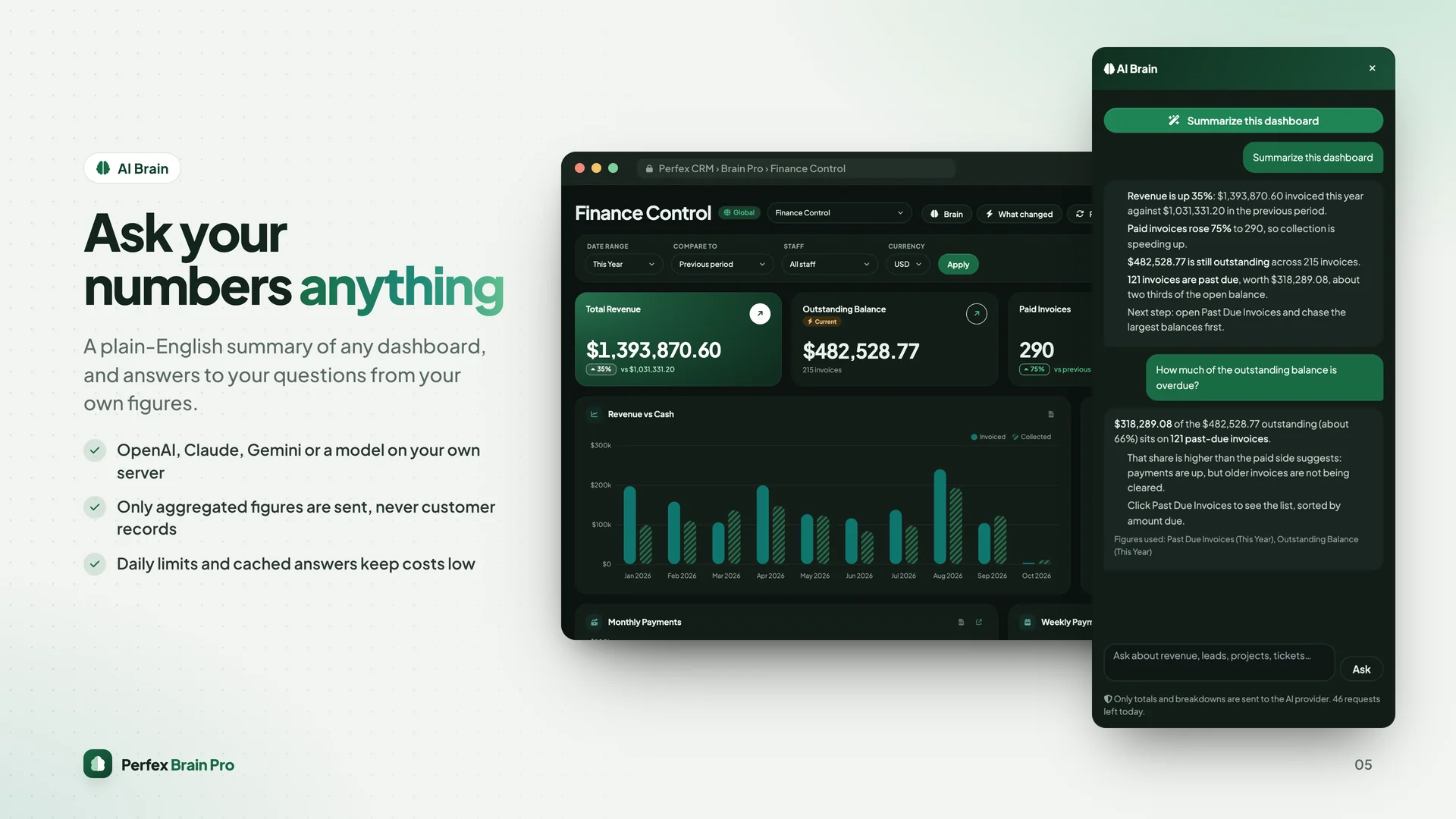
- Plain-English summary of any dashboard and answers to questions about your numbers
- Describe a number in words ("invoiced revenue per sales agent") and the AI drafts the widget for you
- AI explanation of what changed, and an AI summary in scheduled reports
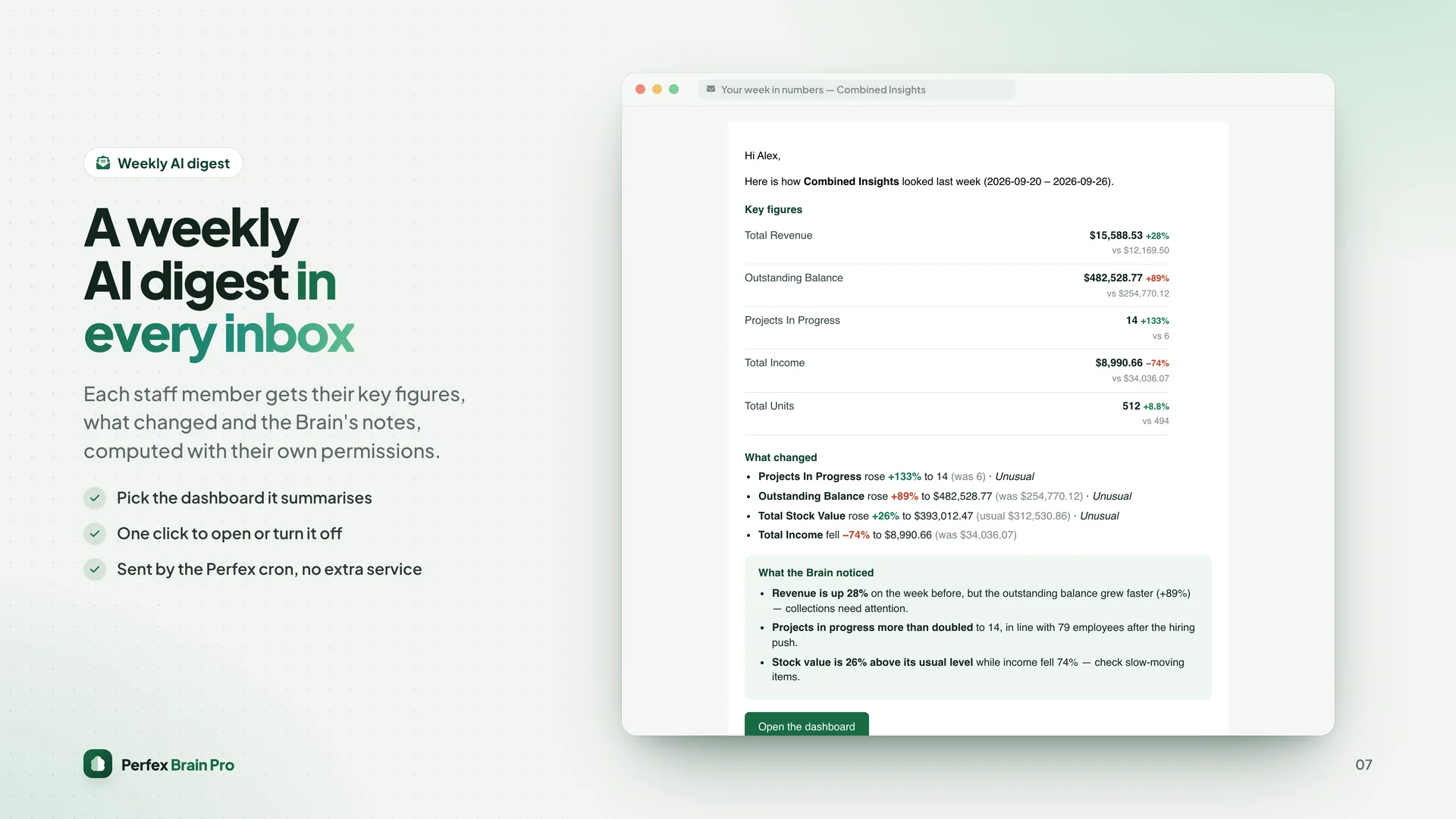
- Weekly AI digest email for each staff member, computed with their own permissions
- Works with OpenAI, Anthropic Claude, Google Gemini or any OpenAI-compatible endpoint, including a model on your own server
- Only aggregated figures are sent — never customer records. Daily limit per staff member and cached answers keep costs low
Reports, alerts & integrations
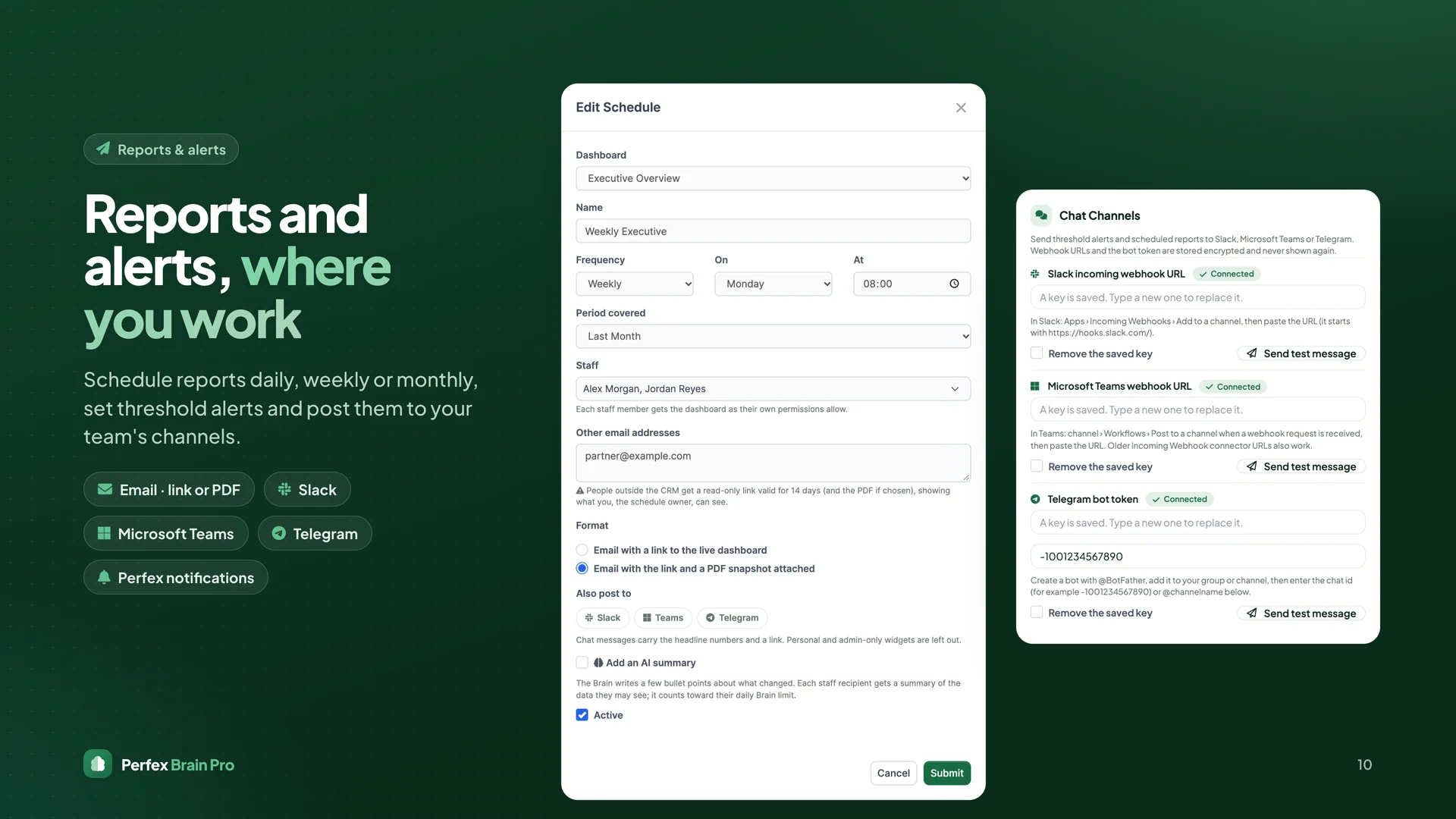
- Scheduled reports by email (link or PDF) daily, weekly or monthly
- Threshold alerts in Perfex notifications
- Post reports and alerts to Slack, Microsoft Teams and Telegram
- Live data feeds (CSV / JSON) for Power BI, Excel and Google Sheets — personal, revocable, rate limited
Branding, languages & SaaS
- White-label: rename the module and pick your accent colour
- Light, dark and follow-the-device themes; every chart follows
- 9 languages included: English, Spanish, Portuguese (Brazil), French, German, Italian, Dutch, Turkish, Russian
- Works inside the tenants of Perfex SaaS / multi-tenant modules (one database or table prefix per tenant)
- SaaS add-on for the platform owner: MRR, ARR, new and churned tenants, trials and trial conversion, revenue by plan
33 add-ons included
Each add-on appears automatically when its Perfex module is installed and active. Missing modules are simply hidden.
- Finance: Accounting, Inventory (Warehouse), Purchase, SaaS (Perfex SAAS or SaaS Module)
- Sales & Marketing: Appointments (Appointly), Lead Manager, Marketing Automation, Marketing Planner, Omni Sales, Sales Agent, Services (Service Management)
- Operations: Fleet Management, Logistics, Manufacturing, Rental, Workshop
- People: HR Records, HRM (Human Resources Management), HR Payroll, Recruitment, Timesheets & Leave
- Assets & Property: Asset Central, Assets, Fixed Equipment, PropertyBase, Real Estate
- Work: REST API, File Sharing, Goals, Mailbox, Project Management Enhancements, Project Roadmap, Surveys
Important: Brain Pro is the reporting layer. It works fully with Perfex CRM on its own; the add-ons report on Perfex modules you already run. Those modules (for example Accounting or Fleet) are separate products sold by their own authors and are not included. You only need the ones your business uses.
Security & permissions
- Own permission groups for dashboards, widgets, builder, reports, settings and AI Brain
- Every widget checks the viewer's existing Perfex access (view / view own); "view own" staff see only their own records
- Admin-only widgets, admin-only AI and channel secrets, encrypted API keys
- Share links and data feeds use random tokens stored as hashes, with expiry and revoke
- Protected widget cache, POST + CSRF on every change
What you get
- The installable module zip with all 33 add-ons bundled
- Offline HTML documentation and changelog
- Licence for one Perfex CRM installation
- Six months of support and free updates
Requirements
- Perfex CRM 3.0 or newer (tested on 3.4.1)
- PHP 8.0 or newer
- Perfex cron job configured (for scheduled reports, alerts, digests and nightly history)
- Optional: an API key from an AI provider for the AI Brain features
- Optional: the Perfex modules you want the matching add-ons for
Installation
- Perfex › Setup › Modules › Upload the module zip and activate Perfex Brain Pro
- Open Brain Pro and follow the guided setup
- Assign dashboards to roles, schedule a weekly report, put one on the office TV
Support
Questions or problems? Contact SellMyCode support at sellmycode.net. Please include your Perfex and PHP versions and a screenshot of Brain Pro › System Health.