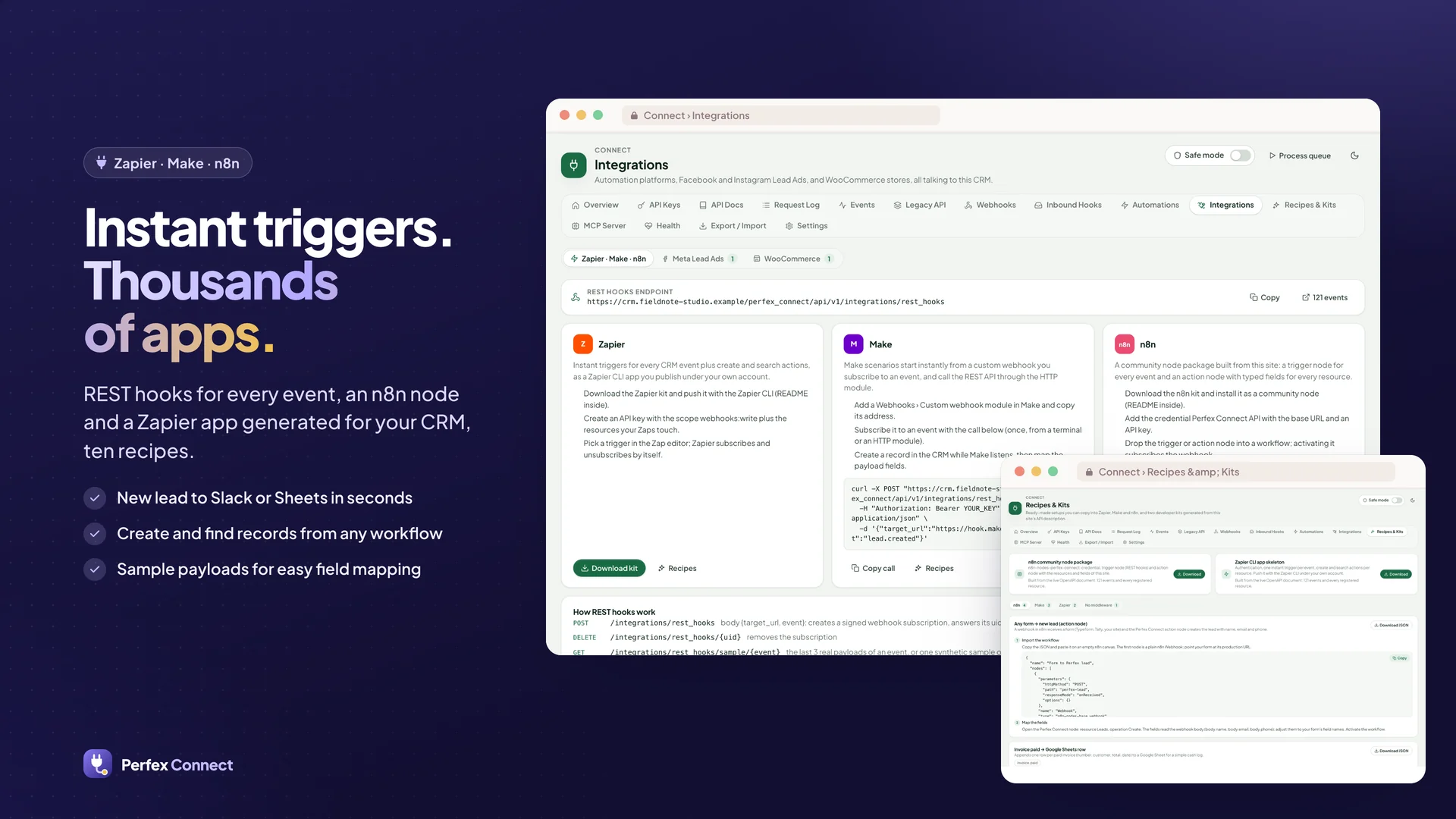
1.2.1 - 2026-10-25 — 31 workflow recipes for n8n, Make and Zapier

- Recipes & Kits: 21 new recipes (31 in all: 15 n8n, 8 Make, 7 Zapier, 1 without middleware), each with the steps and
  your own API address filled in; the n8n ones are complete workflows to paste or download:
  - overdue invoices → a daily Slack list, or a reminder e-mail in your own words with the online invoice link
  - payment received → a Google Sheets ledger, a QuickBooks-ready sheet row (Make) or a QuickBooks Online sales
    receipt (Zapier)
  - new ticket → Microsoft Teams (n8n and Zapier) or Discord; customer replied on a ticket → Slack (Make)
  - estimate accepted → a project with starter tasks (n8n) or a project and a kick-off task (Zapier)
  - signed contracts → Slack (checked every 15 minutes, because Perfex raises no event when a customer signs)
  - overdue tasks → a morning digest in Slack; a daily KPI digest (new leads, overdue invoices, open tickets,
    payments of the day per currency)
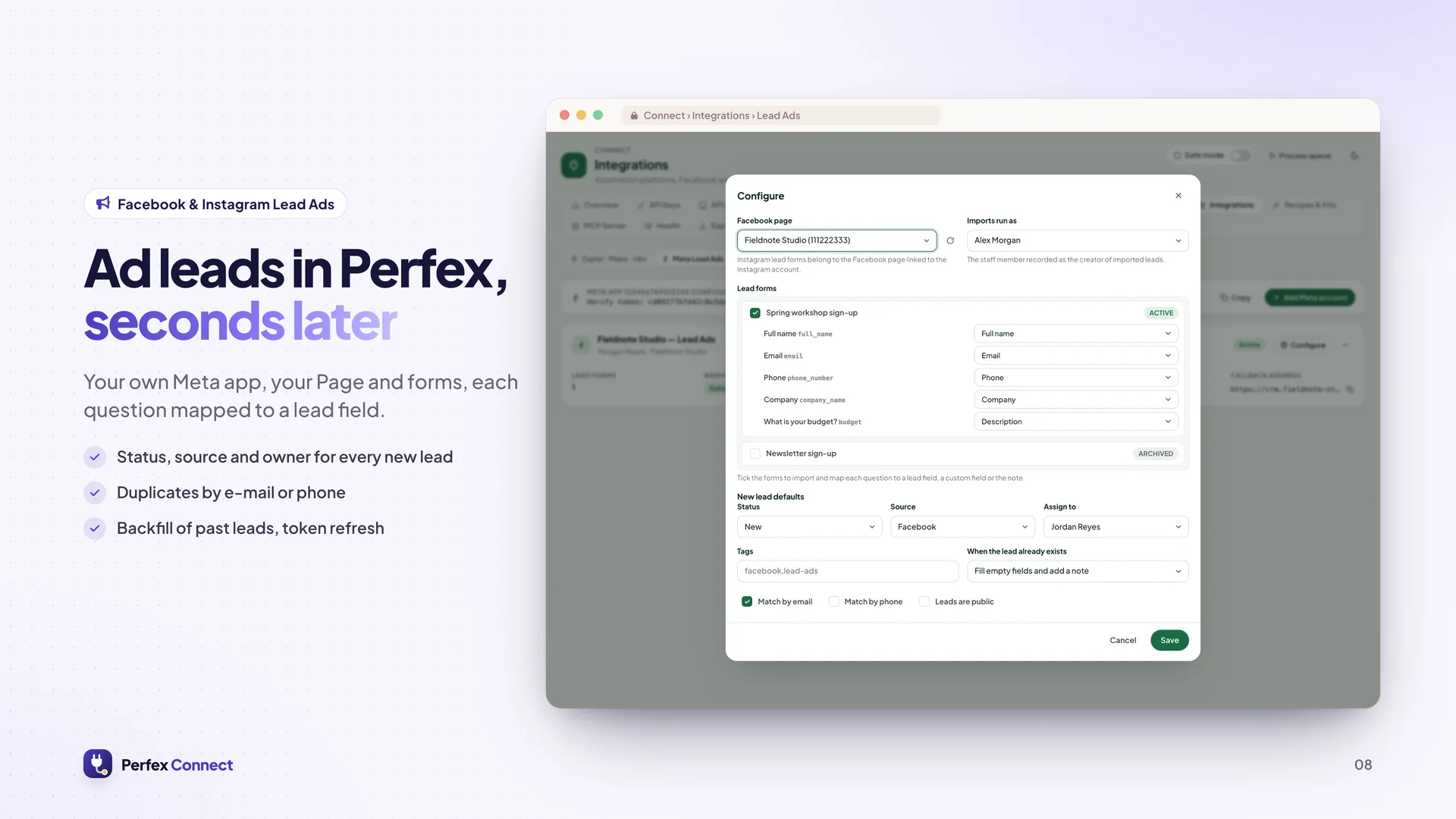
  - Typeform, Google Forms and Facebook Lead Ads (Zapier) → new lead; Calendly booking → lead with a call reminder;
    new customer contact → Brevo
  - Telegram message → Perfex task through your own bot (n8n), only from the chats you list
- The Recipes page shows each recipe's trigger and what it does (trigger → actions)
- Fixed in the existing recipes: "New ticket → Trello card" used a field that ticket events do not send (now data.id);
  "New customer → Mailchimp" listens to contact.created, because customer.created comes before Perfex adds the
  primary contact; the Zapier recipes name the triggers as the Zapier kit shows them (e.g. "Lead created")
Upgrade notes
- Replace the module files and run Upgrade Database (migration 121 is an empty step; nothing in the database
  changes). The REST API, webhooks, MCP and the WordPress plugin behave as in 1.2.0
1.2.0 - 2026-10-25 — WordPress plugin: website forms, user sync, client portal sign-in

- New companion plugin "Perfex Connect for WordPress" 1.0.0 (PHP 7.4+, WordPress 6.0+), in the package as
  perfex-connect-for-wordpress-1.0.0.zip and downloadable from Connect › WordPress (Download Plugin):
  - Connection: the CRM address plus a one-time pairing code made in Connect (10 minutes, single use, exchanged for a
    key with the WordPress scopes) or a pasted API key; the key is stored AES-256-GCM encrypted with the site's
    WordPress salts and never shown again; Health tab (versions, clock, scopes, permissions, retry queue, WP-Cron)
  - Forms: lead, contact and ticket forms built from the Perfex lead / ticket fields and the custom fields a public
    form may show, as [perfex_form id="…"] or the Perfex Form block; attachments under Perfex's own file rules (type
    checked from the content, no double extensions or scripts, size and count limits); consent checkbox (stored as a
    GDPR consent with the chosen purpose when GDPR lead consent is on); first-touch campaign capture (utm_*, gclid,
    fbclid, msclkid, landing page, referrer) into the lead; spam protection: honeypot, signed minimum-time token, limit
    per address, optional Cloudflare Turnstile or hCaptcha with your keys; works without JavaScript
  - Contact Form 7, WPForms and Gravity Forms: entries of mapped forms go to Perfex as leads, contact forms or
    tickets (hooks only when the plugin is active; Contact Form 7 uploads optional)
  - A retry queue keeps entries and user syncs (encrypted) when Perfex cannot be reached and sends them again by
    WP-Cron; failed ones stay visible on the Health tab with Retry
  - Users: one-direction sync, WordPress → Perfex (new and changed users create or update their contact, optional new
    customer) or Perfex → WordPress (users are linked; name changes in Perfex arrive by signed webhook)
  - Open Client Portal button (shortcode and block): WordPress asks Connect for a one-time sign-in link for the linked
    contact (60 seconds, single use, hash stored); no password is ever sent
  - Knowledge base (public articles, search, groups) and Documents (invoices / estimates of the linked customer,
    read-only, the contact's portal permission decides, drafts hidden as in the client area) shortcodes and blocks
  - Webhooks from Perfex: the plugin subscribes itself through the existing subscriptions API; deliveries are checked
    against the X-Pcx-Signature HMAC, a 5-minute window and a replay guard; do_action pcfw_webhook for developers
  - Translatable (text domain perfex-connect-for-wordpress, .pot included), uninstall.php removes everything the
    plugin stored in WordPress, nothing loaded from a CDN
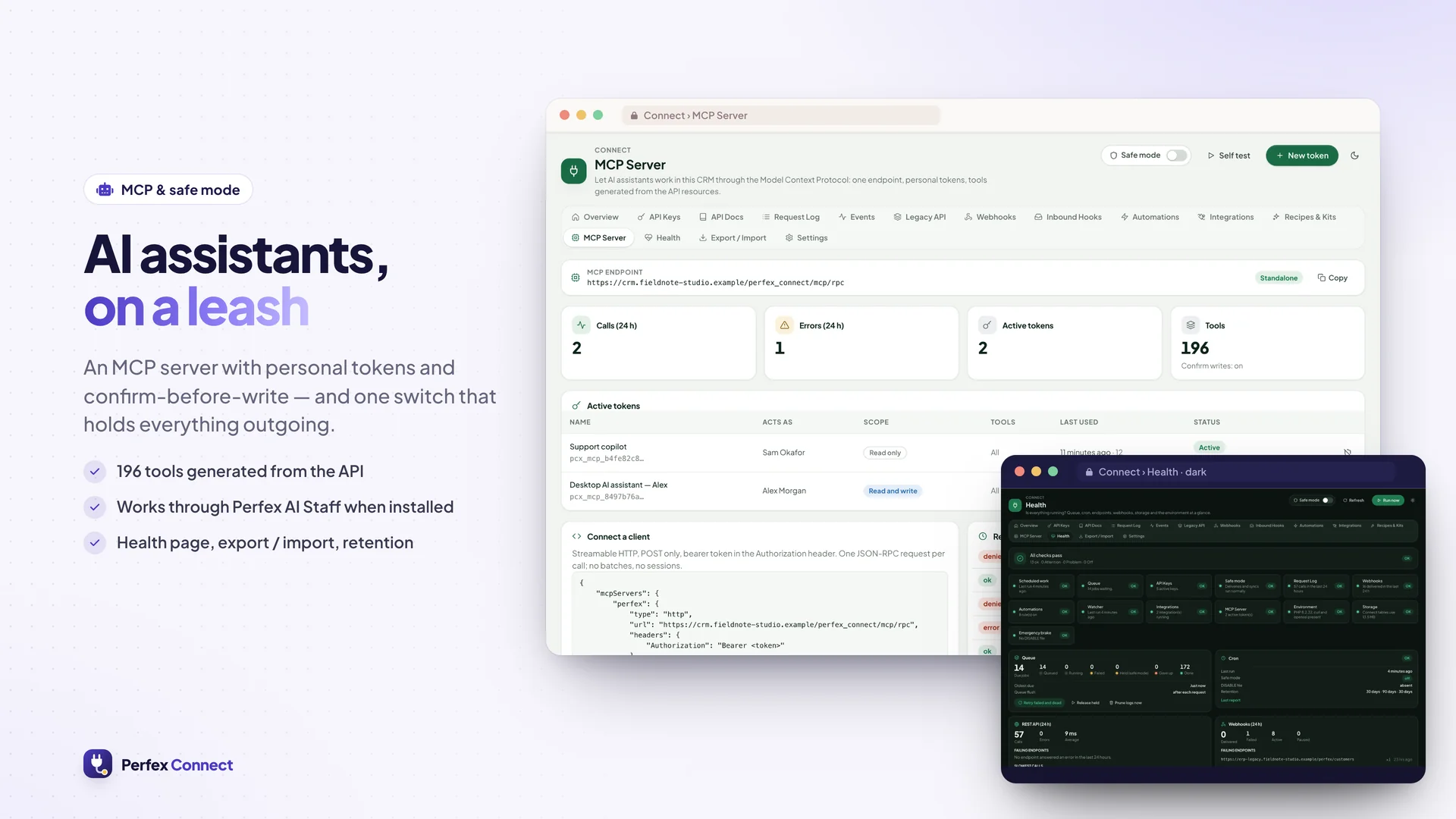
- Connect › WordPress page: KPIs, connected sites (versions, last seen, acting staff, ⋯ Copy Address / Disconnect),
  form entries (form, channel, record link, page and campaign, refused entries with the reason, filters, paging),
  linked users (Confirm Link / Unlink, search, paging), settings, the pairing dialog with a countdown
- New REST routes v1/wordpress/… (pair, hello, forms/schema, forms/submit, users/sync, users/{id}, sso, kb,
  documents) and scopes wordpress:read, wordpress:write, wordpress:sso; documented in the OpenAPI file
- Security: pairing codes and sign-in tokens stored as SHA-256 only, single use (one conditional update), throttled
  per address and per CRM; a link made by matching an e-mail is "pending" and opens neither the portal nor documents
  until an administrator confirms it (or Trust WordPress E-Mails is switched on); a non-administrator can pair a site
  only for themself and cannot disconnect someone else's site; disconnecting a site (or revoking its key) stops its
  API calls, webhooks and open sign-in links at once; visitor text is stored as text in the lead description; a
  WordPress site key receives contact.* webhook events only for contacts linked to its own site
- Portal sign-in, e-mail trust and the default lead source / ticket department / attachment size are settings on the
  WordPress page and in Connect › Settings (portal sign-in and e-mail trust are off by default)
- No booking button: Connect has no booking API yet
- Fixed: updating a contact through the API (PATCH/PUT contacts) no longer removes the contact's client portal
  permissions; they stay unless the request sets them
Upgrade notes
- Replace the module files and run Upgrade Database (migration 120 adds the tables pcx_wp_sites, pcx_wp_pairing,
  pcx_wp_links, pcx_wp_sso and pcx_wp_submissions; migrations 112–119 are empty steps so every earlier version
  upgrades in one go). Nothing existing changes; the REST API, webhooks and MCP behave as in 1.1.1
1.1.1 - 2026-10-24 — Tool Style: a small tool list for MCP clients

- New Tool Style per MCP token and per connected OAuth app:
  - Compact (recommended, the default for new tokens and new connections): five generic record tools
    connect_search, connect_get, connect_create, connect_update and connect_delete with a "resource" argument, plus
    connect_describe (without a resource: the resources this connection may use; with one: its fields) and the task
    tools. The resource list of each tool holds only what the token's scopes, its tool allow-list, the delete
    settings, AI Access and the staff member's Perfex permissions allow. An administrator with every resource sees
    9 tools (about 9K characters, ~2.3K model tokens) instead of 164 (about 197K characters, ~49K tokens)
  - Detailed: one tool per resource and action, exactly as in 1.1.0
- Both styles behave the same: a compact call runs the per-resource tool it stands for, so scopes, permissions
  (view own included), AI Access, approvals, the delete switch, rate limits, the Audit page (which shows the concrete
  tool, e.g. customers_update) and the untrusted-data envelope are unchanged. Per-resource tool names keep working on
  a Compact token
- The token dialog and the OAuth consent page show both styles with the estimated size of their tool list (it follows
  the chosen scopes, allow-list and level); the token list and Connected Apps show the style, and a connected app can
  be switched (its current access token follows at once)
- MCP resources and prompts are unchanged
Upgrade notes
- Existing tokens and connected apps stay Detailed, so clients that already know the per-resource tool names keep
  working. Switch a token to Compact on Connect › MCP Server (edit the token) or a connected app with Use Compact; the
  client then reloads its tool list
- Migration 111 adds a tool_style column to the MCP token and OAuth grant tables; nothing is removed
1.1.0 - 2026-10-23 — safer MCP: scopes, approvals, OAuth, audit, Anna bridge

READ BEFORE UPGRADING — changes that affect existing MCP clients
- MCP tool results have a new shape. 1.0 returned the record data itself; 1.1 returns a structured envelope:
  {"perfex_connect": {"tool", "status", "trust": "untrusted_crm_data", "notice"}, "data": <what 1.0 returned>}
  in structuredContent and in the text block. Scripts or agents that read MCP results directly must read them under
  "data". The REST API is unchanged
- Writes ask for approval by default. Every MCP token (new and existing) has Ask Before Every Change switched on: an
  assistant's create or update becomes a request on Connect › Approvals instead of being written. Tokens of
  unattended automations that must write directly: edit the token on Connect › MCP Server and switch it off
- Delete tools are off by default. They are no longer offered until an administrator switches on Settings › MCP Server
  › Allow Delete Tools AND the token has its own Allow Deletes
- OAuth for MCP clients is new and off by default (Settings › OAuth for MCP Clients). Nothing changes for pasted tokens
Upgrade notes
- Upload the zip on Setup › Modules (or replace the folder) and open Setup › Modules once: Perfex offers the Upgrade
  Database step (migrations 104–110), which adds the new columns and tables. Nothing is removed. Upgrading straight
  from 1.0.1 or 1.0.2 works the same way
- Existing tokens keep their reach: read → read on every resource, write → read and write on every resource; then
  approval on and deletes off as above. Review each token's access on Connect › MCP Server
- Give the new permission Approve MCP Requests to the people who should decide requests (administrators always can)
- Clients that use the 1.0 two-step confirm (confirm=true) keep working for tokens with approval switched off
- Browser access (CORS) is new: web pages on other sites still cannot read API, MCP or OAuth answers unless you list
  their origin in Settings › Browser Access (CORS). Server-side clients are not affected

MCP tokens
- Access per resource: read or write on each resource (customers, leads, tickets, invoices, and the resources of other
  SellMyCode modules), or everything. The staff member's Perfex permissions, view own included, still apply on every
  call: a token never reaches more than its staff member could in Perfex
- Ask before every change (on by default): an assistant's create, update or delete becomes a request in the new
  Approvals page; approvers get a Perfex notification; the assistant is told the request is pending and can check the
  decision. Approving runs the change at that moment, after checking again that the token is still valid, its scopes
  and the requester's permissions still cover it and the record still has the values the request saw (otherwise the
  request ends as Record Changed and nothing is written). Requests expire after 72 hours (setting)
- New permission Approve MCP Requests; the person who asked may approve their own request (setting, on by default)
- Delete tools are off for the whole site by default; a token also needs its own Allow Deletes
- Allowed addresses (IPv4/IPv6, CIDR), its own calls per minute and per day, edit, and New Secret (rotate)
- Connect a Client: ready-to-paste setup for Claude Desktop, Claude.ai & ChatGPT connectors, Cursor, VS Code, Claude
  Code and plain HTTP, with this site's address filled in (the token itself is shown once, when it is made)
- Existing tokens keep their access (read → read everything, write → everything) and now ask before every change and
  have deletes off; change this per token on the MCP Server page

OAuth for MCP clients (off by default: Settings › OAuth for MCP Clients)
- Claude, ChatGPT and other connectors sign in with a staff account instead of a pasted token: authorization code with
  PKCE (S256 only), a consent page in Perfex where each person chooses read only or read and write, all or some
  resources, approval and deletes; short-lived access tokens, rotating refresh tokens (a reused refresh token or
  authorization code disconnects the app), revocation, Connected Apps list with Disconnect
- Self-registration of apps (RFC 7591) only with return addresses on an allow-list of hosts (claude.ai, chatgpt.com,
  localhost … by default); administrators can add clients by hand (public or with a secret)
- Discovery: server and resource metadata under /perfex_connect/oauth2/, announced by the MCP endpoint on 401

Audit
- New Audit page: every REST call and every MCP, AI Staff and Anna tool call in one list — time, staff member, key or
  app, call, a short summary of the parameters (secrets masked), result and address; search, filters, CSV export and
  retention. Staff see only their own calls

MCP server
- Resources (read-only: the latest records and one record per resource) and prompts (customer overview, overdue
  invoices, ticket triage, lead pipeline, my tasks)
- Tool results are a structured envelope that marks CRM text as untrusted data; hidden direction and zero-width
  characters are removed from record values

Browser access
- Strict CORS for the REST API, MCP and OAuth: only this site and the origins you list (never a wildcard)

AI Access and Anna bridge
- Settings › AI Access: switch resources off for every AI channel (MCP, connected apps, AI Staff, Anna)
- When the Anna AI module is active, Connect adds tools to it from its resource registry, including the data of other
  SellMyCode modules. Every call runs with the permissions of the staff member using Anna, writes show Anna's
  confirmation first, and Anna's own MCP endpoint gets none of these tools. Choose the tools in Settings › Anna Bridge
- Anna receives at most six tools (search, get, create, update, delete, describe) whatever you tick: the resources you
  tick for an action become that tool's choices. The default selection went from 26 tools to 3, and ticking every
  resource stays far below OpenAI's limit of 128 tools per request

Perfex AI Staff
- Connect now joins AI Staff as a few generic tools (search, get, create, update, describe; delete only while delete
  tools are allowed) with the record type as a choice, instead of four tools per resource: the tool definitions AI
  Staff sends drop from about 163,000 to about 6,000 characters. Each call still runs as the per-resource action it
  stands for, so AI Access switches, Perfex permissions, view own, approval cards and the Audit page are unchanged
- Agents or AI Staff MCP tokens saved with the older names (connect_customers_search …) keep working, limited to that
  resource
- The standalone MCP server keeps its per-resource tools for outside clients

Other
- Translations of the new texts in all 9 languages
- Upgrading from 1.0.1 or 1.0.2 directly to 1.1.0 works through Perfex's Upgrade Database step
License checks name the product
- Every license call (activate, check, pause) now sends Connect's sellmycode.net item id, as sellmycode.net requires
- A purchase code bought for another product, or an unknown one, only shows "This purchase code is not valid for
  Perfex Connect." It is never activated; the detailed reason is written to Perfex's application log for administrators
- An activation made by an older version with another product's purchase code is paused automatically and removed
  from this install; enter your Connect purchase code to switch Connect back on


 0 Viewing now
Live buyer activity
0 Viewing now
Live buyer activity

Pick 3 of SamSan’s items to unlock 10% off your total.
Everything you pick is added to your cart when you tap the button below.
Last update:
25 Oct, 2026
Published:
16 Oct, 2026
Version:
Category:
Framework:
Tags:
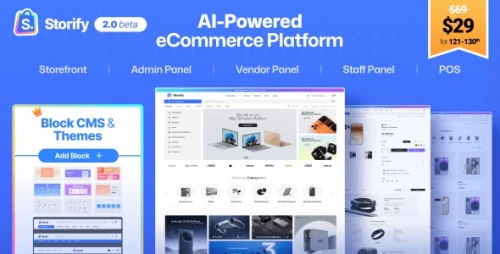
Self-hosted Shopify Alternative with POS, Digital products and Physical products selling, AI Sales Agent, Inventory management, Multi Vendor Marketplace, Omnichannel, PWA & Web = Storify is a self-hos...
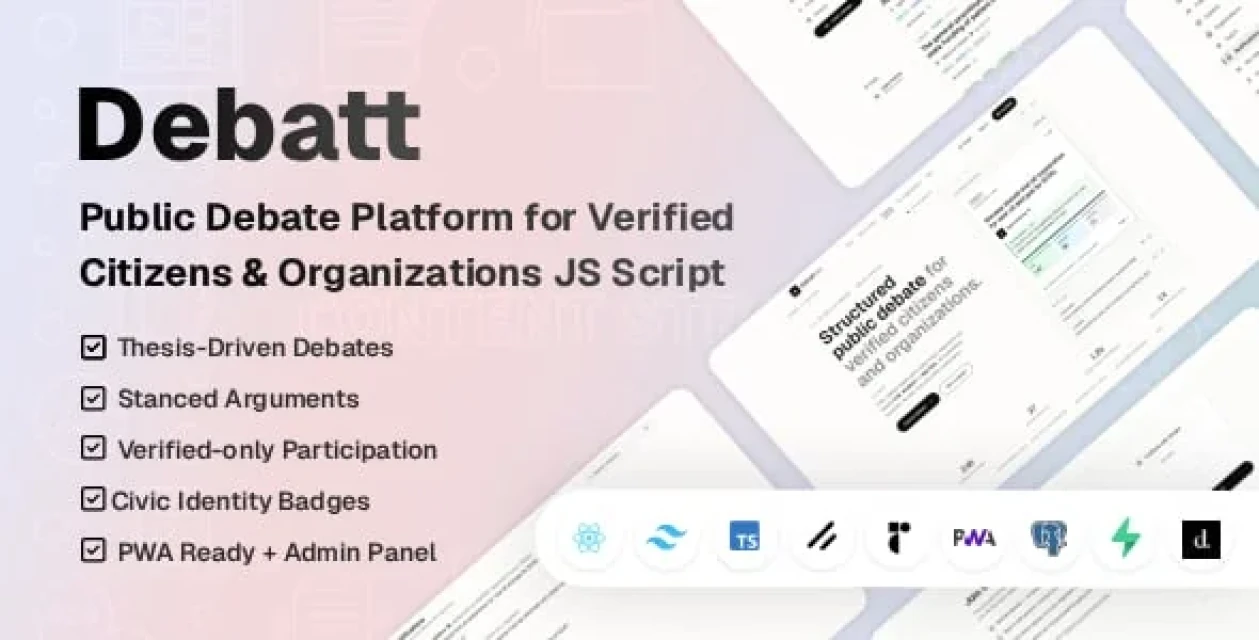
This platform uses AI-powered features (content generation, subject line suggestions, analytics insights) that connect to external AI providers. AI API usage costs are NOT included in the purchase pri...

Word Garden is a modern HTML5 educational word guessing game designed for children and casual players. Inspired by the classic word puzzle concept, players guess letters to reveal hidden words while h...

Univet is a modern, responsive, and feature-rich HTML template crafted for universities, colleges, schools, academies, and online learning platforms. With elegant design and powerful functionality, it...

Ultimate SMS is a PHP bulk SMS marketing application. It is a flexible and user-friendly solution for SMS marketing. It is built with PHP. It includes integrations for over 20 SMS gateway APIs. Users...

Mindmap module 1.0.5 for Perfex CRM is a PHP-based tool for visualizing ideas and brainstorming. This module is designed for users who want to process, share, and present thoughts through collaborativ...
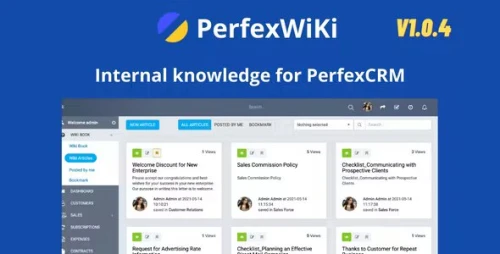
Note: This is a module for Perfex CRM. Not a standalone script. An internal wikipedia solution to help organize and manage your knowledge resources. Intuitive, efficient, easy to use.







 Google
 Github
 From Unknown Location
 Elite Seller
 Trend Master
 Featured Item