1.3.4 - 2026-11-20 — Faster pages, safer CSV export, search on every long list
Security
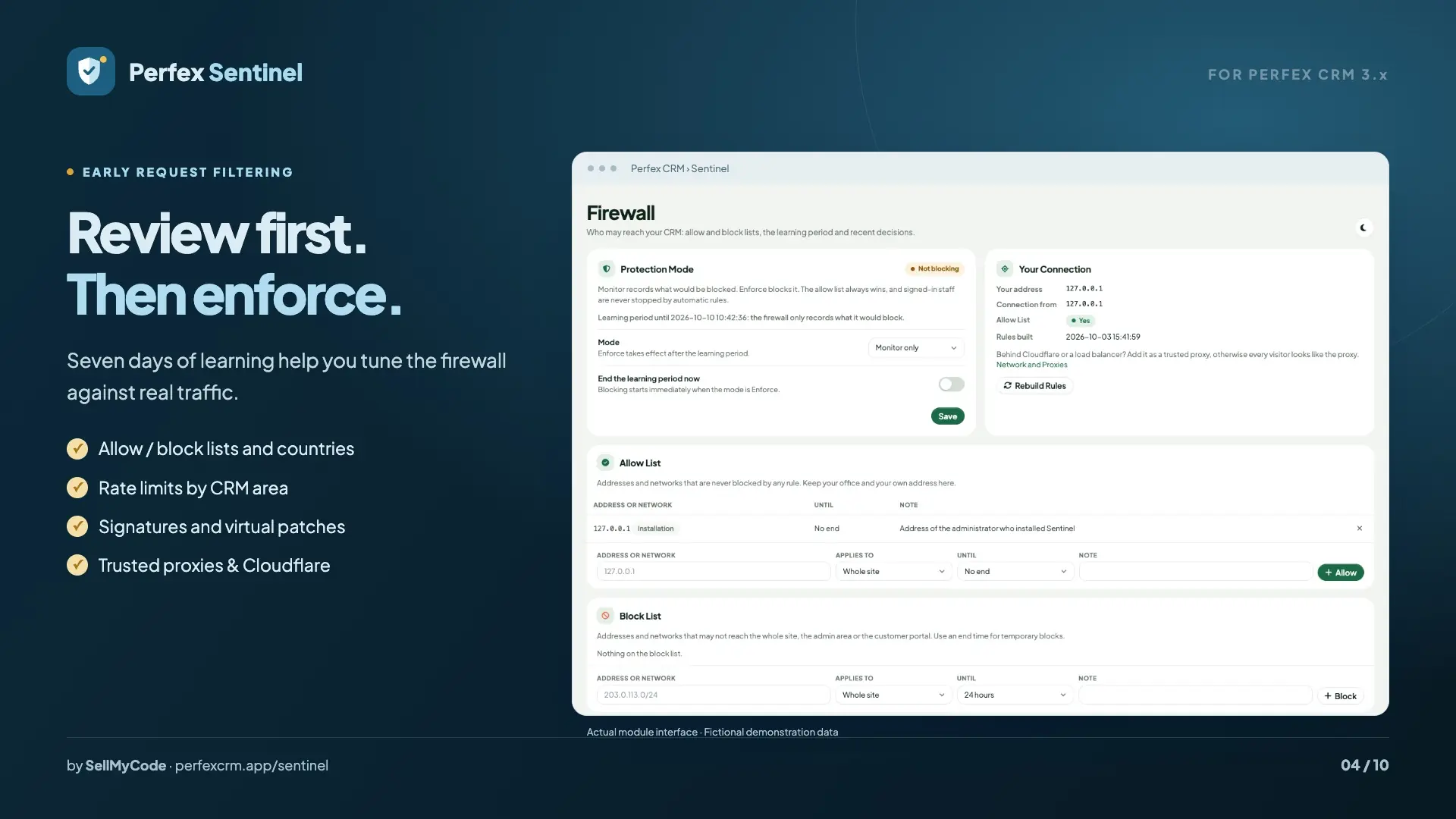
- Re-uploading the module folder no longer leaves the firewall off: the firewall rules are rebuilt on the first request
  instead of waiting for the next rule or setting change
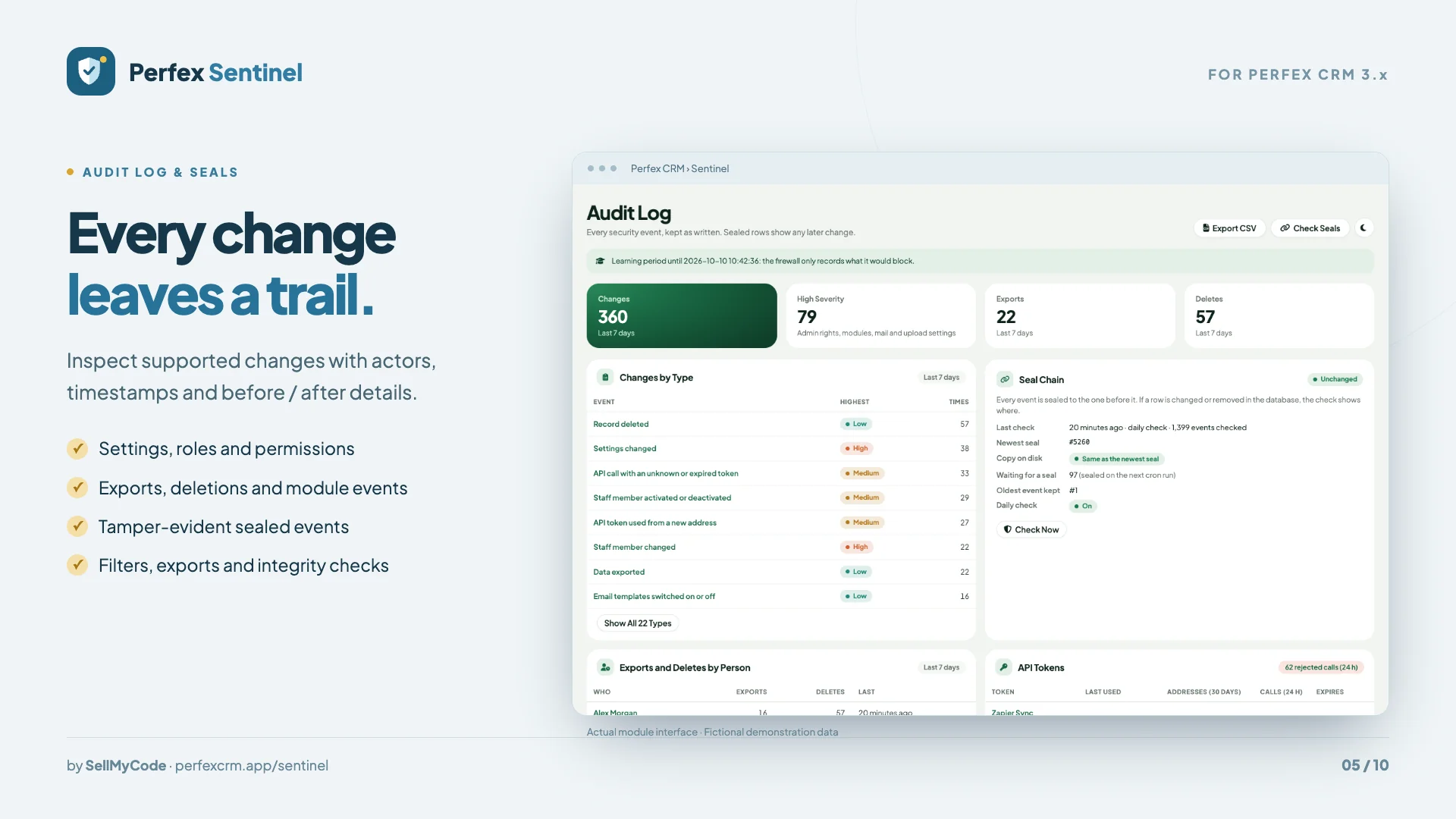
- Event log CSV export: a cell can no longer break out of its column (quotes are doubled, no backslash escape), and a
  cell that starts with = + - @ opens as text in a spreadsheet
Speed
- Sentinel's settings load together with the CRM's other settings instead of one database query each on every page
  (secrets for AI, social sign-in and Telegram are still read only when needed)
- The AI Incidents badge in the menu is counted once a minute instead of on every page
- No folder scan and no table check on every request
- Stylesheets, scripts and fonts are cached by the browser and compressed (Apache, LiteSpeed and IIS)
- On Sentinel pages the font starts loading together with the stylesheet
Search
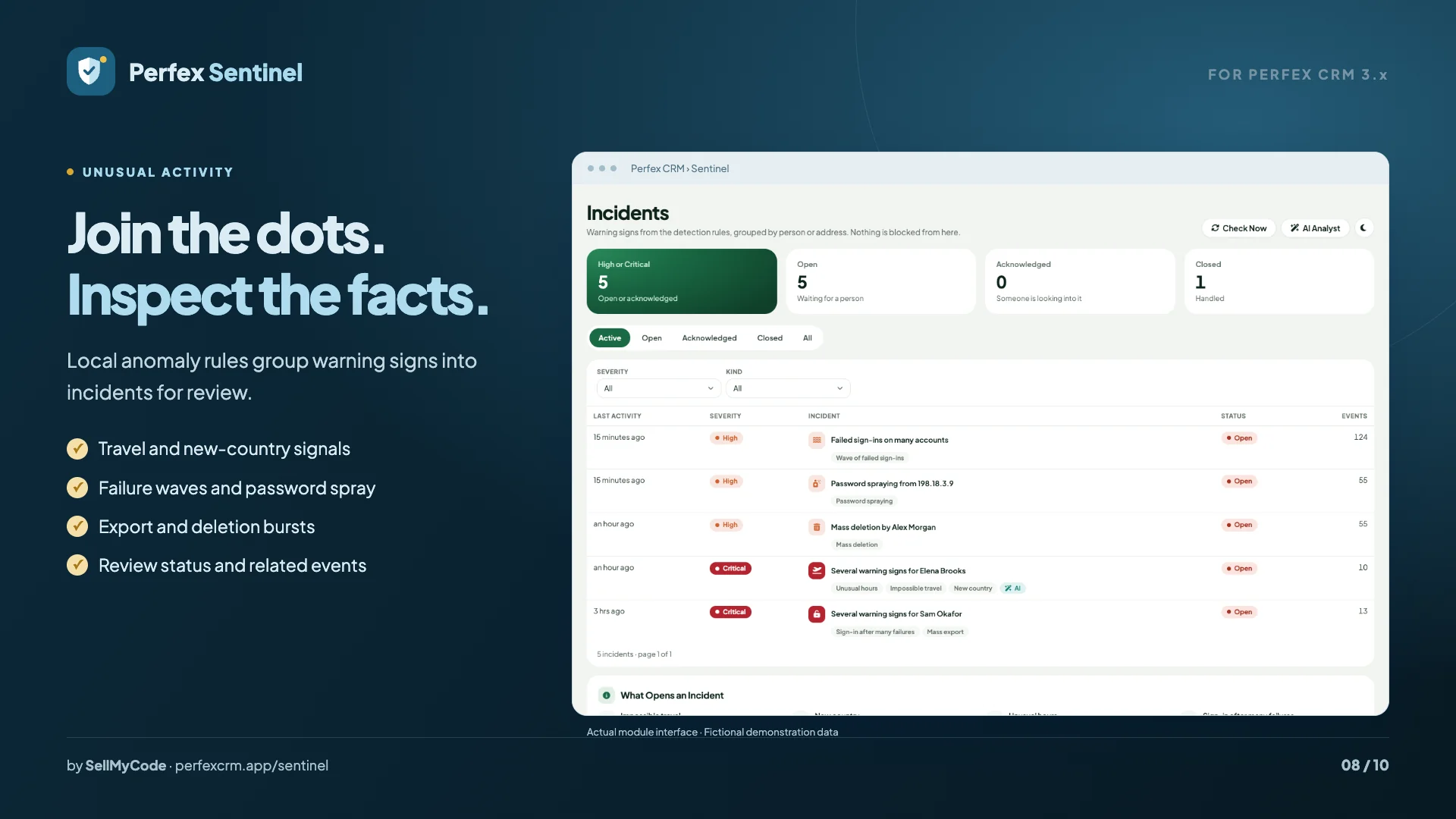
- Search on Sign-in Attempts, CVE Alerts, AI Incidents, the firewall allow and block lists, and Recent Alerts (now also
  with status tabs, a severity filter and pages)
- Every search keeps the other filters, starts again on page 1, clears with ×, and is part of the page address
  (search=); links with the old q= keep working
Interface
- Select boxes keep their arrow 12 px from the edge and clear of the text, also in right-to-left languages
Fixed
- Upgrade Database works again from 1.0.x and 1.2.x: the module now ships an unbroken migration sequence (the
  missing steps stopped the upgrade with "There is a gap in the migration sequence")
- An in-app update keeps quarantined files, queued events and the audit seal copy
1.3.3 - 2026-11-14 — Clearer translations
Translations
- Clearer wording in all 8 languages: reset (not "restore") for two-step sign-in codes (Dutch), "Dates" no longer
  reads as "data" (German), estimates no longer read as forecasts (Turkish), password spraying named in Portuguese and
  Spanish, and a few wrong words fixed
- Interface text says "CRM" and names sibling modules without the "Perfex" prefix
Security
- Request guard brought to the shared kit 3.2
1.3.2 - 2026-11-14 — Security update
Security
- Licence actions (activate, deactivate, update, roll back, move) refuse forged cross-site and gateways/-tagged
  requests, also when the CRM’s own form check is switched off
1.3.1 - 2026-11-11 — CVE Alerts keep working after a partial database restore
Fixes
- CVE Alerts no longer stops with an error when its feed record is missing (for example after restoring only part of
  the database); the record is re-created and the next check refills it
- Check Now works again in that case instead of doing nothing
1.3.0 - 2026-11-11 — Live CVE Alerts
Live CVE alerts
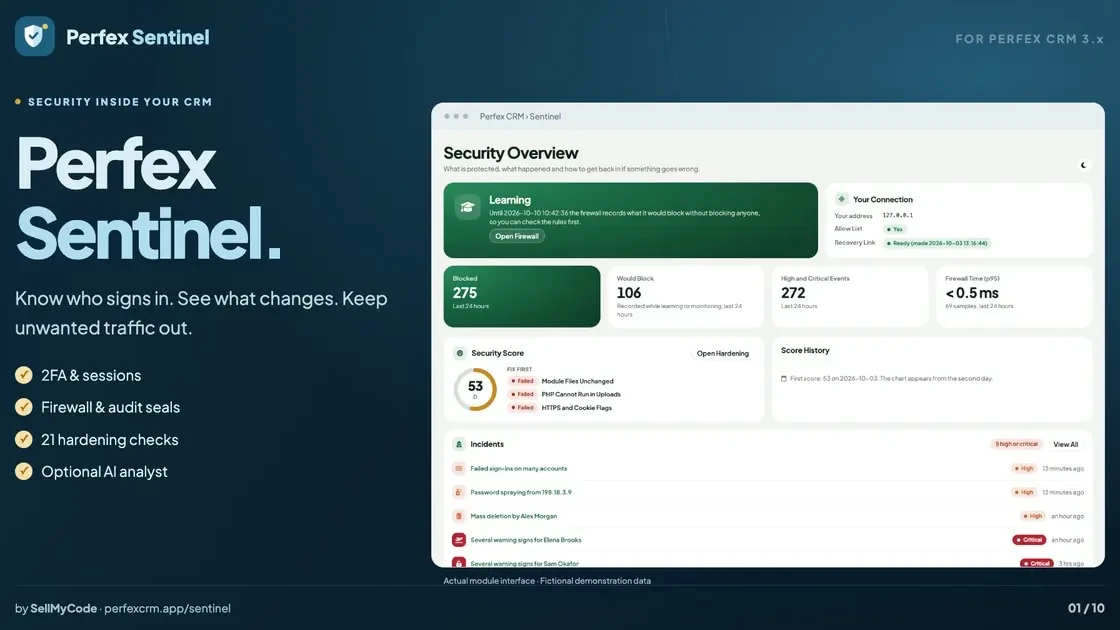
- New: CVE Alerts page under Sentinel. Signed advisories from the Sentinel feed are matched against the versions
  installed here (Perfex, PHP, the database, Composer packages and Perfex modules): affected, possibly affected,
  virtually patched, fixed or not applicable, each with what to do
- Each advisory shows the product and installed version, the affected ranges, the fixed version, severity, CVSS and
  its vector (or "not scored"), whether it is exploited in the wild, and https references
- Distribution builds of PHP are marked "possibly affected — confirm with your host", because backported fixes keep
  the old version number
- Check Now (administrators) queues a fresh fetch with a five-minute cooldown; the feed is also checked every day.
  The page shows the last successful fetch, the serial, the expiry and a stale warning when the cache expired
- Enable Virtual Patch turns on the matching firewall rule for a Perfex advisory after a confirmation; the
  enforcement mode never changes. Automatic enabling is an option, off by default
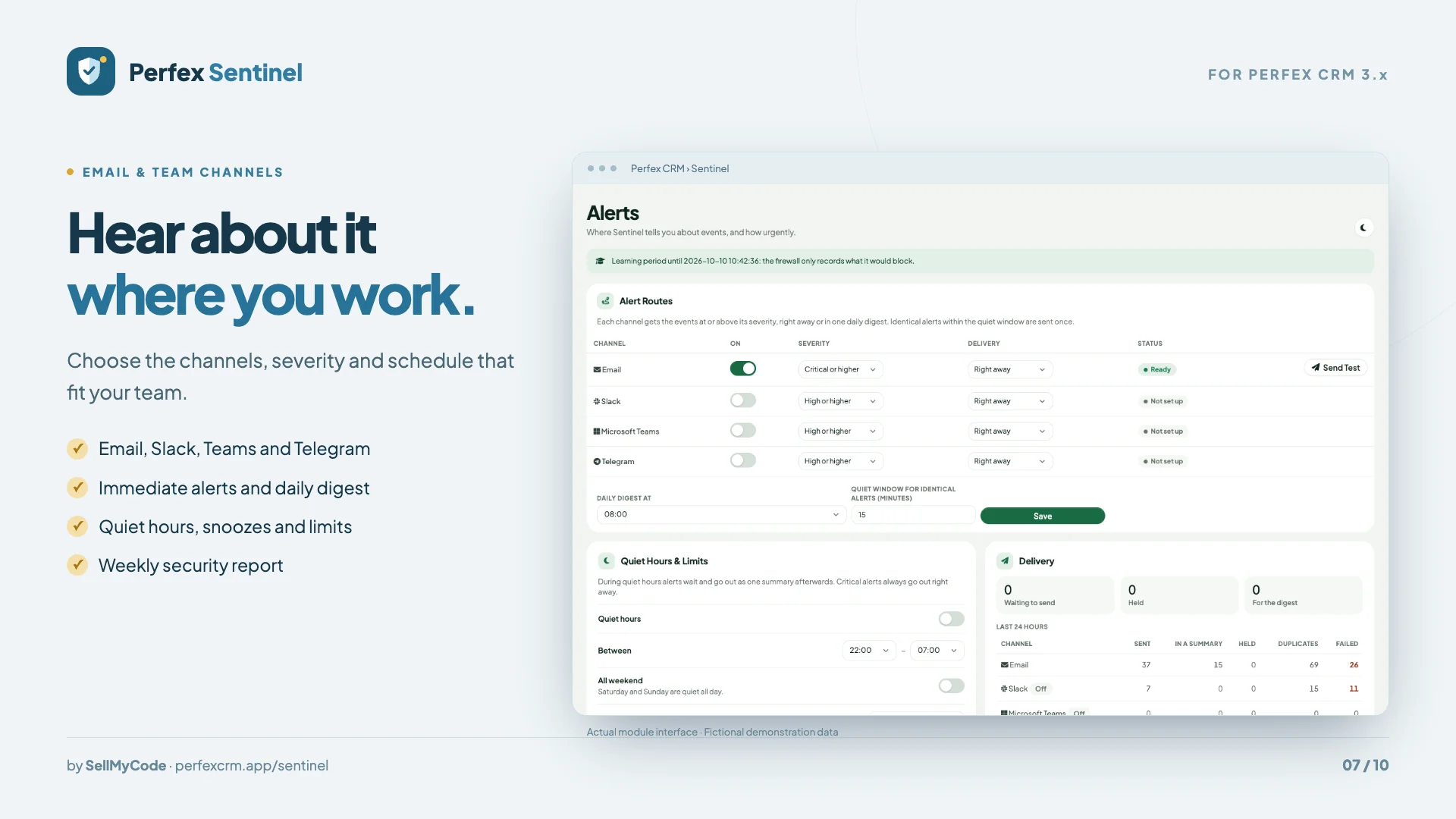
- A digest notification and e-mail to administrators when a check finds new affected advisories, with a list of
  recent deliveries on the page
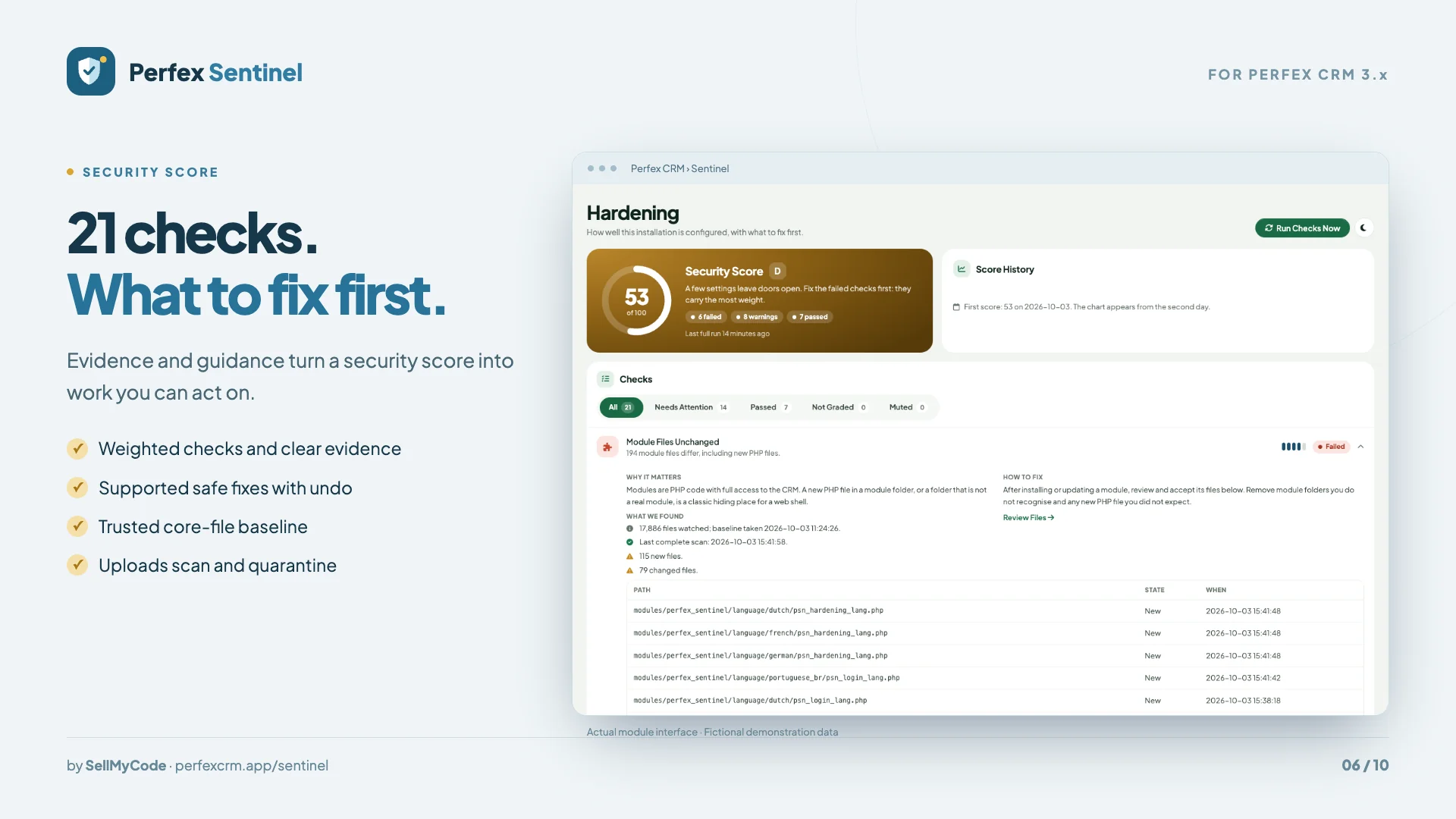
- Live advisories feed the Known Vulnerabilities check on the Hardening page; a stale feed is a warning there
Updates
- Faster page loads: licence settings are read once per request
- License page follows Design Studio dark mode
- Clearer Sessions and alert preview responses
- Upload the new files and run Perfex's Upgrade Database for the module: no manual step, every setting, rule, vault
  item and log entry is kept
- Faster page loads: licence settings are read once per request
- License page follows Design Studio dark mode
- Signed CVE alerts, scheduled checks and digest delivery
- CVE matching and eligible virtual patches in Hardening
- Clearer Sessions and alert preview responses
1.2.3 - 2026-10-31 — Security lines in the Brain Pro weekly digest
Perfex Brain Pro (1.5 or newer)
- New: administrators get a "Security (Past 7 Days)" section in Brain Pro's weekly digest e-mail: security alerts
  (and how many were high or critical), failed sign-ins compared with the 7 days before, requests blocked by the
  firewall and open incidents, each linking to the matching Sentinel page
- Only administrators receive it; other staff never see these lines, whatever Sentinel or Brain Pro rights they hold.
  The lines carry counts only, no names, addresses or alert titles
- Security score, failed sign-ins and open incidents are offered first when Brain Pro builds its Business Overview
  dashboard (each still shown only to people who may see it)
- With an older Brain Pro, or without Brain Pro, nothing changes
Updates
- Upload the new files and run Perfex's Upgrade Database for the module: no manual step, every setting, rule, vault
  item and log entry is kept
1.2.2 - 2026-10-30 — AI Ask reads "last week" and "this week" correctly on Sundays
AI Analyst
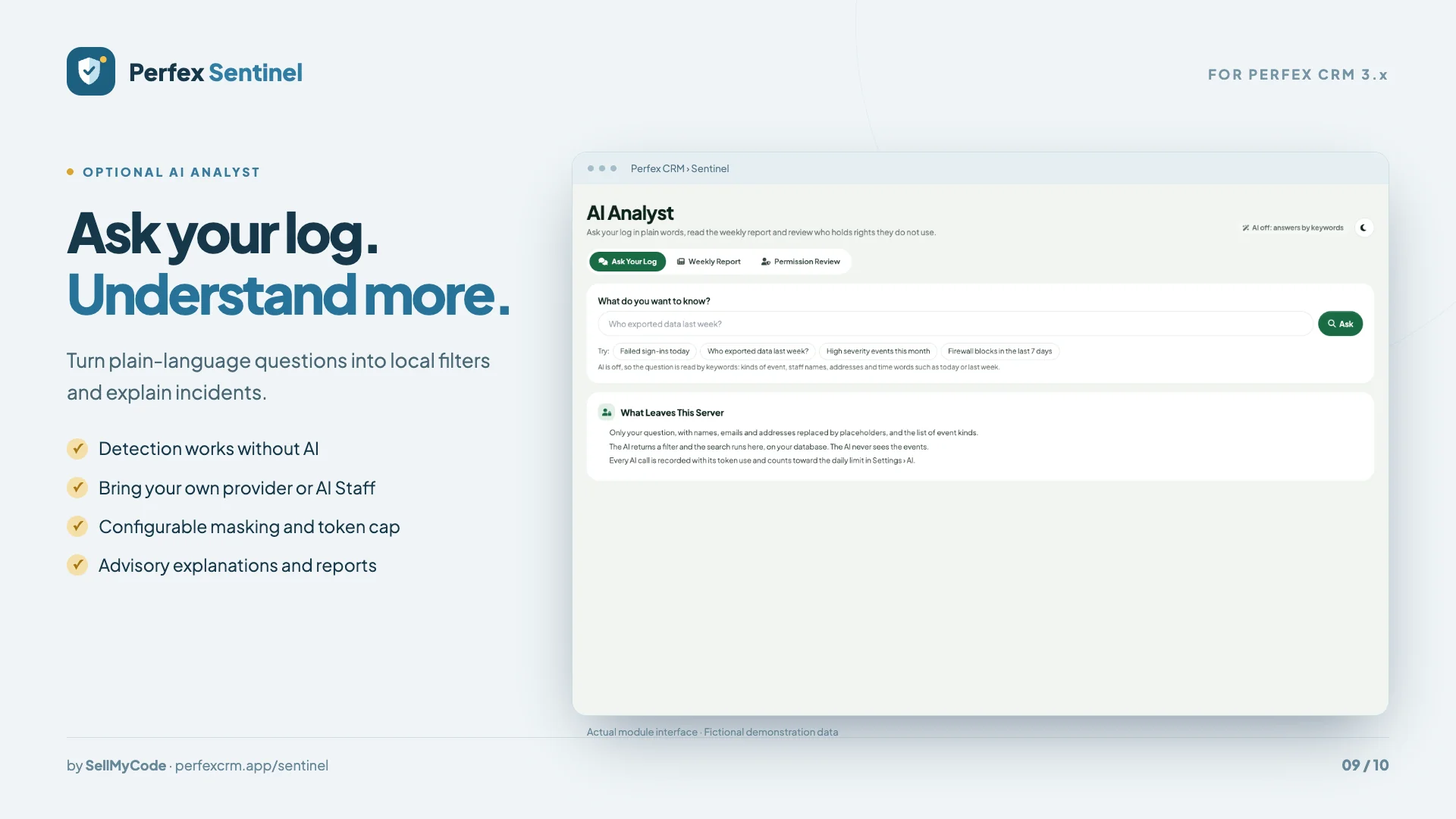
- Fix: AI Ask now reads "last week" and "this week" correctly on Sundays (before, on a Sunday "last week" showed the
  current week and "this week" showed nothing)
- Fix: "yesterday" and "last N days" no longer slip by a day right after the clocks change for daylight saving time
Updates
- Upload the new files and run Perfex's Upgrade Database for the module: no manual step, every setting, rule, vault
  item and log entry is kept
1.2.1 - 2026-10-30 — Upgrade Database with the module turned off
Updates
- Fix: Upgrade Database now works even when the module is turned off (it stopped with an error before); the module
  stays off until you turn it on again
- Upload the new files and run Perfex's Upgrade Database for the module: no manual step, every setting, rule, vault
  item and log entry is kept
1.2.0 - 2026-10-25 — social sign-in and a team password vault
Social Sign-In
- Staff and portal contacts can sign in with Google, Microsoft (Entra ID: common, organizations, consumers or your own
  directory) or Facebook. One card per provider under Sentinel › Social Sign-In: client id, client secret (encrypted
  with Perfex's key, never shown again), allowed email domains, separate switches for the staff sign-in and the portal
- Authorization code flow with state, nonce and PKCE; ID tokens are checked for signature (RS256 with the provider's
  keys), issuer, audience, expiry and nonce. A sign-in request works once and only in the browser that started it
- Accounts are matched by a verified email only (Google email_verified, Microsoft xms_edov or a personal account or a
  directory you trust, Facebook's confirmed address). Staff are never created; portal contacts only when you switch it
  on for an allowed domain mapped to an existing customer (off by default). "Linked accounts only" is an option
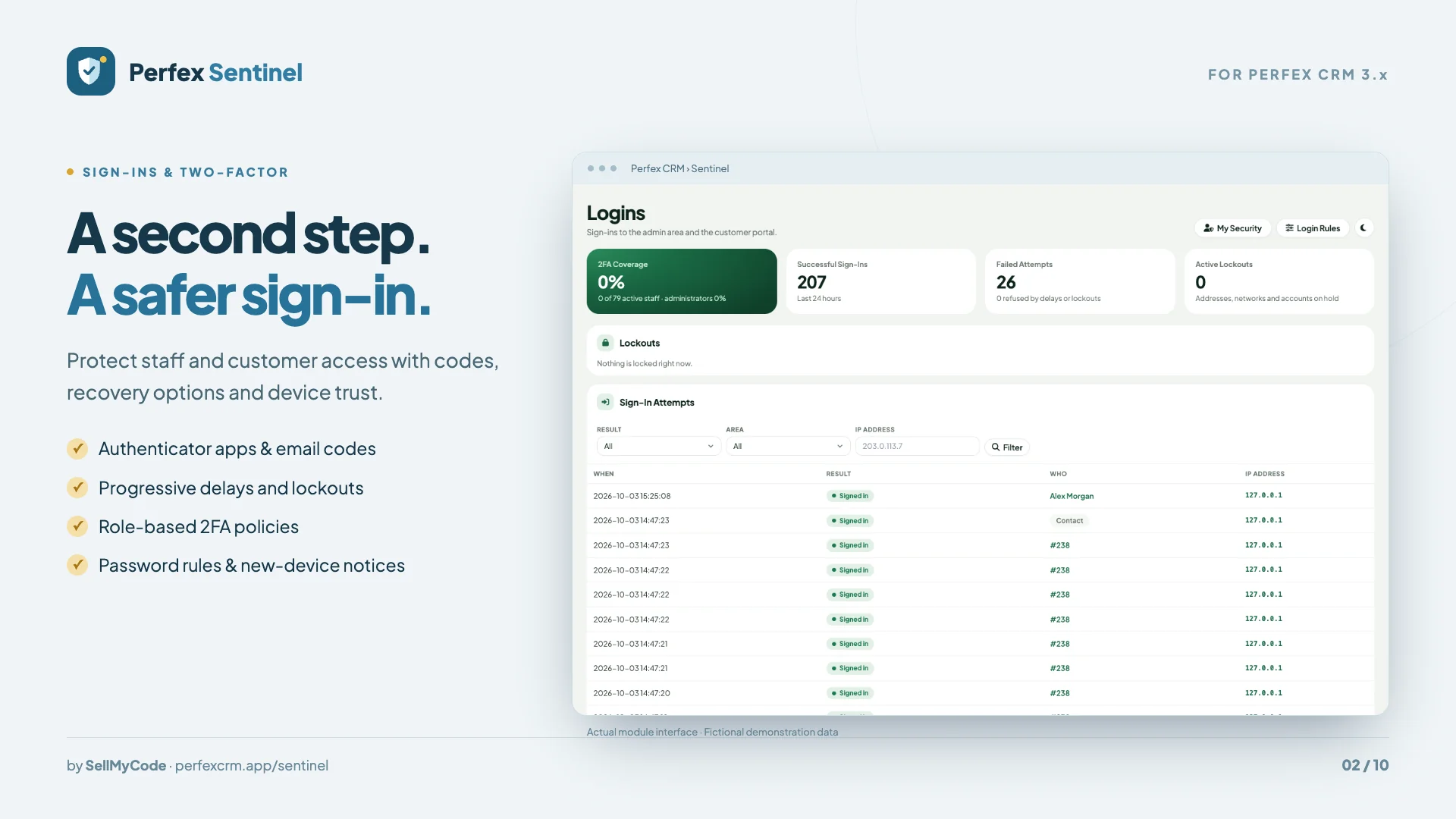
- A social sign-in goes through the same checks as a password: lockouts, Sentinel's two-step sign-in and required
  set-up, Perfex's own 2FA, new-device alerts and session rules
- Link and remove sign-in accounts on My Security (staff) and the portal security page (contacts); administrators see
  and remove every link on the Social Sign-In page. Sign-ins, refusals with their reason, links and setting changes are
  in the audit log
Password Vault
- Shared credentials for the team under Sentinel › Password Vault: name, address, username, password, one-time code
  secret, notes, extra fields (PINs, keys), tags and folders. Values are encrypted with AES-256-GCM, a key derived from
  Perfex's encryption key and a fresh random IV per value
- Passwords never appear in lists, pages, exports or the API: reveal and copy fetch one value over POST, need the new
  Reveal capability and are logged with who, when, which item and the address (also in the audit log). A per-person
  limit on reveals in 10 minutes raises a high-severity event
- Access per staff member, role or department, on an item or a whole folder (sub-folders included), with "can use" or
  "can edit". New capabilities: View, Reveal, Manage, Share
- Rotation reminders: change every N days, a Needs Rotation pill and filter, a Perfex notification for the editors
- Password generator and a strength meter; weak passwords are counted on the vault overview
- Optional (off by default): share single items read-only with a portal contact, with an end date
- Switching from the Team Password module: a read-only importer with a dry run, import in one batch, a second run only
  brings new rows, undo per batch. Two-step sign-in secrets of other modules are never copied: people set up two-step
  sign-in again on My Security
- New texts in all 9 languages
License checks name the product:

- Every license call (activate, check, pause) now sends Sentinel's sellmycode.net item id, as sellmycode.net requires
- A purchase code bought for another product, or an unknown one, only shows "This purchase code is not valid for
  Perfex Sentinel." The detailed reason is kept in Sentinel's audit log for administrators
- An activation made by an older version with another product's purchase code is paused once and removed from this
  install; enter your Sentinel purchase code to switch Sentinel back on


 0 Viewing now
Live buyer activity

Pick 3 of SamSan’s items to unlock 10% off your total.
Everything you pick is added to your cart when you tap the button below.
Last update:
19 Nov, 2026
Published:
03 Oct, 2026
Version:
Category:
Framework:







 Google
 Github
 From Unknown Location
 Elite Seller
 Trend Master
 Featured Item