1.0.5 - 2026-11-20 — Faster pages, CSV files through one writer, search on the restores list
Security
- The activity log CSV download goes through the shared CSV writer: it opens with the right characters in Excel, is
  never shown as a page, and a cell that starts with = + - @, a tab or a line break (also after spaces or broken
  characters) opens as text
Speed
- The restore-in-progress check that runs on every CRM request (staff pages, client portal and cron) reads its setting
  together with the CRM's other settings: one query fewer per request, and a running restore still closes the CRM
  exactly as before
- Backup & Migration settings load together with the CRM's other settings instead of one query each (keys and secrets
  stay out)
- Stylesheets, scripts and fonts are cached by the browser and compressed (Apache, LiteSpeed and IIS)
- On Backup & Migration pages the font starts loading together with the stylesheet
Search
- Restore History gains a search (restore ID, status or the staff member who started it) with a × to clear, search as
  you type and a note when nothing matches; it now pages after 25 instead of stopping at 20
- Backups, Snapshots and Activity searches gain a × to clear, search as you type (Enter searches at once), start again
  on page 1 and say when nothing matches; the Backups search also finds the staff member and the date (YYYY-MM-DD)
- The search, page and Backups status filter are part of the page address on Backups, Snapshots and Activity, so a
  filtered list can be bookmarked or shared and stays as it was after a reload (old q= links keep working)
- Choosing a backup to restore: search by backup ID, staff or date, and Load More instead of only the 20 newest
1.0.4 - 2026-11-14 — Clearer translations
Translations
- Clearer wording in German, Portuguese, Russian and Spanish: the encryption-key warning says again that encrypted CRM
  fields cannot be recovered without the original key, cache space no longer reads as memory (German), and a few
  wrong words fixed
- Interface text says "CRM" and names sibling modules without the "Perfex" prefix
Security
- Licence actions refuse forged cross-site requests (request guard kit 3.2)
1.0.3 - 2026-11-13 — Security update
Security
- The request check on every signed-in Backup & Migration page and staff API call also covers addresses typed with
  different capital letters (Windows and macOS servers find the module that way)
- An incomplete upload no longer stops the CRM: a missing security helper file is written to the log instead
1.0.2 - 2026-11-13 — Security update
Security
- Refuses forged cross-site and `gateways/`-tagged requests on every signed-in Backup & Migration page and staff API call,
  also when the CRM's own form check is switched off
1.0.1 - 2026-11-10 — Licence and maintenance update
Updates
- Faster page loads: licence settings are read once per request
- License page follows Design Studio dark mode
- Show specific archive upload and settings validation messages. Show License to staff with settings access.
1.0.0 - 2026-11-05 — First release

Backups
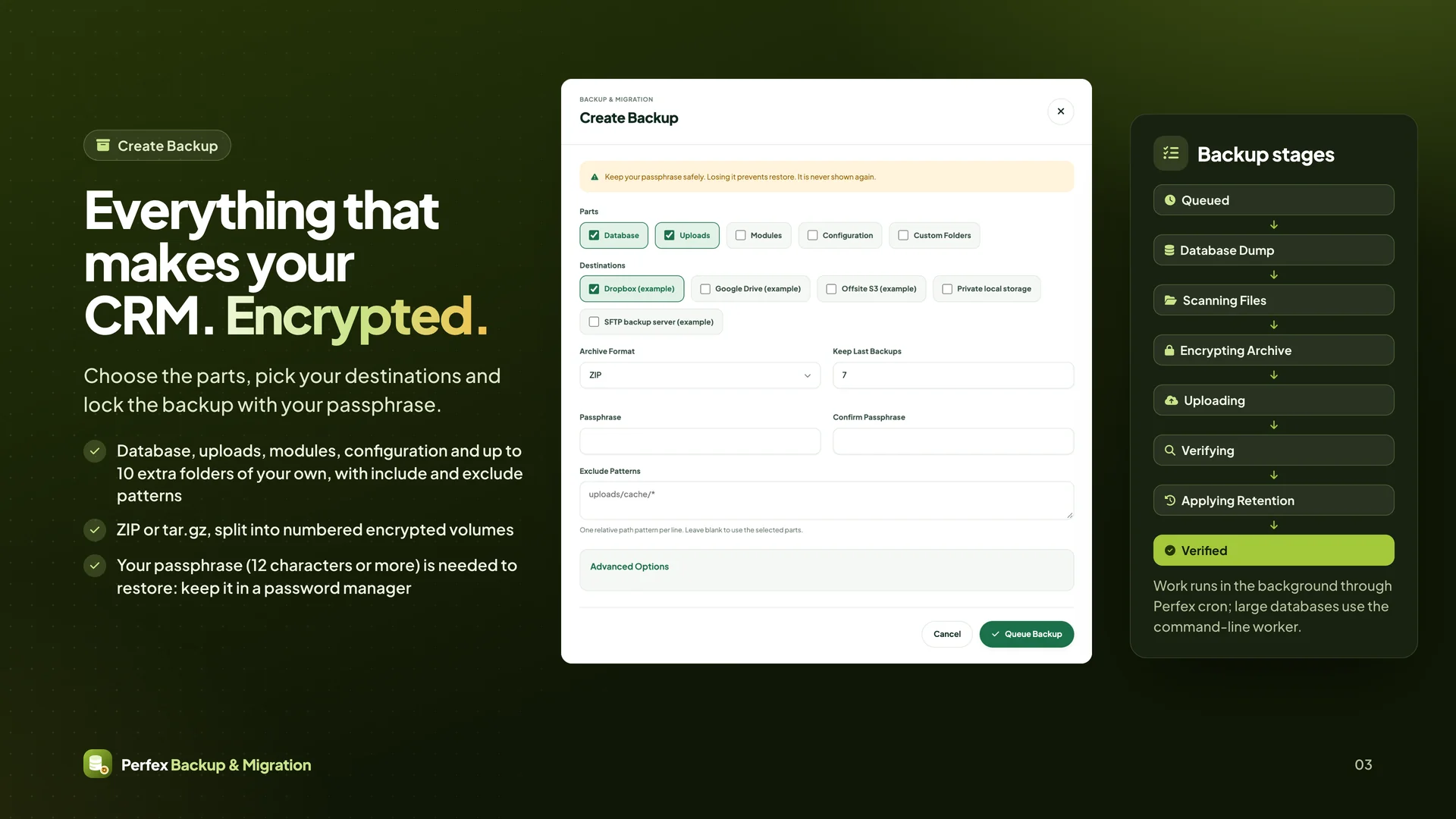
- Encrypted backups of the parts you choose: database, uploads, modules, configuration and your own extra folders,
  with include and exclude patterns.
- ZIP or tar.gz archives, split into numbered encrypted volumes. Your passphrase (12 characters or more) is needed
  to restore and is never stored in readable form, so keep it in a safe place.
- Consistent database copy of InnoDB tables in plain PHP, without mysqldump; the optional native mysqldump runs
  through the command-line worker when you switch it on.
- Work runs in the background through Perfex cron. Large databases use the command-line worker; an interrupted
  backup continues from its last saved step.
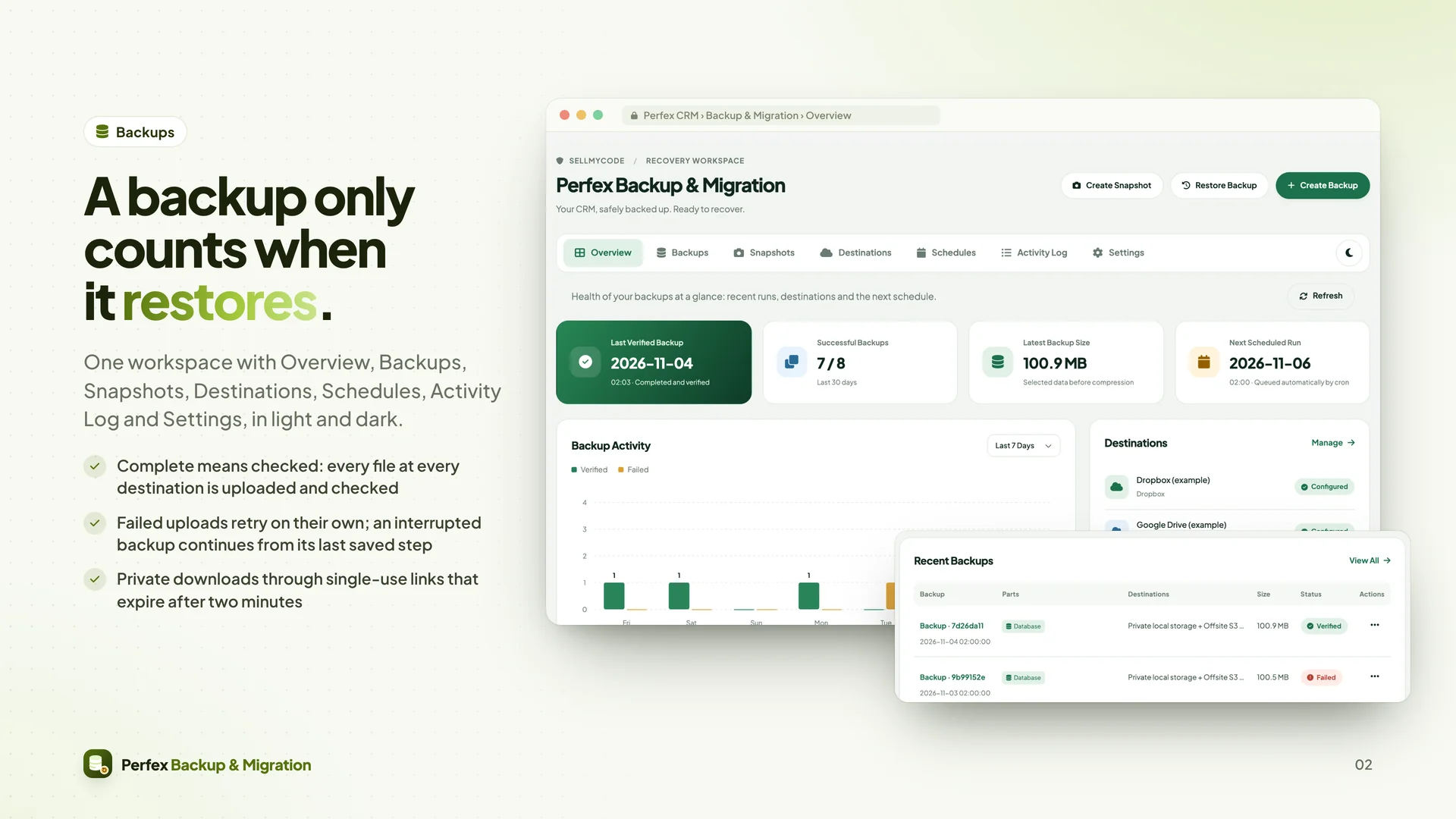
- A backup counts as complete only after every file at every destination has been uploaded and checked.
- Failed uploads retry on their own (after 30, 60 and 120 seconds) before the backup is marked as failed; a failed
  backup can be retried.
- Private downloads: single-use links for the staff member who asked, valid for two minutes.

Destinations
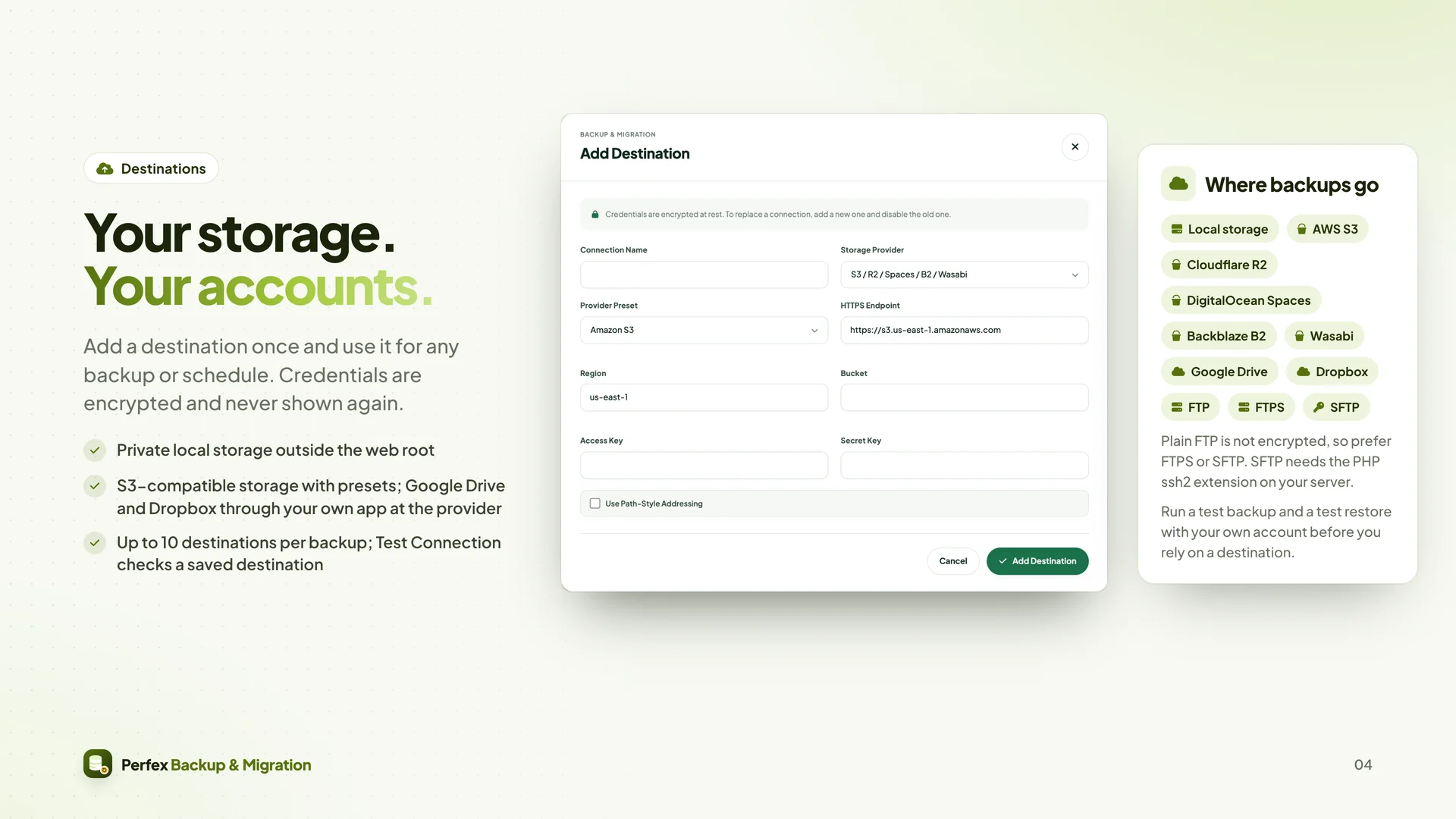
- Private local storage outside the web root, S3-compatible storage (presets for AWS S3, Cloudflare R2,
  DigitalOcean Spaces, Backblaze B2 and Wasabi), Google Drive, Dropbox, FTP, explicit FTPS and SFTP.
- One backup can go to up to 10 destinations at once.
- SFTP needs the PHP ssh2 extension on your server and a pinned host fingerprint; without ssh2 it is shown as
  unavailable instead of falling back to something less safe. Plain FTP is not encrypted, so prefer FTPS or SFTP.
- Google Drive and Dropbox connect through your own app at the provider, with the address to register shown in
  the module.
- Credentials are encrypted and never shown again; Test Connection checks a saved destination.

Schedules and retention
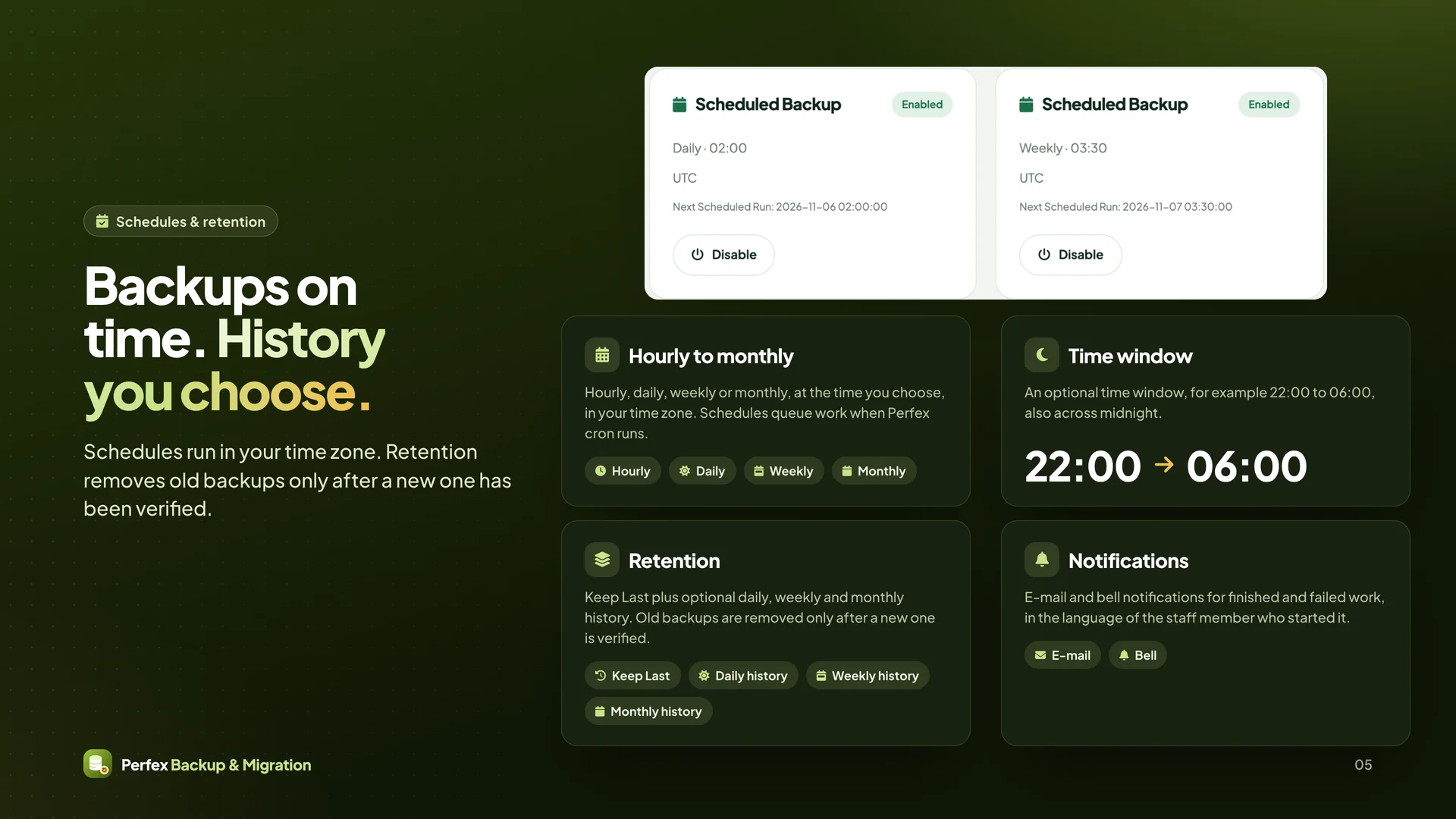
- Hourly, daily, weekly or monthly schedules in your time zone, with an optional time window (for example
  22:00 to 06:00).
- Keep Last plus optional daily, weekly and monthly history. Retention runs only after a new backup is verified.

Snapshots
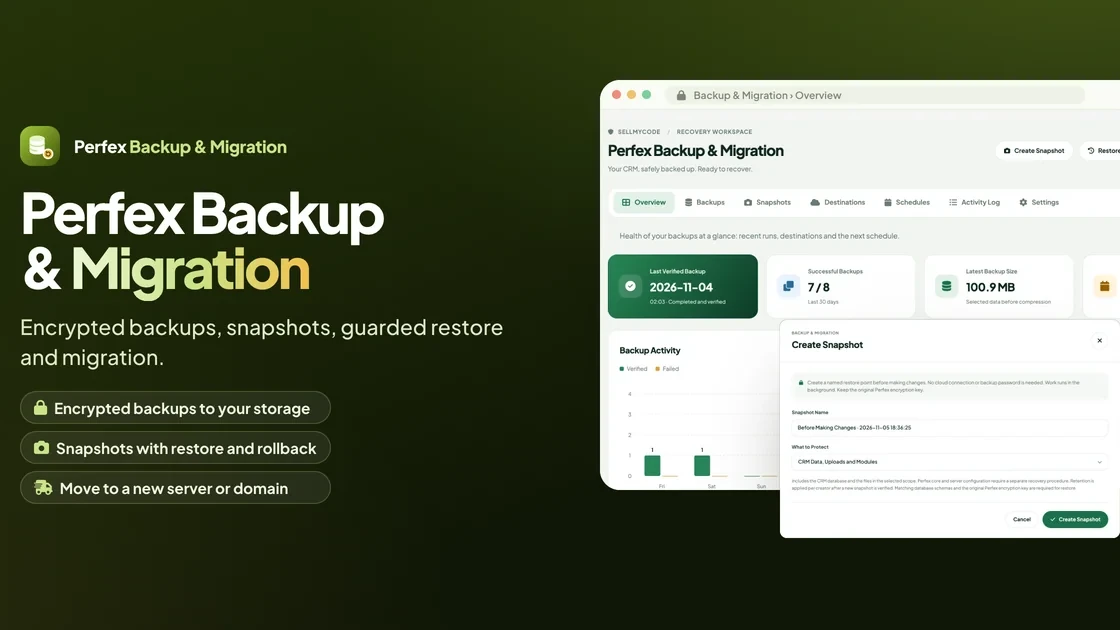
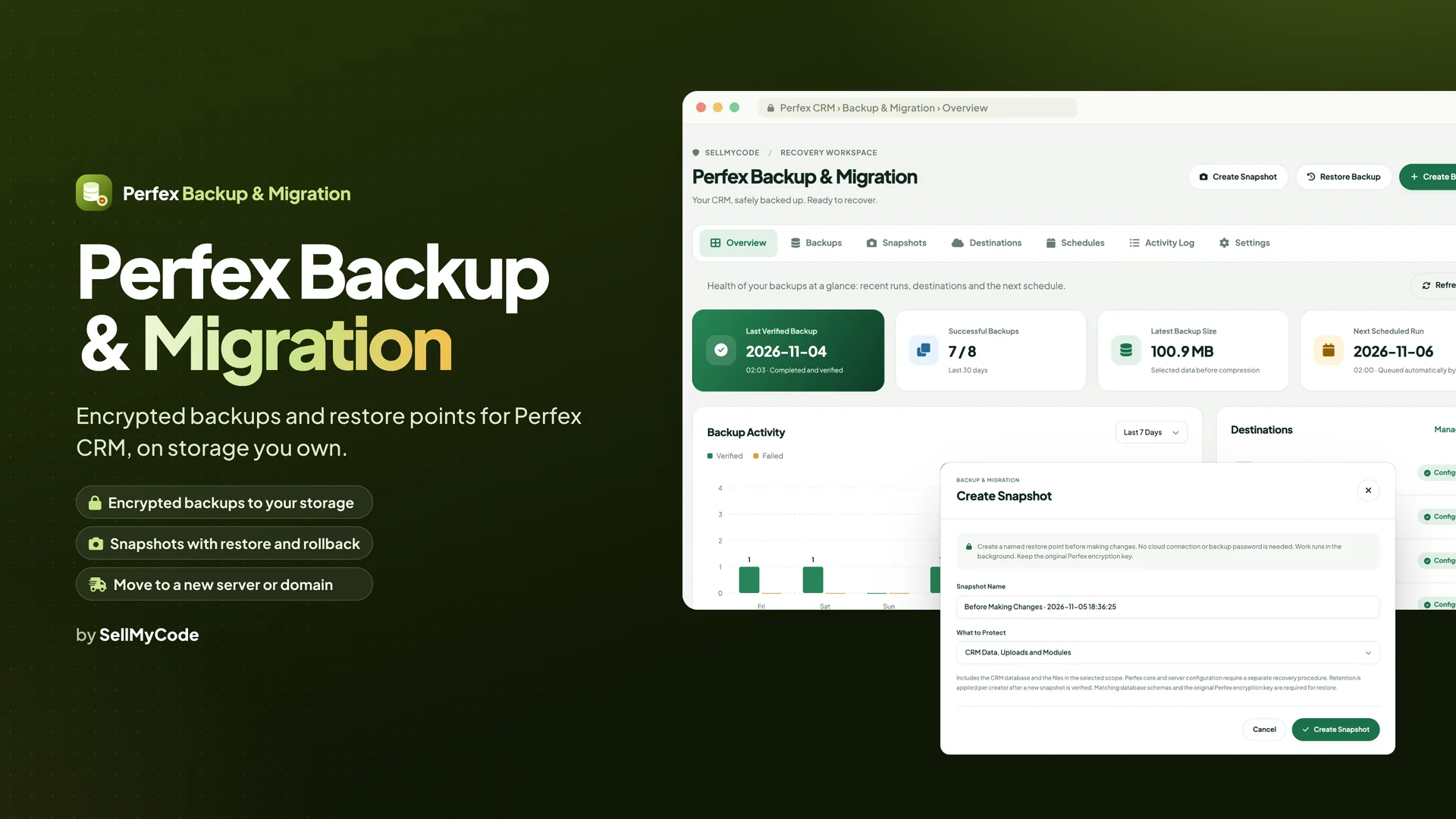
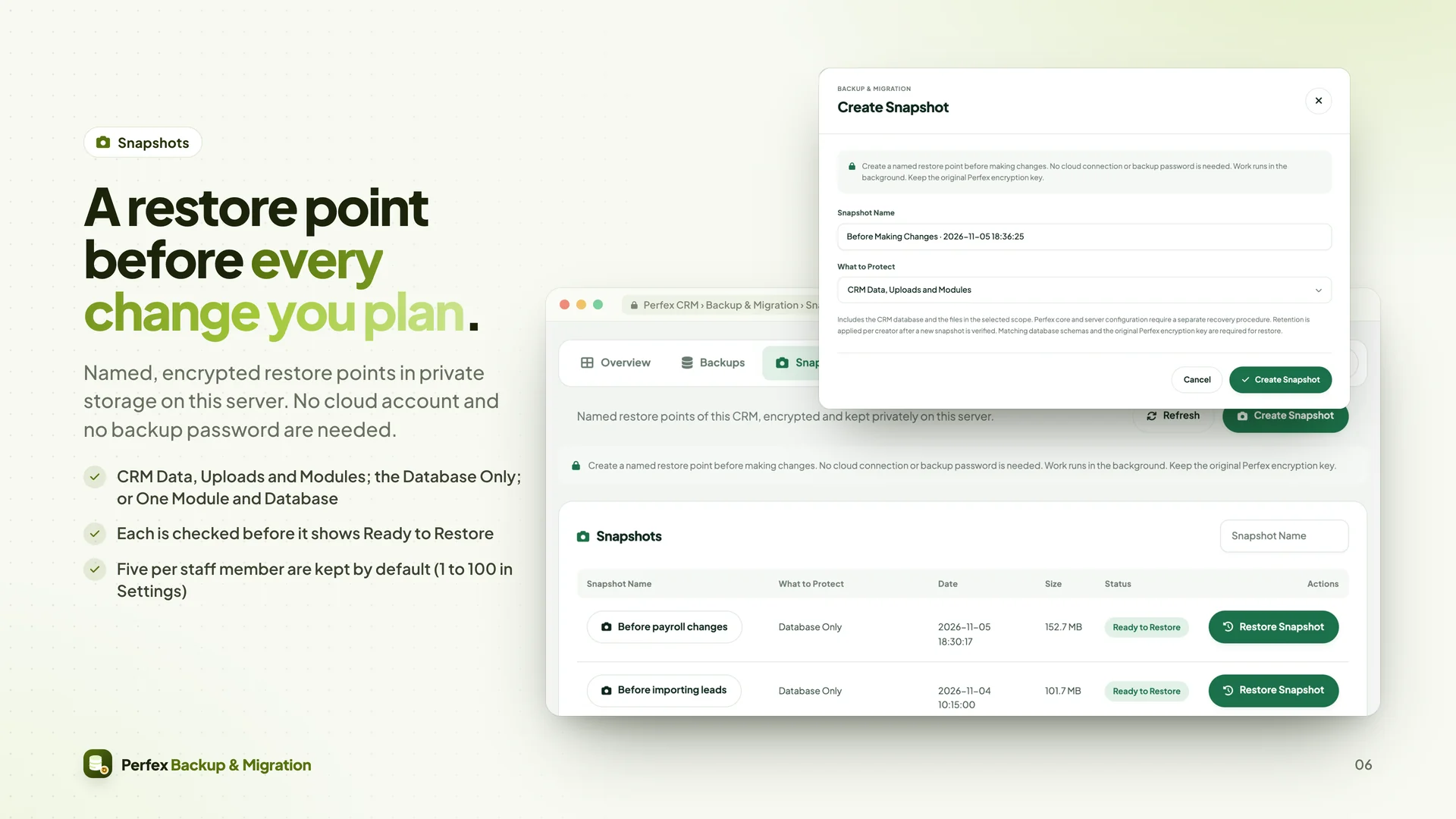
- Named manual snapshots: encrypted restore points on this server of CRM Data, Uploads and Modules, the Database
  Only, or One Module and Database. No cloud account and no backup password are needed.
- Restore Snapshot shows what the snapshot contains, asks you to confirm and restores in the background with the
  same safety steps as a full restore.
- Five verified snapshots per staff member are kept by default (1 to 100 in Settings); an old one is removed only
  after a newer one has been verified.
- A pre-update snapshot hook for updaters: an updater can ask for a snapshot of its module before it replaces
  files, and the update is cancelled if the snapshot fails. The one-click updaters of our modules do not use it
  yet.

Restore and rollback
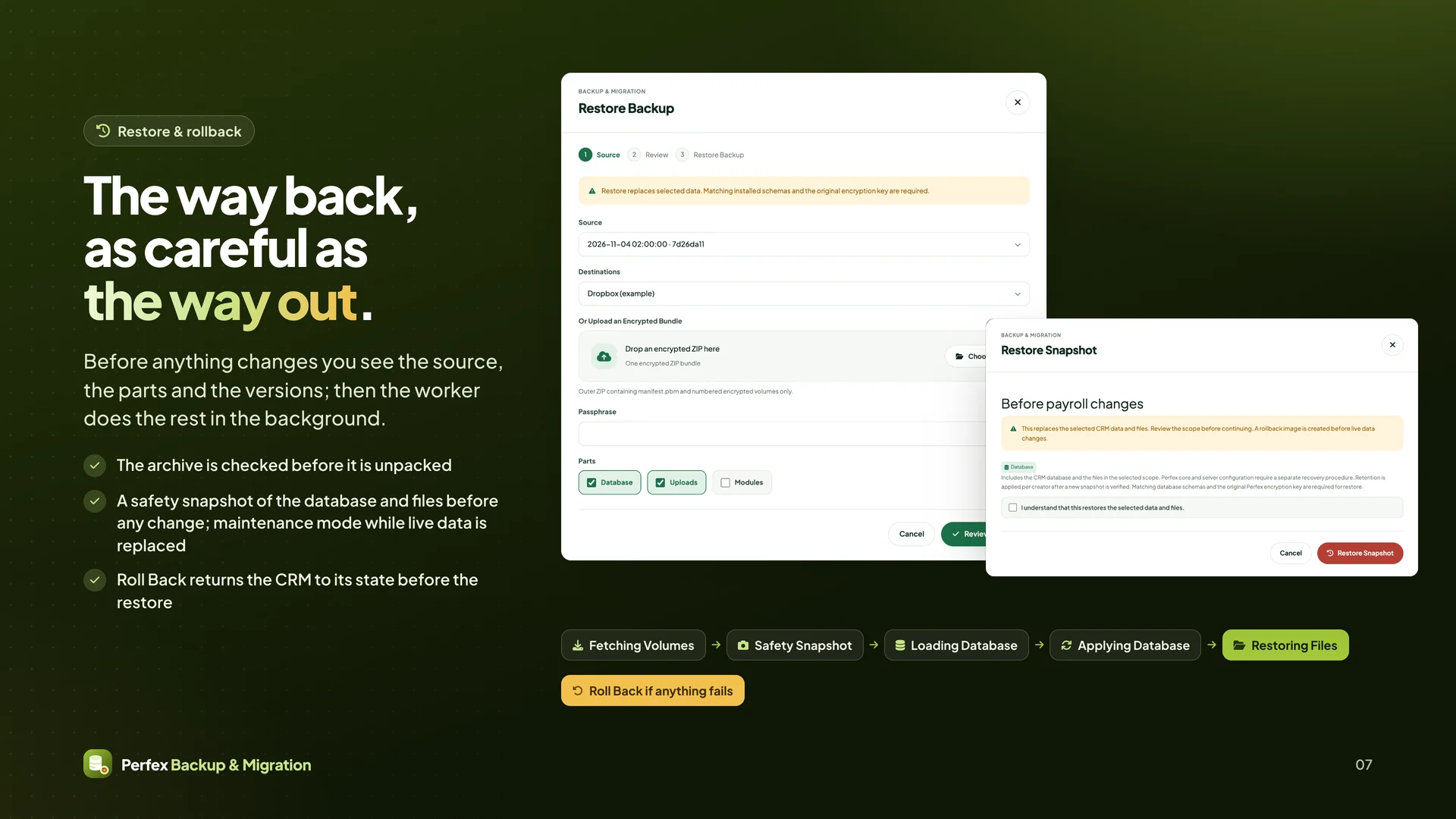
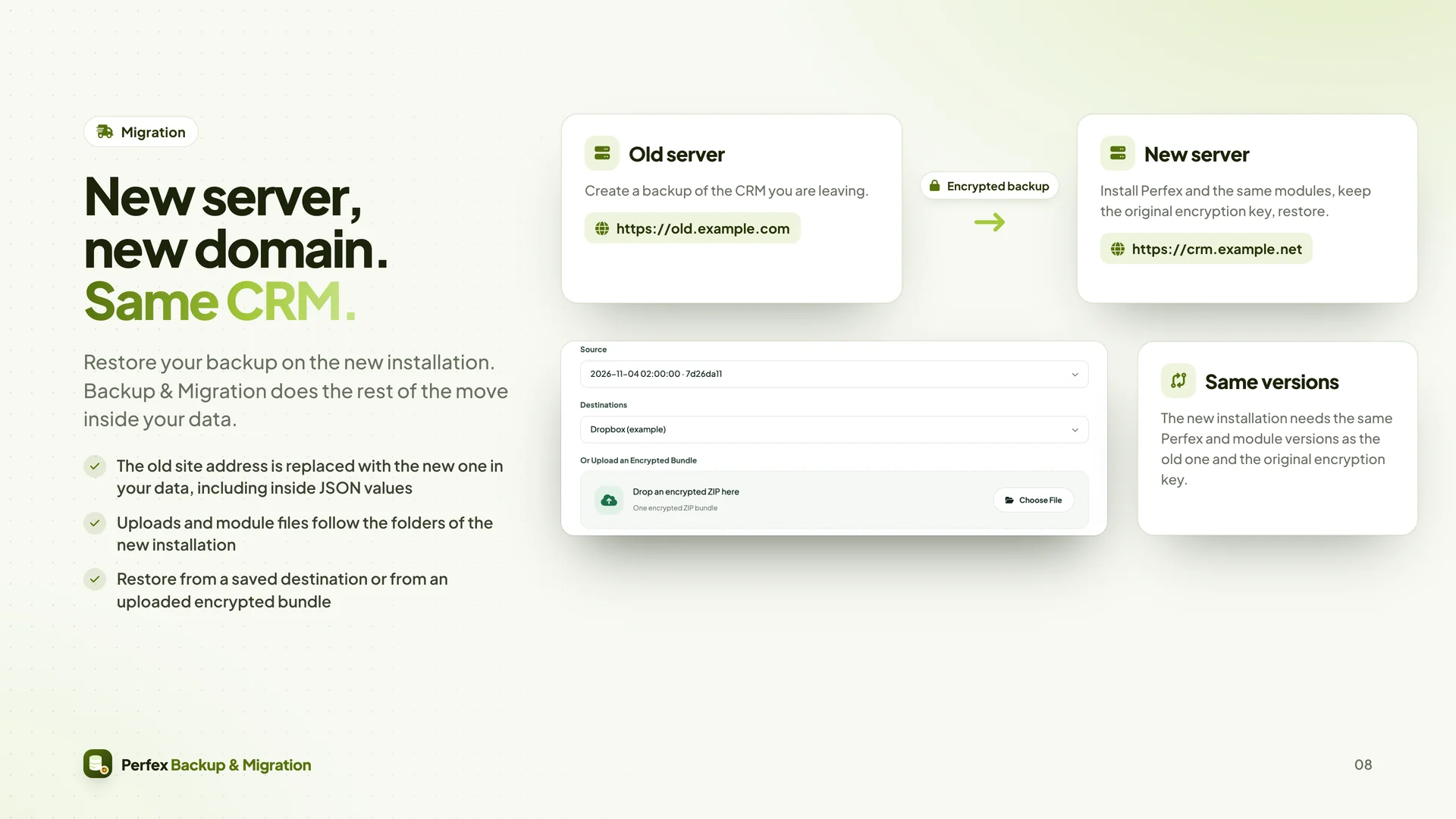
- Restore from a saved destination or from an uploaded encrypted bundle. The archive is checked before anything is
  unpacked, and the source, parts and versions are shown before you start.
- A safety snapshot of the database and files is taken before any change, and the CRM is in maintenance mode while
  live data is replaced. If something fails, Roll Back returns the CRM to its state before the restore.
- Database tables are loaded in a staging copy and switched in together; configuration and custom folders are
  staged for you to review, never applied on their own.

Migration
- Move the CRM to another server or domain: restore a backup on the new installation and the old site address is
  replaced with the new one in your data, including inside JSON values.
- The new installation needs the same Perfex and module versions and the original encryption key of the old one.

Control
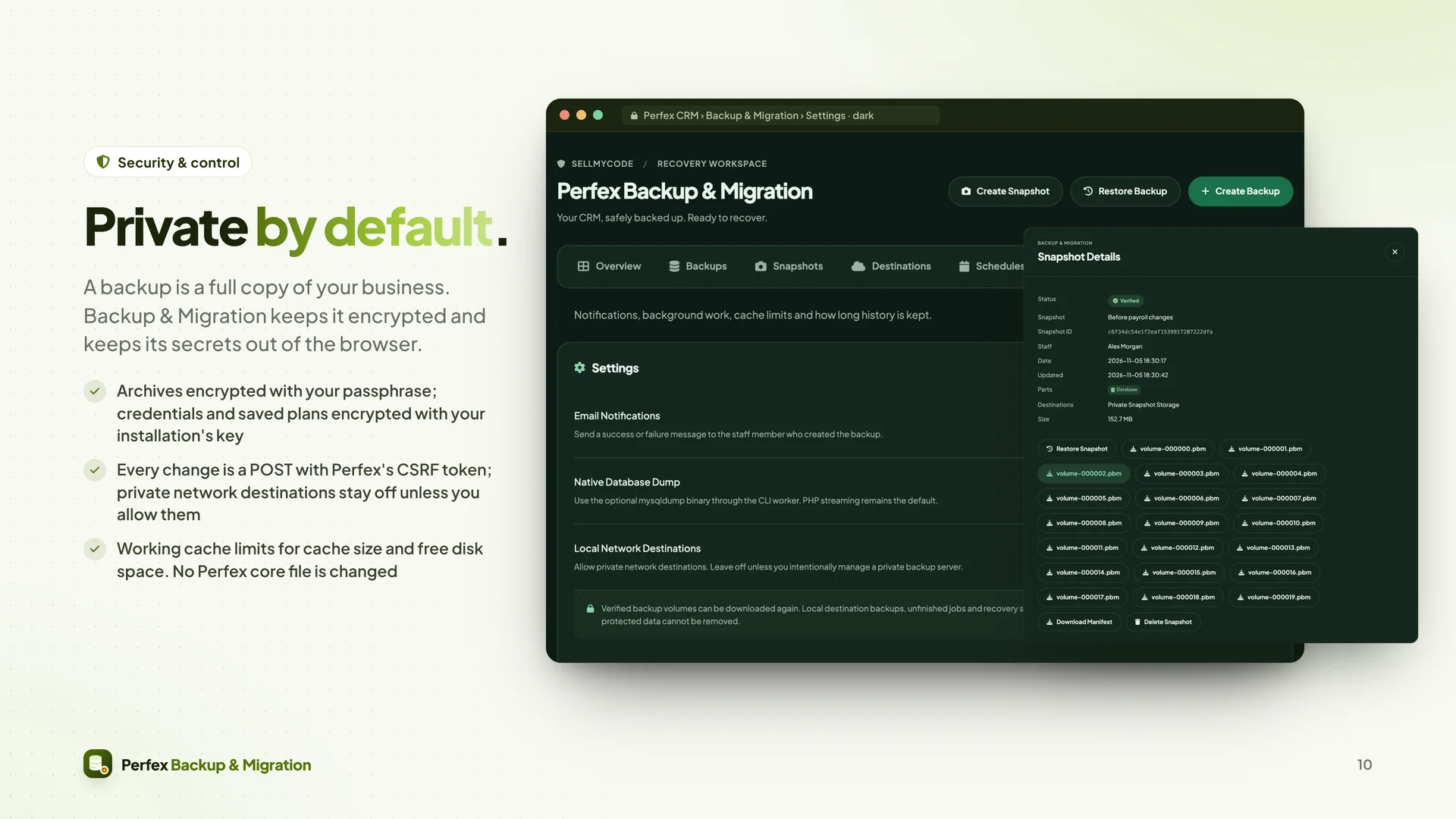
- Workspace with Overview, Backups, Snapshots, Destinations, Schedules, Activity Log and Settings, in light and
  dark.
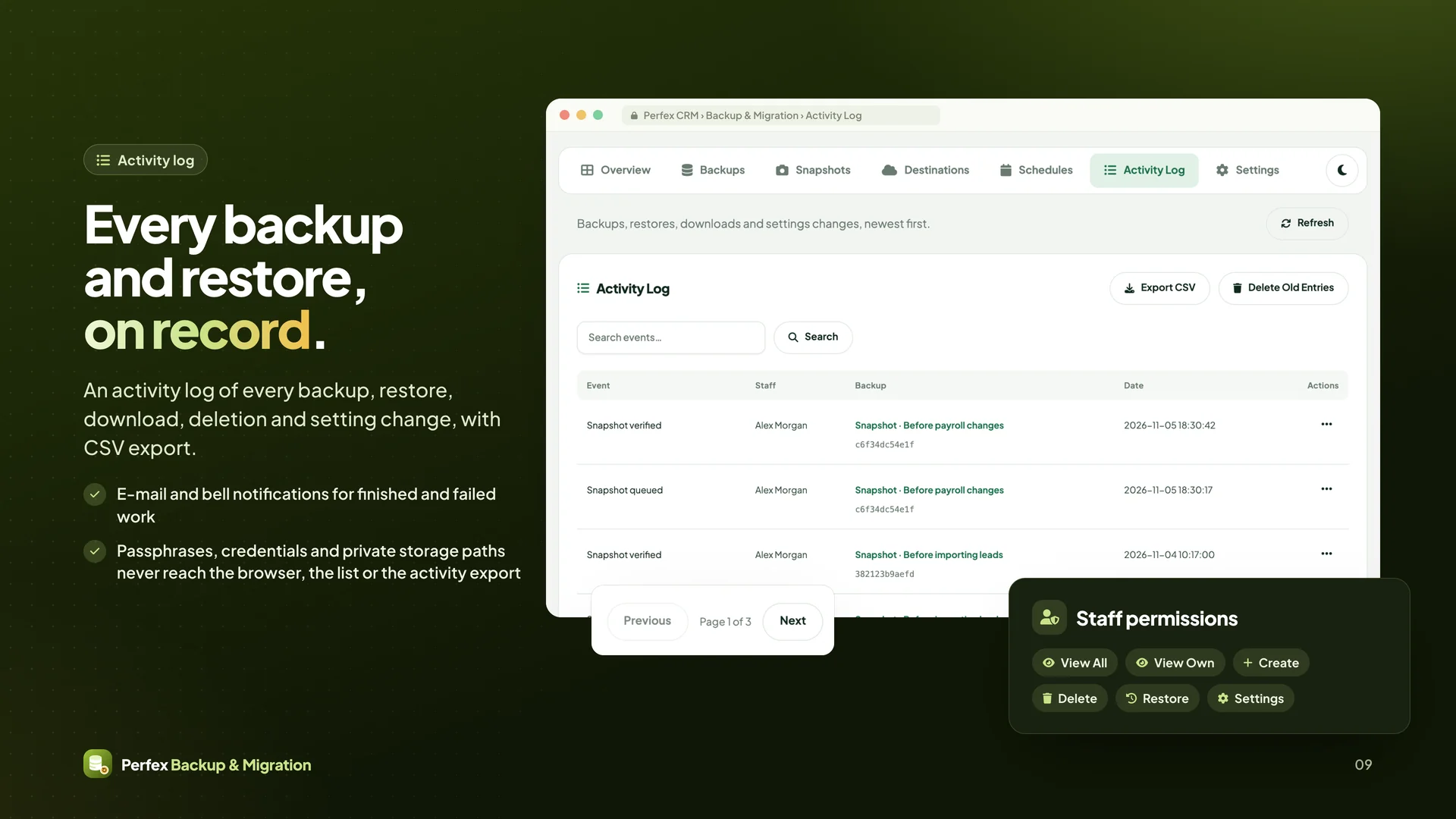
- Staff permissions: View All, View Own, Create, Delete, Restore and Settings.
- E-mail and bell notifications for finished and failed work, in the language of the staff member who started it.
- Activity log of every backup, restore, download, deletion and setting change, with CSV export.
- Working cache cleanup with limits for cache size and free disk space; unfinished work and recovery snapshots are
  always kept.
- Interface complete in English. Spanish, Portuguese (Brazil), French, German, Italian, Dutch, Turkish and Russian
  are fully translated.
- No Perfex core file is changed.

Requirements
- Perfex CRM 3.4 or newer; PHP 8.1 or 8.2 (tested); MySQL or MariaDB with InnoDB tables; Perfex cron.
- Large databases need the command-line worker. There is no guarantee for unlimited site sizes or every hosting
  time limit.


 0 Viewing now
Live buyer activity

Pick 3 of SamSan’s items to unlock 10% off your total.
Everything you pick is added to your cart when you tap the button below.
Last update:
19 Nov, 2026
Published:
05 Nov, 2026
Version:
Category:
Framework:







 Google
 Github
 From Unknown Location
 Elite Seller
 Trend Master
 Featured Item