Run your field team from Perfex CRM: plan the day on a dispatch board and drag jobs onto technicians, follow every work order from assignment to the customer's signature, and turn accepted work into Perfex invoices. Technicians record time, checklists, photos, materials and signatures in the technician app (Perfex Mobile 1.5.0+), or the office enters them on the web. Stock is issued through Product Hub 1.6.4+, and Reports use the same numbers as billing.
From the first call to the invoice. One place for your field team.
Perfex Field Service adds work orders, a dispatch board, on-site checklists with photos and signatures, time and materials review, SLA clocks, Perfex invoicing and reports to Perfex CRM. Your office plans and checks the work, your technicians do it on site, and the customer signs on the spot.
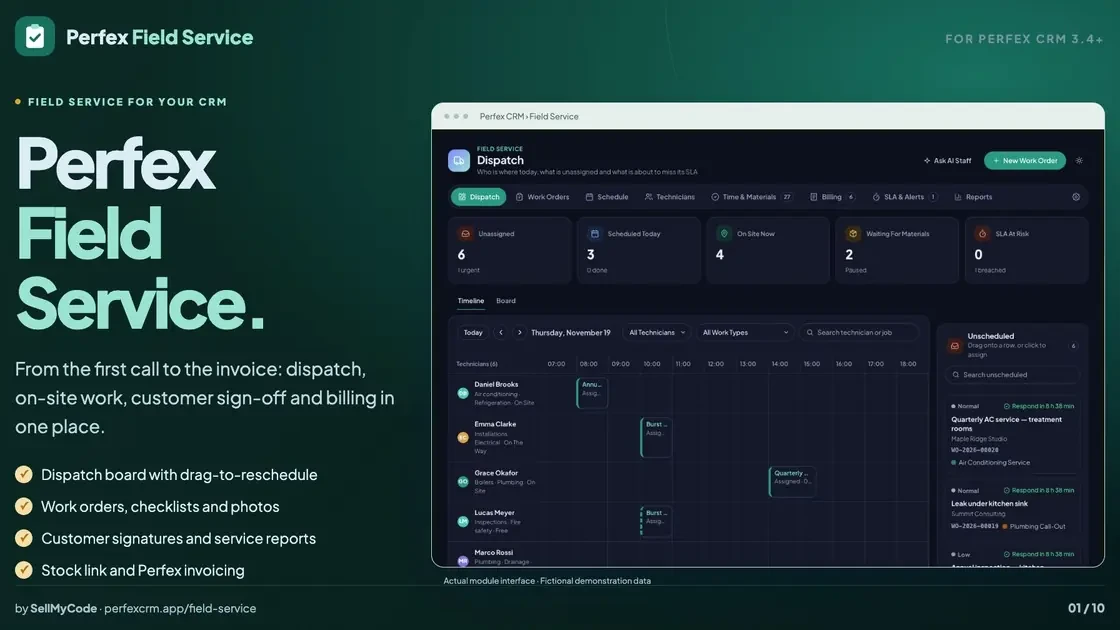
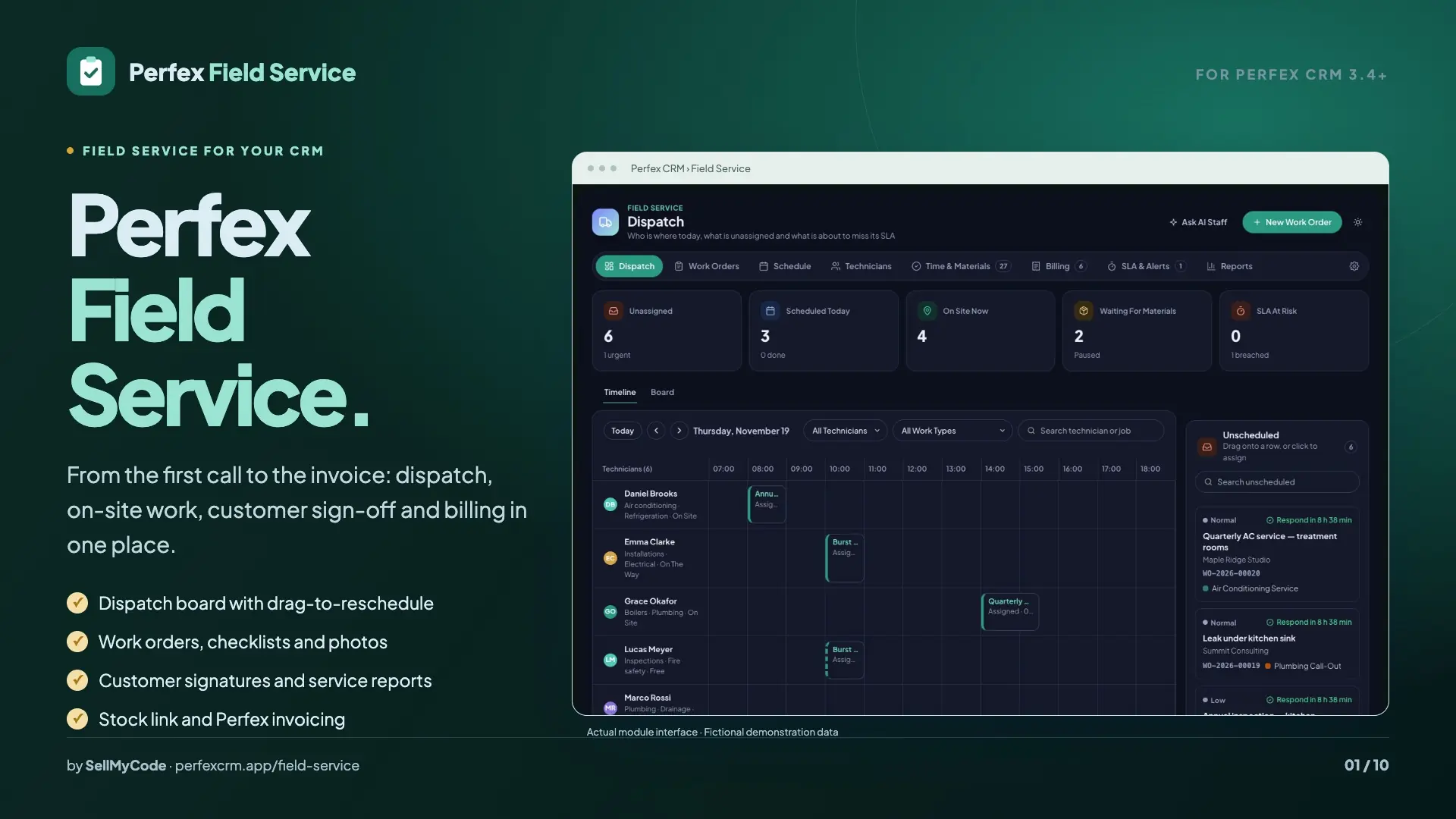
Dispatch and schedule
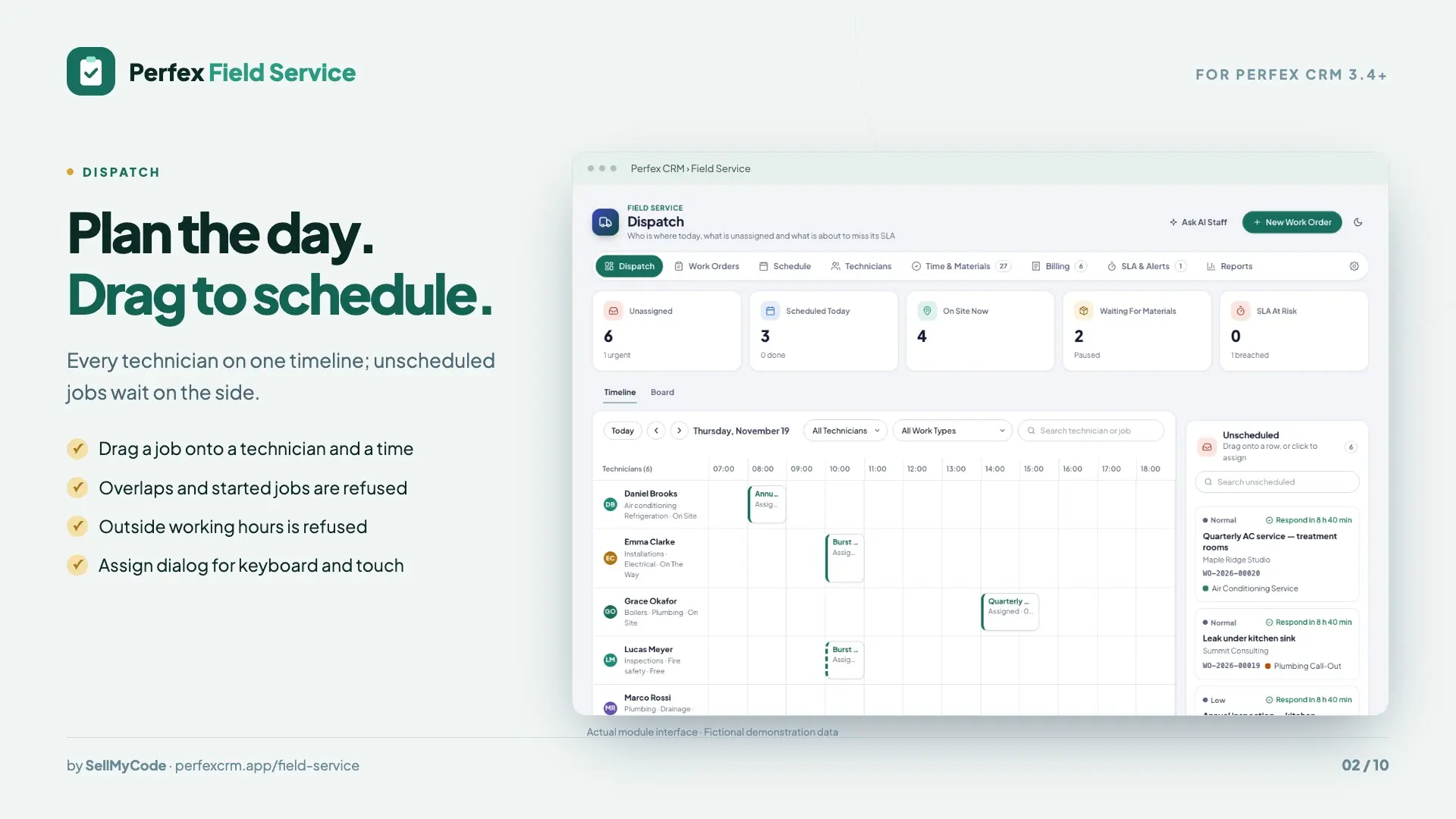
- A day timeline for every technician, with unscheduled jobs waiting on the side.
- Drag a job onto a technician and a time, or use the Assign dialog with the keyboard or on a tablet.
- Overlaps, jobs already started and times outside a technician's working hours are refused; when two dispatchers move the same job, the second one is told.
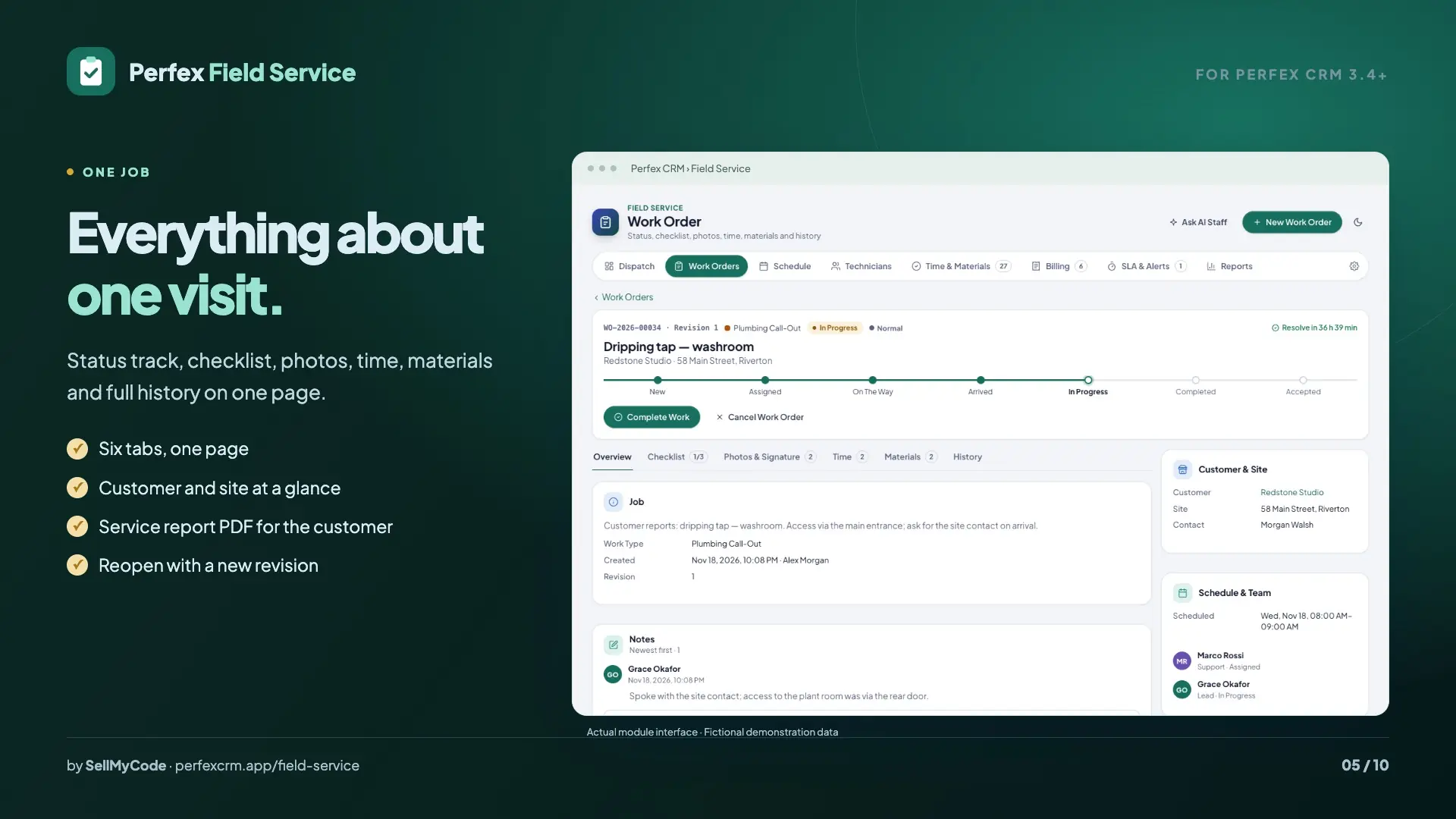
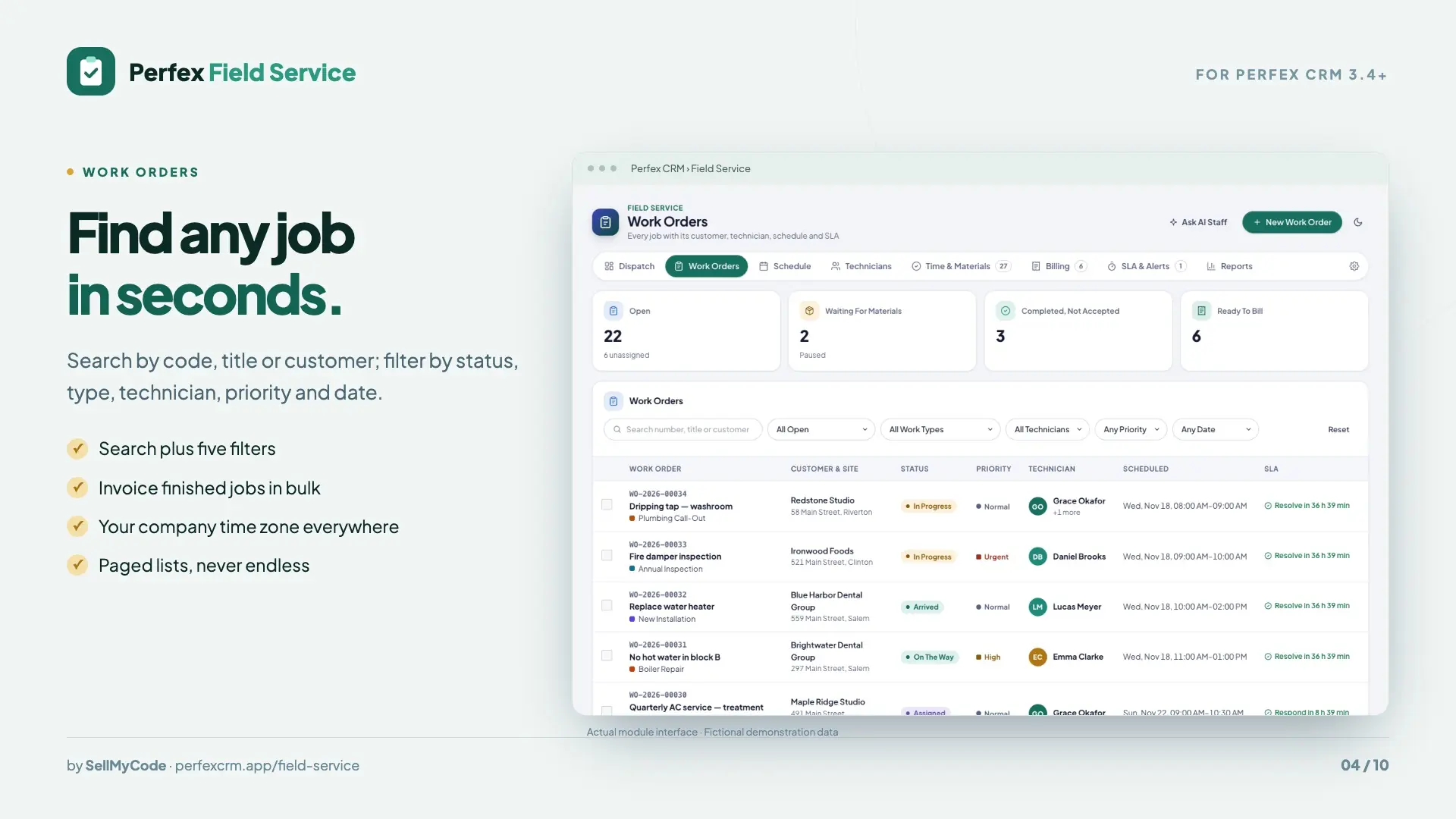
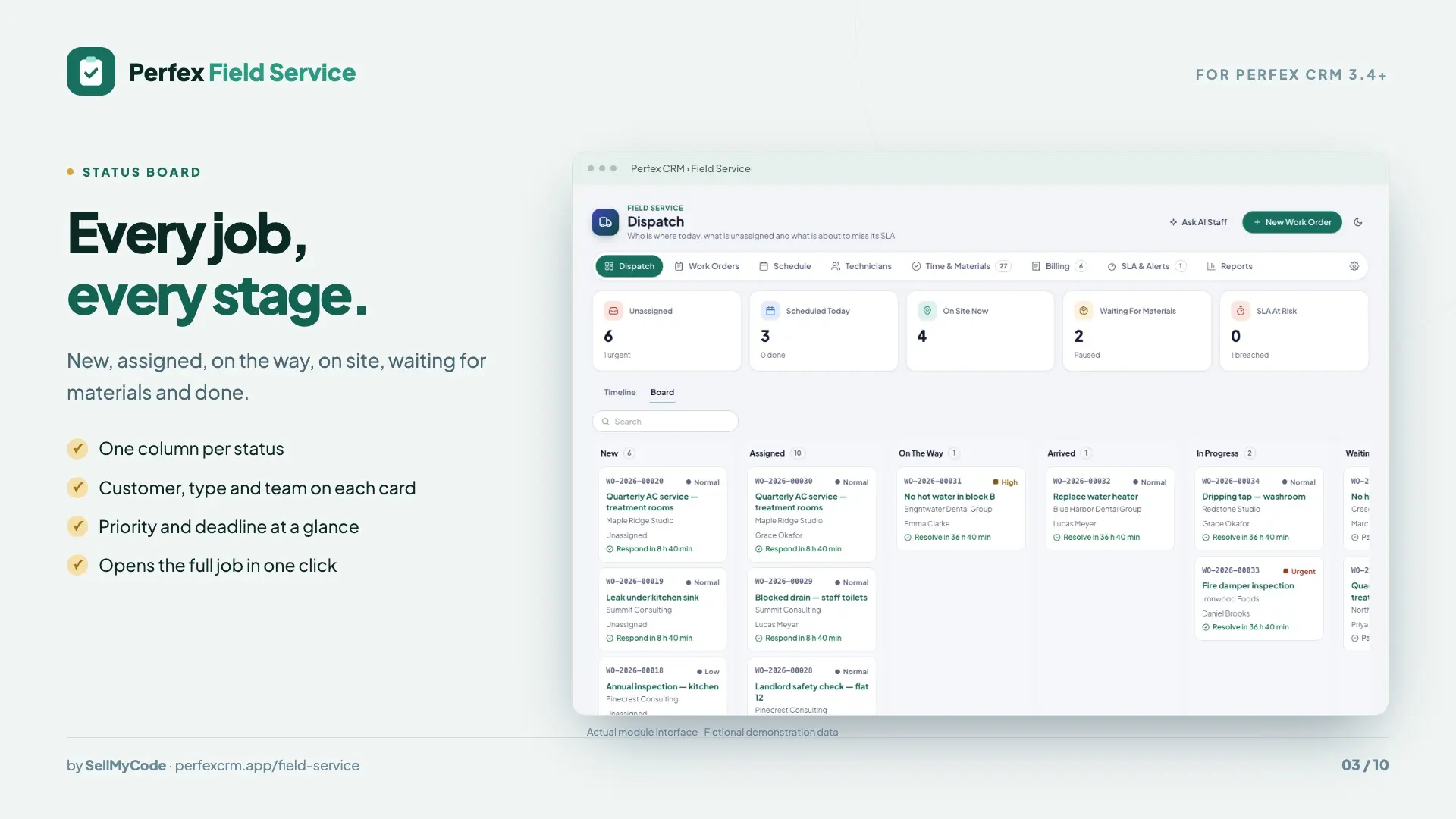
- A status board, a week schedule and a work orders list with search, filters and paging.
On site
- Technicians use the technician app in Perfex Mobile 1.5.0+: travel and work time on the server clock, checklist answers, photos, notes and materials.
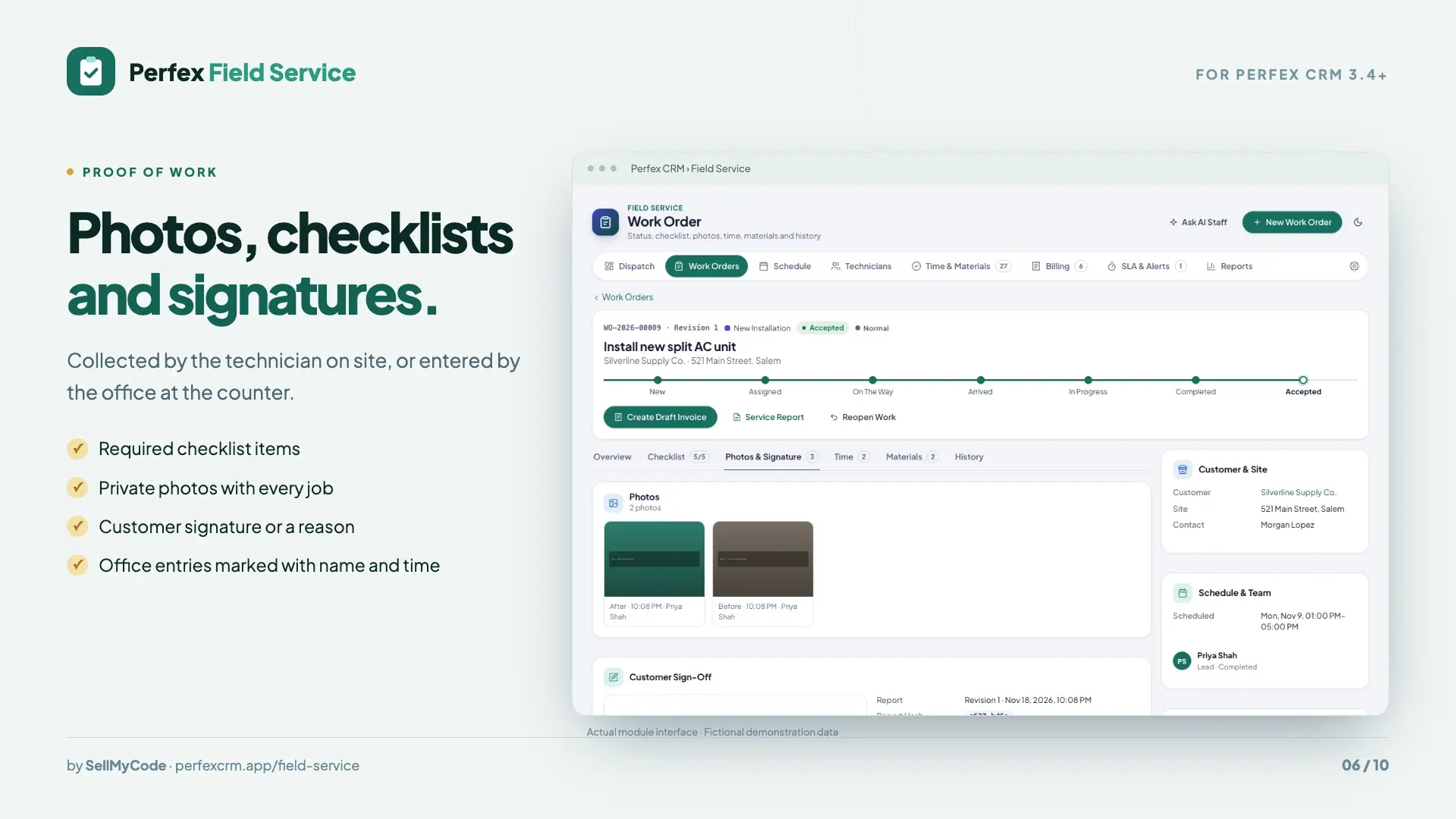
- The customer signs on the phone or tablet, or the technician records why there is no signature.
- A frozen service report PDF for every visit; reopening a job starts a new revision.
- Everything is saved online; the app needs a connection.
Works without signal (new in 1.1.0)
- With Perfex Mobile PWA 1.7.0+, technicians keep their assigned jobs on the phone and record travel, arrival, work, checklist answers, notes, materials, photos, completion and the customer's sign-off offline. Everything syncs in order when the signal returns.
- The office always wins: work for a job that was reassigned, cancelled or closed meanwhile is never applied over it. It is kept as a staff-only note and listed on the Changed While Offline page.
- Nothing lost, nothing twice: photos upload in resumable parts with a checksum, every change applies exactly once, phone clocks are corrected, and a signed-out phone cannot replay work.
Office entry on the web
- No app for a job? Office staff with the "Enter Work For Technicians" right fill in the checklist, photos, materials, time and the counter signature on the web.
- Every office entry shows who entered it and when, and is kept in the audit trail.
Time, materials and stock
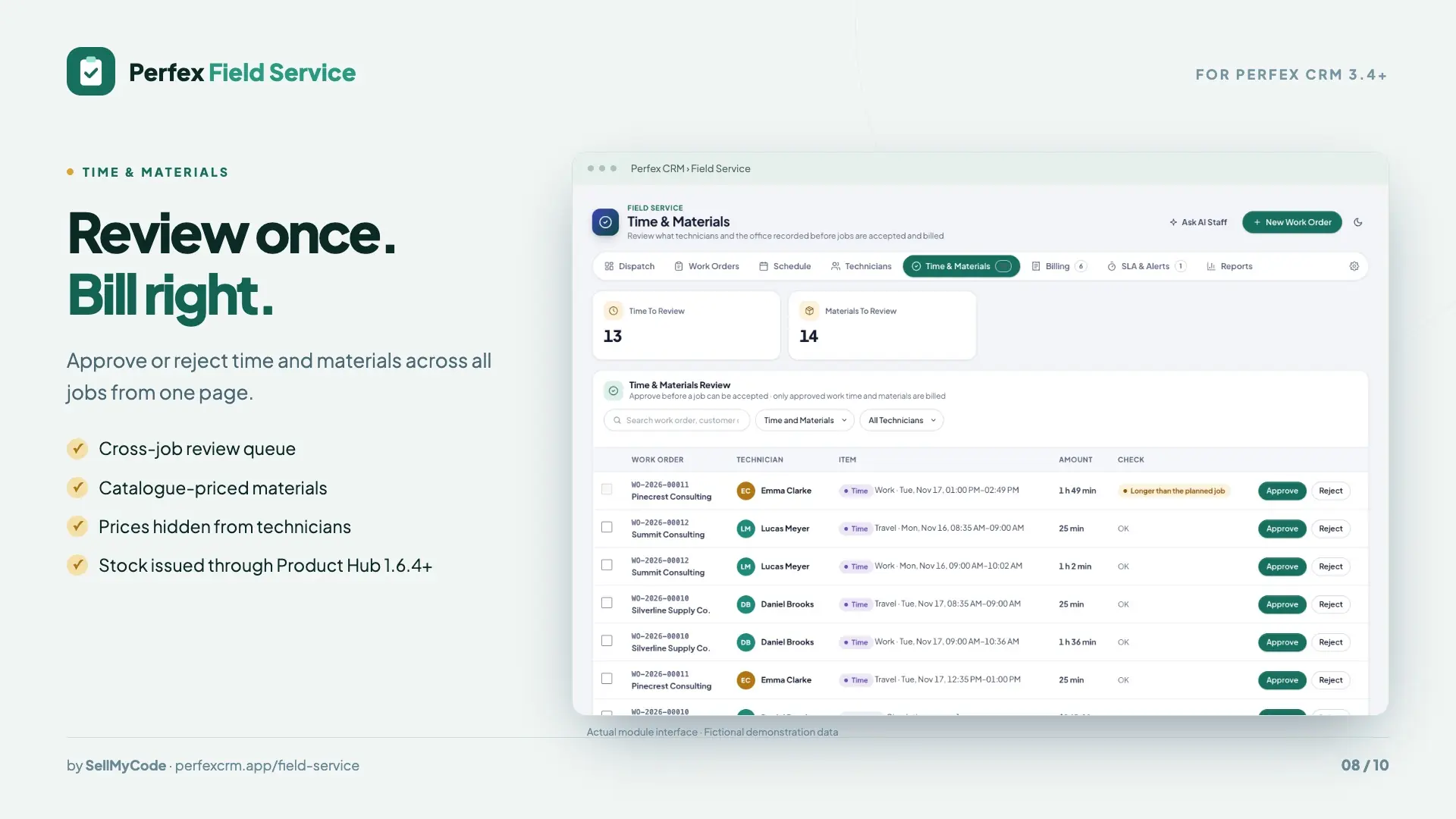
- Approve or reject time and materials for all jobs on one page.
- Materials are priced from your catalogue; technicians without View Price never see prices.
- With Product Hub 1.6.4+ (Integrated mode), materials are issued from the chosen warehouse and bin exactly once, with a stock check before saving. Record Only mode records materials without touching stock.
- Approved time can be imported into Perfex TeamPulse when TeamPulse supports it.
Billing
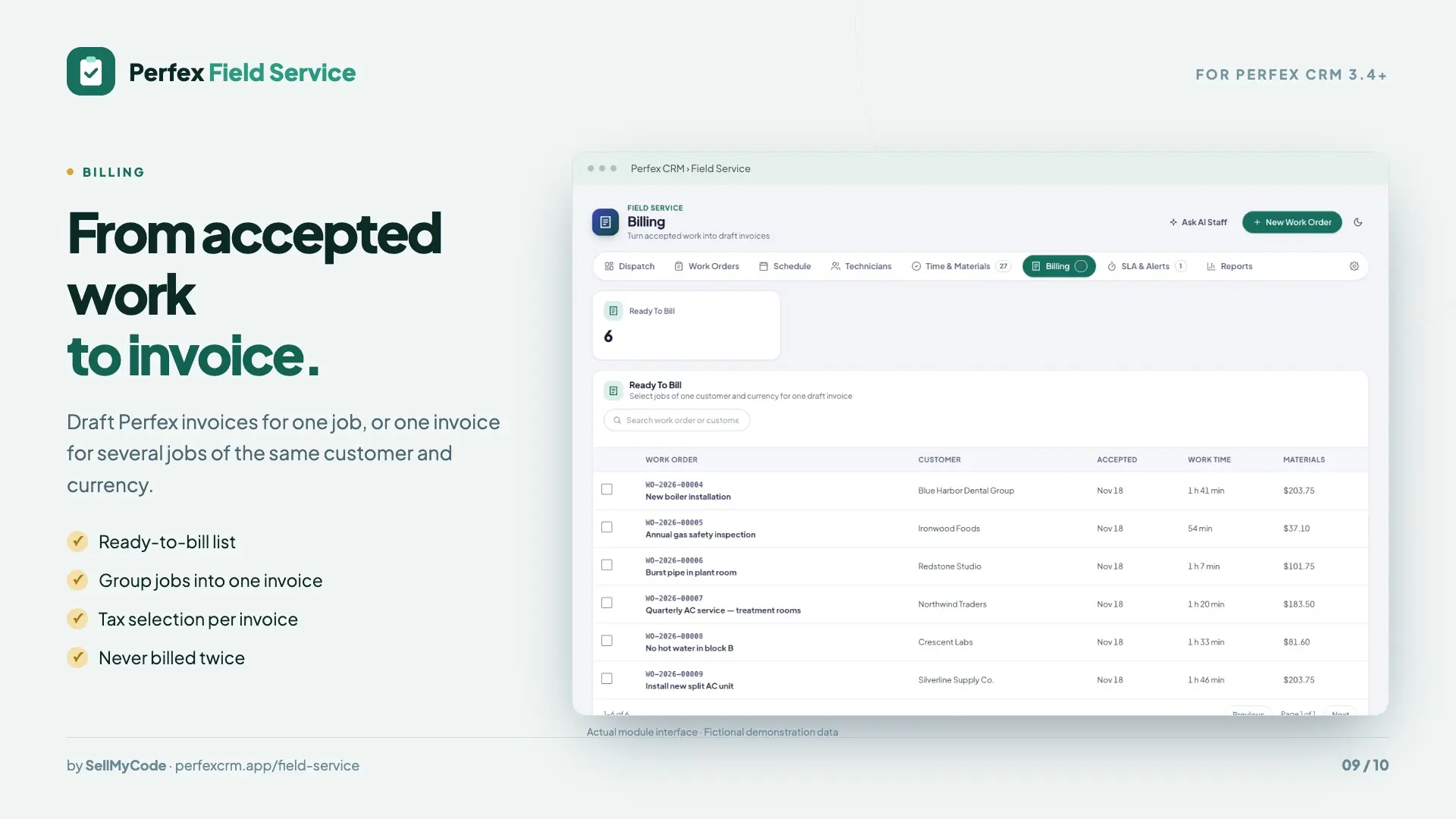
- Draft Perfex invoices for one accepted job, or one invoice for several jobs of the same customer and currency.
- Tax selection per invoice and protection against billing a job twice.
- The invoices are normal Perfex invoices, so your usual invoice workflow applies.
SLA, alerts and reports
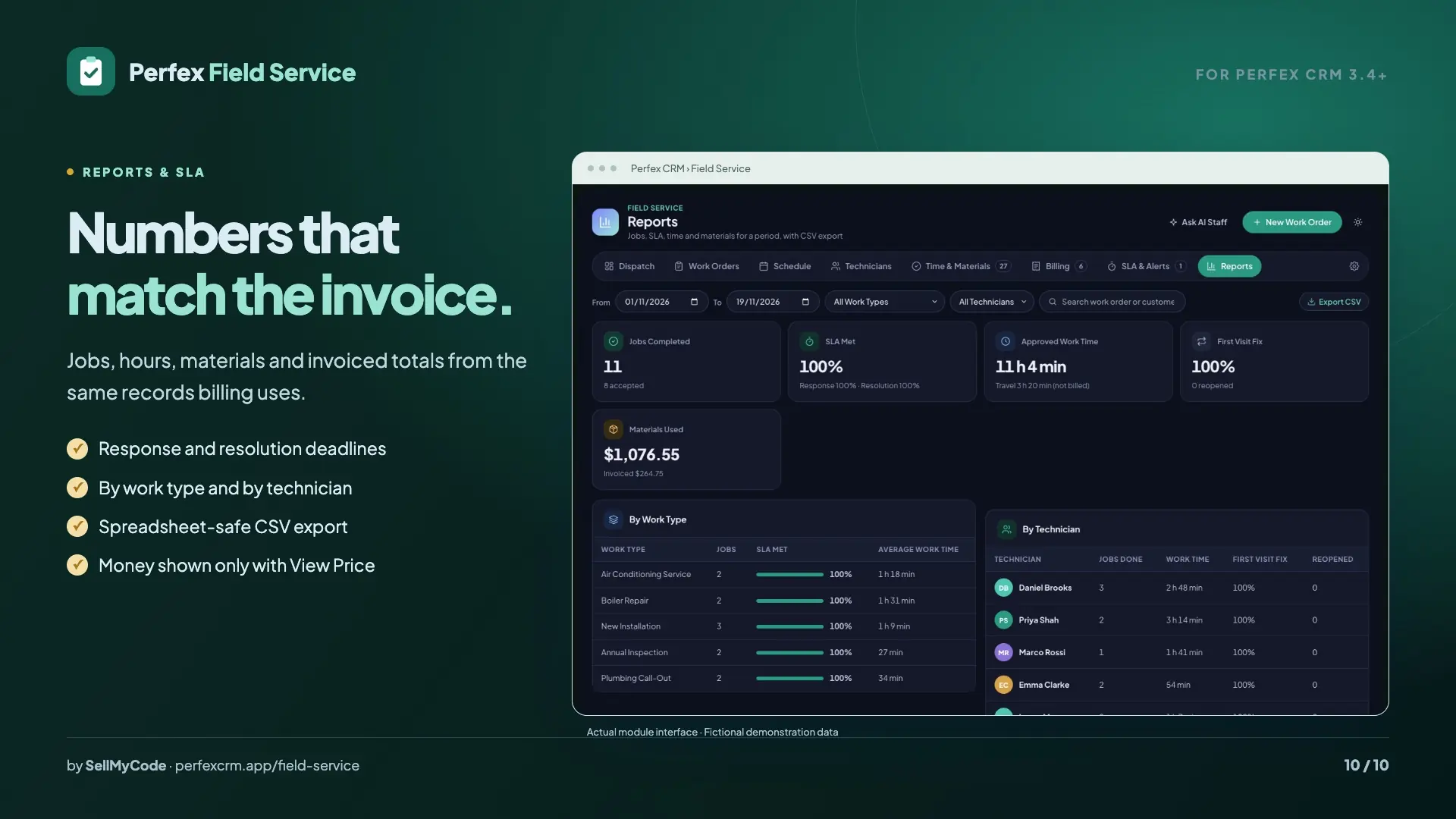
- Response and resolution clocks on your business hours, with alerts to staff and a delivery history.
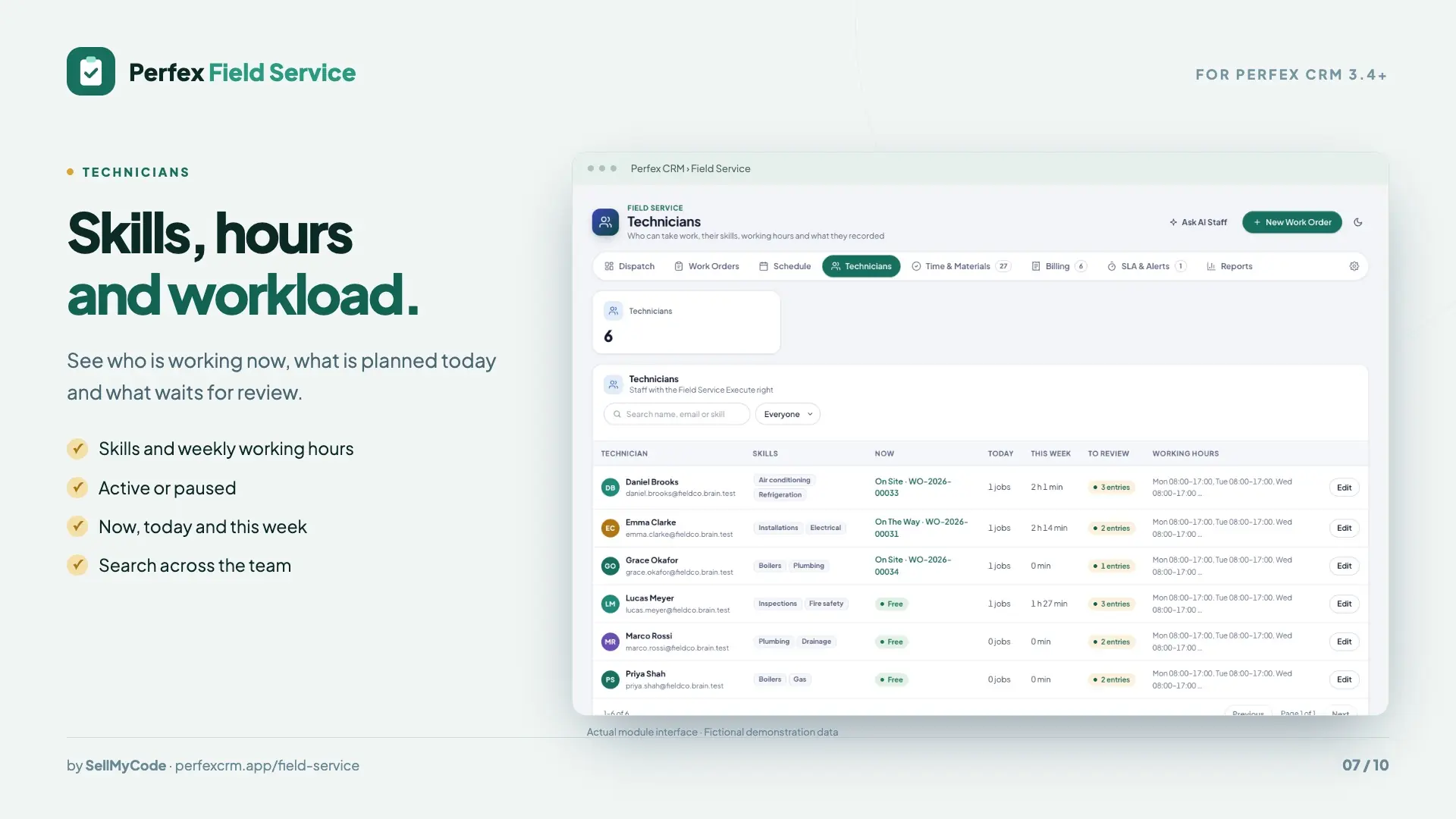
- Technicians page: skills, working hours, who is working now and what waits for review.
- Reports for any period: jobs, work and travel hours, materials and invoiced totals, by work type and by technician, from the same records billing uses.
- CSV export that is safe to open in spreadsheets; amounts only for staff with View Price.
Built for Perfex CRM
- Permissions per action, light and dark theme, 9 languages.
- Ask AI Staff from every Field Service page when Perfex AI Staff is installed.
- Perfex CRM 3.4+, PHP 8.2+, Perfex cron. Product Hub 1.6.4+ for stock, Perfex Mobile 1.5.0+ for the technician app; Perfex Books optional.
What is included
The installable module ZIP, offline HTML documentation, changelog and third-party licence notices. Perfex CRM, Perfex Mobile, Product Hub and hosting are not included.
Product overview · Documentation


 0 Viewing now
Live buyer activity








 Google
 Github
 From Unknown Location
 Elite Seller
 Trend Master
 Featured Item