Browse

Perfex Deliverables - Client Review, Proofing, Approvals & Change Requests for Perfex CRM

by SamSan Elite Seller Updated 19 Nov 2026 PHP · Perfex CRM Licence Key Protected
Perfex Deliverables - Client Review, Proofing, Approvals & Change Requests for Perfex CRM Checked by SellMyCode v2.2.1
2.2.1Version
Perfex CRMFramework
YesUpdate Support
YesTechnical Support

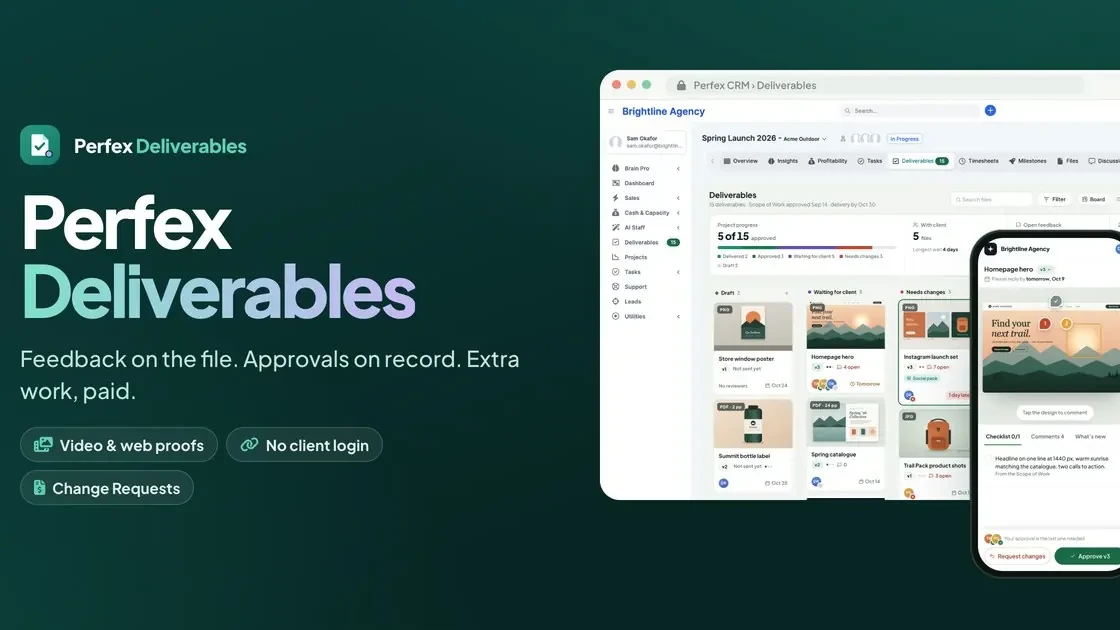
Share designs, PDFs, videos and websites from your Perfex projects. Clients comment right on the file and approve with their name through a private link — no Perfex login. Every version, comment and decision stays with the project. An optional Scope of Work counts revision rounds, and work outside it becomes a paid Change Request with a fee, new dates, an estimate and a task.

Feedback on the file. Approvals on record. Extra work, paid.

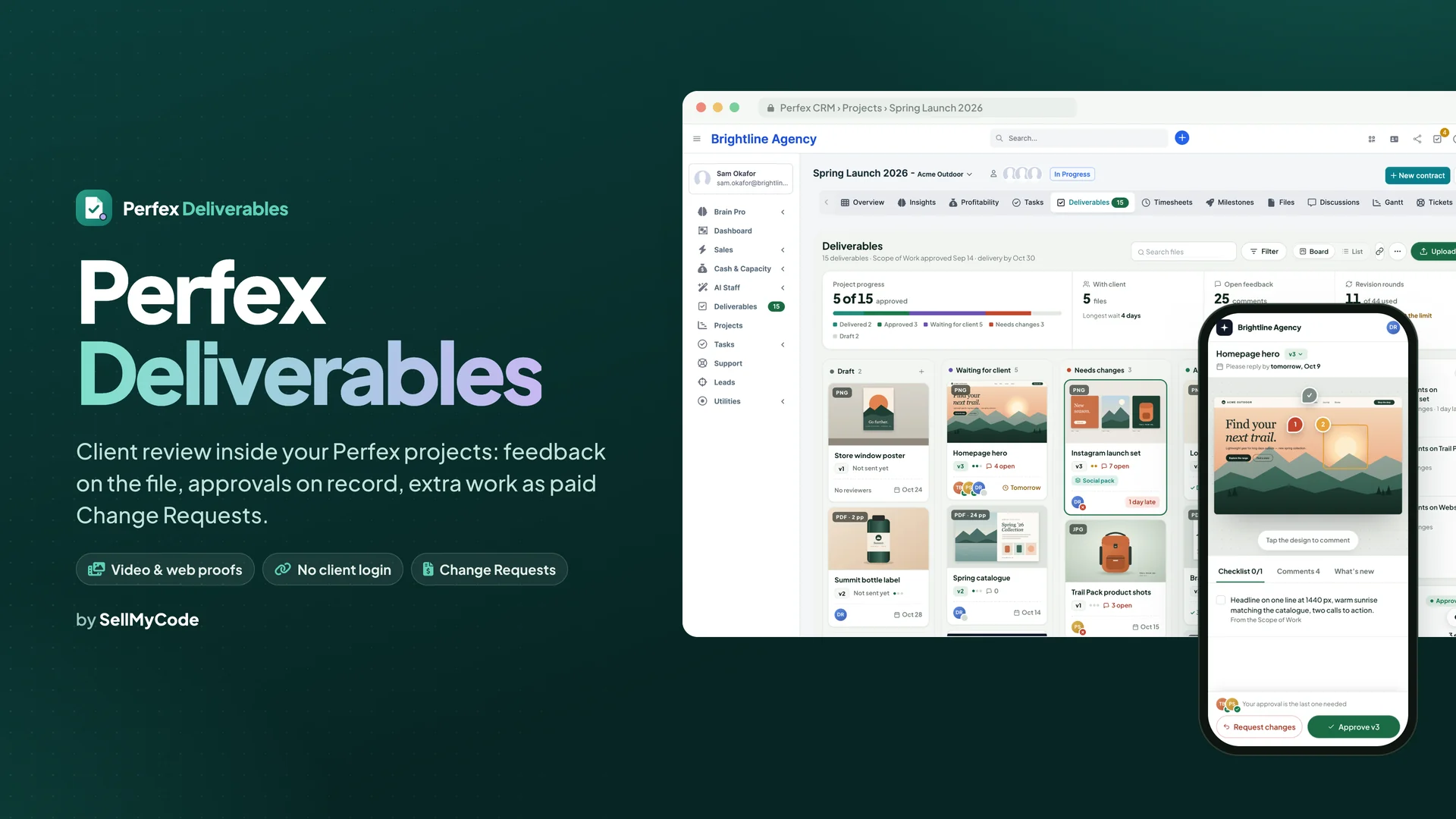
Agencies and studios lose hours to client feedback spread across e-mails, screenshots and calls — and to approvals nobody can find later. Perfex Deliverables brings client review into the Perfex projects you already run: your client comments right on the design, PDF, video or web page and approves it with their name. Every version, comment and decision stays with the project.

Inside your Perfex projects

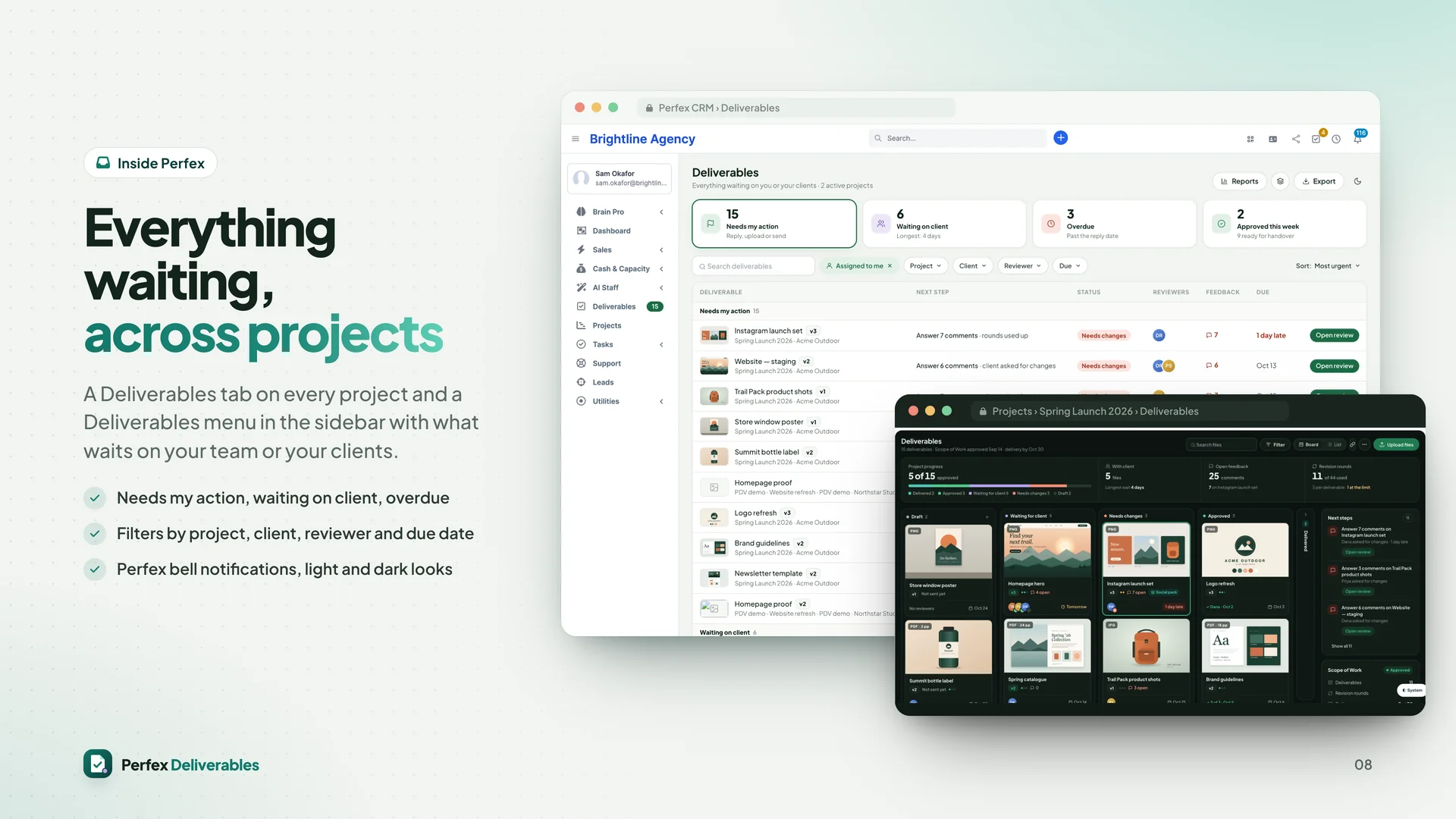
  • A Deliverables tab on every project, as a board (Draft, Waiting for client, Needs changes, Approved, Delivered) or a list.
  • Progress, files with the client, open feedback and revision rounds at a glance, plus Next steps you can act on.
  • A Deliverables queue in the sidebar with everything waiting on your team or your clients, across all projects you may see.
  • Perfex bell notifications for client feedback and decisions, replies, @mentions and reminders.

Review tools on every kind of file

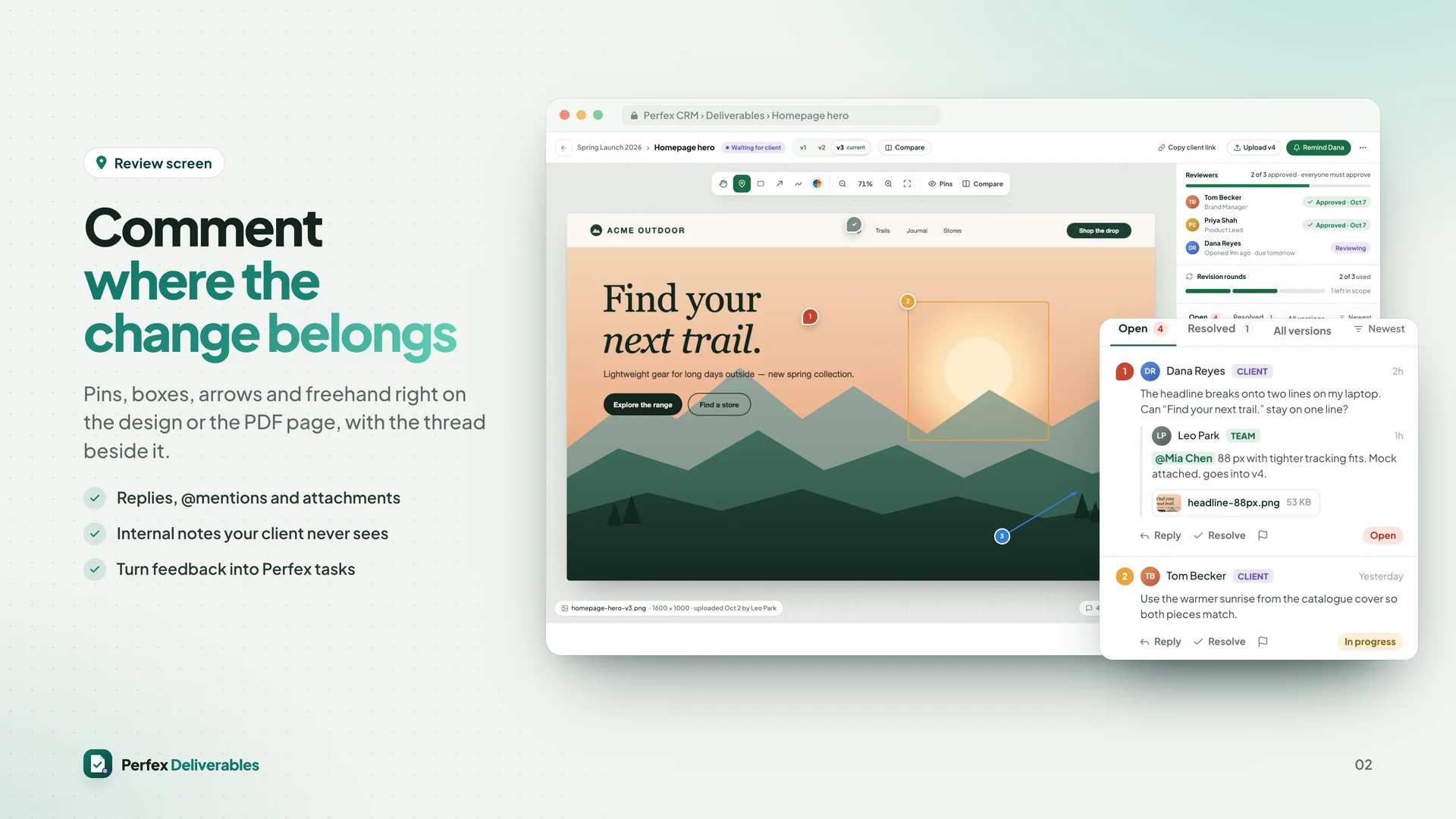
  • Images (PNG, JPEG, WebP, GIF) and PDFs page by page, with pins, boxes, arrows and freehand marks in a colour.
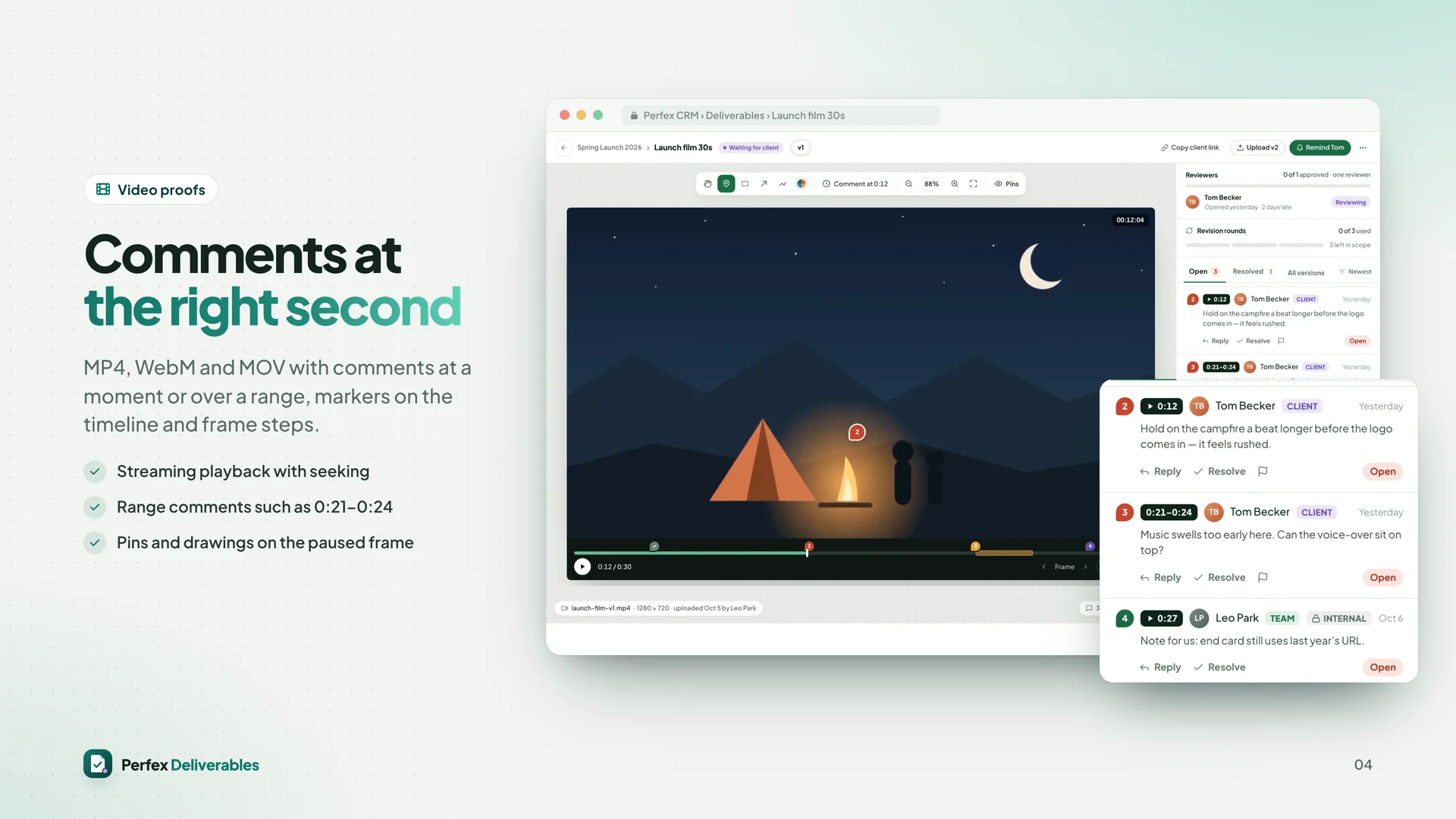
  • Video proofs (MP4, WebM, MOV) with comments at a moment or a range, timeline markers, frame steps and streaming playback.
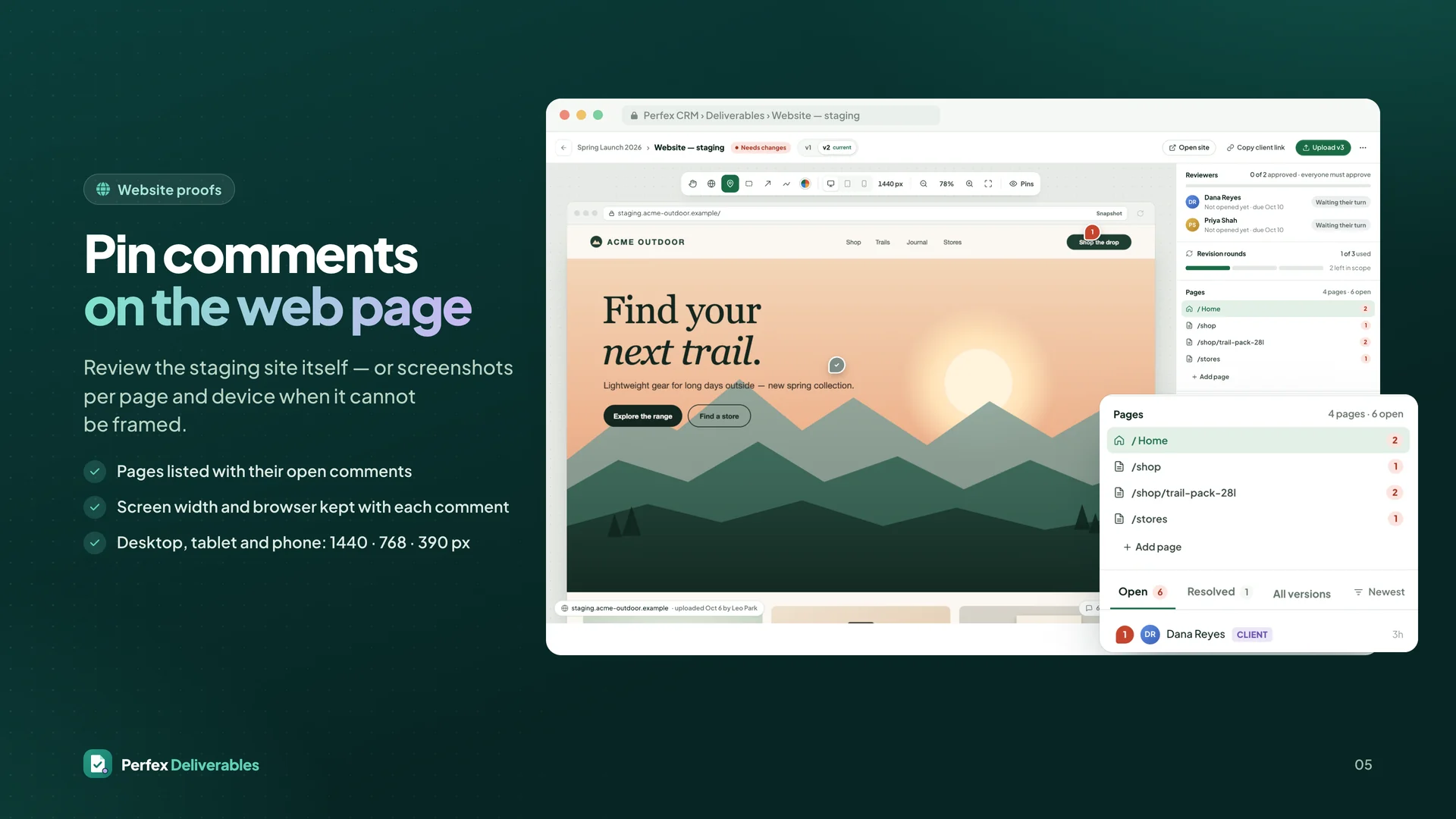
  • Website proofs on the live page, or on screenshots per page and device (1440, 768 and 390 px) when the site cannot be framed. Each comment keeps the page address, screen width and browser.
  • Threads with replies, @mentions, attachments and internal notes clients never see; feedback to Perfex tasks.
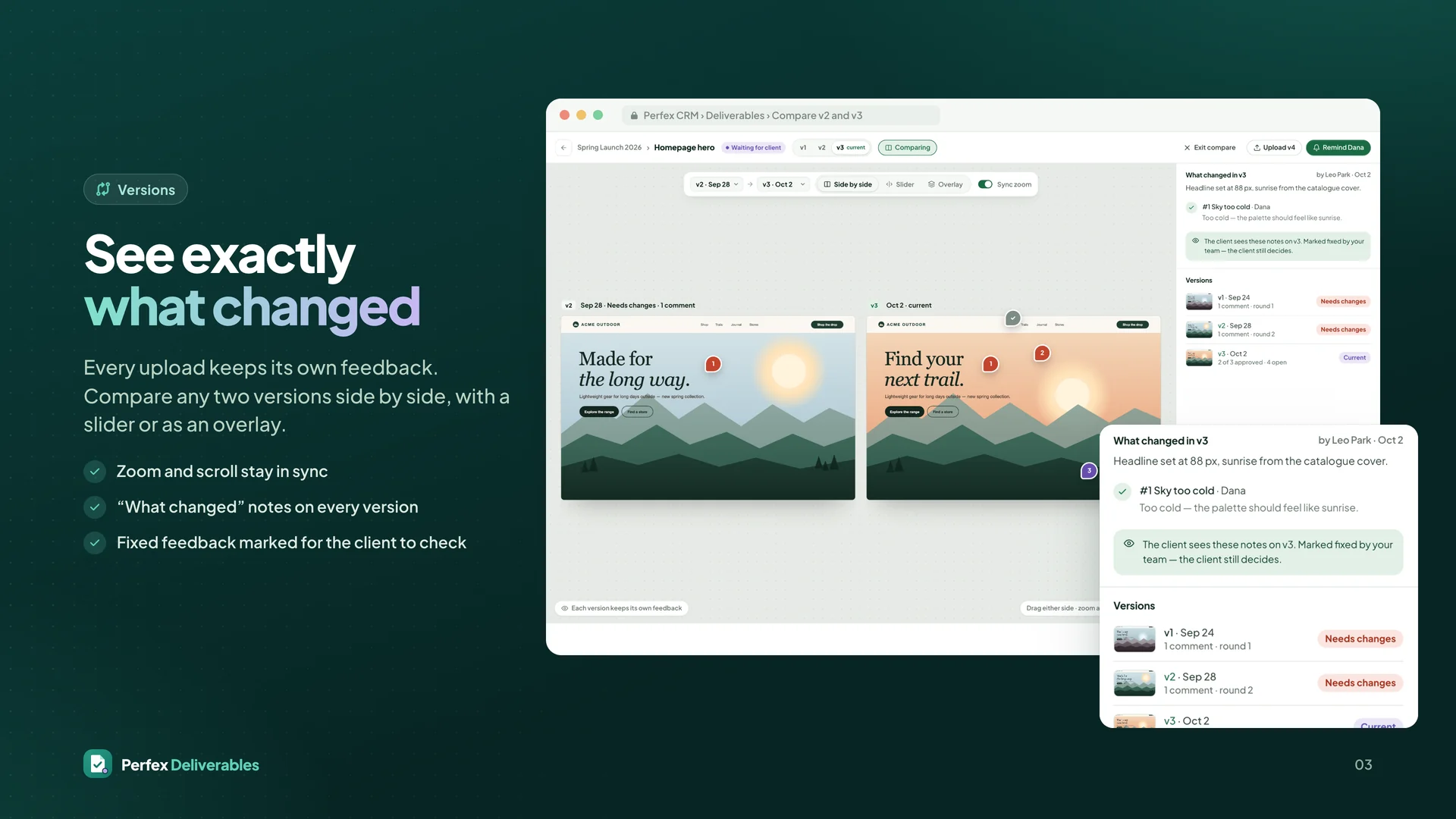
  • Versions with compare side by side, with a slider or as an overlay.
  • Several files as one Deliverable, such as a set of social posts.

No login for your clients

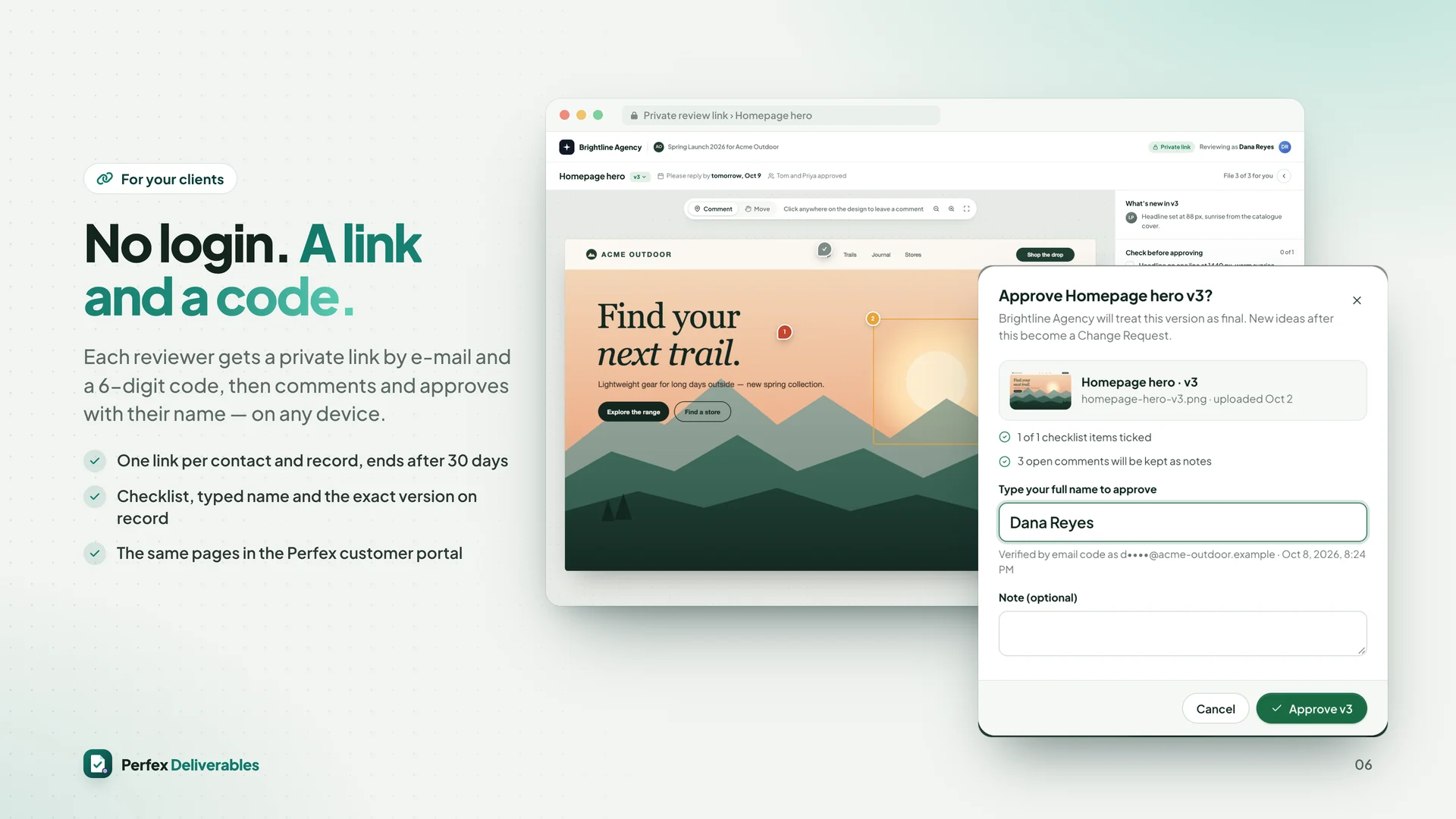
Each reviewer gets a private link by e-mail and a 6-digit code to open it. Links belong to one contact and one record, end after 30 days or when you end them, and are rate-limited against guessing. Prefer the customer portal? It shows the same pages. Every client page works on a phone.

Approvals you can point to

The client ticks the approval checklist, types their name and approves the exact version. The decision keeps the time, IP address, browser and channel. Choose whether everyone, any one, or each reviewer in order must approve, with reply-by dates and reminders.

Scope of Work, revision rounds and Change Requests

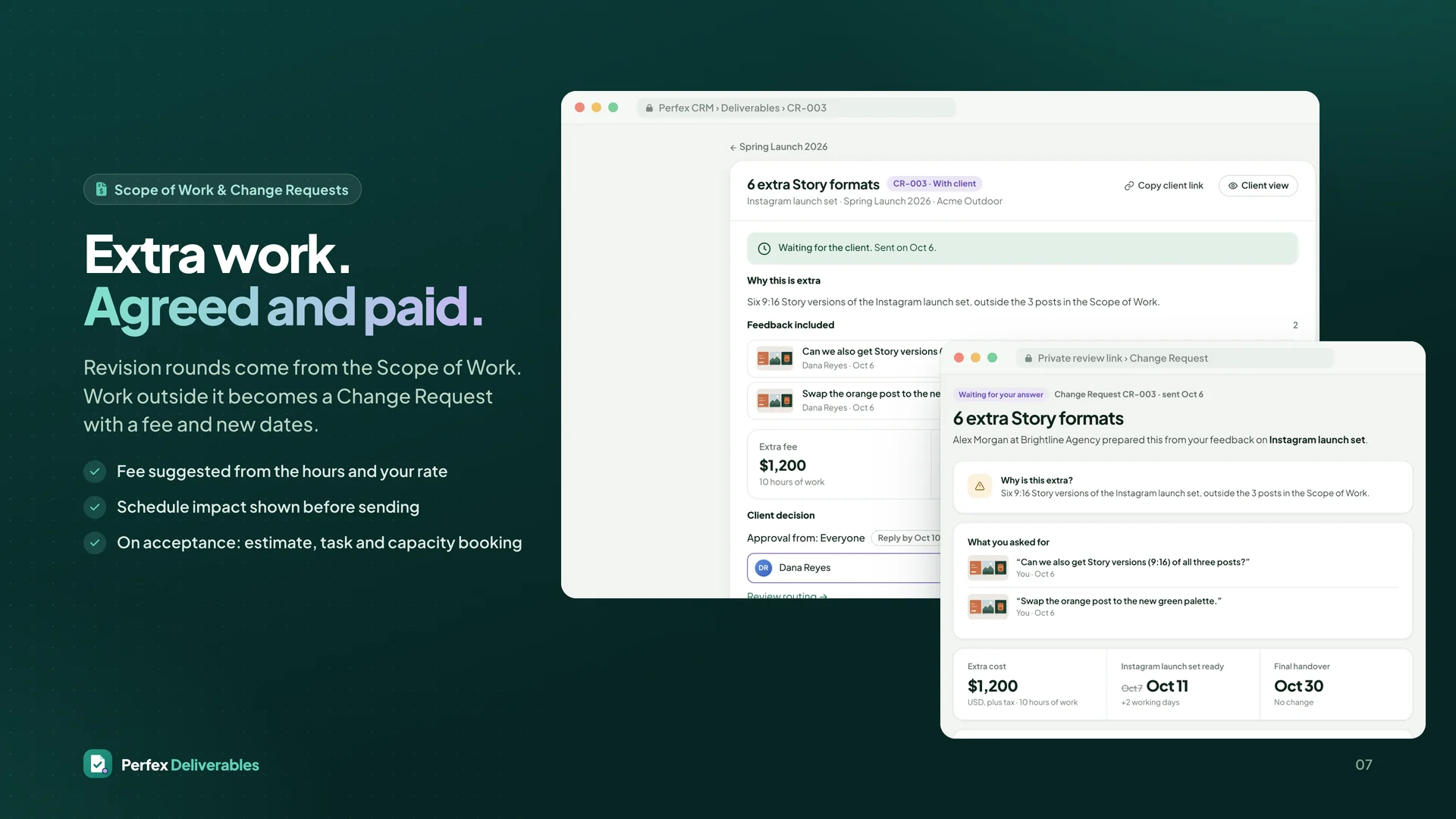
An optional Scope of Work lists the deliverables with their revision rounds, what is and is not included, and the acceptance criteria. When the rounds run out or a request falls outside the scope, Next steps suggests a Change Request: pick the feedback it covers, see the fee suggested from the hours and your rate and the effect on the schedule. The client accepts or declines with their name; on acceptance, create the draft estimate and the task.

Handover, templates and reports

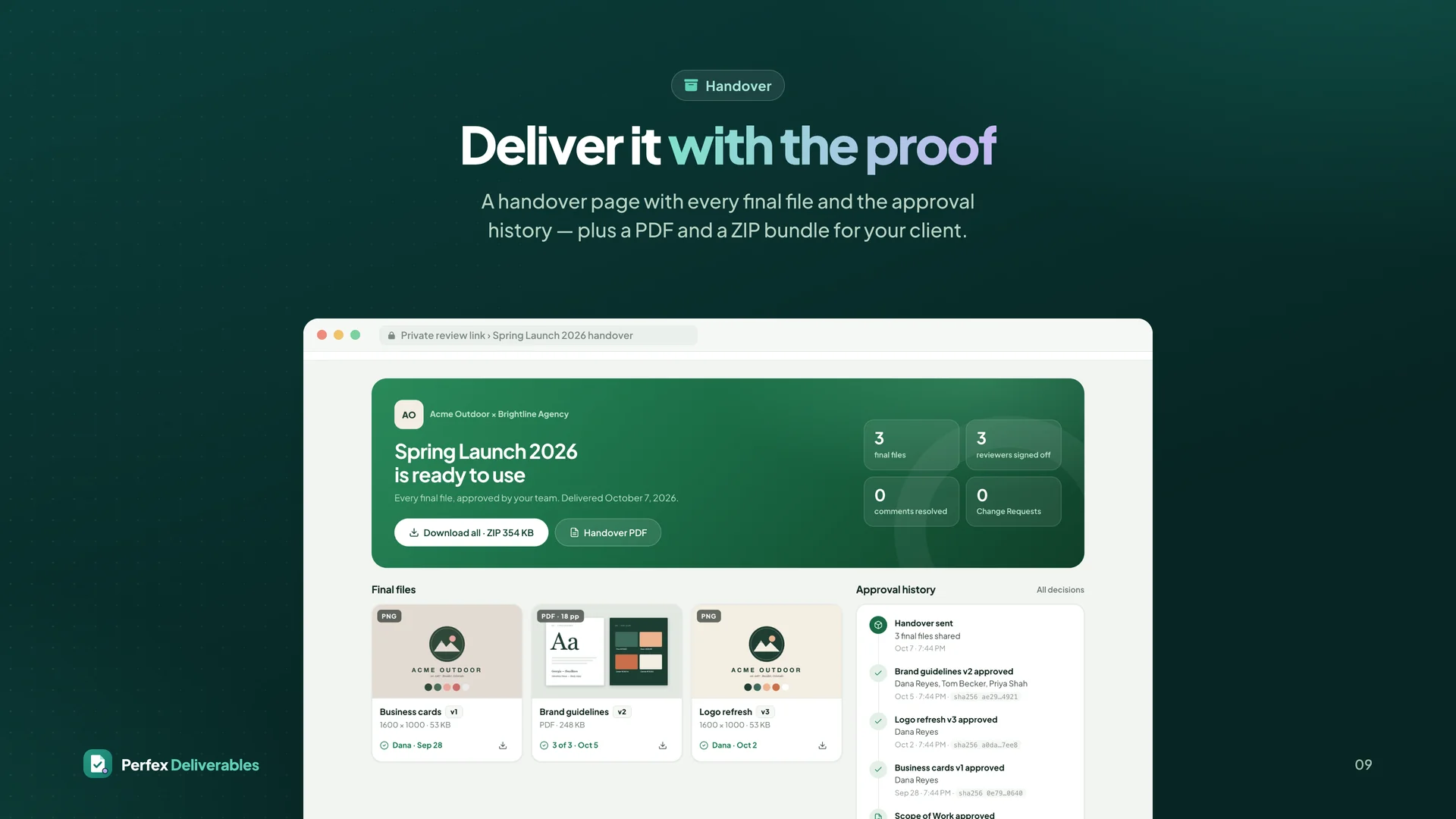
  • Handover page with every final file, the approval history, a PDF and a ZIP bundle.
  • Project templates with scope, deliverables, rounds and reviewers.
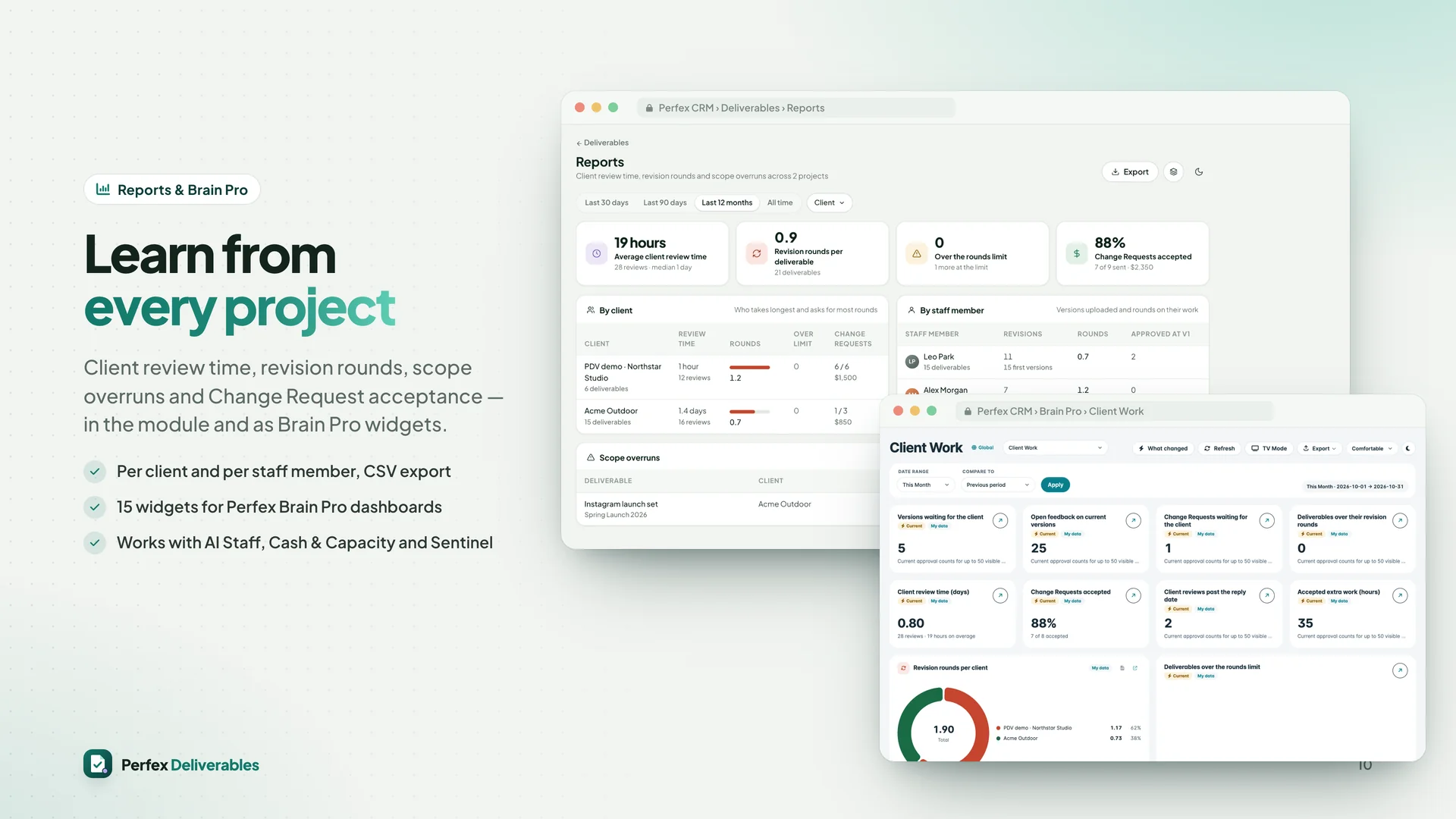
  • Reports: client review time, rounds per client and per staff member, scope overruns, Change Request acceptance, CSV export.

Optional AI helpers

With Perfex AI Staff installed, four helpers turn feedback into a task list, spot conflicting feedback, flag requests outside the scope as a draft Change Request and write a status summary for the client. The AI only proposes; staff confirm. AI is off by default.

Works with the other SellMyCode modules

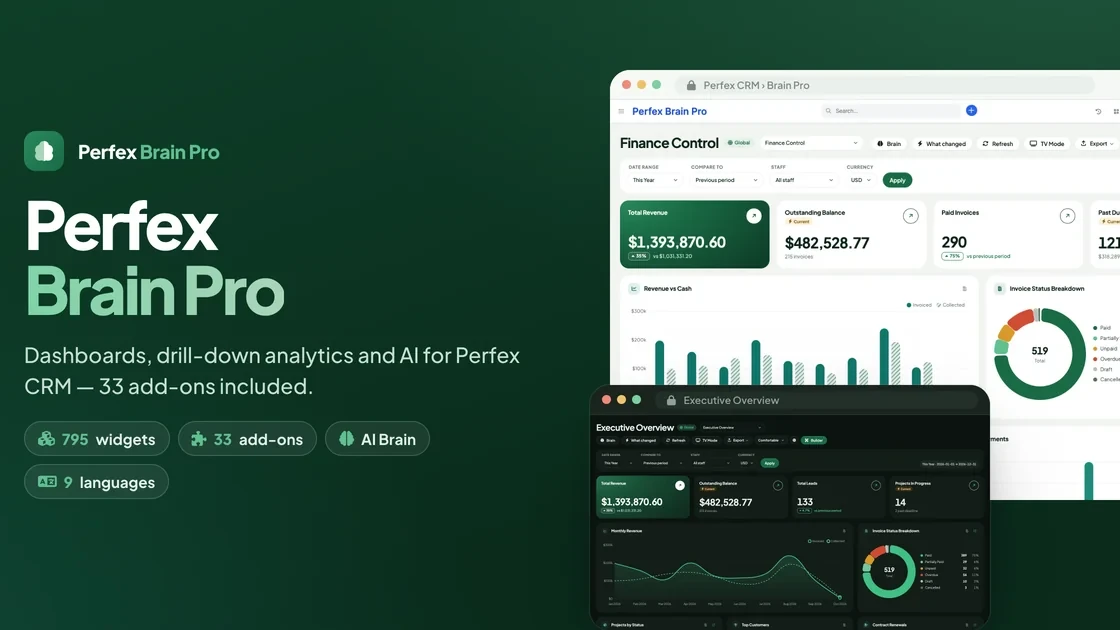
  • Perfex Brain Pro: 15 widgets for approvals, overdue reviews, open feedback, revision overruns, review time and Change Request acceptance.
  • Perfex AI Staff: read tools, approval cards and the AI helpers.
  • Perfex Cash & Capacity: a capacity booking for an accepted Change Request.
  • Perfex Sentinel: review events in the sealed audit log.

Private and safe

  • Files are stored outside the web root and served only after an access check.
  • Perfex permissions: View, View own (project members), Create and Edit.
  • CSRF-protected writes, escaped output, a strict Content-Security-Policy on client pages, no secrets in the browser.
  • No Perfex core files changed. Uninstalling keeps your data unless you choose to delete it.

Upgrading from 1.x

Install 2.0.0 over 1.2.0: new tables and columns are added, nothing is removed, private files stay where they are, and old addresses open the new pages.

What is included

The installable module ZIP, offline HTML documentation, changelog and third-party license notices (PDF.js under Apache-2.0, Plus Jakarta Sans and Liberation fonts under the SIL Open Font License). Perfex CRM itself, hosting and AI-provider subscriptions are not included.


Product overview · Documentation

Recently Viewed

Author Support i
Updates & Downloads i
  • No update support
  • Lifetime update support Free
Total $89.00
0 Viewing now Live buyer activity
Quality checked
© All rights reserved SamSan
SamSan
SamSan Elite Seller · since Jun 2026
From Unknown Location Elite Seller Trend Master Featured Item +4
Build Your Bundle

Pick 3 of SamSan’s items to unlock 10% off your total.

Everything you pick is added to your cart when you tap the button below.

Bundle total
Featured Item
Featured Item

This item was featured on SellMyCode

More from SamSan

24 items
See all

Similar items

PHP
View More

We use cookies to personalize your experience. By continuing to visit this website you agree to our use of cookies