Decide who sees which customers, invoices, leads, projects, estimates, proposals, contracts, payments and tickets — by person, team, department or everything. Perfex Access Control adds departments, branches and teams, role templates with a data scope per list, field and action rules, personal exceptions, temporary access and delegation, one-click blocking of people who leave, Simulate As, a quarterly access review with department heads and a full audit log. It only ever narrows what Perfex's own permissions allow.
The right people see the right records. Nobody keeps access they should not have.
Perfex CRM permissions answer "may this person open invoices?". They do not answer "which invoices?". Perfex Access Control adds that second answer for the nine lists your team works in every day, gives you an organisation chart to base it on, and closes the gaps that appear when people change roles, go on leave or leave the company.
It only ever narrows what Perfex's own permissions allow. Administrators are never limited, and a person without a template works exactly as before — so you can roll it out one team at a time.
What's new in 1.1.0 — built for large teams
- Staff list for 1,000 people and more: search by name, e-mail, department or template, filter by Stale, Blocked, Administrators, Exceptions, No Rule or Narrowed, sort any column, 50 people a page.
- Access Review that stays readable: every card shows the full count and the first 8 people; "View all" opens the matching staff list.
- Search on every long list: blocked users, temporary access and the audit log, with filters; type-to-filter on templates, departments, teams and the Access Matrix.
- Search-as-you-type people pickers for blocking, temporary access, templates, department heads and Simulate As (keyboard and screen-reader friendly).
- CSV export of stale and blocked accounts for administrators.
- Tested with 1,000 staff, 40 departments, 5,000 contacts, 300 blocked users and 200 temporary grants: every screen answers in under a second on the server.
Data scope for nine CRM lists
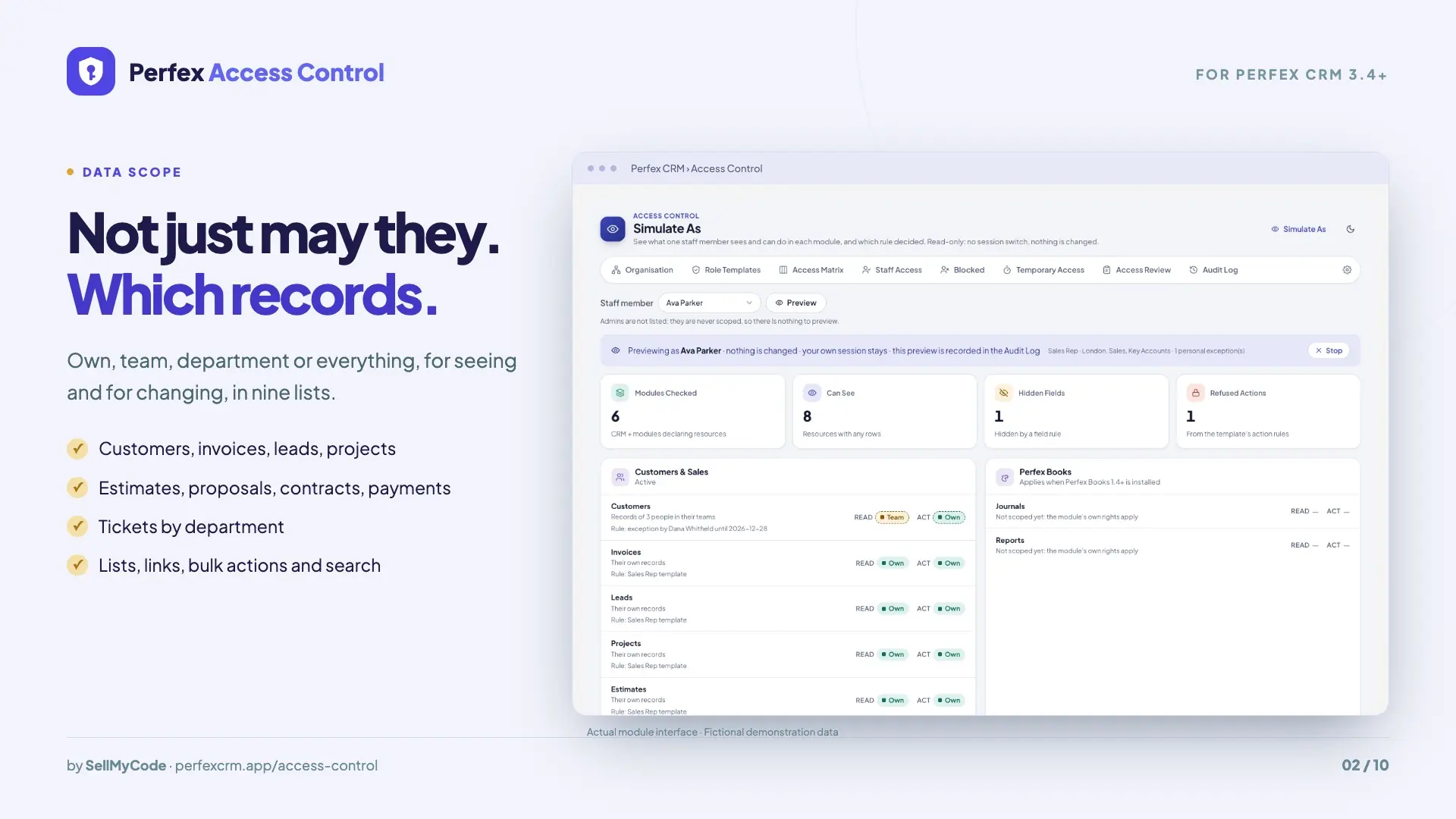
- Customers, invoices, leads, projects, estimates, proposals: none, own, team, department or all — separately for seeing and for changing.
- Contracts and payments: none, own or all. Tickets: none, the person's ticket departments, or all.
- The scope applies to the list (rows, paging and the counts and totals above it), to opening or changing a record by its link, to bulk actions on leads, customers and tickets, and to the top search.
- "Own" follows how your team already works: the sale agent of an invoice, the members of a project, the person a lead or proposal is assigned to.
Your organisation, mirrored
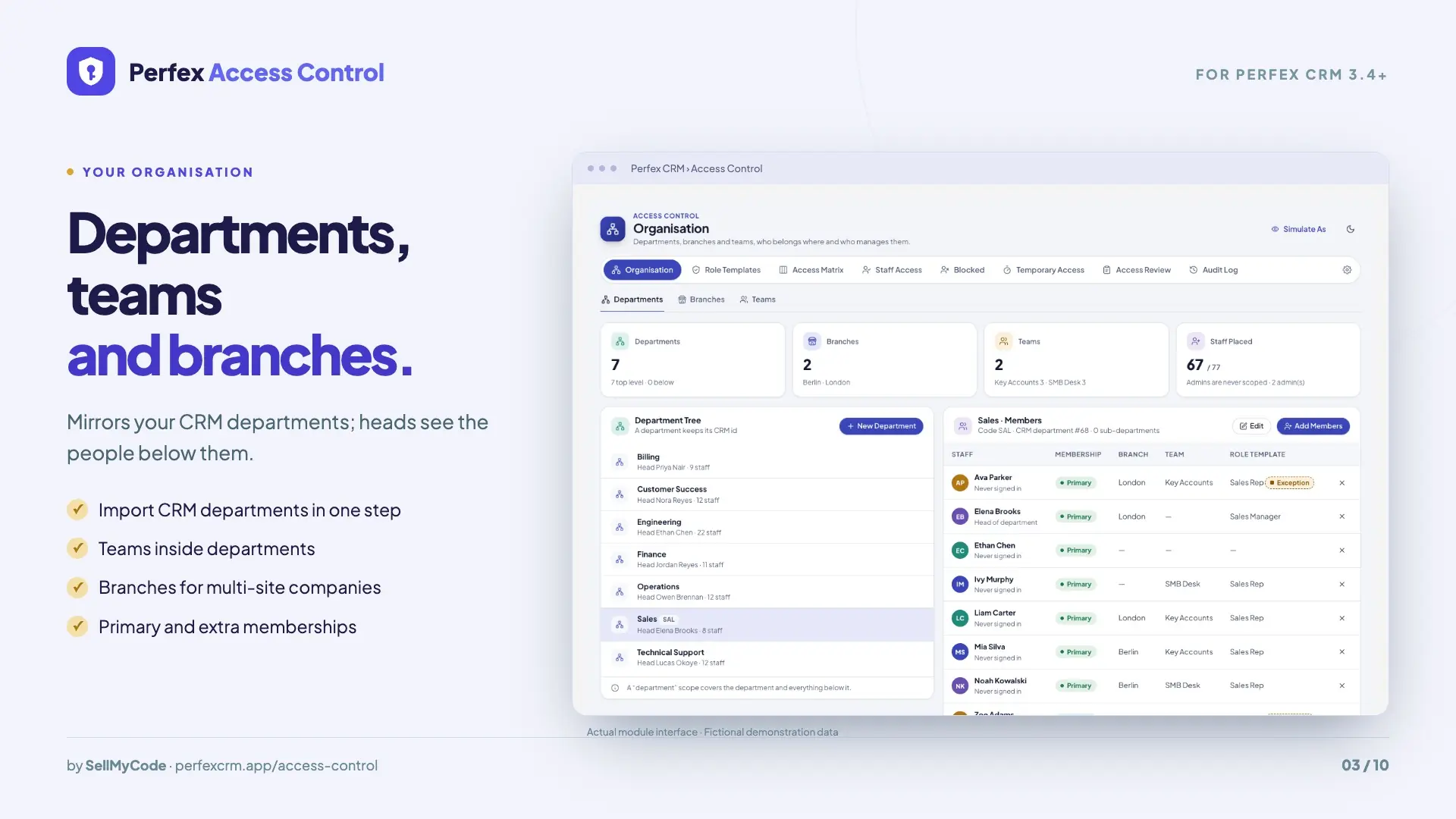
- Departments (kept in step with Perfex departments), branches and teams, with heads and primary or extra memberships.
- A department head sees the people in the departments below them.
- Import your existing Perfex departments and their members in one step.
Role templates and the access matrix
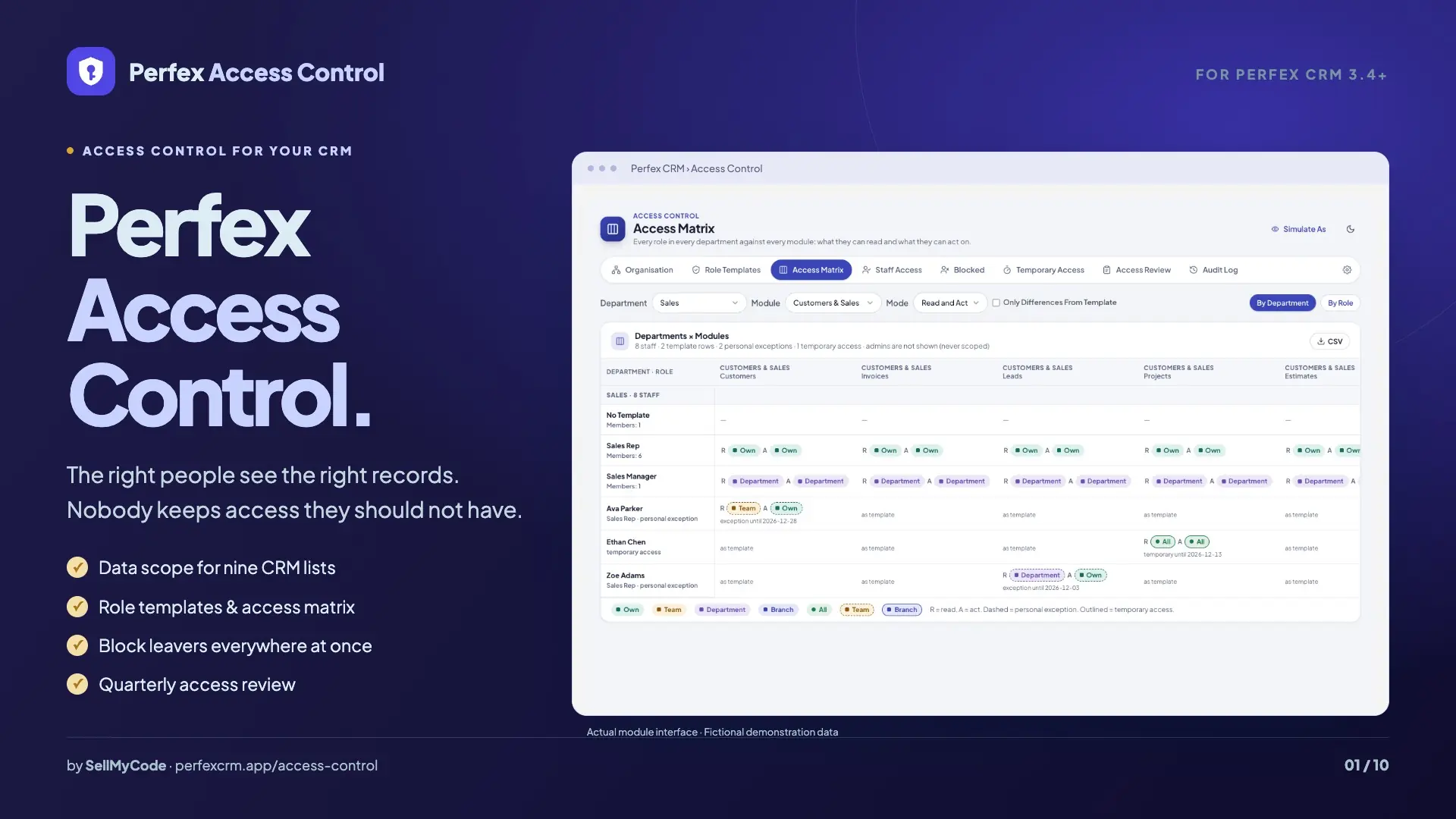
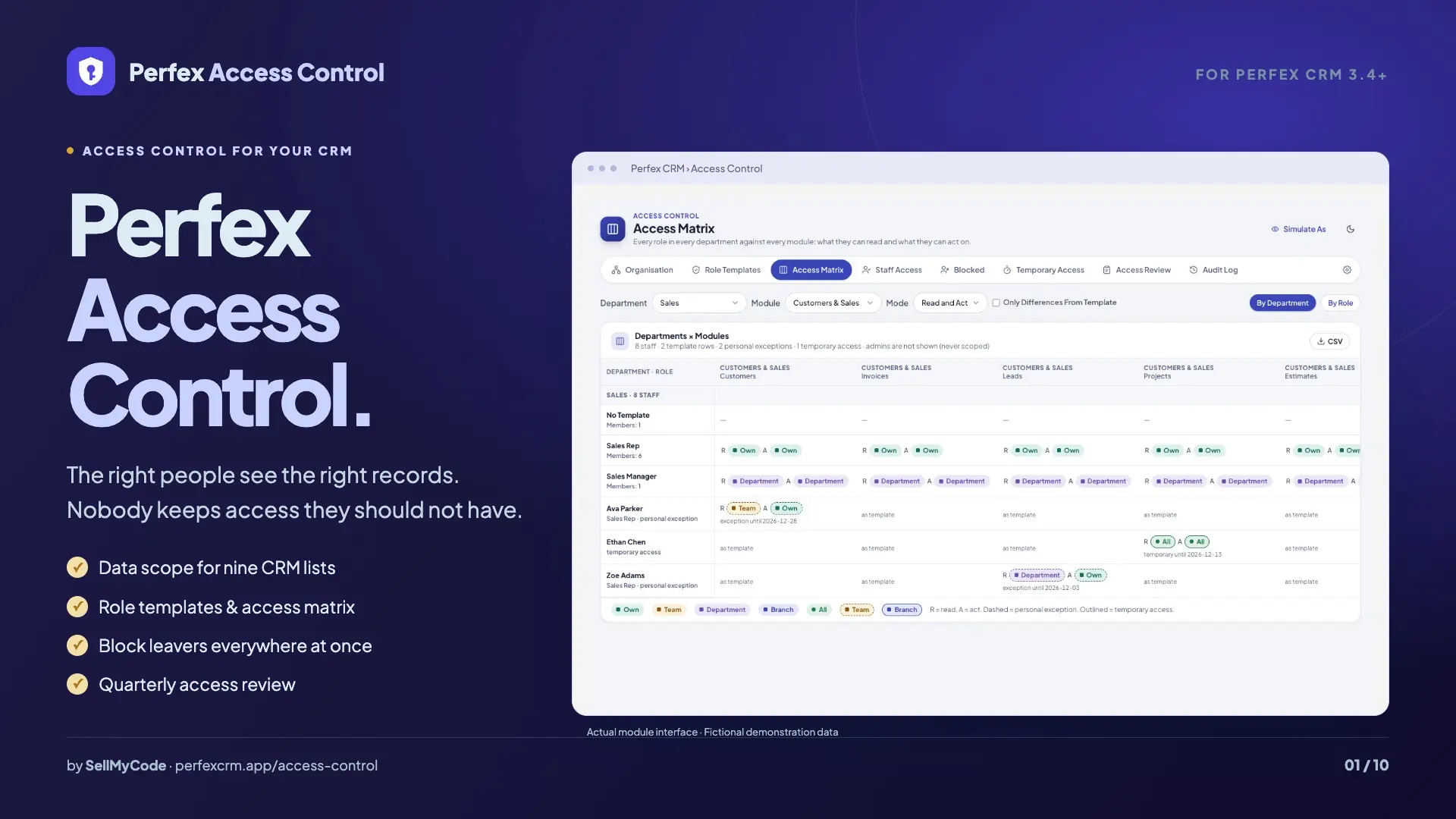
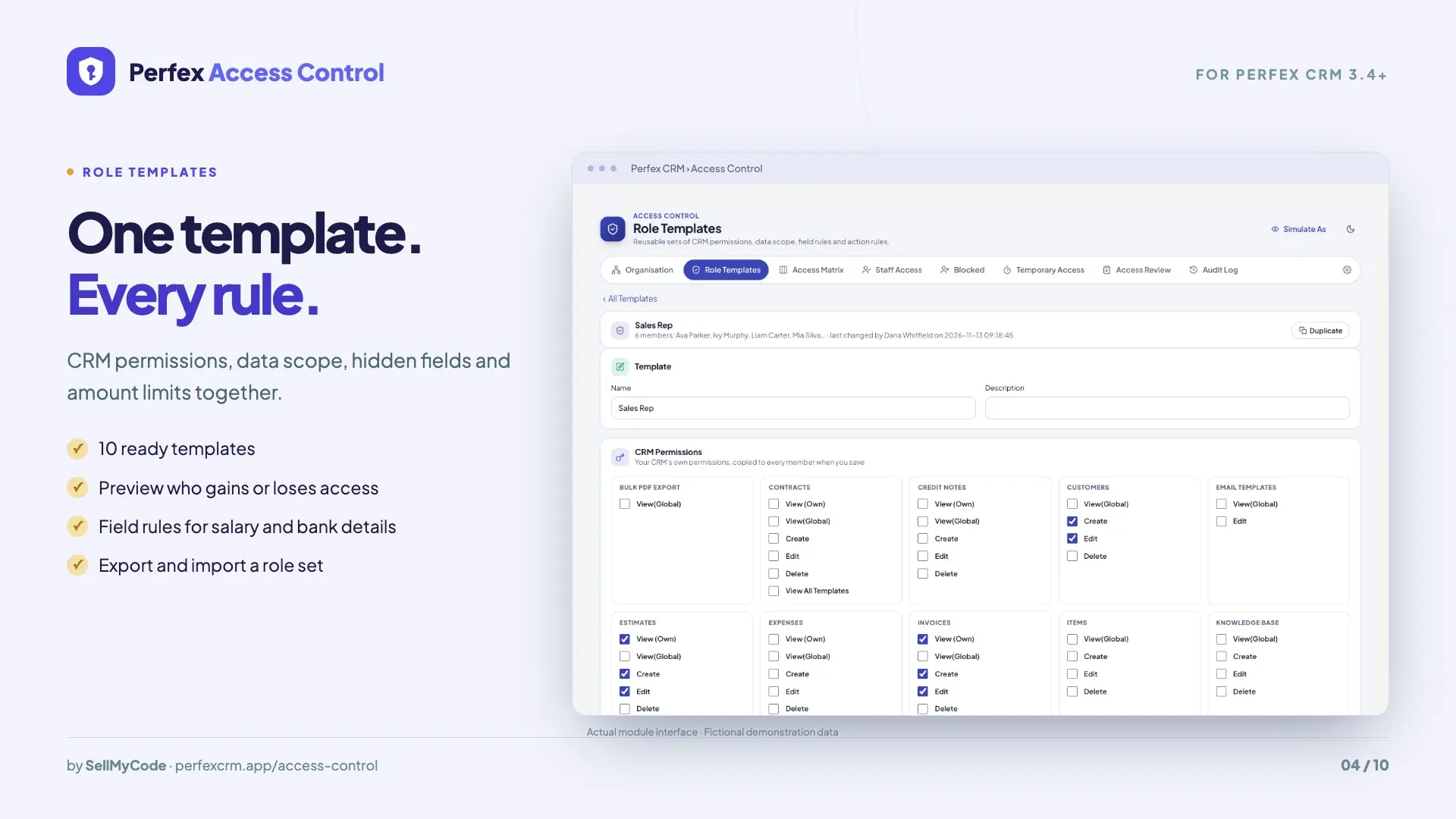
- One template holds Perfex permissions, the data scope per list, field rules (hide salary or bank details where a module supports it) and action rules (for example an amount limit).
- Ten ready templates: Sales Rep, Sales Manager, Accountant, Finance Manager, Auditor, HR Officer, HR Manager, Branch Manager, Support Agent, Warehouse Lead.
- Change a template and preview who gains or loses what before you save. Export and import a role set between installations.
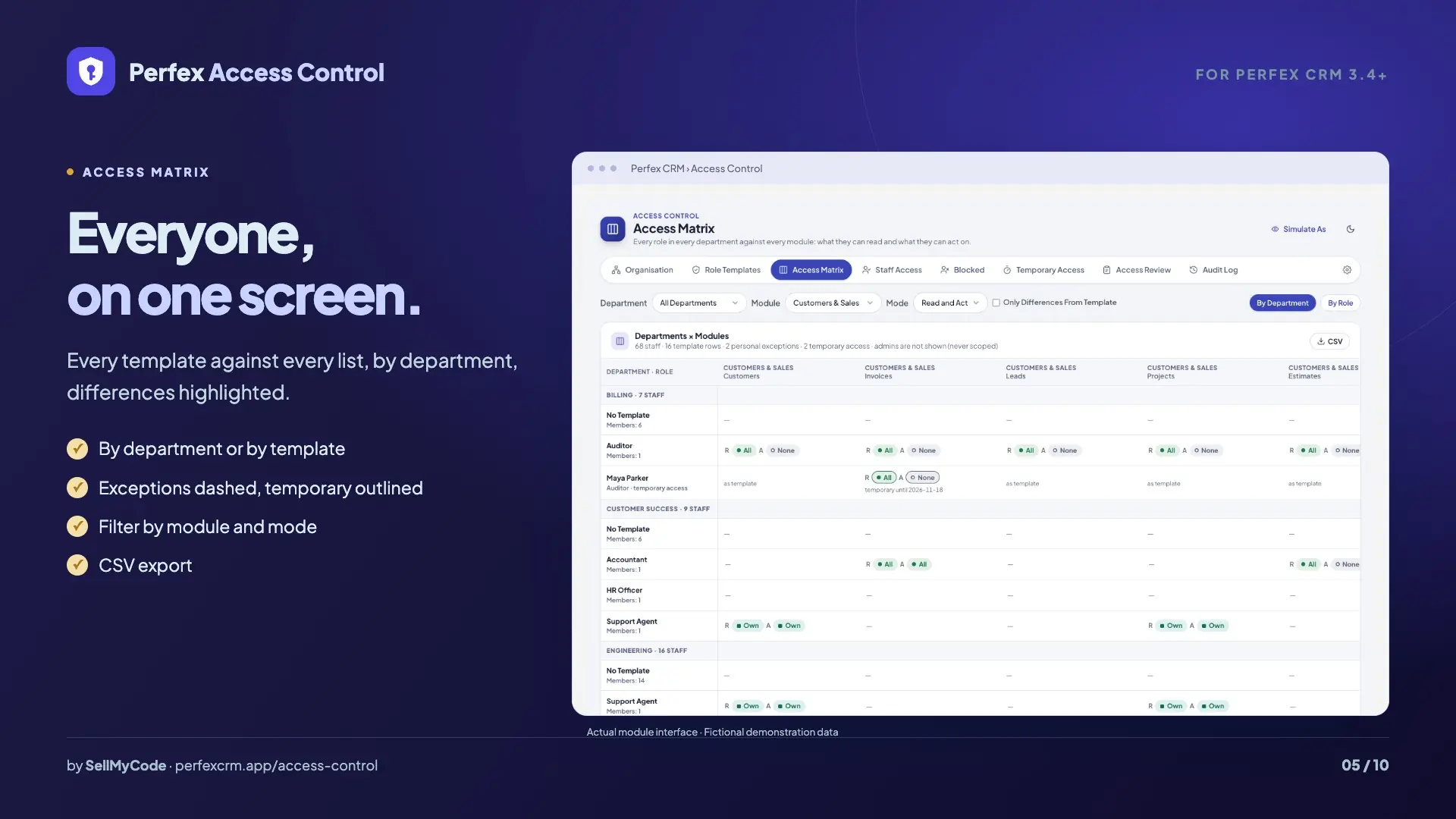
- The Access Matrix shows every template against every list, by department, with only the differences on request.
Exceptions, temporary access and delegation
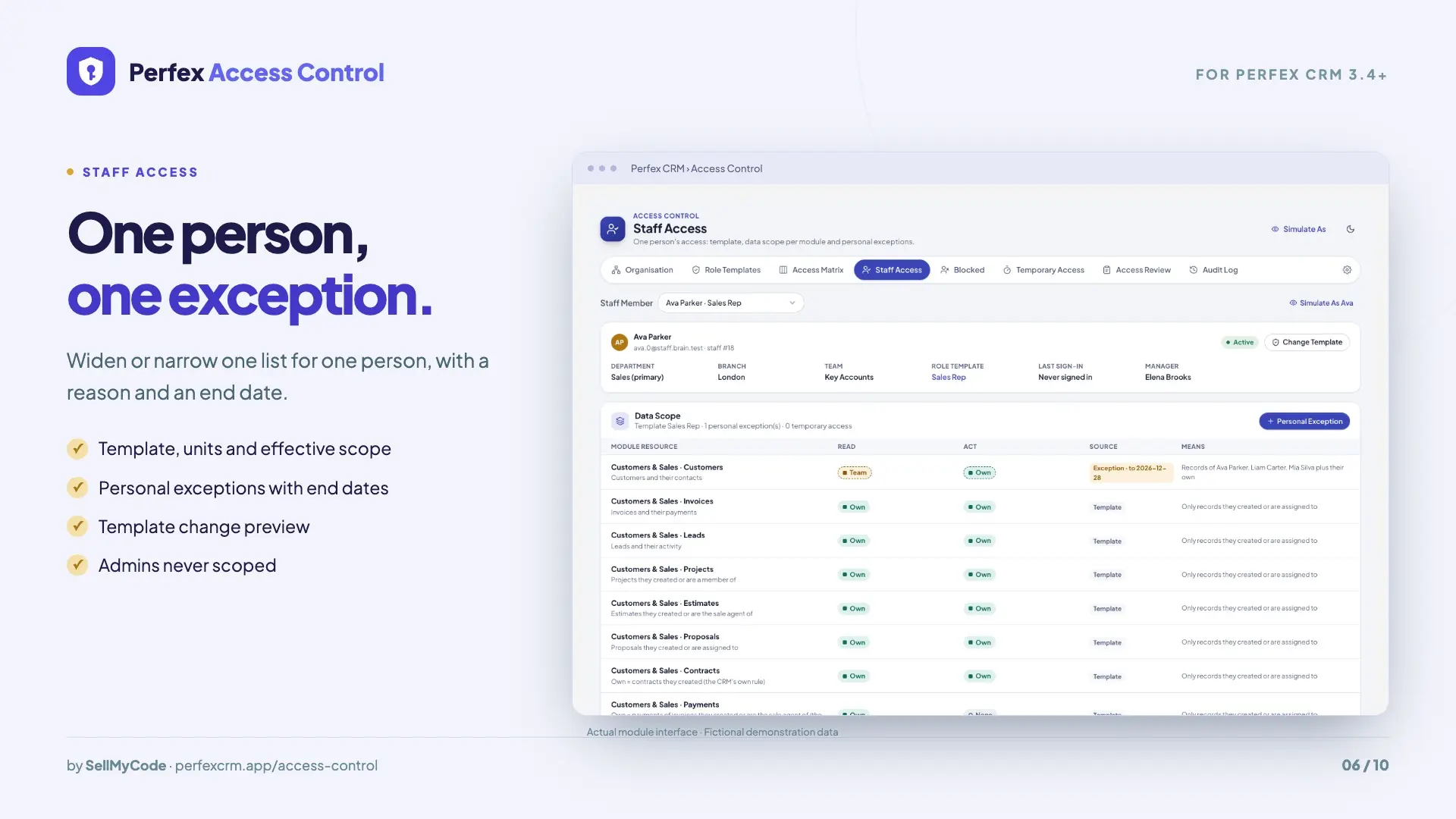
- A personal exception widens or narrows one list for one person, with a reason and an end date.
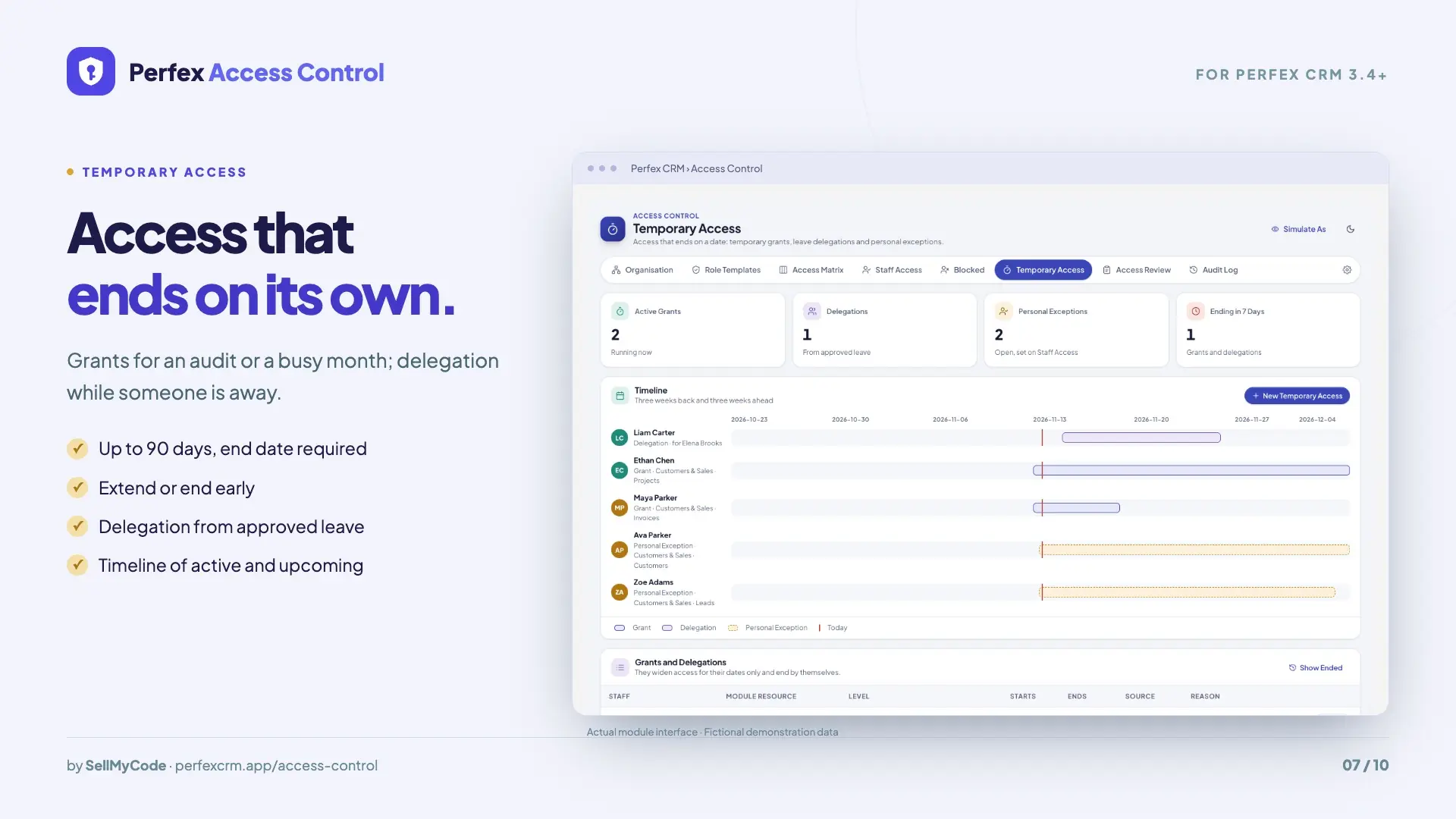
- Temporary access for an auditor or a busy month: up to 90 days, ends on its own.
- Delegation while someone is away — automatically from approved leave in Perfex People, if you switch it on.
Block people the moment they leave
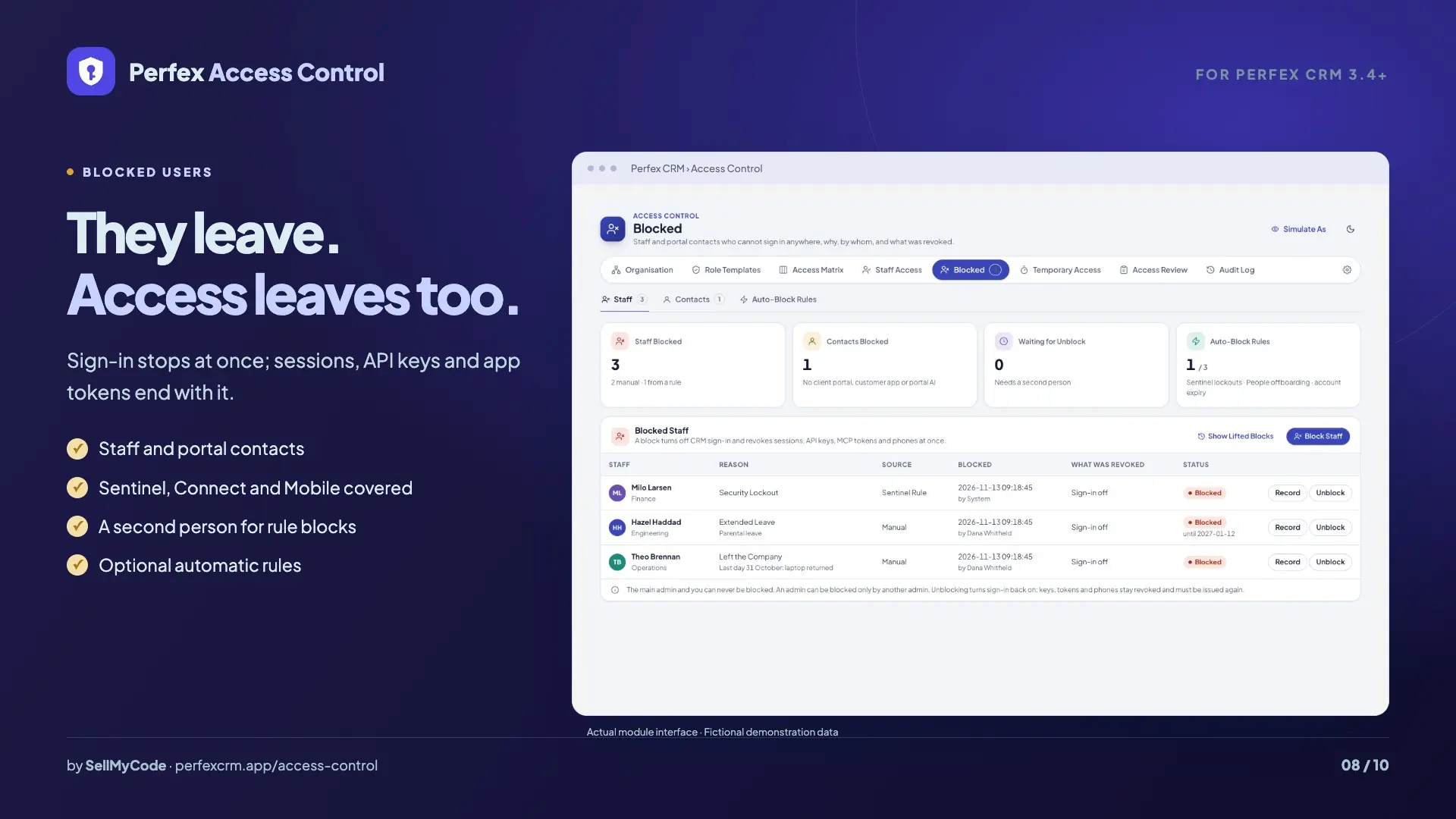
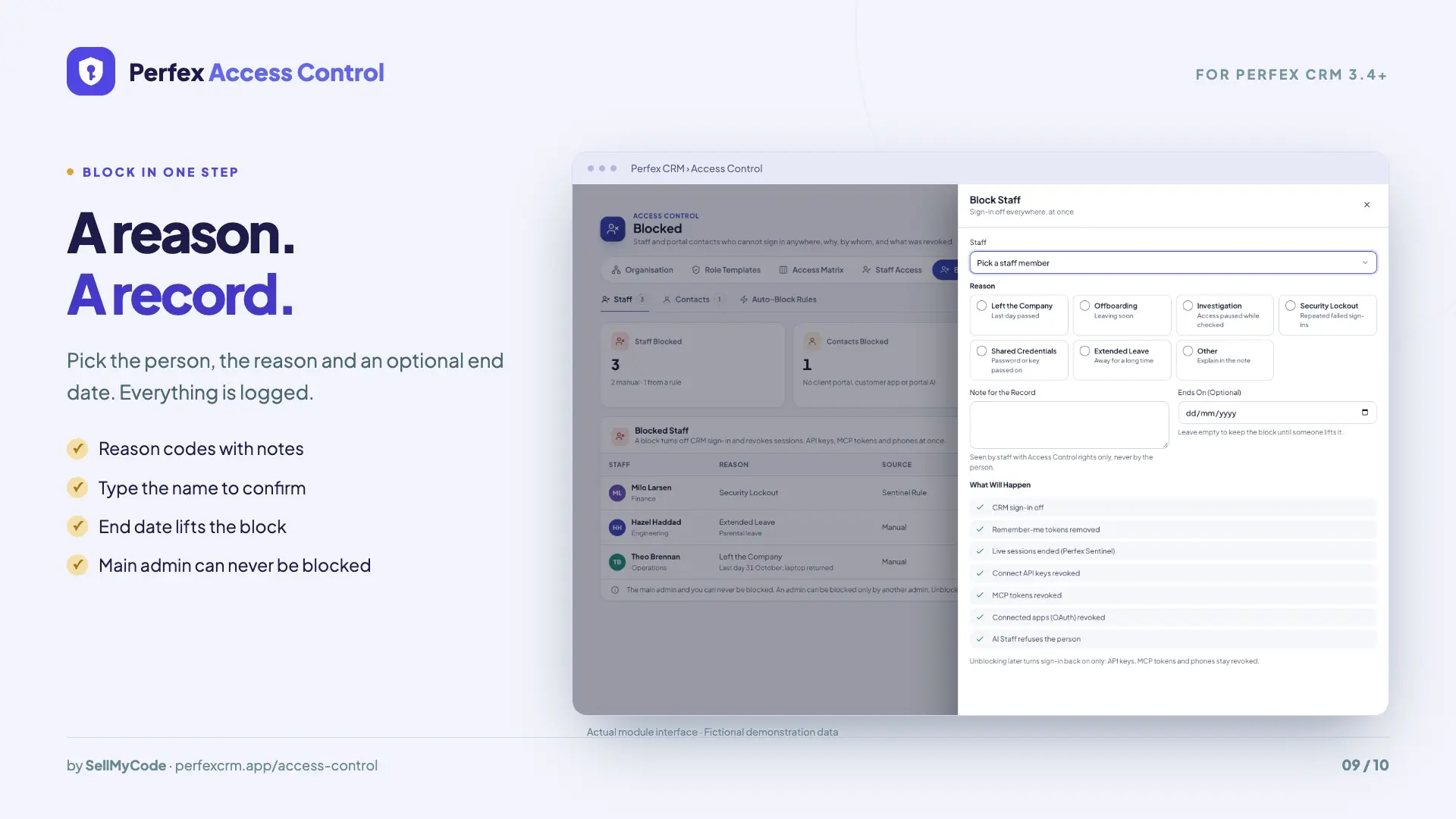
- Block a staff member or a customer contact: sign-in stops at once, remembered sign-ins and sessions end.
- With Perfex Sentinel, Connect and Mobile installed, their sessions, API keys, app tokens and AI access end too.
- The main admin can never be blocked, nobody can block themselves, and only an admin blocks another admin.
- Unblocking always needs a reason; a block set by a rule or another admin needs a second person.
- Optional rules: block after repeated Sentinel lockouts, or when offboarding completes in Perfex People.
Check before you tell them
Simulate As shows what a person will see in every list and why — template, exception, temporary access or delegation — without signing in as them.
Quarterly access review
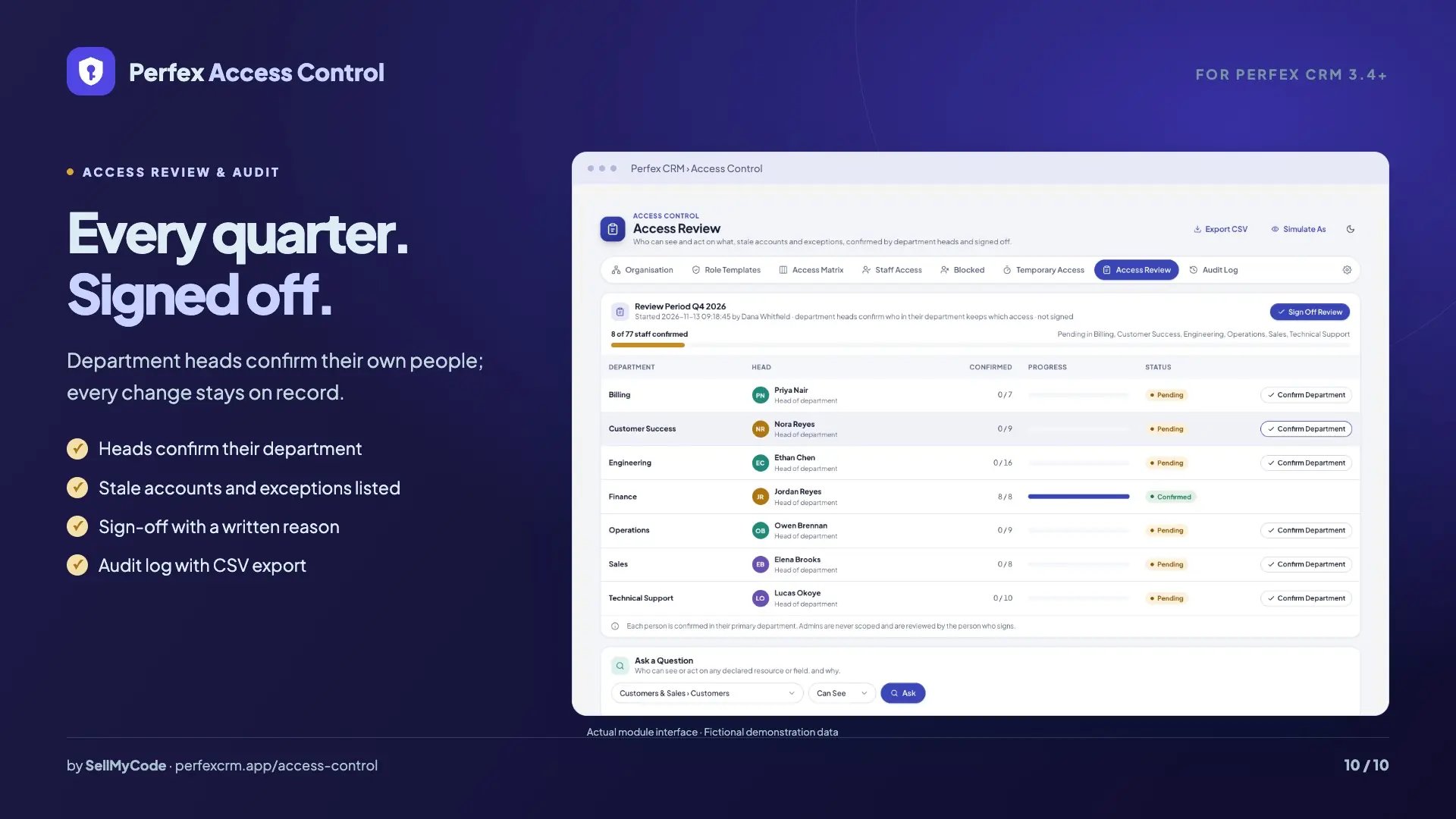
Start a review and each department head confirms their own people. You see who is still pending, who has not signed in for a while, who is blocked, who has exceptions and who can see sensitive fields. Sign off when everyone has confirmed, or with a written reason.
Every change on record
Units, memberships, templates, exceptions, grants, delegations, blocks, unblocks, settings, reviews and simulations are logged with who, when, before and after. Filter, export to CSV, and keep as long as you need.
Works with the family
- AI Staff: administrators can ask "who can see payroll?" or "who is blocked?".
- Brain Pro: Blocked Now, Access Review and Temporary Access Ending widgets for administrators.
- Connect: access changes as events for your automations.
- Other Perfex modules that adopt the Access Control contract add their own lists, fields and actions.
Fits your existing installation
- No Perfex core files changed; own tables and standard module hooks.
- Separate staff permissions: view, manage organisation, manage roles, block, unblock, review, audit, settings.
- Light and dark themes, phone-friendly screens and nine languages.
- Background work runs through Perfex cron.
Good to know
- Payments “own” follows Perfex's own rule for invoices you may see as your own.
- The leads kanban, the estimates and proposals pipelines and All Contacts are refused for people whose scope narrows that list; the normal lists work.
- Bulk actions other than on leads, customers and tickets, CSV exports and reports outside the nine lists, and the client portal are not narrowed.
- Nobody can raise their own access: templates, exceptions, temporary access and organisation changes never apply to the person who makes them, and only an administrator manages staff, settings or Access Control permissions in templates.
What is included
The installable module ZIP, offline HTML documentation, changelog and third-party licence notices. Perfex CRM itself and hosting are not included.
Product overview · Documentation


 0 Viewing now
Live buyer activity








 Google
 Github
 From Unknown Location
 Elite Seller
 Trend Master
 Featured Item