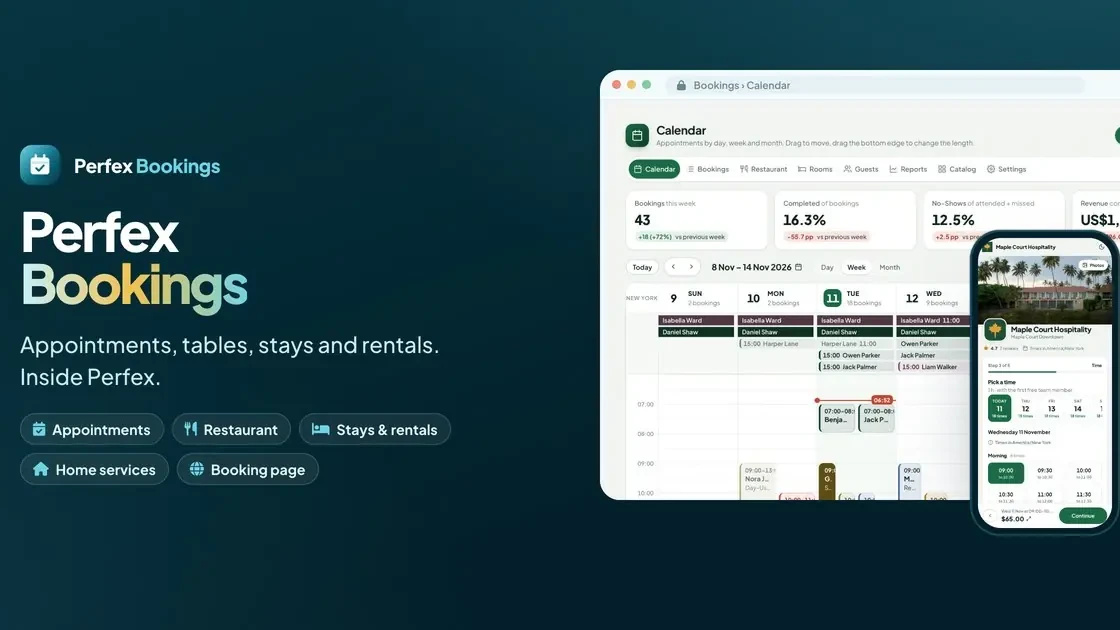
One booking module for Perfex CRM: appointments and classes, restaurant tables, hotel-style stays and rentals, and on-site home services. Guests book on a hosted page or an embedded button that follows your brand; staff run the day from a drag-and-drop calendar, a restaurant host board and a room board with housekeeping. Deposits, balances, cancellation and no-show fees are native Perfex invoices and credit notes, no card data is stored, and with Perfex Books deposits are held as a liability until the visit is complete. Includes photo galleries, reviews, reports and an Appointly import.
Every booking in one place, inside your Perfex CRM.
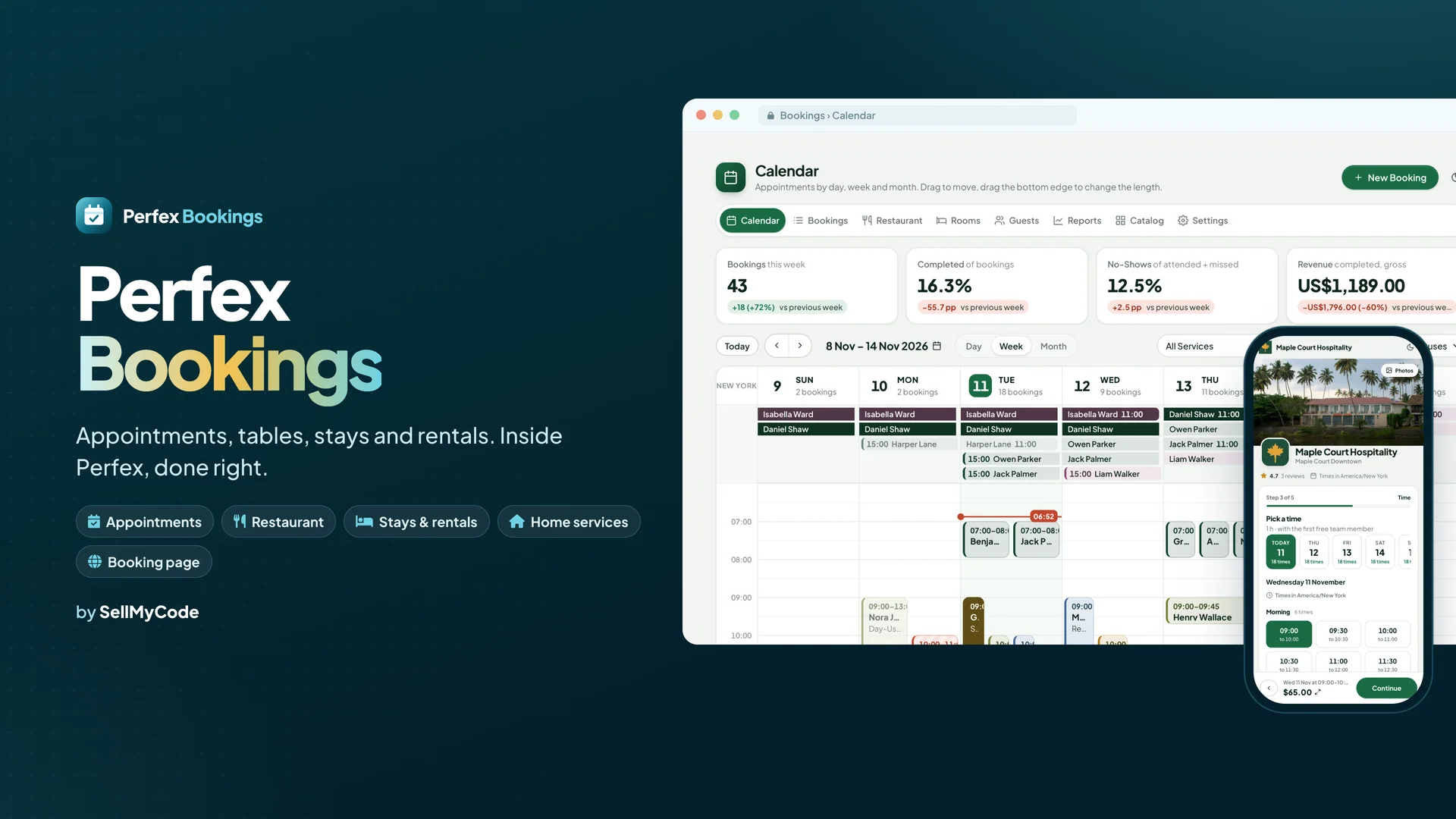
Perfex Bookings lets guests book appointments, classes, tables, rooms and home visits on a page that looks like your brand, and lets your team run everything from one calendar. Prices, deposits, fees and customers are native Perfex records, so your invoices, credit notes and reports stay where they already are.
Appointments and classes
- Five kinds of service: one-on-one, group class with a seat limit, collective (all providers together), round robin (any free provider) and resource booking (a room, chair or bay).
- Variants and add-ons with their own price and length, and multi-session packages booked in one go.
- Week, Day (staff lanes) and Month calendar with a KPI strip and a current-time line. Drag a booking to move it, drag the bottom edge to change the length. The price is kept; clashes, past times and moves to another person are refused with a reason.
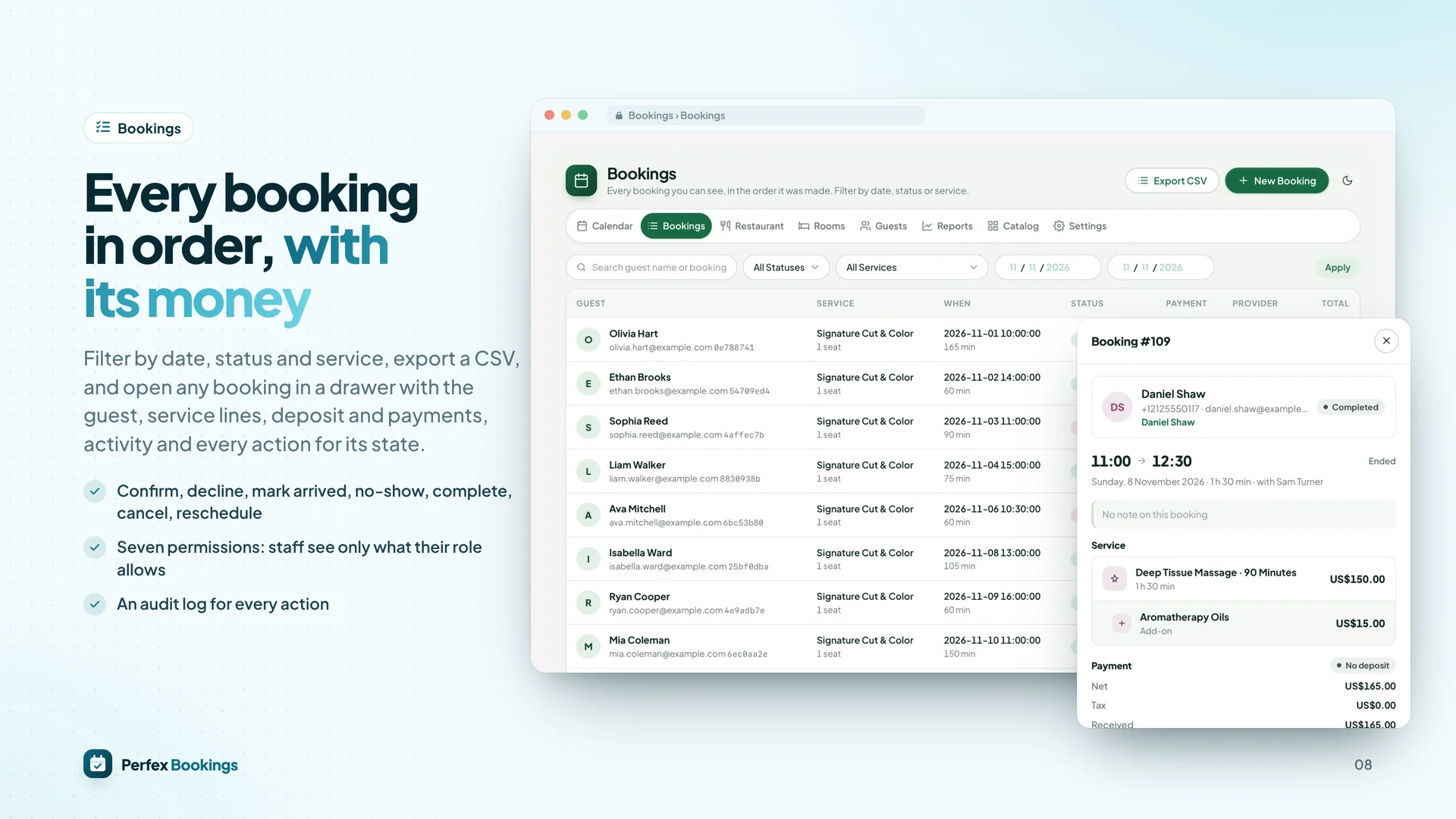
- A booking drawer with guest, service lines, deposit and payments, activity and every action for the current state: confirm, decline, mark arrived, no-show, complete, cancel, reschedule.
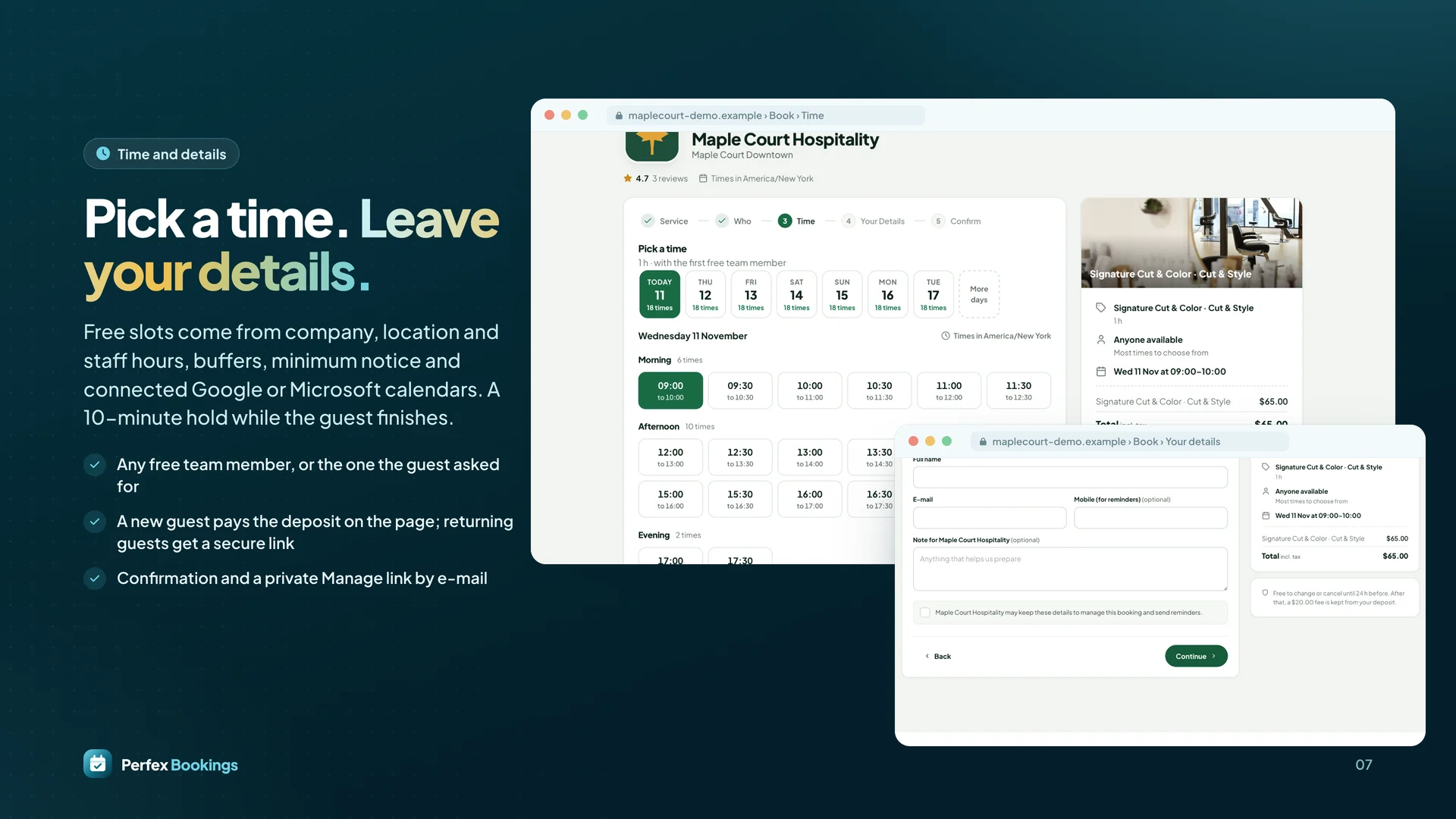
- Hours that match real life: company, location and staff working hours, date exceptions, buffers, minimum notice and booking horizon, with real daylight-saving times. Connected Google and Microsoft calendars block your busy time.
Restaurant
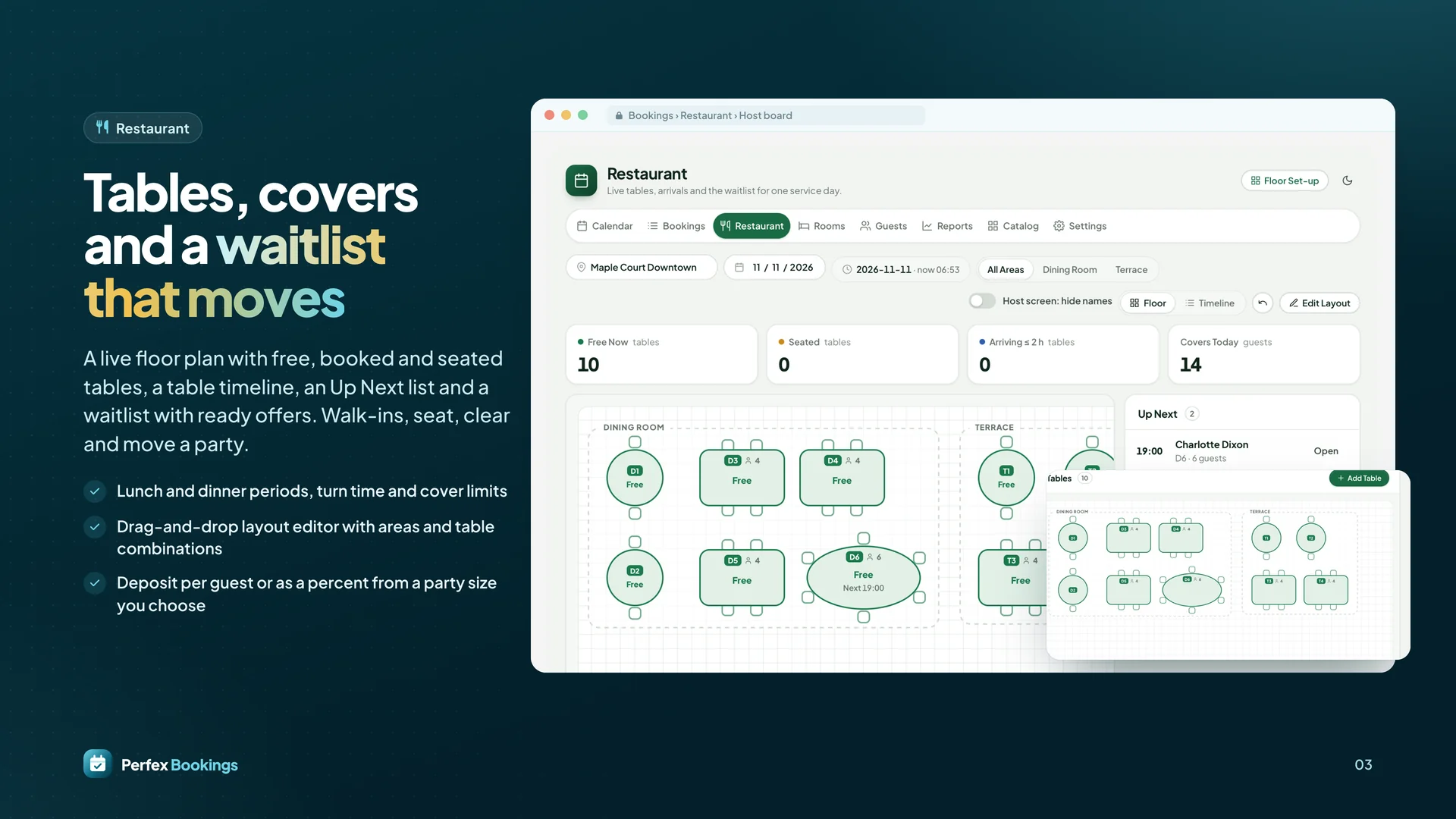
- Floor plan with live table state: free, booked in the next 2 hours, or seated with the time at the table. A table timeline, an Up Next list and a waitlist with ready offers sit beside it.
- Walk-ins, seat, clear and move a party to other tables. Capacity and conflicts are checked again when you confirm.
- Edit Layout: drag tables with a 10 px snap or the arrow keys; set up areas, tables and table combinations for large parties.
- Lunch and dinner periods, seating time by party size, turn time and cover limits. Deposit per guest, or as a percent, from a party size you choose.
- Guests tell you the occasion, dietary needs, allergies and high chairs when they book.
Stays and rentals
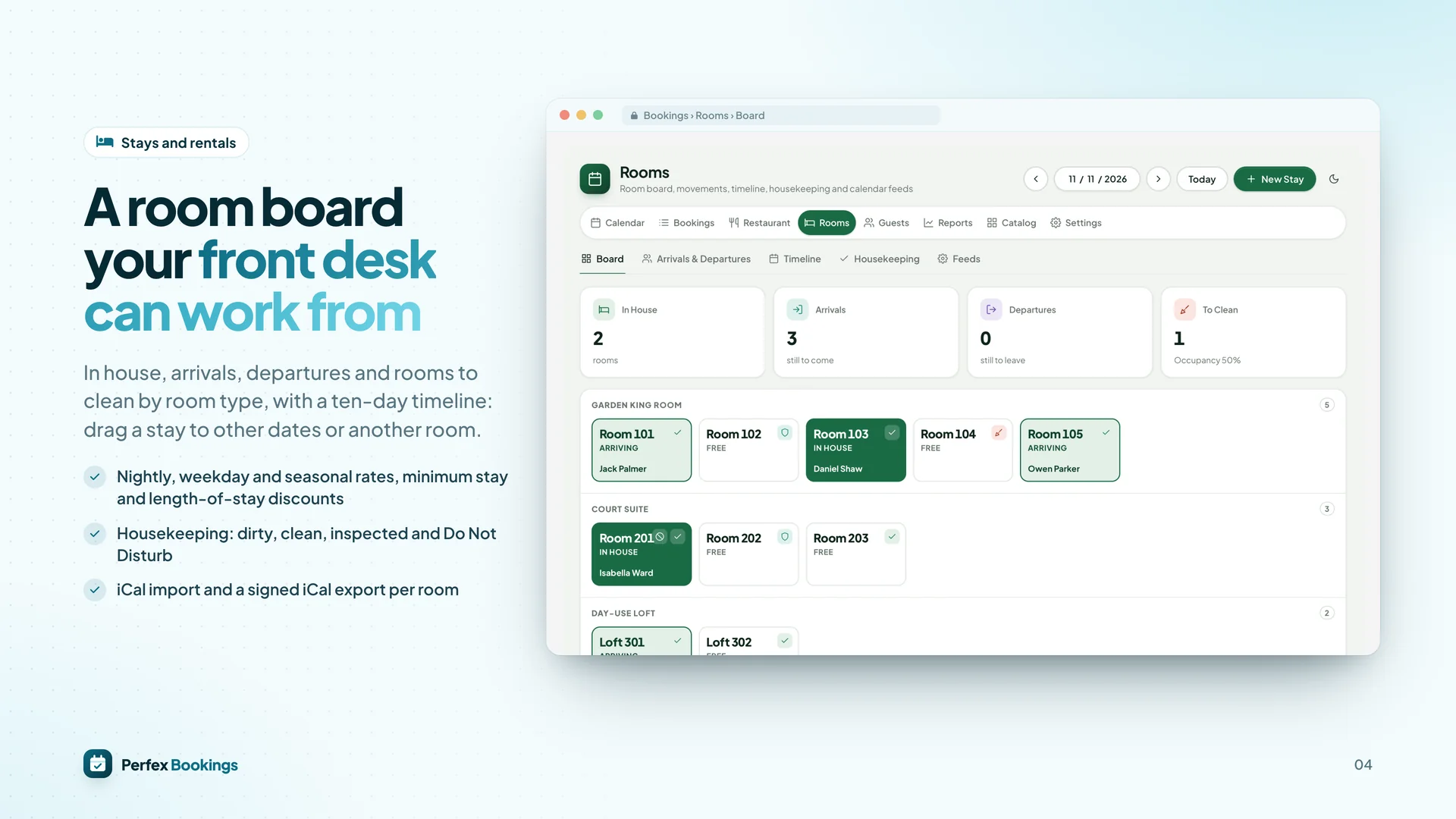
- Room board by room type with housekeeping, arrivals and departures, and a ten-day timeline: drag a stay to other dates or another room.
- Rates: nightly, weekday and seasonal rates, length-of-stay discounts, minimum stay, closed arrival and departure dates, cleaning and extra-guest fees. Rates can change while bookings exist; booked prices stay as they were.
- Changing the dates of a stay recalculates the price on the same booking and keeps the deposit.
- Housekeeping: dirty, clean and inspected, Do Not Disturb, a housekeeper per room and a room preparation queue. Check-in is refused for a room that is not ready.
- iCal: import booking channel calendars and share a signed iCal export per room. Hourly and daily rentals are supported too.
Home and on-site services
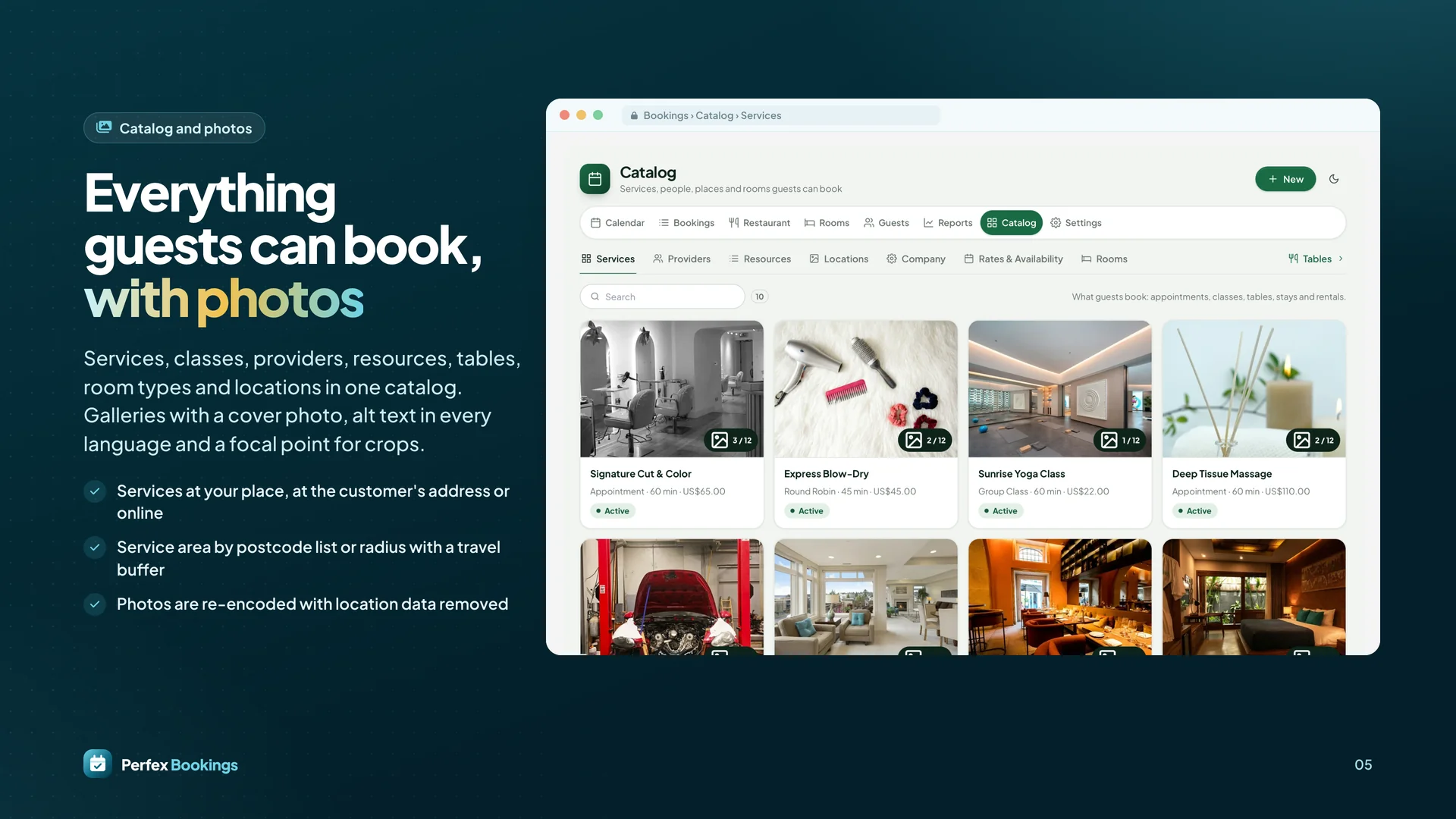
- Services at your place, at the customer's address or online.
- Service area by postcode list or radius, and a travel buffer between two visits of the same person.
- An address outside the area is offered the waitlist, and the area is kept for demand reports.
Photos
- Galleries for services, variants, add-ons, staff, resources, tables, room types, rooms, locations and your company (logo and cover). The first photo is the cover; 12 photos per item by default, up to 30.
- Alt text in every language, a focal point for crops and a caption. Photos are re-encoded with location data removed, and resized versions are made once and cached. Photos of inactive items are not shown.
A booking page your guests can use
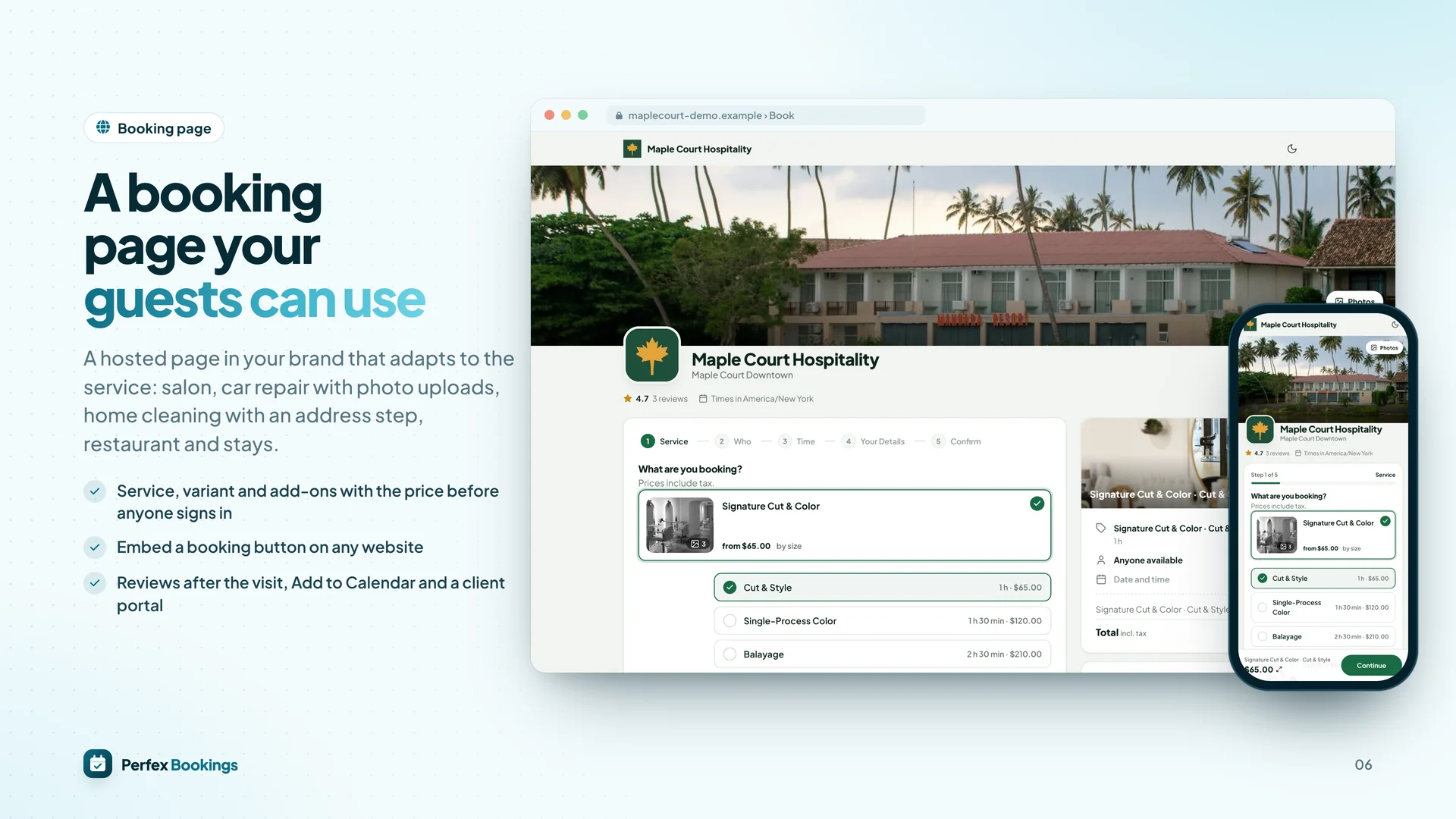
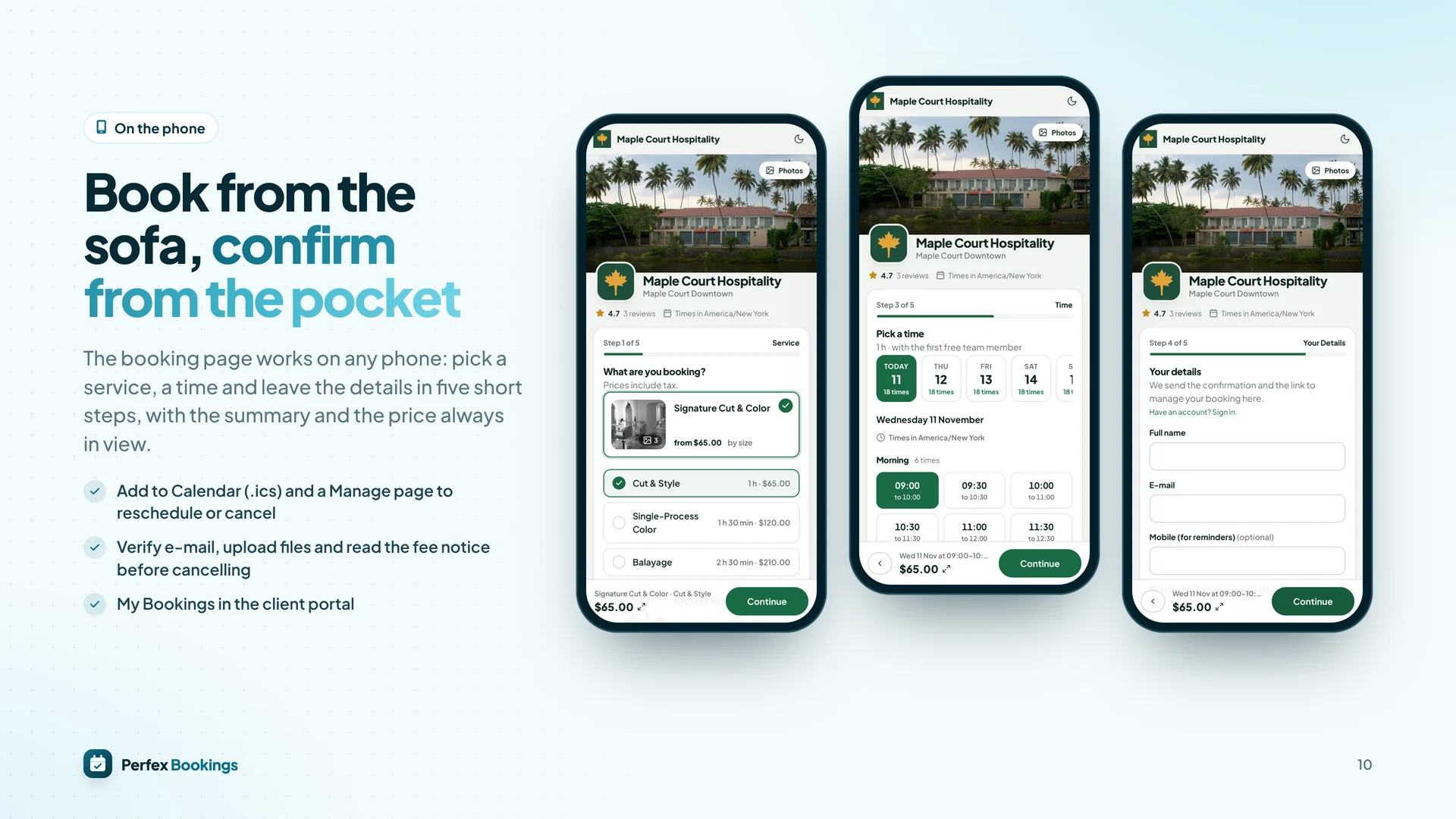
- A hosted page that adapts to the service: salon, car repair (with photo uploads), home cleaning (address step), restaurant (party, occasion, allergies, high chairs) and stays (date range, room type gallery, price for the dates).
- A 10-minute hold while the guest finishes. A new guest pays the deposit right on the booking page; returning guests get a secure payment link by e-mail.
- Confirmation, Manage page (reschedule, cancel with the fee notice, upload files, verify e-mail), reviews after the visit with moderation, Add to Calendar (.ics) and a client portal, My Bookings.
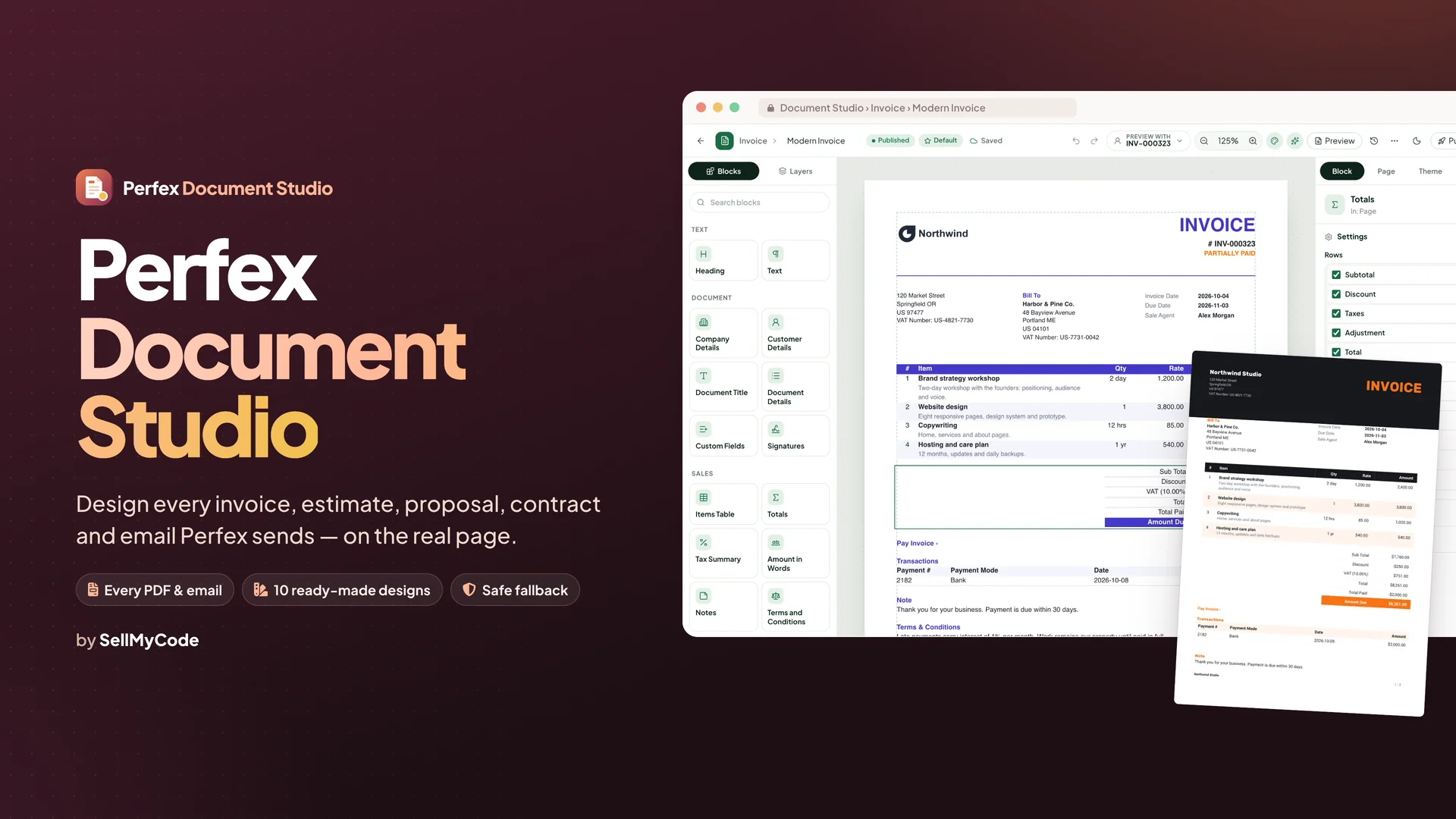
- Embed a booking button on any website, including a Design Studio page. The public page uses your published brand colour, logo and fonts.
Deposits, fees and refunds on native Perfex documents
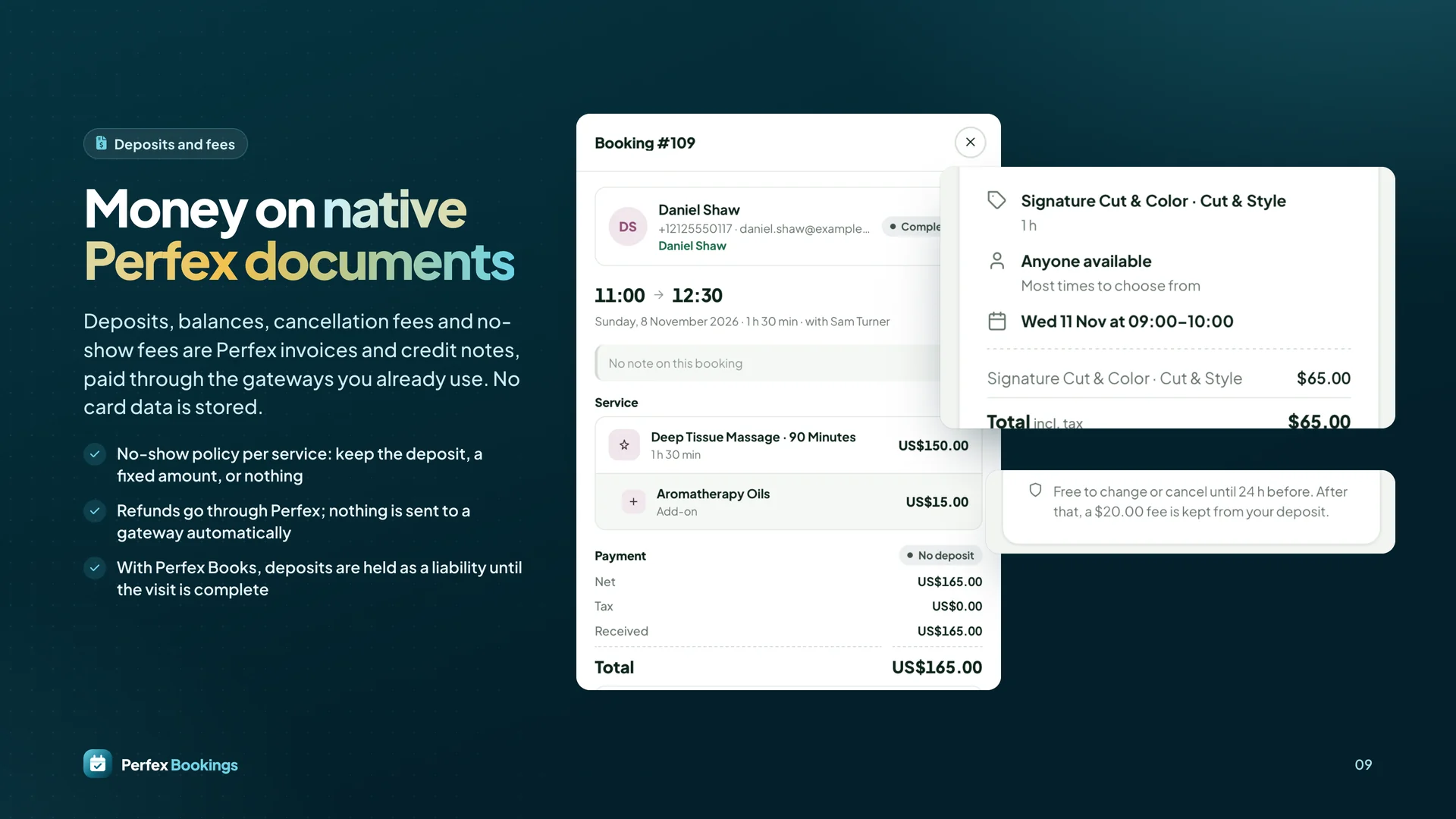
- Deposits, balances, cancellation fees and no-show fees are native Perfex invoices and credit notes. No card data is stored, and no refund is sent to a gateway automatically; refunds go through Perfex.
- No-show policy per service: keep the deposit, charge a fixed amount, or nothing.
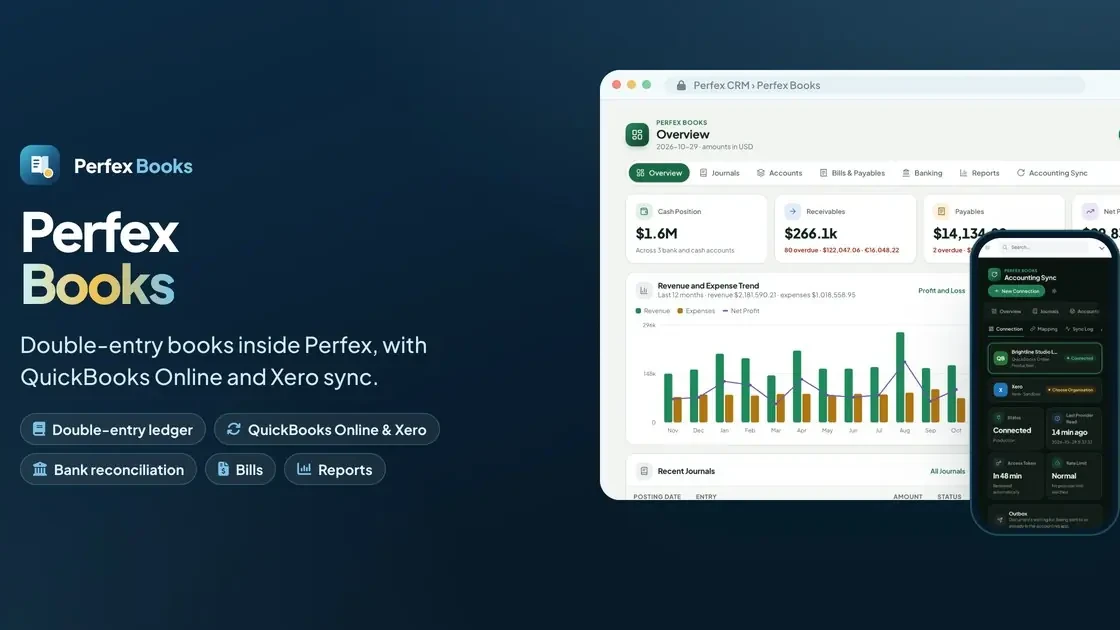
- With Perfex Books, deposits are held as a liability until the visit or stay is complete, forfeited fees become revenue, and refunds and credits stay native.
Repeat visits, requests and busy days
- Repeating bookings every week, every 2 weeks or every month (up to 26 visits), from the calendar or the booking page; each date is checked first and a taken date is skipped alone. Move or cancel one visit, the following ones or all.
- Voice and website-assistant requests from AI Staff hold the time for 10 minutes; your team approves, changes the time or declines in Bookings › Requests.
- Today's Routes for field visits with the distance between stops, and a visit report PDF with notes, photos and the customer's signature.
- Reminders per service by e-mail, SMS and WhatsApp (through Perfex Connect) at up to three times, each with a stop link.
Live times on your website
- Show next free times, today's class timetable with places left and a Book link on your website pages; the link opens the booking page on that time (restaurants: with the party size, straight on the table times).
- Ask for one kind at a time: appointments, classes, restaurant tables or room stays (arrival days with a room free for the minimum stay, with the check-out date).
- Ready for Design Studio's premium website packs and your own pages (PHP helpers and a cached read-only feed); first names of staff only, never customer data.
- Bookable Online per service keeps staff-only services off every public page while your team still books them.
Field visits without signal
- With Perfex Mobile PWA, technicians keep today's and tomorrow's visits on the phone in route order (address, notes for staff, checklist, earlier photos) and work without signal: arrive, start and pause, tick the visit checklist, write notes, record parts used, take photos and capture the customer's signature.
- Everything is sent in order when the signal is back; each change is applied once, and photos upload in parts and resume after a dropped connection.
- The visit report PDF the customer receives lists the checklist and the parts used, with photos and the signature.
- The office always wins: a visit cancelled, closed or moved meanwhile keeps the office's version, the technician's work is kept as a note, and managers review it in Changed While Offline.
Reports
- Bookings by status, no-show rate, completed revenue by service, location, source, provider and resource, deposits, reviews, restaurant covers by period, room occupancy, ADR and RevPAR.
- Money is never summed across currencies.
Who sees what: Access Control scope
- With Perfex Access Control, give each role a Bookings level: own, team, department, branch (your locations) or all, separately for reading and for changing.
- The scope applies everywhere: bookings list and search, CSV export, calendar, reports, utilisation, reviews, guests and guest data export, AI Staff answers, dashboard widgets, the routes board, the restaurant host view, field visits in Perfex Mobile PWA and the Connect API.
- An export never holds more than the list it comes from, changing a booking needs both scopes, and administrators are never narrowed. Without Access Control, Bookings works exactly as before.
Plugs into our other modules
- Design Studio: every screen follows your theme colours, fonts and light or dark mode.
- Perfex Books: booking deposits and fees post to your ledger the moment a booking's money changes.
- Perfex Connect: read-only API resources and booking events. AI Staff: answers "who booked today", "which rooms are free tonight", today's arrivals and departures, what is coming up this week and a customer's next booking. Brain Pro: widgets and a weekly digest. Flow Studio: booking events.
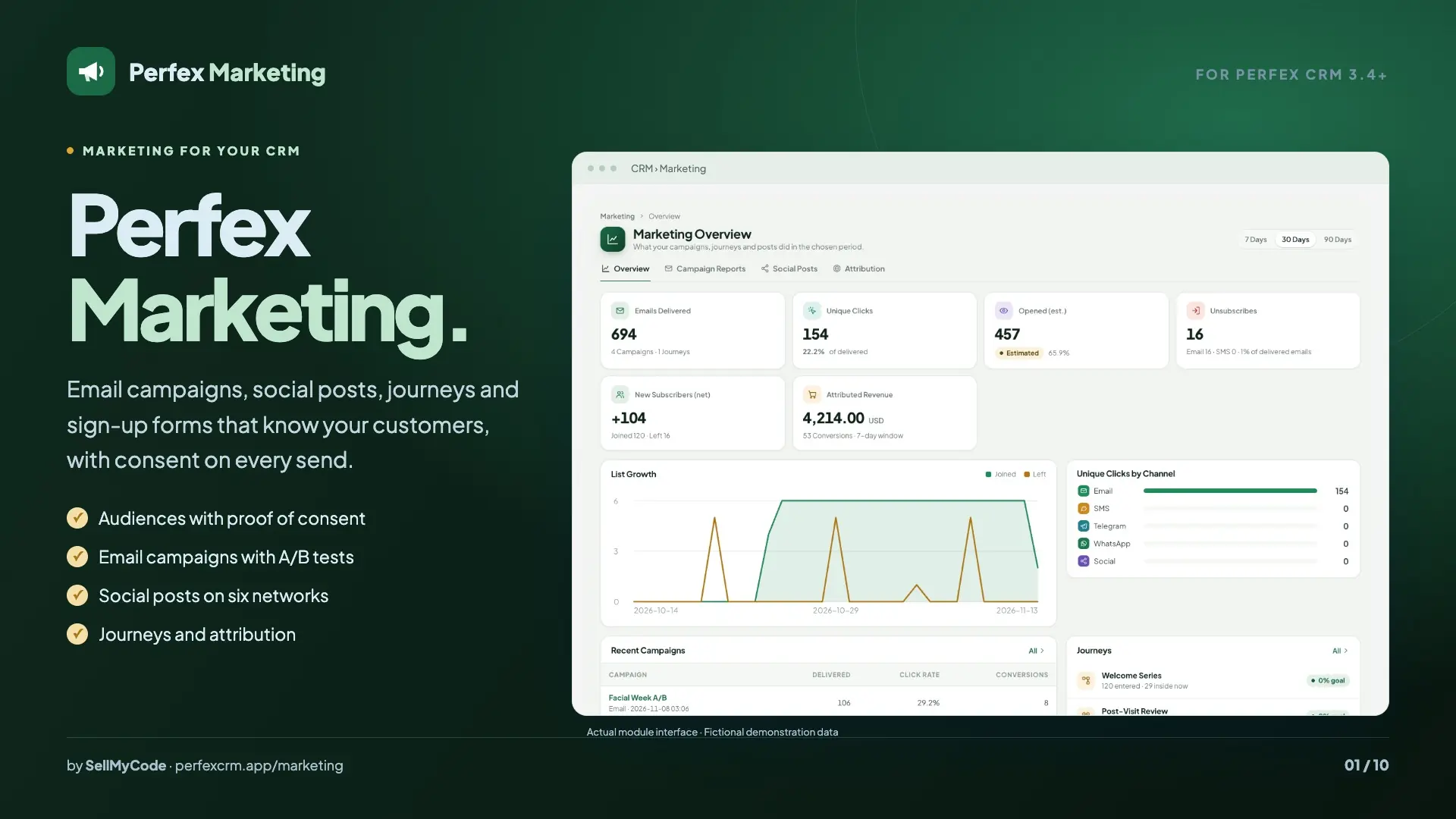
- Perfex Marketing: segments by bookings, no-shows, last visit and booked service, a "Book a time" e-mail block and booking-triggered journeys. Perfex Inbox: a booking linked in a conversation shows its service, status and times. Perfex Access Control: Bookings in the access matrix (own / team / department / branch / all) on every list, report and export.
- Design Studio website blocks: Booking Form, Services List, Team and Week Availability.
Moving from Appointly
- Preview, apply, re-run and undo by batch. Nothing is billed again.
Built to be trusted
- Seven permissions: view, view own, create, edit, delete, manage and settings. Staff see only what their role allows; guests see only their own booking through a private link.
- Every action is a POST with CSRF protection; spam check on public forms, safe file uploads, formula-safe CSV export and an audit log.
- Nine languages: English, Spanish, Portuguese (Brazil), French, German, Italian, Dutch, Turkish and Russian. No Perfex core file is changed.
What is included
The installable module ZIP, offline HTML documentation and changelog. No third-party code is bundled. Perfex CRM itself, hosting, e-mail and SMS delivery, and payment gateways are not included. Perfex Bookings does not process or store card data.
Product overview · Documentation


 0 Viewing now
Live buyer activity








 Google
 Github
 From Unknown Location
 Elite Seller
 Trend Master
 Featured Item