1.7.1 - 2026-11-20 — Unique invoice and credit-note numbers
Fixed
- Invoices and credit notes that Bookings creates in one go (the reminder and cancellation jobs, several cancellations at
  once) each get their own number; before, they could share the same number
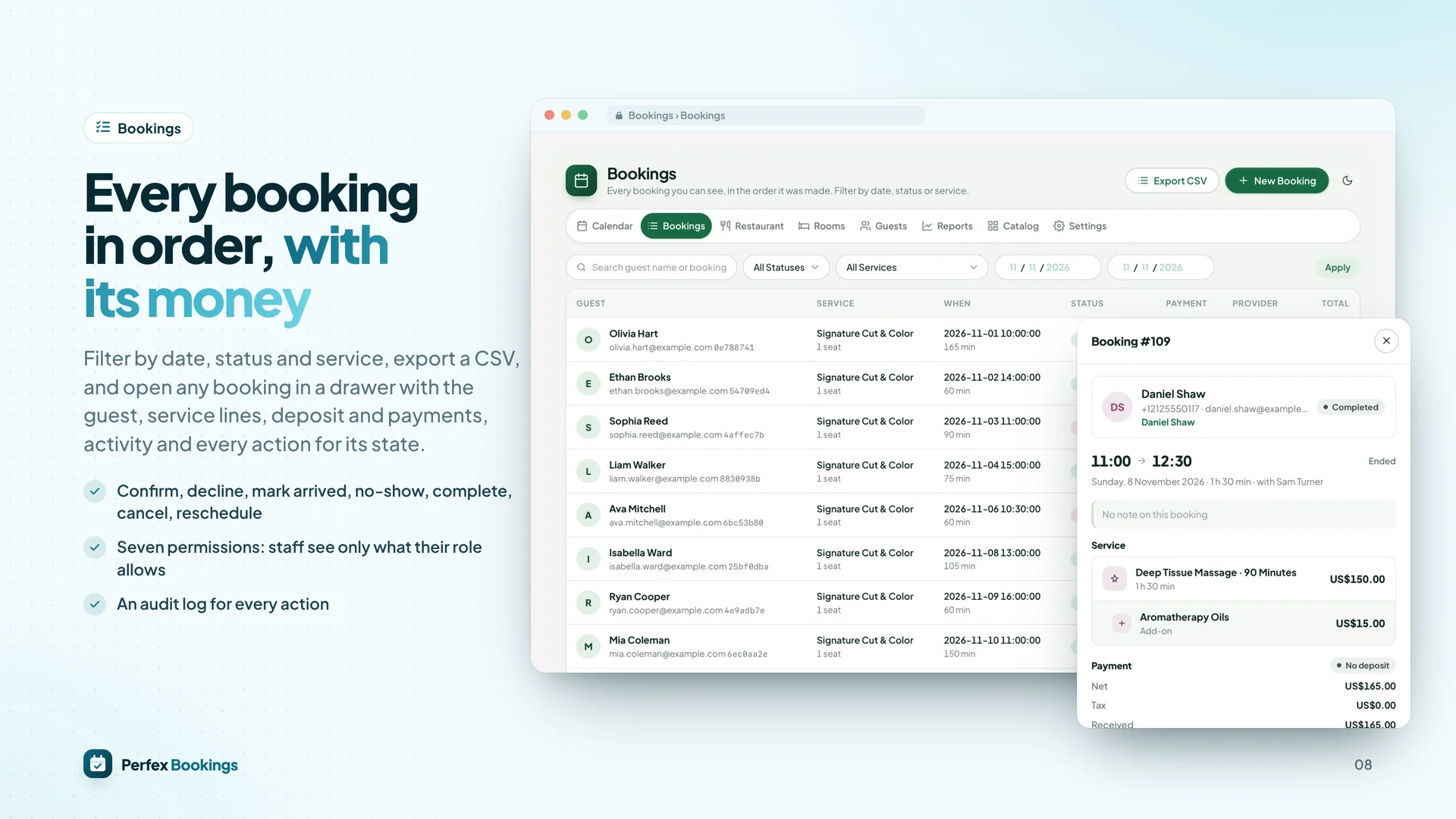
- The booking reference in the bookings list sits on its own line with a "Ref" label instead of right after the guest's
  e-mail address; searching for the whole "Ref …" text finds the booking
- The permission group is called "Bookings", the sidebar entry for the list "All Bookings", and the first column of the
  bookings CSV export "Reference"
Notes
- Perfex's own invoice and credit-note numbering is not locked: an invoice or credit note saved in the CRM at the same
  instant as one from Bookings can share a number
1.7.0 - 2026-11-20 — Access Control everywhere
New
- With Perfex Access Control, each staff member's scope (own, team, department, branch or all) now also applies to the
  bookings list and search, the calendar, CSV export, reports, guests, guest data export, the AI Staff daily view,
  dashboard widgets (deposits included), the field-visit list in Perfex Mobile PWA, field-visit changes, utilisation, reviews,
  the routes board, the restaurant host view and Connect. Changing a booking needs both the read and the change scope.
  Exports never hold more than the list. Administrators are never narrowed
- Visit report PDF: the field checklist (done / not done) and the parts used
- Room links from your website open the stay page with the arrival date and the shortest stay picked; "party" sets the
  number of guests
- Week and Services website blocks: a Party size field, so restaurant links open on table times for that party; Week
  time chips open with that time picked
Improved
- A new location starts on the CRM's own time zone instead of UTC
- Reports and the calendar load much faster with many bookings a month
1.6.2 - 2026-11-19 — Live times by kind
New
- Live website times can ask for one kind of booking: appointments, classes, restaurant tables or room stays. Rooms list
  the arrival days that still have a room free for the minimum stay, with the check-out date, so restaurant, clinic,
  home-service and stay pages show their own live times
Fixed
- "Classes today" on a website uses the class location's time zone, so in the evening it no longer shows tomorrow
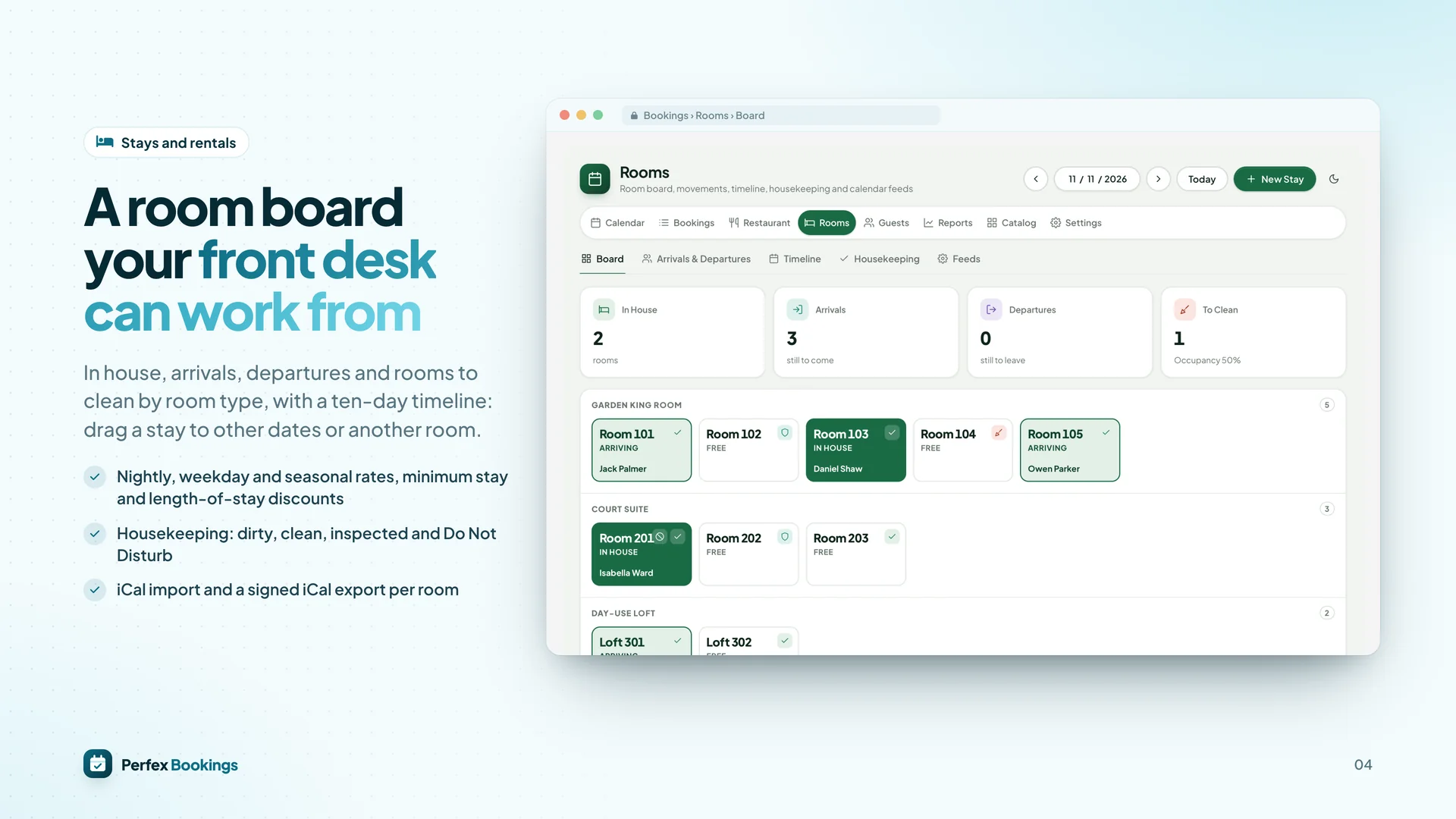
- Rooms: with no rooms set up yet, every tab shows "No rooms yet" with a link to the Catalog instead of loading forever
1.6.1 - 2026-11-19 — Live times on your website
New
- Live booking data for website pages (Design Studio premium packs and your own pages): next free times per service,
  today's class timetable with places left, and a Book link that opens the booking page on that time (restaurant
  links also carry the party size and open straight on the table times); first names of
  staff only, refreshed every few minutes and right after each booking
- "Bookable Online" on each service: switch it off for staff-only services; they disappear from the booking page,
  website blocks, the website assistant, waitlist, repeat-booking preview, Marketing e-mails and live website times,
  and staff still book them from the calendar
- AI Staff gets the exact start and end time of today's bookings
Fixed
- Field visits: a phone that asks about someone else's visit no longer adds lines to that visit's activity; a late phone
  upload with an expired code now says the code has expired
- Every dropdown keeps its arrow clear of the edge (service editor, restaurant picker, filters, booking page), and the
  arrow follows the text colour in dark mode
1.6.0 - 2026-11-14 — Field visits without signal
New
- Field visits keep working without signal on the phone (with Perfex Mobile 1.5): today's and tomorrow's visits are kept on
  the phone in route order with the address, notes for staff, the checklist and earlier photos; technicians arrive,
  start and pause work, tick the checklist, write notes, record parts used, take photos and capture the customer's
  signature offline, and everything is sent in order when the signal is back
- Visit Checklist on on-site services (one item per line, up to 30); the booking's Field Visit card shows the ticked
  items, parts used, time on site and who signed
- Changed While Offline (Bookings Manage): what a technician sent after the office had cancelled, closed or moved the
  visit, with what the phone saw and what the office had; Mark Reviewed. The office version always wins; the
  technician's work is kept on the visit as a note, and managers get a notification when a cancelled visit is completed; search by customer
  or visit number, filters by technician, kind of change and date
- Photos and signatures upload in parts and resume after a dropped connection; the visit report waits for the last
  photo of a visit completed offline (at most 30 minutes)
- Every offline change is in the audit log with the phone's time and the time it reached the CRM
- Search on every long list: the audit log, reviews (with Pending / Approved), requests (with status), the rooms
  board (room, guest or booking number), utilisation and staff time (staff member, dates), and My Bookings in the
  client portal (service or booking reference); the booking list also finds bookings by service name
Fixed
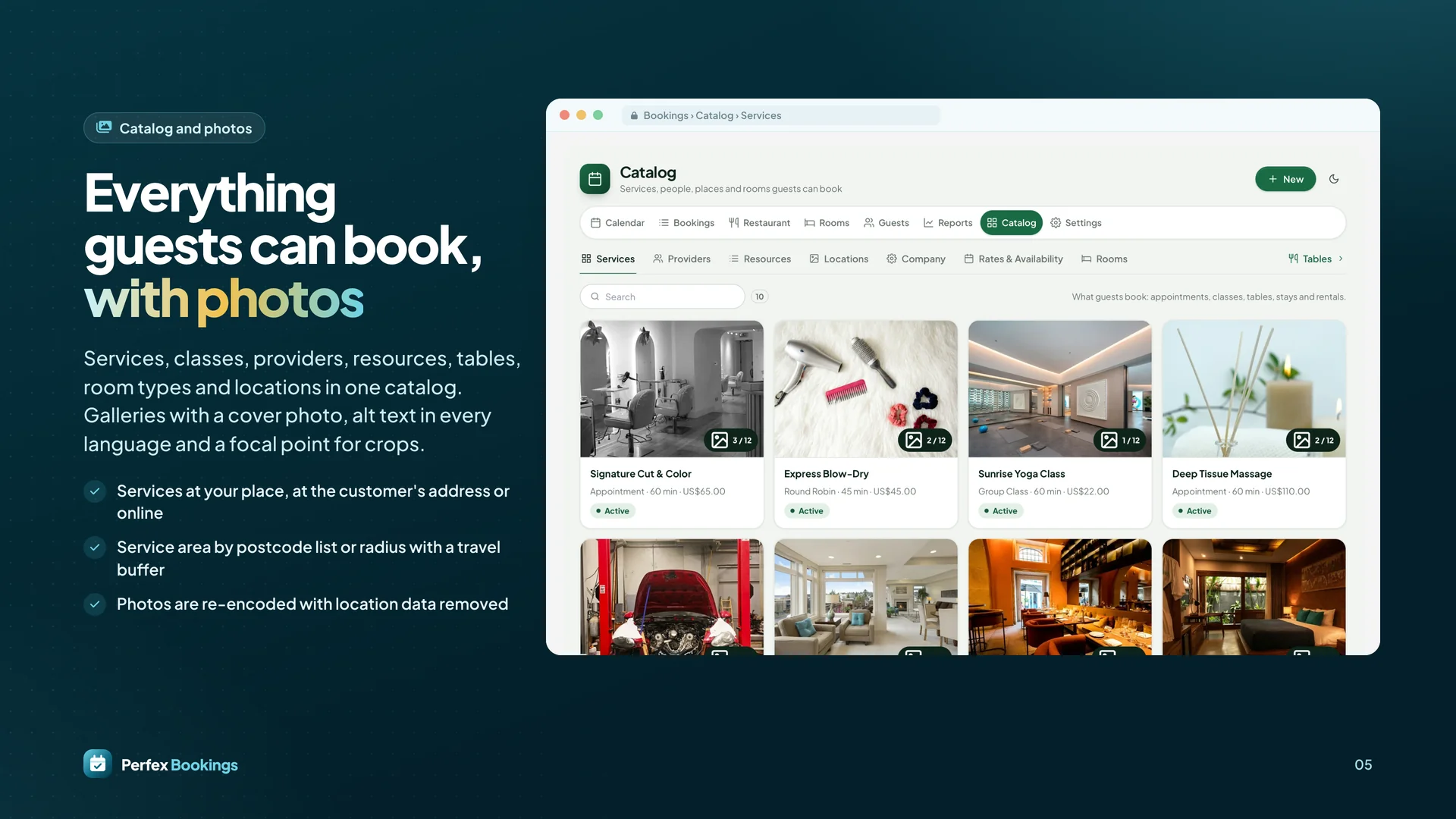
- Some ordinary photos (visit photos and catalog pictures) were refused as unsafe by chance; they are now accepted
- Reviews show the service name instead of "Service #…"
1.5.1 - 2026-11-14 — Security update
Security
- Licence actions refuse forged cross-site and gateways/-tagged requests, also when the CRM's own form check is off
- The module refuses changing requests to its pages if its security helper is missing after a broken upload
Fixed
- A repeating booking at a location outside your Access Control scope is refused with a clear message instead of
  "no free times"
1.5.0 - 2026-11-14 — Marketing segments and e-mail blocks, Inbox booking previews, Access Control
New
- Perfex Marketing: segments by number of bookings, number of no-shows, last visit and booked service; a "Book a time"
  e-mail block (the service, its price and length, the next free times and a Book button that opens your booking page
  on that day); booking events start Marketing journeys (booked, visited, no-show)
- Perfex Inbox: a booking linked in a conversation shows its service, status and times to staff who may see that
  booking (no guest contact details or amounts)
- Perfex Access Control: Bookings appears in the access matrix (none / own / branch / all, branches = your locations);
  a staff member outside the scope cannot open, change, approve or preview a booking, or book at a location outside the
  scope, and a blocked staff member has no Bookings rights. In this version lists, the calendar, reports and exports are not yet narrowed by scope
Fixed
- Reports, Requests, booking details, availability and staff time show names instead of "Staff #…", "Service #…",
  "Unit #…"; a draft says who drafted it or "Website visitor"
- The Brain Pro digest section is called "Bookings"
- Translations: clearer wording in all 8 languages (restaurant tables, rooms, deposits, free times, groups and more)
1.4.0 - 2026-11-13 — Repeating bookings, voice and website-assistant requests, today's routes, visit reports
New
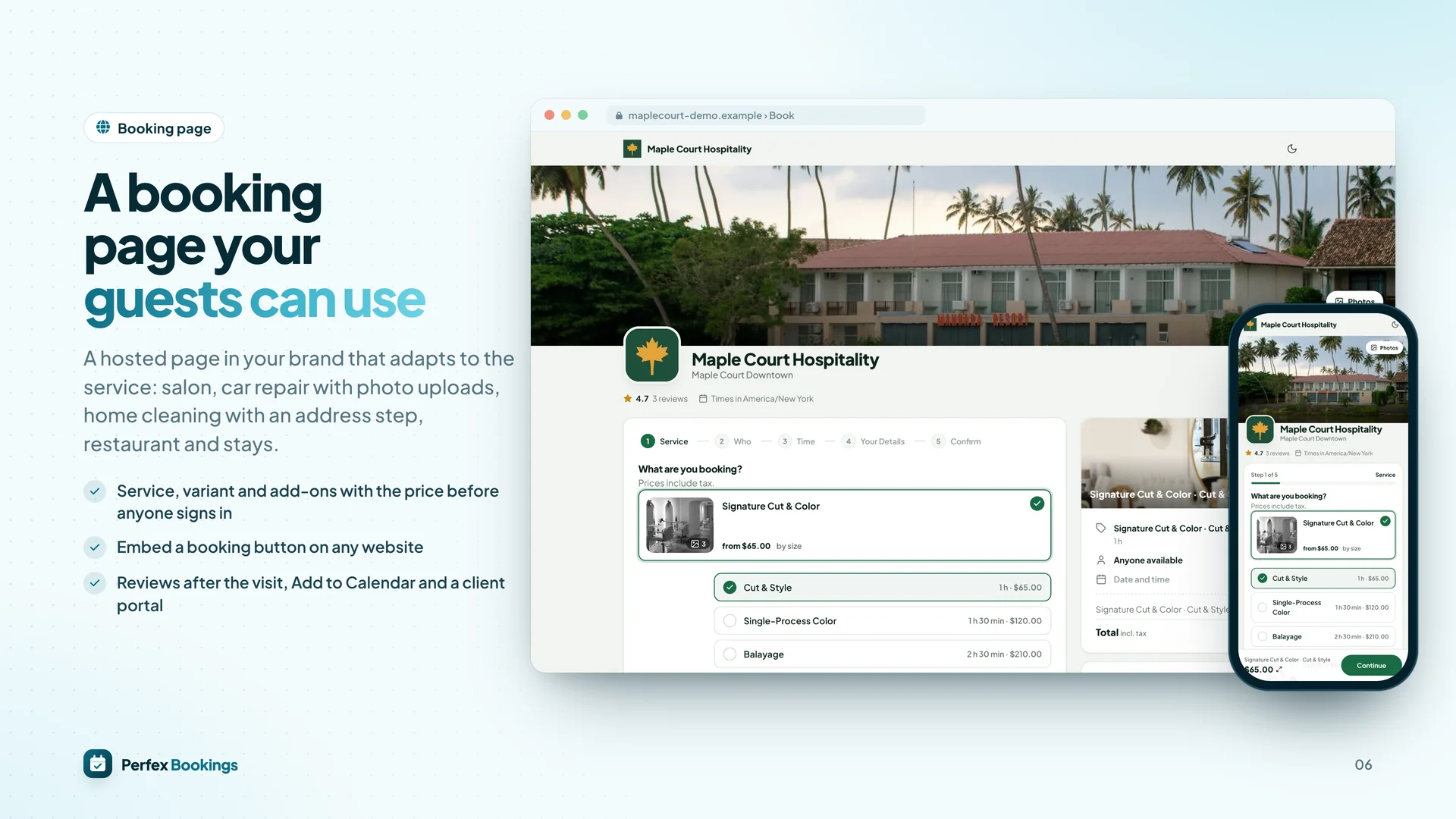
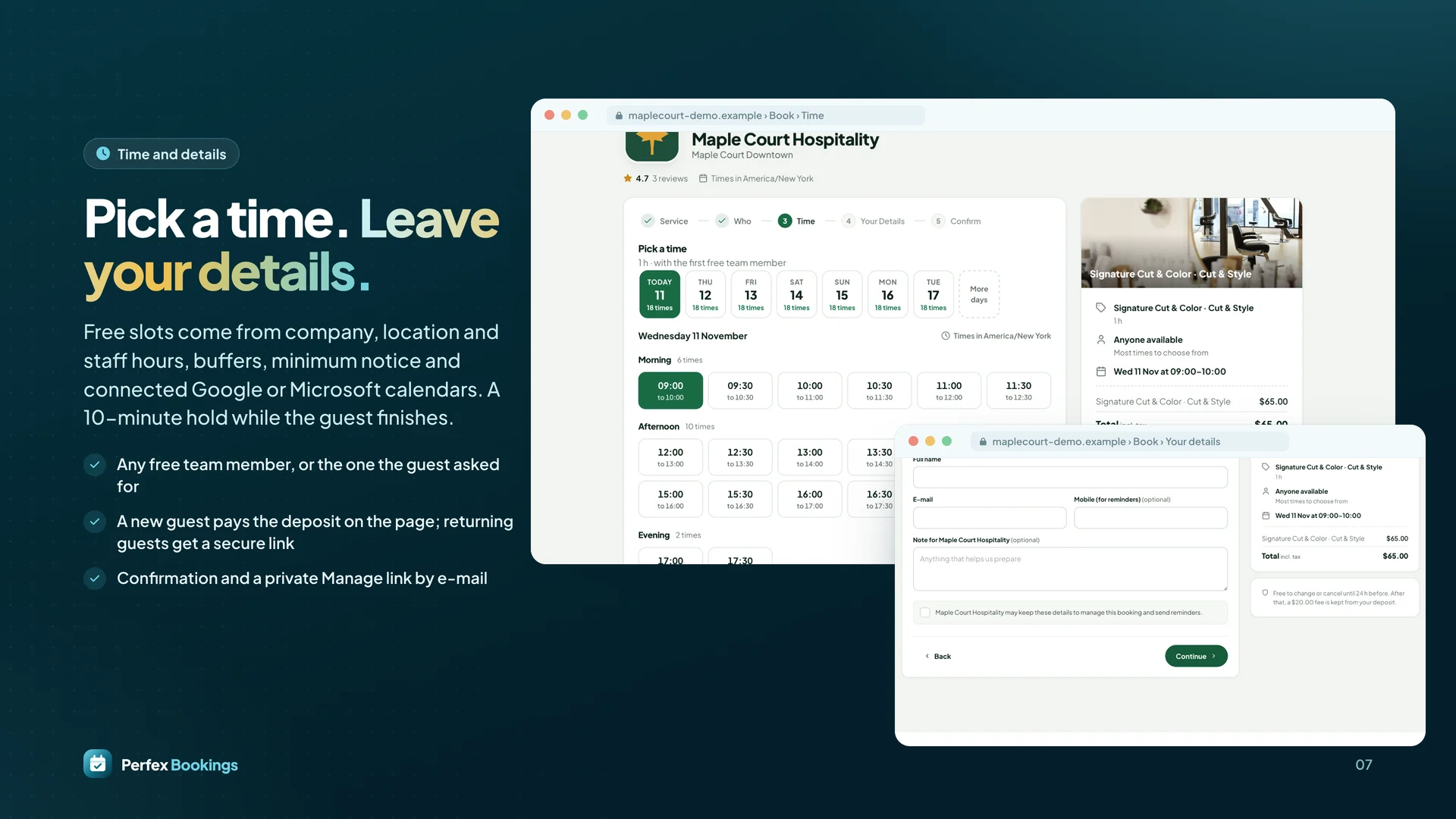
- Repeating bookings: book a visit every week, every 2 weeks or every month (up to 26 visits) from the New Booking
  drawer, and guests can repeat on the booking page when the service allows it. Every date is checked first; a taken
  date is skipped alone. Deposit on the first visit only or on each visit (service setting). Moving or cancelling asks:
  this visit, this and the following visits, or all visits (past visits are never changed)
- Voice and AI booking requests: AI Staff reads a spoken booking back (service, time, party, guest, needs) before it is
  sent. Requests from the website assistant hold the time for 10 minutes and e-mail the guest a confirm link; staff
  approve, change the time or decline in Bookings › Requests. Nothing is confirmed by voice alone, and needs said in a
  request reach the guest's profile only after approval
- Today's Routes for field visits: each technician's visits in time order, nearest first for visits at the same time,
  with the distance between stops; the office can drag to change the order and the phone app follows it
- Visit report PDF when an on-site visit is completed: service, times, technician, notes, up to 6 photos and the
  customer's signature (never the staff note or the guest's needs), kept on the booking and e-mailed to the customer
  once (setting per service, on by default)
- Reminders per service: e-mail, SMS and WhatsApp (through Perfex Connect when it offers WhatsApp) at up to three times
  before the visit; every reminder carries a link to stop reminders. Services you do not change keep today's reminder
- Reports: revenue by resource (staff, room, table, resource), no-show trend by week and lead time; Brain Pro widgets
  for the same (money widgets need the Bookings Manage permission)
- Guest data export: one ZIP with a guest's bookings, preferences, answers and files (Manage permission, audited)
- Books 1.3 nightly revenue: Bookings tells Books each stay night's share (filter pbg_booking_nights)
- Three more Design Studio website blocks (Design Studio 2.0.3 or newer): Services List (cards with photo, length,
  price and a Book button), Team (the people guests can book, with their services) and Week Availability (free times of
  one service for the coming days). Each button opens your booking page with the service, person or day already chosen
Improved
- Documents written outside a normal page request (invoice lines, stored consent text) always use the module language
- The SMS reminder shows the visit time in the location's time zone
Fixed
- The booking detail page and the bookings list showed amounts without the currency symbol (and logged a PHP warning)
- A service saved without its schedule (for example added straight into the database) made the booking page's time
  search fail; it now simply shows no free times
- Dutch, German and Brazilian Portuguese: the booking page's Requests step had a wrong title
- The Booking Form block's button and card now follow the website's own colours (the button text was hard to read on
  some themes)
- Upload the files and run Upgrade Database for the module (active or not); no manual step
1.3.0 - 2026-11-11 — Guest preferences, field visits for the phone app, a Booking Form block
New
- Guest preferences: each guest's favourite provider, restaurant area and room type (learned from their bookings or
  pinned by staff), their needs (allergies, accessible table or room, high chair, other) and a staff-only note. Shown on
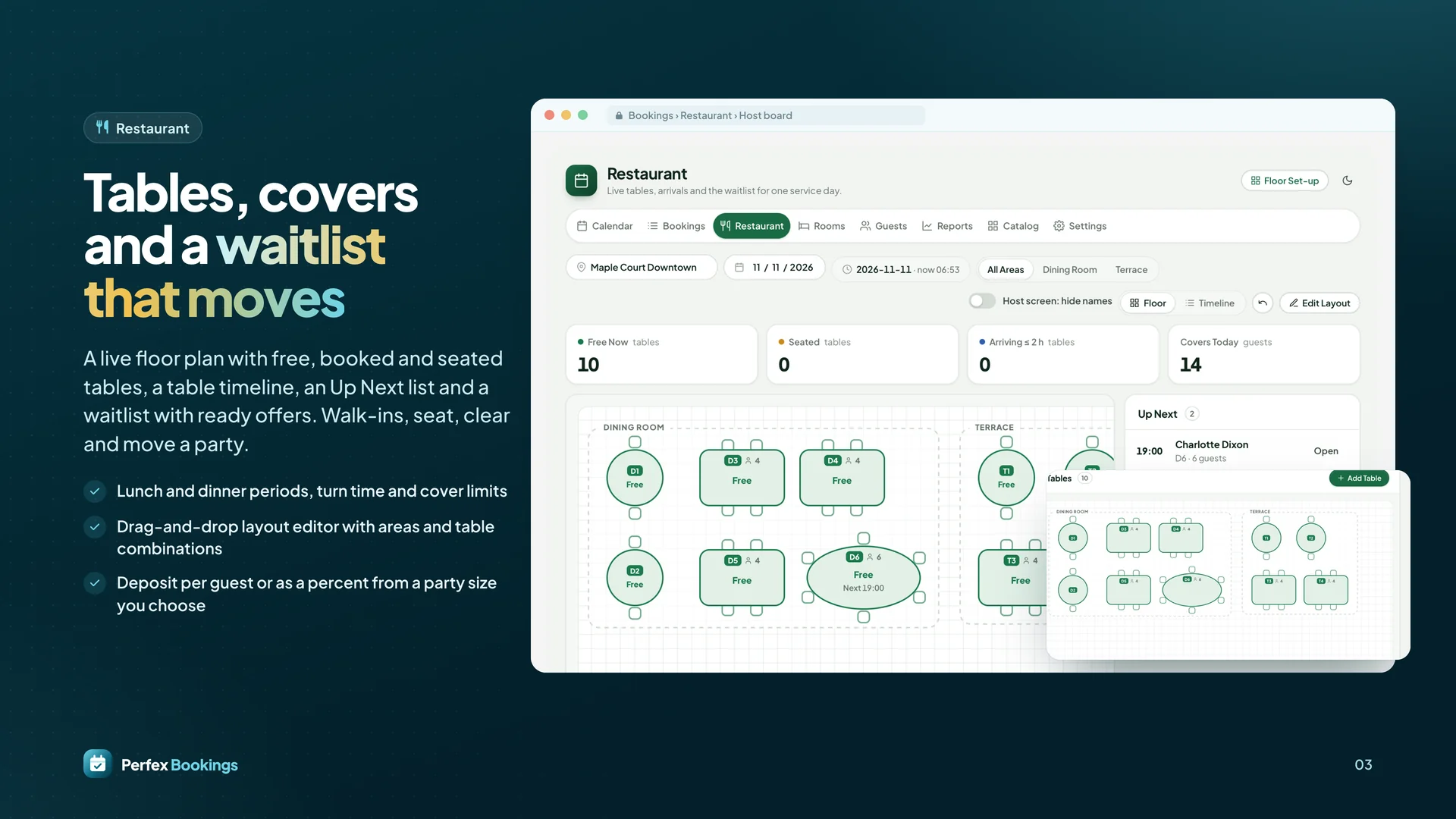
  the Guests page, in the booking drawer and detail page; allergies and needs are flagged on the restaurant Up Next list
  and the room arrivals
- Guests see and edit their own needs from the booking's Manage link and in the client portal; the staff note is never
  shown to them. A signed-in client gets their favourite provider pre-selected on the booking page
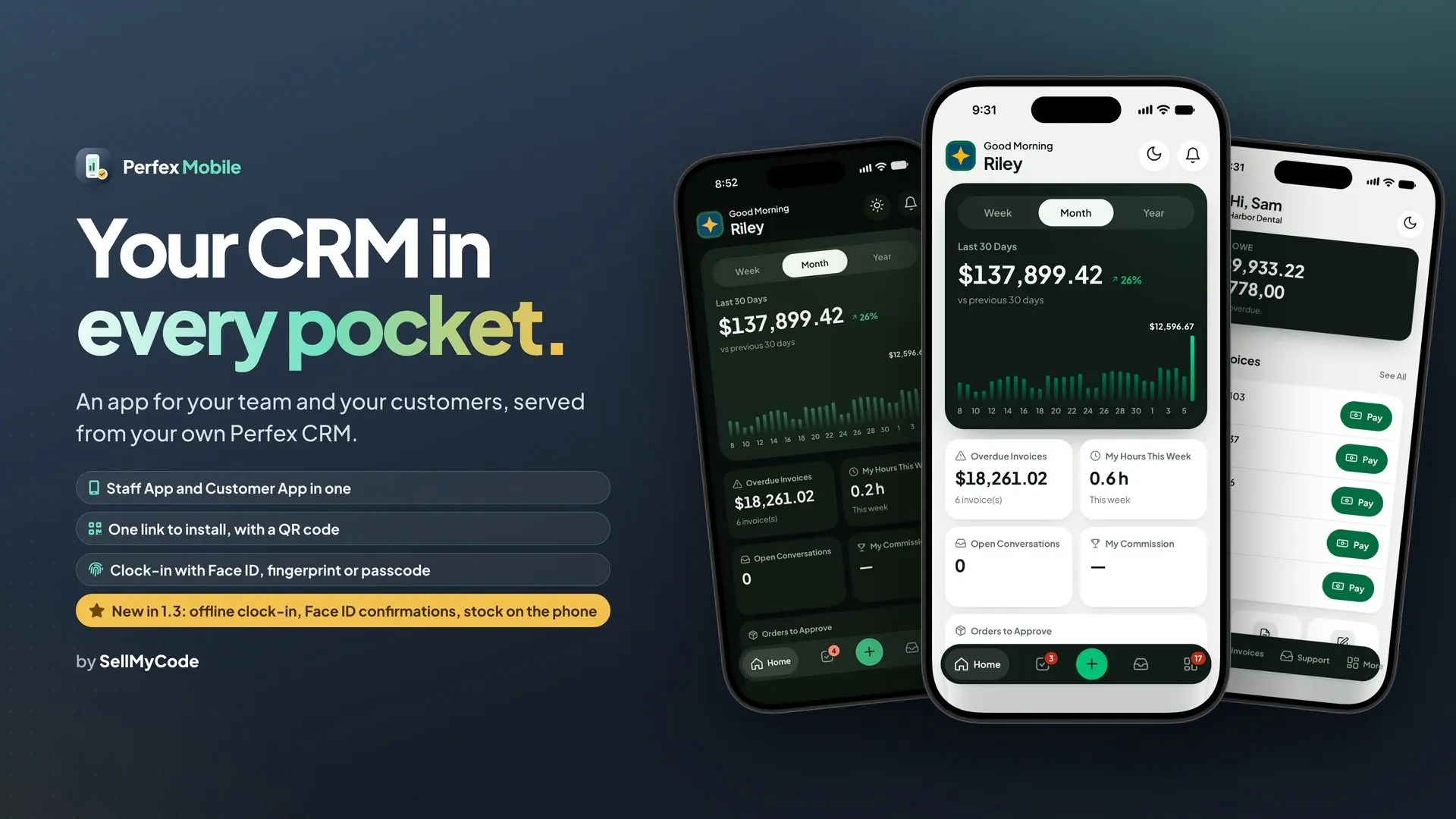
- Field visits for on-site services: technicians get their visits of the day (address, phone, needs) and record on the
  way, arrived, completed or no-show, notes, photos and the customer's signature from the phone, also offline. When the
  office has moved, reassigned or cancelled a visit in the meantime, the office's change wins and the technician sees why.
  Status changes follow the same rules as the front desk (invoices, no-show fees, Books). Screens: Perfex Mobile 1.3.1
- Booking Form block for Design Studio website pages: an inline booking form, a button or a card with photo and price,
  for one service or all services of a location (with the Design Studio version that adds module blocks)
Improved
- Guest profiles are erased when the last CRM contact, customer or lead with that e-mail is deleted
- Upload the files and run Upgrade Database for the module (active or not); no manual step
1.2.1 - 2026-11-11 — Brain Pro family widgets, matching database collation
New
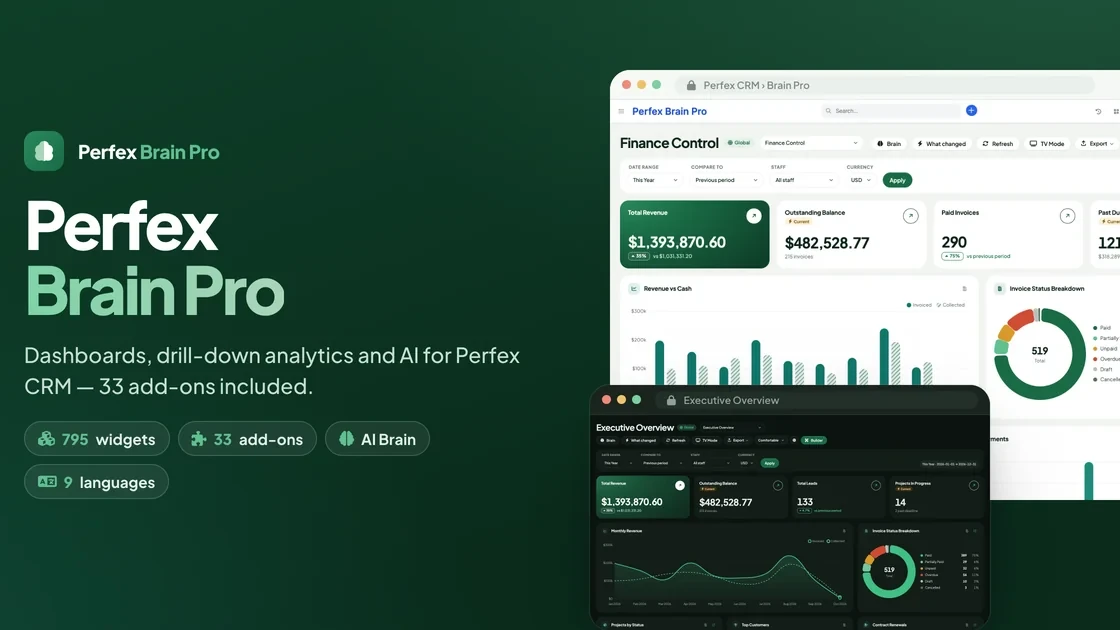
- Brain Pro widgets: Bookings Today, Deposits Held and a Deposits chart (held, due, refundable, refunded). Deposit
  figures follow the same booking figures Books posts from, in your default currency only; bookings in another
  currency are counted apart, never added in. Money widgets need the Bookings Manage permission
- Ready for the Brain Pro 1.6 Business Overview: occupancy and no-show rate can be offered to Design Studio dashboards
  as single figures; Brain Pro 1.5 keeps working as before
Improved
- Every Bookings table now uses the same character set and collation as the CRM's own tables (utf8mb4,
  utf8mb4_unicode_ci) on MySQL and MariaDB. The update converts only the tables that differ and keeps every row;
  a very large table (over 64 MB) is left as it is so the update stays quick, and keeps working as before
- Texts that named the host software now say "CRM" (tax pickers, the CSRF notice, the lead status and source notice),
  in all 9 languages
- Upload the files and run Upgrade Database for the module (active or not); no manual step


 0 Viewing now
Live buyer activity

Pick 3 of SamSan’s items to unlock 10% off your total.
Everything you pick is added to your cart when you tap the button below.
Last update:
20 Nov, 2026
Published:
11 Nov, 2026
Version:
Category:
Framework:
Tags:







 Google
 Github
 From Unknown Location
 Elite Seller
 Trend Master
 Featured Item