2.1.0 - 2026-11-20 — Faster pages, CSV files through one writer, search on every long list
Security
- The contracts CSV download goes through the shared CSV writer: a cell that starts with = + - @ (also after spaces or
  broken characters) opens as text, cells can no longer break out of their column, and the file is never shown as a page
Speed
- Document Studio settings load together with the CRM's other settings instead of one query each (keys and secrets stay
  out)
- No folder scan, file checks or table checks on every request to decide whether the installer must run
- Stylesheets, scripts and fonts are cached by the browser and compressed (Apache, LiteSpeed and IIS)
- On Document Studio pages the font starts loading together with the stylesheet
Search
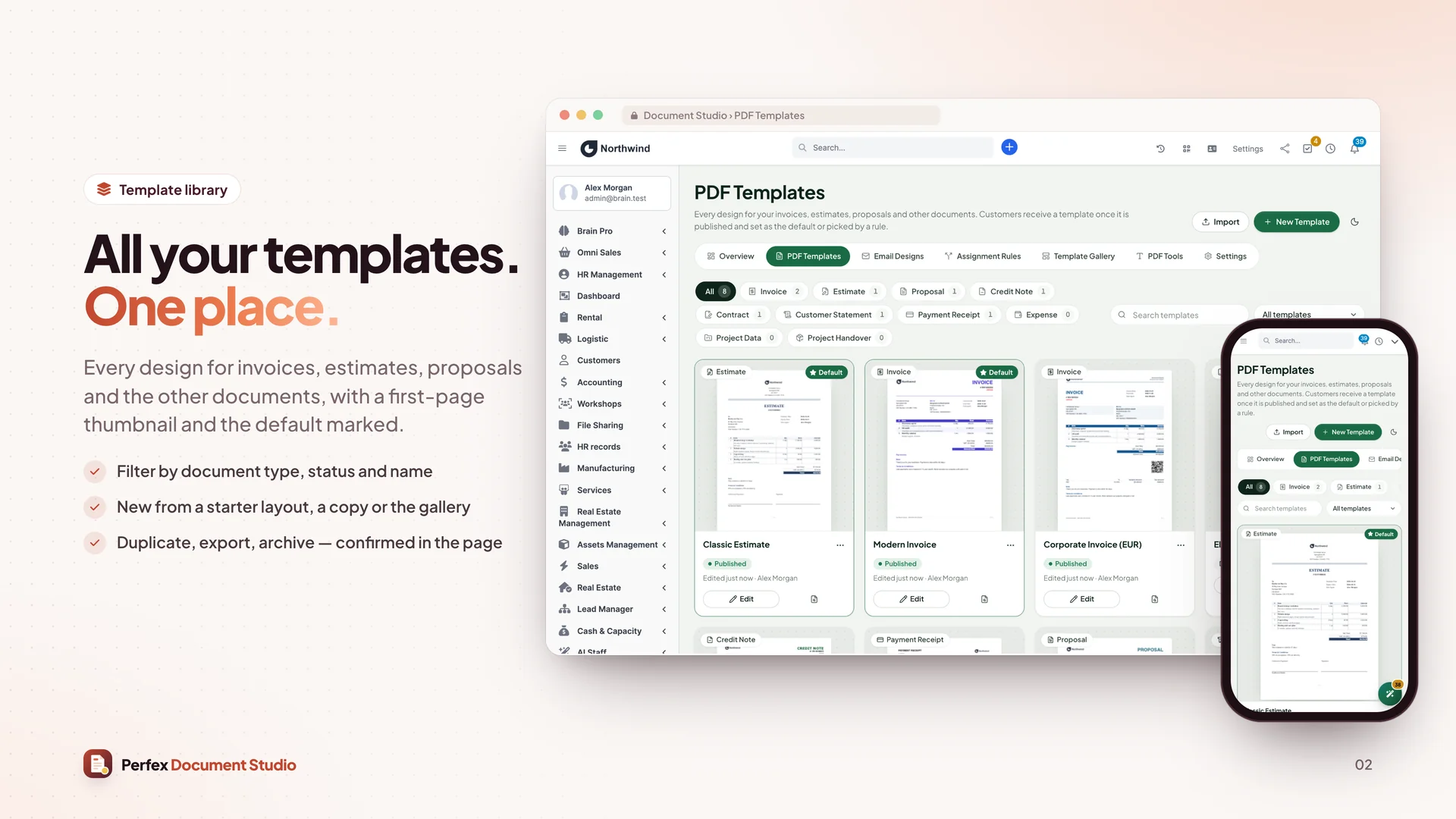
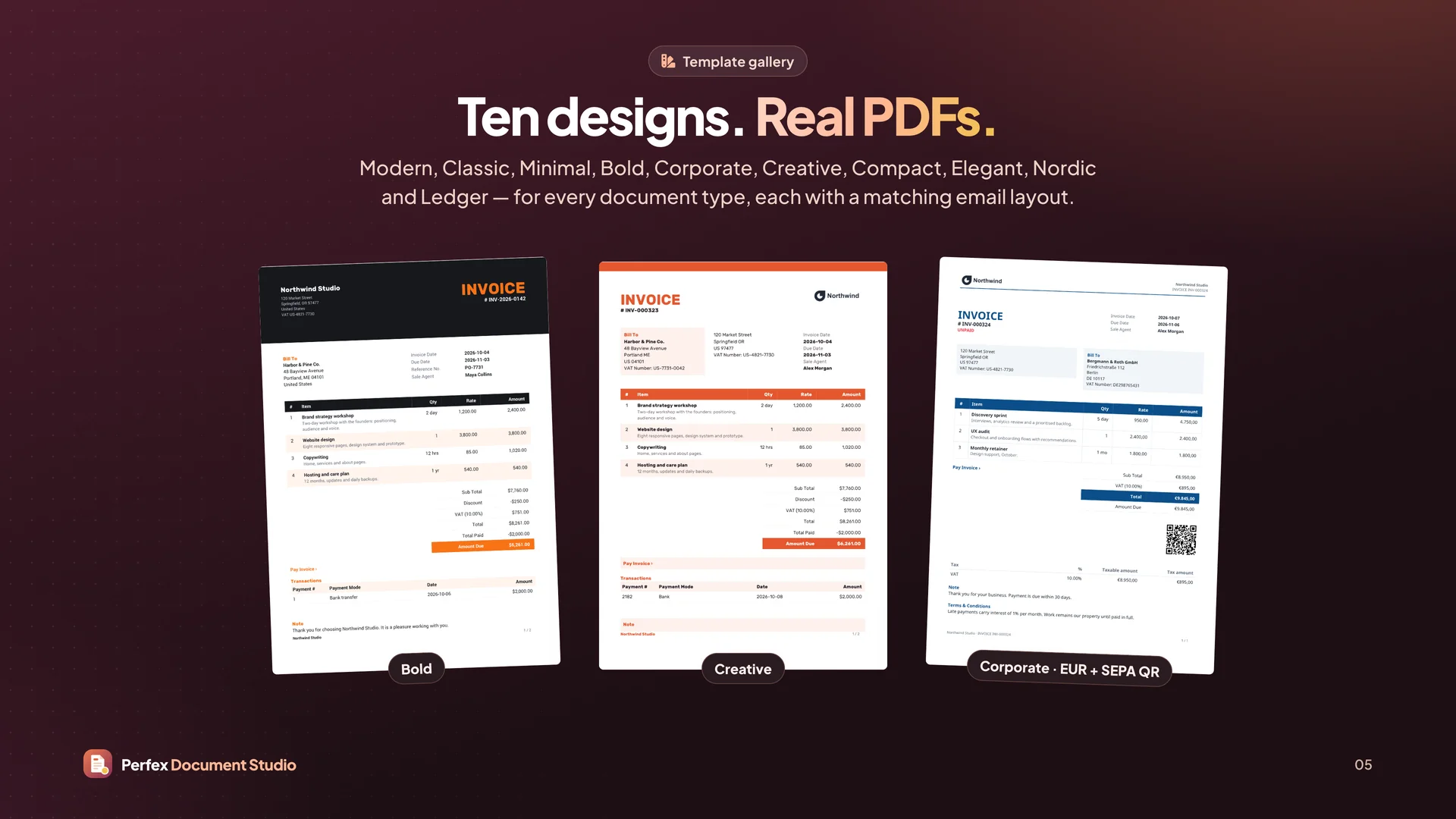
- Search on the template gallery (name, description, tags, document type) and on contracts in the client portal (subject,
  number); both page after 25 and the type and status chips keep the search
- Contracts, clauses, templates and setup entities move from q= to search= (old links keep working); the contracts CSV
  download follows the search on screen
- The template library, e-mails and rules finders gain a × to clear and say when nothing matches
- Every search keeps the other filters, starts again on page 1, clears with ×, searches as you type and is part of the
  page address
2.0.9 - 2026-11-14 — Clearer translations
Translations
- Clearer wording in all 8 languages: "Preview PDF" reads as an action (Turkish), proposals are "valid until" rather
  than "open until" (Russian), the font sample is fully translated (Dutch, Russian), and a few wrong words fixed
- Interface text says "CRM" and names sibling modules without the "Perfex" prefix
Security
- Request guard brought to the shared kit 3.2
2.0.8 - 2026-11-14 — Security update
Security
- Licence actions (activate, deactivate, update, roll back, move) refuse forged cross-site and gateways/-tagged
  requests, also when the CRM’s own form check is switched off
2.0.7 - 2026-11-12 — QR codes work next to other modules
Fixed
- QR codes in PDFs (payment QR and link QR blocks) no longer fail when another installed module ships its own QR
  code library; before, such a module could stop the PDF, and the e-mail it was attached to, from being made
Updates
- Upload the new files and run Perfex's Upgrade Database for the module (also while it is turned off): no database
  change, every setting, template and document is kept
2.0.6 - 2026-11-11 — Licence and maintenance update
Updates
- Faster page loads: licence settings are read once per request
- License page follows Design Studio dark mode
- Show Gallery to staff with view access and keep invalid negotiation drafts on the same page.
2.0.5 - 2026-11-06 — Settings in the menu, texts keep every word
Fixed
- On servers with an older libxml (for example Ubuntu 22.04), template, contract and designer texts lost the words
  after a "
2.0.4 - 2026-11-01 — PDF fonts fix
Fixed
- PDF: the bundled fonts (Carlito, Noto Serif, Noto Naskh Arabic, Rubik) are measured correctly again, so "Page x of
  y" footers line up with these fonts and the module knows they cover Vietnamese, Arabic and Hebrew
Updates
- Upload the new files and run Perfex's Upgrade Database for the module (also while it is turned off): no database
  change, every setting, template and document is kept
2.0.3 - 2026-10-31 — Works with Brain Pro 1.5
New with Perfex Brain Pro 1.5
- Business Overview: Document Studio brings its key tiles, contracts out for signature, contracts ending soon and
  documents by template
- Risk Register: link a risk to a contract workspace ("Contract Workspace"), searchable by subject, number or
  customer; people who may not open the contract see "Restricted record"
- Weekly digest: "Contracts" with the contracts waiting for signature and the signed contracts ending in the next
  30 days, counted with each reader's own contract access (all, own or shared with them)
Updates
- With an older Brain Pro (or without it, or without Contracts) nothing changes
- Upload the new files and run Perfex's Upgrade Database for the module (also while it is turned off): no manual
  step, no data change
2.0.2 - 2026-10-30 — Contracts and clauses in the Perfex Connect API
Updates
- Fix: with Perfex Connect installed, the Connect API now lists Document Studio contracts and clauses correctly:
  the id of every contract and clause is part of the API description (OpenAPI, Postman, MCP tools), and lists can
  be sorted and filtered by id (sort=-id, filter[id][lt]=... to page through long lists); a contract's id is the
  same as its Perfex contract id
- Upload the new files and run Perfex's Upgrade Database for the module: no manual step, every setting and record
  is kept
2.0.1 - 2026-10-27 — Contract signing from a command-line cron job
Updates
- Fix: contract signing no longer stops with "Private contract storage is unavailable or unsafe" when Perfex's cron
  job runs from the command line (php index.php cron); preparing the document to sign and the final signed PDF now
  work the same from a command-line cron, a wget/curl cron and the web
- The check that keeps signed contracts outside the public web folder now uses the Perfex install folder and its
  address instead of the web server's document root, so it gives the same answer everywhere; a Perfex installed in a
  sub-folder still keeps its private storage outside the folder the website is served from
- Cleaner notes for the bundled PDF library (version, licence, source)
- Upload the new files and run Perfex's Upgrade Database for the module: no manual step, every setting and record
  is kept
2.0.0 - 2026-10-26 — Contracts: clauses, approvals, e-signing and the whole contract life
Contracts workspace
- New Contracts tab in Document Studio with Overview, Contracts, Clause Library, Templates and Reports, Import From
  Word and Setup; built on Perfex's own contracts, so every contract still opens on Perfex's contract page
- New contract workspace: status, number, customer or vendor, value, term and owner at the top, one main action per
  stage, a stage track (Draft → In Review → Approved → Out For Signature → Signed) and tabs Document, Versions,
  Negotiation, Approvals, Signing, Obligations, Files and Activity
- Contracts list with search, status filters with counts (Draft, In Review, For Signature, Active, Expiring, Ended,
  My Approvals) and CSV export
- Works at phone width and in light and dark, with status pills, row menus, drop zones and empty states
Clause library and templates
- Clauses with named variants, a standard wording, categories, languages and locks; every change is kept as a revision
  you can compare and restore
- Contract templates bind a Perfex contract type and a Document Studio design to ordered clause slots, default
  values and an approval route; a template can belong to one legal entity
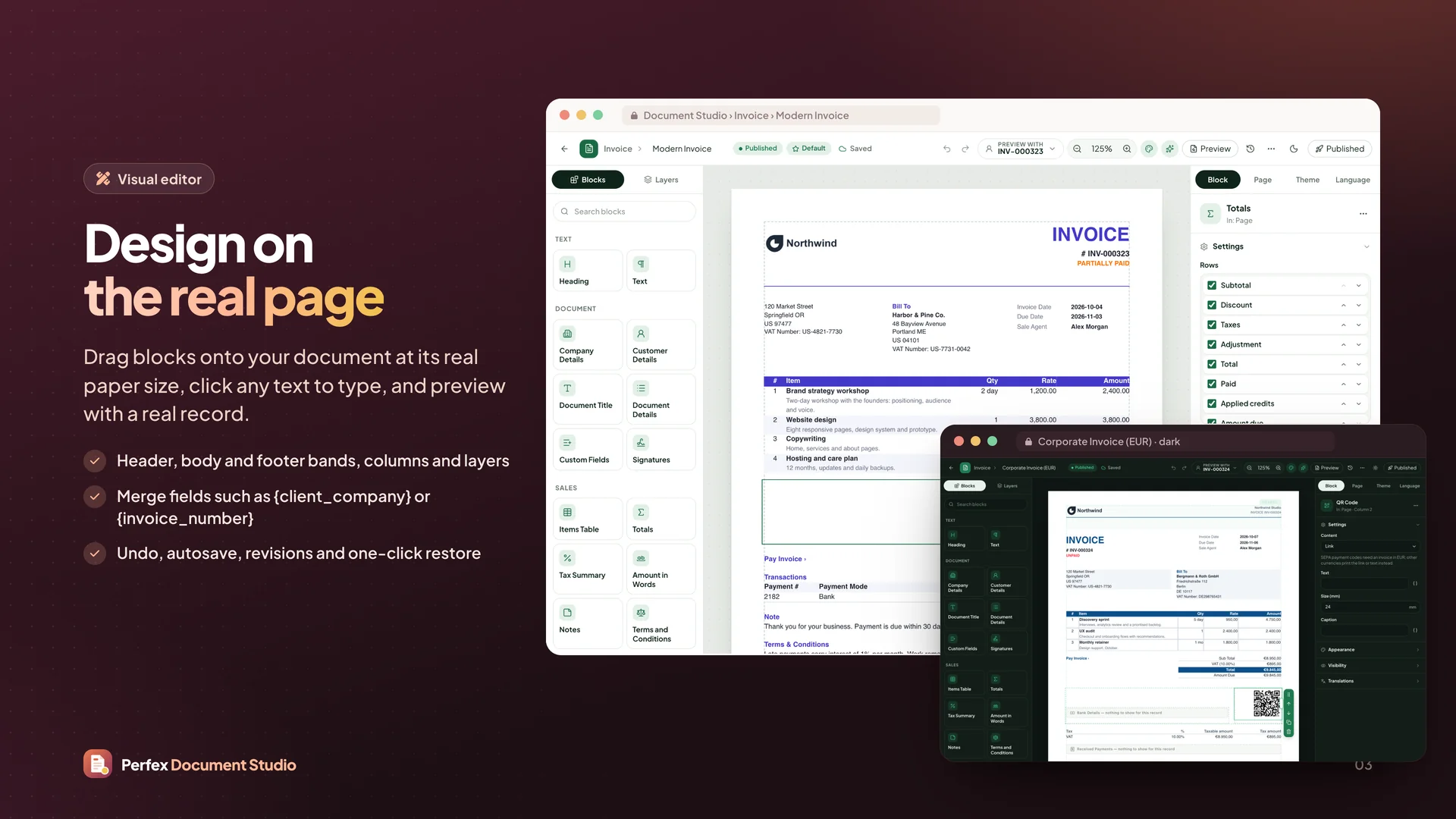
- New contract wizard: template, party, terms and clauses with a live preview of the real document
- Import From Word: headings and numbered paragraphs of a .docx become clause candidates to add to the library or to
  turn into a template
Review, negotiation and approvals
- Versions of every contract with a side-by-side comparison
- Counterparties comment on a clause or propose other wording through a private link; you accept or reject each
  proposal
- Approval routes with steps, approvers, department heads, value thresholds and due dates; approve, request changes
  or reject with a reason
- AI review (with Perfex AI Staff): risk findings per clause against your standard wording, missing topics and a
  suggested approved variant; advisory only, never changes the text
E-signing
- Customers, vendors and your own staff sign in order or all at once, with an e-mailed one-time code before reading,
  typed, drawn or uploaded signatures, reminders, expiry and decline with a reason
- The signed PDF gets a completion certificate page listing every event with hashes, and a verification code; anyone
  can check a signed PDF on the public verification page
- Signing pages carry the entity's logo, or the Design Studio brand logo, or the company name
After signing
- Lifecycle states active, expiring, expired, renewed, terminated and cancelled, notice reminders, manual renewal into
  a linked new contract and automatic renewal into the next term
- Obligations with owner, due date, reminders and repeats (monthly, quarterly, yearly), Perfex tasks linked to the
  contract, and files stored as Perfex contract attachments with a visible-to-customer switch
- Collaborators: give a colleague access to chosen tabs of one contract
- Legal entities and vendors, with numbering per entity or for the company (prefix and yearly number) and entity
  merge fields
- Overview dashboard (approvals waiting, out for signature, signed this month, renewals in 30/60/90 days, pipeline
  value) and Reports (approval and signing time, value by type, counterparty, owner and entity, approver performance)
Customers and other modules
- My Contracts in the customer area: contracts to sign, signed PDFs, shared files and obligations, only for the
  contact's own customer and Perfex's contract permission
- Perfex Client Hub card, Flow Studio triggers and Connect webhook events for created, submitted, approved, sent,
  signed, declined, expiring, renewed, terminated and cancelled contracts; read-only Connect resources for contracts
  and clauses; AI Staff tools to find contracts and read their status; three Brain Pro widgets
Security
- Every screen and action follows Perfex's contract permissions (view, view own, create, edit, delete) plus the
  module's own; writes are POST-only with CSRF, public links are hashed tokens with rate limits, signed files are
  checked against their evidence before download, uploads are checked by content
- New texts in all 9 languages
Upgrade
- Free for every Document Studio buyer. Upload the new zip, then Setup → Modules → Upgrade Database (or just open a
  Document Studio page): 2.0.0 adds the contract tables and keeps all templates, rules, brands and files
License checks name the product

- Every license call (activate, check, pause) now sends Perfex Document Studio's sellmycode.net item id, as the license server
  requires
- A purchase code bought for another product, or an unknown one, only shows "This purchase code is not valid for
  Perfex Document Studio." and is never activated
- An activation made by an older version with another product's purchase code is paused automatically and removed
  from this install; enter your Perfex Document Studio purchase code to switch the module back on

Support for the module "Deposit Invoice and Sales Item Customization" (custom_sales, 1.1.x). Nothing changes while that module is not active.

Items table
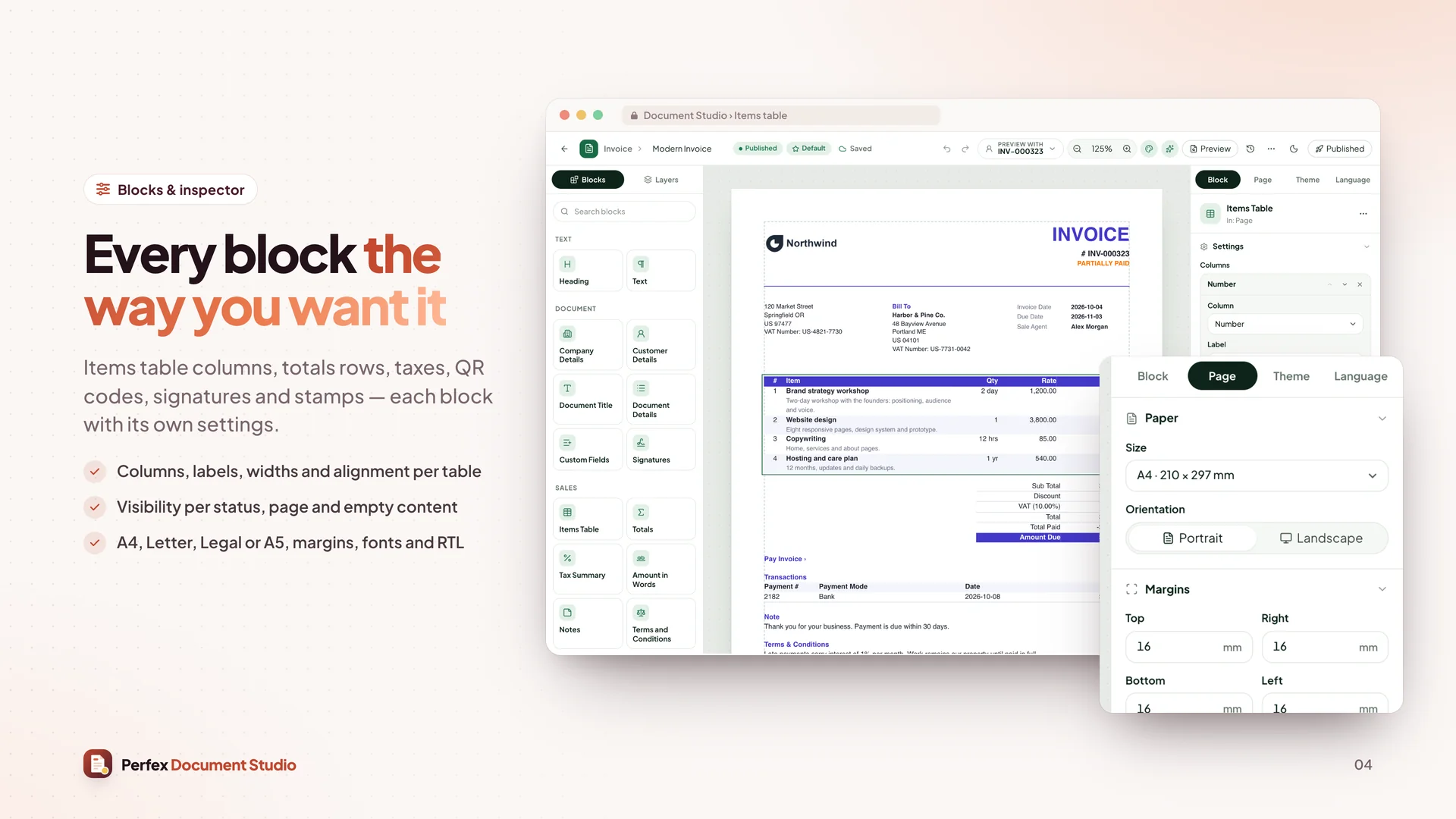
- Item titles of that module ("Add title" rows on invoices, estimates, proposals and credit notes) print as heading rows at exactly the places the module prints them on Perfex's standard PDF: before the item a title was placed above, several titles on one place in their order, titles placed after the last item at the end; a title whose item is not printed (optional item not selected, removed item) is left out, as on Perfex's PDF. Also in {proposal_items}.
- The template's heading style wins: colours, font, size, background and line colour come from the template; from the module's PDF title style only the weight (normal or bold) and the side of the line (above or below) are used.
- The 1.0.1 reading of rows from another module's items table is not used for this module's tables, so titles are never printed twice.
- Hidden item fields of the module (quantity, rate, amount, tax, long description, item custom fields; for customers, e-mailed PDFs, and staff when its admin option is on) are left out of the designed Items Table too; the remaining columns share the width.
- The module's "Add tax to item table amounts" option: item amounts include their taxes, as on Perfex's PDF. Totals, tax summary and e-invoice data are unchanged.

Deposit invoices
- Checked: totals and taxes are the deposit's (tax on the deposit amount, as the module computes it) and the items are the estimate's lines, as on Perfex's PDF. The module prints no titles on deposit invoices, so none are printed here either.

Developers
- Heading rows of the filter pdoc_items_rows may carry 'style' => ['weight' => 'bold'|'normal', 'rule' => 'bottom'|'top'|'none'].
- New filter pdoc_items_table_scan ($scan, $table, $type, $record): an adapter that reads a module's rows from its data turns off the reading of that module's items table HTML.
- New filter pdoc_custom_sales_print_titles ($print, $type, $record).
- New optional document data items_hide (Items Table columns an adapter hides on a record).


 0 Viewing now
Live buyer activity

Pick 3 of SamSan’s items to unlock 10% off your total.
Everything you pick is added to your cart when you tap the button below.
Last update:
19 Nov, 2026
Published:
11 Oct, 2026
Version:
Category:
Framework:







 Google
 Github
 From Unknown Location
 Elite Seller
 Trend Master
 Featured Item