Browse

SumMatch AI - AI-Powered Product Matcher for WooCommerce

Wordpress Plugin SumMatch AI - AI-Powered Product Matcher for WooCommerce v1.0.0
1.0.0Version
WordpressFramework
YesUpdate Support
YesTechnical Support

Overview

SumMatch AI is a WooCommerce plugin that uses AI (OpenAI or Groq) to help store owners find similar products, rewrite product copy for better SEO, and publish new listings - all without leaving the WordPress admin dashboard. Point it at any existing product and it finds same-brand similar items, generates SEO-friendly titles and descriptions, pulls free stock images from Pixabay, and publishes the new product with one click.

Key Features

  • Find Similar - AI analyzes any WooCommerce product and returns similar products from the same brand
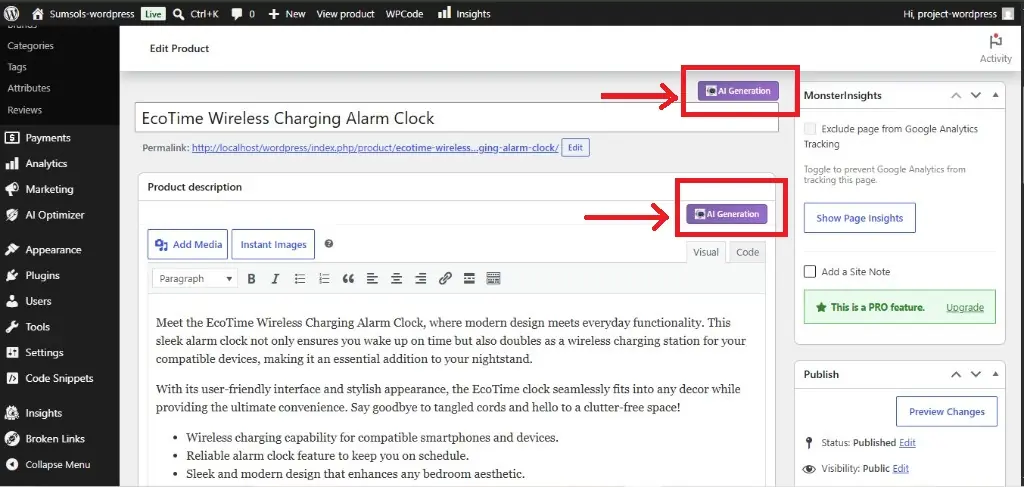
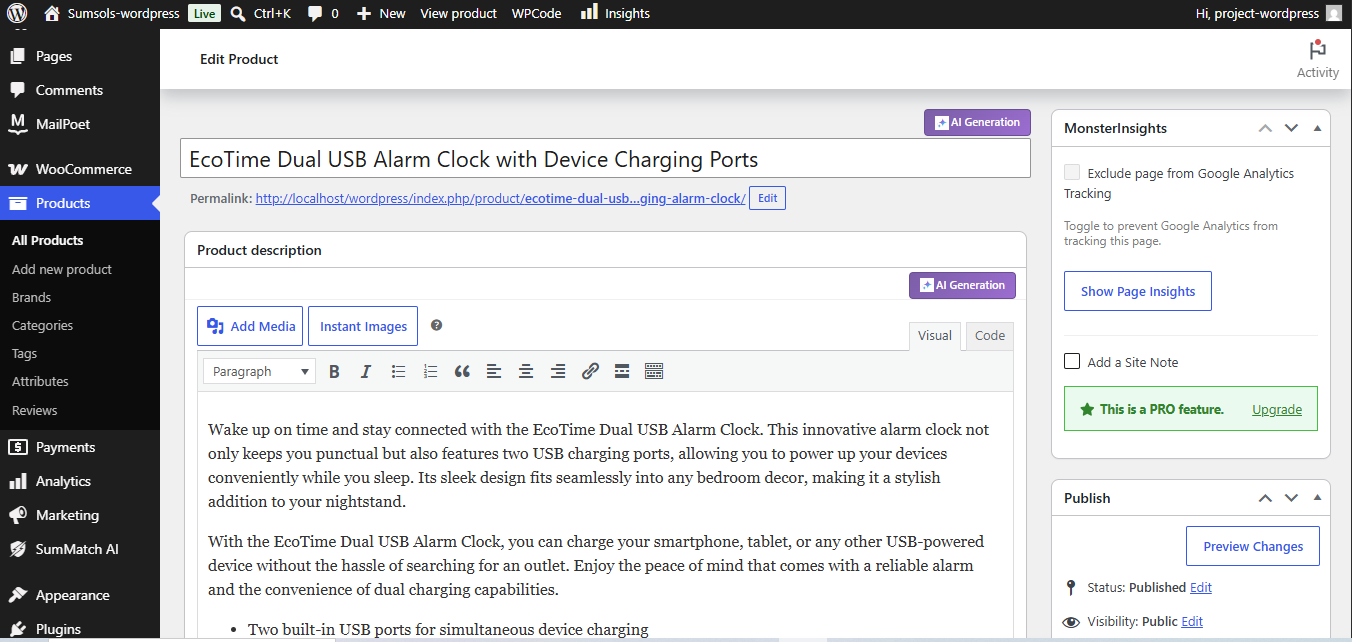
  • AI Generation - Improve product titles (same product, better SEO wording), short descriptions, and full descriptions directly on the product edit screen
  • Choice of AI Provider - Use OpenAI (GPT-4o) or Groq (GPT-OSS / Llama / Qwen) - switch anytime from Settings
  • Pixabay Image Search - Integrated free stock photo search with one-click gallery add
  • Brand Support - Works with WooCommerce Brands, custom brand meta, and a built-in brand list
  • SEO Ready - Generates Yoast SEO and Rank Math compatible title and meta description fields
  • WooCommerce HPOS Compatible - Fully compatible with WooCommerce High-Performance Order Storage

Requirements

  • WordPress 6.9+ (tested up to 7.1)
  • WooCommerce 10.8+ (HPOS compatible)
  • PHP 8.0+ (PHP 8.3+ recommended)
  • An API key for your chosen AI provider - OpenAI (platform.openai.com) or Groq (console.groq.com, free tier available)
  • A Pixabay API key (optional - for product images, free at pixabay.com)

Installation

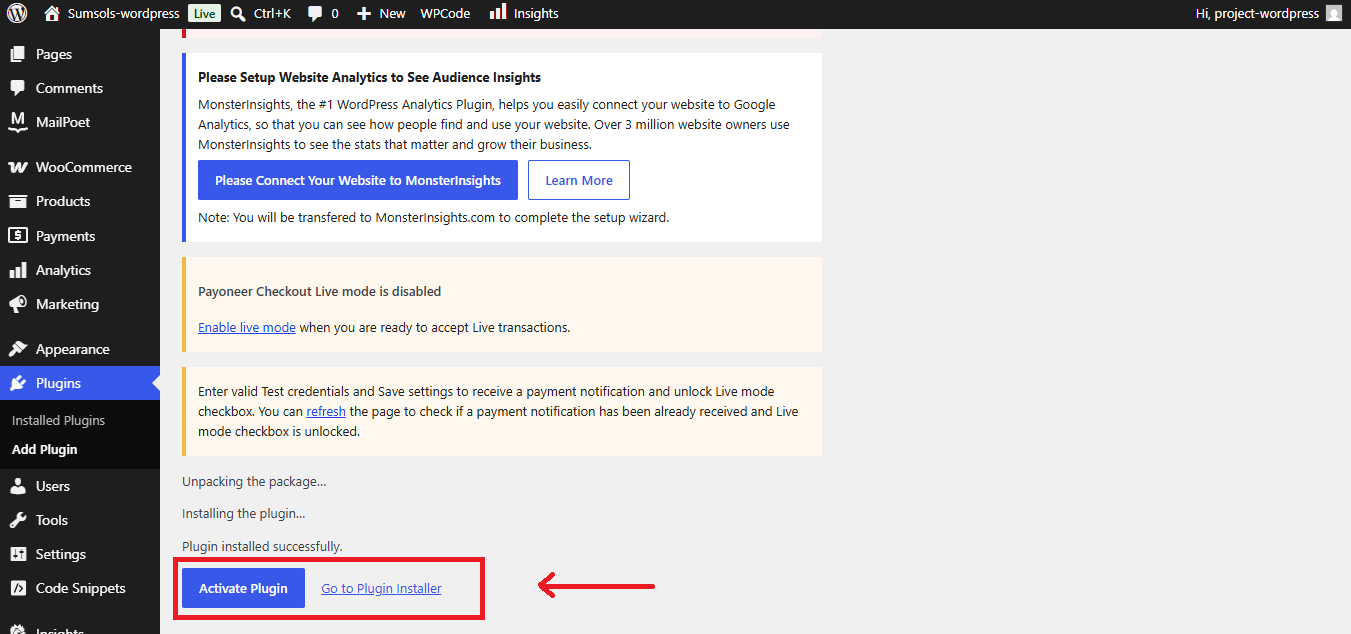
  1. Upload the summatch-ai folder to /wp-content/plugins/, or install via Plugins → Add New
  2. Activate the plugin through the Plugins screen
  3. Make sure WooCommerce is installed and active
  4. Go to SumMatch AI → Settings, enter your OpenAI or Groq API key, and save
  5. Optionally add a Pixabay API key and test your connection
  6. Go to SumMatch AI → Product List and click Find Similar next to any product

Live Demo & Documentation

🌐 Live Demo: https://summatch-ai.sumsols.com/wp-admin/
📄 Documentation : https://summatch-docs.sumsols.com/
🔑 Demo Credentials: damo@gmail.com / Damo123@


Recently Viewed

Author Support i
Updates & Downloads i
  • No update support
  • 1 month update support +$5.00
  • 3 months update support +$10.00
  • 6 months update support +$15.00
  • 1 year update support +$20.00
  • Lifetime update support +$25.00
Total $17.00
0 Viewing now Live buyer activity
© All rights reserved Sumsolstechnologies
Sumsolstechnologies
Sumsolstechnologies Starter · since Sep 2026
From Unknown Location New Author

More from Sumsolstechnologies

7 items
See all
Sumsolstechnologies
Sumsolstechnologies Starter · since Sep 2026
7Items — Rating 0Followers

Similar items

WordPress Plugin
View More

We use cookies to personalize your experience. By continuing to visit this website you agree to our use of cookies