1.5.1 - 2026-11-25 — Phone call privacy and call events
Security
- Phone calls: passwords, API keys and access tokens, bank account numbers (IBAN), social security and national
  insurance numbers and other national ID numbers are now refused when a caller asks to leave them in a message, the
  same way as card numbers and PINs, and they are removed from call transcripts (caller and assistant) and from handoff
  summaries before anything is saved. This applies to new calls: transcripts saved before the update are not rewritten;
  your transcript retention setting removes them as usual.
- Phone calls: the short summary handed to your team when a caller asks for a person no longer contains e-mail
  addresses (written or spoken); like card numbers and passwords they are shown as [removed]. The caller's e-mail
  stays in the message or lead they leave, so you can still reply.
- Phone calls: passwords of several words, ID numbers that mix letters and digits (for example an Italian codice
  fiscale or a German ID card number) and e-mail addresses spoken in any of the 9 languages (including spelled out
  letter by letter) are now caught too, and so are Spanish NIE, DNI, NIF and CIF numbers. Ordinary sentences that only
  mention a password, PIN or token ("my password is about to expire", "the PIN is on the back of the card") are kept and
  accepted.
- Phone calls: a password said as plain words ("my password is winter is coming") is removed from transcripts and saved as
  [removed] in the caller's message; the caller is asked not to share secrets only when the value looks like a card
  number, code, key or ID number. This also works when the link word is left out, as is usual in Russian and Turkish
  ("мой пароль зелёная лампа", "şifrem mavi deniz"), and after a short qualifier ("password for my email: …").
New
- For other modules: the end-of-call event now carries the masked caller number (last 3 digits), the handoff topic and
  the IDs of the leads and tickets the call created, and a new event tells when a staff member accepts a call the
  assistant handed over (used by Inbox and Connect). No transcript or secret is ever shared in these events.
Fixed
- Opening a phone agent address in the browser while signed in no longer signs you out; it opens
  Settings › Voice › Phone Agent instead.
- Settings › Routing, Usage, Budgets and Model rules show the Phone Agent feature by name instead of a raw text key.
- Phone Agent › What Callers Can Do: each switch has its own row with its label beside it, instead of the labels running
  into the next switch.
- The "Ask AI Staff" button stays fully on screen with a safe margin (on the left for right-to-left languages), stays
  visible while you scroll, sits above the settings save bar and below dialogs; over a button it shrinks to an icon
  instead of sliding off the edge.
- The Phone Agent no longer falls back to a Default profile that cannot do realtime voice (for example Anthropic or
  Gemini): Routing offers only OpenAI profiles for Phone and warns when the route cannot work, and the Phone Agent
  tab says what to change ("Phone needs an OpenAI profile with a Realtime model").
- Test connection and the Usage error column now give administrators the provider's reason: invalid API key, no access
  to the model, model not found, no credits or billing (with a link to the provider's billing page), rate limit or
  provider outage, for OpenAI, Anthropic, Gemini and OpenAI-compatible providers. People using the assistant still see
  the short general message, and keys or raw provider answers are never shown.
- Usage: people using the assistant see the short general message in their own Usage rows; the provider's detailed
  reason (with the billing link) is shown to administrators and usage managers only.
- Gemini: its per-minute free-tier limit is reported as a rate limit and retried, no longer as missing credits, and
  every provider reason shows the provider's real HTTP status.
- AI Staff pages and the website chat widget show the CRM's normal "not found" answer while the module is deactivated,
  instead of an empty error page; settings links opened without their record now answer "not found" too.
- AI Staff Settings: the page now fits the tab you open, so no large empty area is left under the last card on
  Budgets, Digest or any other tab.
- Settings › Voice › Phone Agent: cards are evenly spaced, the Voice tab starts with "Voice · Phone Agent" links, and a
  link to #phone opens the Voice tab at the Phone Agent section.
- Phone Agent, Voice, Digest and spending caps: a bar at the bottom of the section shows "Unsaved changes" with Save and
  Discard while you edit, confirms "Saved", and asks before you switch tabs or leave the page with unsaved changes.
1.5.0 - 2026-11-21 — Phone agent: an AI assistant that answers phone calls
New
- Phone agent (Settings › Voice › Phone Agent): an AI assistant answers calls that Inbox 2.5.0 routes to it. It tells the
  caller it is an AI assistant first, answers questions and records requests (messages, leads, tickets, booking requests)
  for your team. Nothing is ever done by a call: a colleague confirms every request, callers never approve anything and
  never reach staff tools.
- Known callers are recognised by their phone number and can hear the status of their own invoices and tickets (paid,
  unpaid, overdue — never amounts); unknown callers get public information only.
- Voice relay (voice-relay folder in the package): a small Node.js service (20.11 or later, 22 or 24 LTS) you run on your
  server next to the CRM; it connects the phone line to the realtime voice model. Shared hosting cannot run it;
  voice in the browser keeps working.
- Test console: talk to the phone agent with your microphone through the real relay, as an unknown caller or as a contact.
- Recent calls with transcripts (kept for the days you choose, 0 = none; never in the audit log), monthly minutes cap,
  calls at the same time, silence and call length rules, request owner and ticket department.
- Usage: one row per call (minutes and cost); the Phone feature has its own route (OpenAI realtime models).
- For other modules: tools for callers (audience contact / visitor, read or request only) through pas_register_tool.
Security
- Card numbers, PINs, passwords and codes are refused on a call; the relay API is signed (HMAC, 60-second window,
  single-use nonces) and the voice model key never leaves the CRM (the relay gets a one-minute key per call).
1.4.2 - 2026-11-20 — Knowledge search on phones
Fixed
- On a phone the knowledge test search box uses the full width (it was squeezed next to its button)
1.4.1 - 2026-11-20 — Faster admin pages, CSV files through one writer
Security
- CSV downloads of the activity log, usage and approvals go through the shared CSV writer: a cell that starts with
  = + - @ (also after spaces or broken characters) opens as text, and the file is never shown as a page
Speed
- AI Staff settings load together with the CRM's other settings instead of one query each (the secret stays out)
- The licence check shares one settings query with the other modules instead of its own query on every page
- No folder scan of the helper files on every request
- Stylesheets, scripts and fonts are cached by the browser and compressed (Apache, LiteSpeed and IIS)
- On AI Staff pages the font starts loading together with the stylesheet
Interface
- Select boxes keep their arrow 12 px from the edge and the text 36 px clear of it, also in right-to-left languages
- On a phone, Settings and Writing presets no longer scroll sideways (long status labels wrap, wide tables scroll inside
  their box)
Fixed
- Knowledge sources show their descriptions for company documents, Client Hub files and Inbox threads (they showed an
  internal code)
1.4.0 - 2026-11-18 — Executive workspace, faster pages, safer approvals
New
- Executive workspace: a full-screen assistant with the business capabilities you may use, the sources and checks behind each
  answer, and your day's queues in one place.
- Integration Hub: connect a read-only HTTPS JSON source and choose exactly which fields the assistant may read.
- Other modules can hide the floating "Ask AI Staff" button on their own full-screen pages and open the assistant from their menus.
- Search on every long list: usage calls, website chat transcripts, AI field history (with status chips and pages), access tokens,
  agents and scheduled plans.
Security and privacy
- Fixed: approvals, plans, exports, counts and notifications now show only proposals whose source records you may read today.
  When your rights change, what you see changes on your next page.
- A change proposed twice at the same moment is now refused safely instead of being recorded twice.
- Local-only mode also covers speech, REST and MCP; error messages from AI providers never show technical details.
- Optional Access Control restrictions (actions, field groups, CRM scope) are respected everywhere the assistant reads.
Improvements
- Money answers say where the figures come from, the period and the currency; a currency the CRM does not know is reported as unknown,
  never guessed.
- Every admin page loads only the assistant button and a small loader; the panel loads the first time you open it (click, Ctrl+/ or ⌘/).
  About 70 KB less to download and fewer database queries on each page.
- "Write with AI" and record summaries load when you start typing in a text field or open an editor.
- The floating button never covers a page's own buttons: it moves above bars docked at the bottom, tucks to the edge over a control,
  and shows only its round icon in short windows.
- Better compatibility with Claude models when the list of tools changes during a conversation.
- CSV exports use standard quoting and also neutralise formulas that start after spaces.
1.3.3 - 2026-11-14 — Clearer translations
Translations
- Clearer wording in Dutch, Italian, Russian, Spanish and Turkish: action buttons read as actions, the estimate reference
  field no longer reads as a web link (Russian), and a few wrong words fixed.
Security
- Licence actions refuse forged cross-site requests (request guard kit 3.2)
1.3.2 - 2026-11-13 — Security update
Security
- The request check on every signed-in AI Staff page and in the client portal also covers addresses typed with different
  capital letters (Windows and macOS servers find the module that way)
- An incomplete upload no longer stops the CRM: a missing security helper file is written to the log instead
1.3.1 - 2026-11-13 — Security update
Security
- Refuses forged cross-site and `gateways/`-tagged requests on every signed-in AI Staff page and in the client portal,
  also when the CRM's own form check is switched off
- Error messages from an AI provider never show a configured key, however short it is
1.3.0 - 2026-11-12 — Talk to AI Staff, plans that run on a schedule, approvals by role
New
- Voice: tap the mic and talk to AI Staff in the staff panel and full page, the client portal, the website chat and
  the Mobile app (Perfex Mobile 1.3). The browser's own speech recognition is used by default (nothing leaves the
  browser); an optional speech provider can be routed in Settings › Routing for browsers without it. Audio is never
  stored or logged. Answers can be read aloud
- Voice safety: a change about money, a booking or an order is read back and needs your spoken or tapped "yes" before
  it is even proposed; every change still goes through Approvals. Nothing is sent or done by voice alone
- Voice minutes: a monthly cap per person and for the company (Settings › Voice), minutes per channel on the Usage
  page; client portal minutes and website visitor minutes are counted apart
- Website chat booking requests (with Perfex Bookings 1.4.0): visitors ask for a free time of a bookable service, check
  the details on a card, add their own contact details and send the request. The time is held for a few minutes and
  staff approve it in Bookings; the guest can also confirm from the e-mail. Off by default, per website
- Scheduled plans: save an approved plan with a schedule (daily, weekly, monthly). Each run waits for approval; only
  plans that read or write drafts (e-mail drafts, notes) may run without it
- Approvals by role: a tool or a plan can require a role to approve it (for example "Finance approves payments")
- Cost per step: plans show the estimated cost of each step and, after the run, what each step cost
- Company knowledge: Perfex Client Hub files (Client Hub 1.3.5) are ready as knowledge; Perfex Inbox conversations can be
  used too (Inbox 2.3, off by default, only for people who may read that customer's mail); answers from Perfex Books
  reports cite the report they came from
- Perfex Brain Pro 1.6: AI spend against the company cap, people near or over their cap and plans waiting for approval
  as Brain Pro widgets, and approvals waiting in the Brain Pro digest
- Spending alerts: an event when someone reaches 80 % of a cap (next to "spending limit reached"), for Slack or
  Telegram through Perfex Connect 1.4 rules
- Usage: a CSV of every tool call (time, person, tool, result, plan); plans and speech can be routed to their own model
Updates
- Faster: the Assistant home, the digest and the plans list need far fewer database queries
- Payroll estimates from Perfex People are refused with a clear reason for anyone without HR rights
- Fix: the website chat mic and its read-aloud minutes now work from other websites (they were stopped by the CRM's
  security check), and the website chat shows its voice labels in your language
- All new texts in 9 languages; app texts say "CRM" instead of naming the CRM
- Upload the new files and run Perfex's Upgrade Database for the module (it also works while the module is inactive):
  no manual step, every setting and record is kept
1.2.1 - 2026-11-11 — Knowledge clean-up runs again, private data stays out of AI connectors
Fixed
- The background clean-up of the knowledge index stopped with a database error on every run while company documents
  were one of the indexed kinds (the default since 1.2.0); it runs again, and passages of deleted or removed documents
  leave the index
- AI conversations and AI usage are no longer offered as tools to external AI clients over the Connect MCP server;
  they stay readable through the Connect API only with a key that names them
- Upload the files and run Upgrade Database for the module (active or not); no manual step
1.2.0 - 2026-11-11 — Plans you approve once, a morning digest, spending caps, company knowledge
New
- Multi-step plans: ask for something that takes several steps ("follow up all overdue invoices") and AI Staff
  proposes a plan with a dry run of each step. Approve it once or step by step, cancel at any step; every change still
  goes through Approvals and the audit log, and no step ever goes beyond your own rights
- E-mail drafts: AI Staff can prepare e-mail drafts about a customer, invoice, lead or ticket. They are never sent: once
  approved, the draft is saved for you to review and send yourself
- Proactive digest: a short daily or weekly summary (bookings, who is out, overdue invoices, approvals waiting, low
  stock, cash and bills, AI spend) built with each person's own rights. On for administrators, opt-in for staff, 08:00
  with quiet hours, delivered as a notification and e-mail. Settings › Digest, with a preview
- Monthly AI caps: a company cap, a default cap per person and individual caps on one screen (administrators only),
  a warning at 80 % and a clear stop at 100 % with the reset date; "Ask an admin" from the chat. Usage now also
  shows tools, plans run and each person's cap
- Company knowledge: upload company documents (handbook, policies, price lists) and use Client Hub files (with Client
  Hub 1.3.5) as knowledge; answers cite their sources and only use documents the reader may open
- Questions across modules: who is booked today but on leave or not clocked in, stock value and reorder against cash,
  who is at work right now, and (with People 1.5.1) shifts against bookings
- AI Staff answers questions about itself: how much AI was spent this month, which changes wait for my approval, who
  is near or over their cap
- Smarter "Ask AI Staff" button: it moves above save bars and tucks into a slim tab at the window edge whenever it
  would cover a button or link; left or right per device, drag to snap, hidden when printing; three suggested
  questions for the page you are on
- Design Studio 2.0: AI Staff follows Design Studio's colours, Brand Kit and light/dark mode on every screen, the
  client portal and the website chat; its own theme switch hides while Design Studio is on
- Connect: AI conversations and usage are available to Connect keys that name them, plus the events "change approved",
  "change rejected" and "spending limit reached"
Updates
- Fix: the chat box showed a double outline when focused (with Design Studio 2.0)
- Fix: a large empty gap above the welcome on tall screens, and the panel opened blank for a moment
- Fix: everyone who may approve all actions is told when a change waits for approval (setting, on by default)
- Fix: AI Staff › MCP and AI Fields pages could be opened by link when switched off for that person
- Fix: the website chat script now carries its version, so browsers load the new one after an update
- Fix: texts with "a < b" or similar kept every word in more places (record titles, imported text, field values)
- Fix: AI calls made for other modules in the background now count against the right person's cap
- All new texts in 9 languages; app texts say "CRM" instead of naming the CRM
- Upload the new files and run Perfex's Upgrade Database for the module (it also works while the module is inactive):
  no manual step, every setting and record is kept
1.1.3 - 2026-11-06 — Approvals for every approver, texts keep every word
Updates
- Fix: staff who may approve all actions (Approvals › Approve all) but have no other AI Staff right now see AI Staff
  in the sidebar with Approvals; before, they had no way to reach the actions waiting for them
- Fix: on servers with an older libxml (for example Ubuntu 22.04), text written or improved by AI Staff lost the words
  after a "
1.1.2 - 2026-10-30 — Upgrade Database while the module is inactive
Updates
- Fix: Upgrade Database now works even when the module is turned off (for example after uploading a new version
  before activating AI Staff again): every update step now loads what it needs itself
- Upload the new files and run Perfex's Upgrade Database for the module: no manual step, every setting and record
  is kept
1.1.1 - 2026-10-25 — Upgrade Database from any earlier release
Updates
- Fix: Upgrade Database works from any earlier release (no gap in the migration sequence)
- Upload the new files and run Perfex's Upgrade Database for the module: no manual step, every setting and record
  is kept
1.1.0 — assistant everywhere, more providers, outside tools under your rules
Assistant on every page
- The AI Staff button and slide-over chat on every admin page now draw without a single extra database query; what
  the chat needs (set up or not, waiting approvals, your AI limit) is fetched when you first open it
- Settings › Assistant › Show on every page for: every role, or only the roles you tick (administrators always see it;
  the Use the Assistant permission still applies)
- Tool steps in the chat are small cards: the tool, its arguments in one line, and tags for External and Needs approval
- When you are close to your AI limit the chat says so; when a blocking limit is used up it says until when
- Design Studio's Ctrl/Cmd+K "Ask AI Staff" fills the question into the chat; with the button hidden it opens the full
  assistant page with the question filled in
Providers
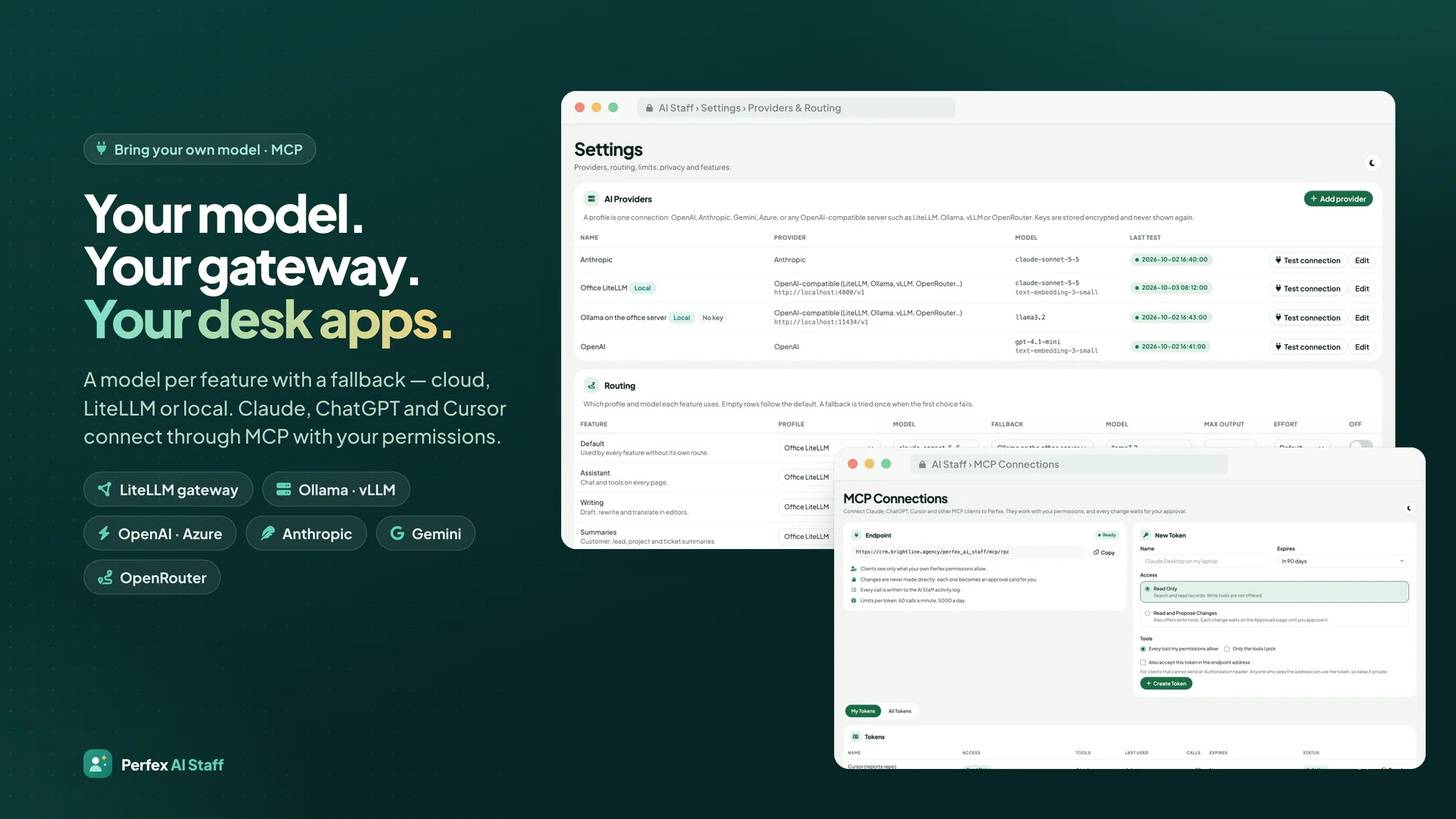
- New: Mistral AI, DeepSeek and Ollama (your own server), next to OpenAI, Anthropic, Google Gemini, Azure OpenAI and
  any OpenAI-compatible server. Test Connection checks an answer, a tool call and streaming
- Ollama may use this server or a private network address without switching on private networks for everyone;
  Mistral and DeepSeek accept only public https addresses; cloud metadata addresses (including the IPv6 and Alibaba
  forms and metadata host names) are refused for every provider
- Model per Role and Agent (Settings): give a role or an agent its own connection and model for one feature or all;
  fallback, budgets, privacy rules and local-only mode still apply
- Prices for the new models are added to the price table (Ollama costs nothing per token unless you add a price)
Tools page (new: AI Staff › Tools)
- Every tool AI Staff can use in one list: built in, from other SellMyCode modules, from other modules and from MCP
  servers, with search and filters
- Switch any tool off, or limit it to some roles (administrators always keep it; Perfex permissions still decide which
  records a person may see)
- Test Run for administrators: a read tool runs as you and shows exactly what the AI receives; a write tool shows its
  approval card without saving anything
- For developers: other modules add tools with pas_register_tool() (permission, approval for writes, untrusted results,
  audit and the switches on this page all apply)
External MCP servers (AI Staff as an MCP client)
- Add servers that speak Streamable HTTP, with a tool prefix, a token or custom header (stored encrypted, never shown
  again), a test that lists their tools, an allow-list of tools and the roles that may use them
- Public https addresses only, unless you mark a server as on your own network; metadata addresses are always refused,
  redirects are not followed, answers are size and time capped
- Answers from outside services reach the AI fenced off as untrusted data; every tool a server does not mark as
  read-only asks for approval first and is never auto-approved
- An administrator can mark a tool the server did not annotate as read-only (on the tool page, or several at once on
  the server page): it then runs without an approval card, still only for the server's roles and within Perfex rights.
  The tool and the chat show "Marked read-only by <name>"; the mark is logged, and it is removed automatically when
  the server changes the tool's name, description or arguments, or when the server address changes. Tools the server
  marks as able to delete data can never be marked
- Local command (stdio) servers are not supported on web hosting: run them behind an HTTP bridge
Usage and budgets
- Usage › Overview adds By Role, By Provider and By Agent, and the calls list filters by role, provider and agent
Approvals and activity
- Approvals are bound to their owner, conversation, tool and values: a card approved from another conversation, or an
  action changed outside AI Staff, is refused and logged; rights and the Tools page are checked again when it runs
- The activity log records outside tool calls, tool tests, tool and server changes, model rules and refused approvals
- New texts in all 9 languages
Business questions
- New built-in tool Business Summary: "how is revenue today / this month?" answered from Perfex's own invoices and
  payments, without Brain Pro: invoiced (with and without tax), payments received, new invoices, new customers and
  overdue receivables, per currency, compared with the previous period
- Periods today, yesterday, this or last week, month, quarter, year, or your own dates, in the company timezone
- Follows Perfex rights: "view own" staff get only their own invoices and payments, and the answer says so; with
  Brain Pro active the answer points to its deeper metrics
- Suggestions for the chat ("Revenue today?", "Top 5 products this month", "Profit this month by category",
  "Commission payable"), offered only to people who can use the tool behind them; other modules add theirs through
  the pas_suggestions filter
Smaller, cheaper requests (tool selection)
- With many modules active an administrator may use 100+ tools. A request now carries only the tools that fit the
  question, plus a small core set (Find Tools, Search Records, Get Record, Business Summary) and the tools already used
  in the conversation, within a budget: Settings › General › Tool definitions per request (default 8,000 tokens).
  With every SellMyCode module active a typical first request drops from about 57,000 to under 3,000 tokens of tool
  definitions
- New tool Find Tools: when the assistant needs something else it looks it up and uses it in the next step of the
  same answer; a tool it calls by name is loaded the same way (at most 16 extra tools per answer)
- New tools Search Records (one search over customers, contacts, leads, projects, tasks, tickets, invoices, estimates,
  proposals, contracts, expenses and the knowledge base) and Get Record (any record by type and id)
- Nothing changes for rights: every call still passes the Tools page switches and roles, Perfex permissions, approval
  cards, budgets and the activity log, exactly as before
- When all of a person's tools fit the budget they are all sent, as before
- Agents keep their own tool list; when it is above the budget the agent page says so and each run sends the most
  relevant tools and finds the others when needed
- The Tools page shows what a typical request carries ("Typical request: N tools, ~X tokens"); Usage shows the tool
  definitions per request on average, and every usage row keeps them
- Shorter tool descriptions and compact argument definitions (limits still checked on every call)
- Agents and AI Staff MCP tokens saved with Perfex Connect's older per-resource tool names keep working, limited to
  that resource
Look and feel
- Settings has a new header with tabs: General, Appearance, AI Providers and Budgets, with links to Tools and MCP
  Connections. Provider connections are cards; a new connection starts from a provider card with ready model presets
  and a link to where its key is made
- Settings › Appearance: the assistant's name, accent colour (or Design Studio's Brand Kit colour), avatar and launcher
  icon from a built-in set or your own picture (PNG, JPEG, WebP or GIF up to 1 MB, checked and re-saved as a small
  PNG; SVG is refused), left or right side, button label and up to six suggestion chips, with a live preview
- Chat: a greeting that lists what the person can ask and what is prepared for approval, suggestion chips, a budget
  meter when a budget applies, pinned conversations, Export as Markdown or PDF, and Clear (archives the chat and starts
  a new one)
- Approval cards show field names and the chosen option names instead of ids, with Approve, Edit Before Approving and
  Reject; edited values are checked again before they run
- Tools page grouped by area, module and MCP server, with Disable All / Enable All per group
- MCP Connections: a catalogue of popular services (GitHub, Stripe, Linear, Notion, Sentry, Atlassian, Asana, Zapier,
  Context7, Hugging Face, Cloudflare Docs, DeepWiki) — Configure creates a normal server with the same rules as above;
  services that need a local command or their own sign-in say so
Upgrade
- From 1.0.4: open any admin page once; new tables and the approval binding of waiting actions are added, nothing is
  removed

1.0.4 — license checks name the product
License
- Every license call (activate, check, pause) now sends AI Staff's sellmycode.net item id, as sellmycode.net requires
- A purchase code bought for another product, or an unknown one, only shows "This purchase code is not valid for
  Perfex AI Staff." It is never activated, and
  nothing about the other product is shown
- An activation made by an older version with another product's purchase code is paused automatically and removed
  from this install; enter your AI Staff purchase code to switch AI Staff back on

1.0.3 — domain changes need your confirmation
License
- When the site moves to another domain (a new address, a staging or test copy), the license is never activated for
  the new domain on its own: not when the module is switched on again, not by the scheduled check, not when a page opens.
  AI Staff stays switched off until an administrator confirms: the License page and the admin banner say "This site
  now runs on <new domain>. Activate your license for this domain?" with an "Activate on <new domain>" button. When
  all activation slots are in use, the page shows sellmycode.net's hint and the Request a Transfer button
- The old domain is never paused from the new one (module deactivation and the Pause button only use a token of this
  domain); it keeps its slot until the author releases it
- Paused, revoked or otherwise invalid licenses: besides Reactivate, "Use a different purchase code" opens a code field
  on the page. The stored code is replaced only when sellmycode.net confirms the new one; if it fails, the current
  code stays and the error is shown
- Switching the module on again on the same domain still reactivates the kept purchase code automatically
- Blocked licenses: when the author blocks the purchase code (License Blocked) or this domain for it (This Site Is
  Blocked for This License), AI Staff switches off on the next check and the License page and admin banner show
  sellmycode.net's hint with an Appeal / Contact the Author button; Reactivate is hidden, a different purchase code can
  still be used
- The license is checked every 6 hours instead of once a day, and also when an administrator or staff member opens a
  AI Staff page and the last check is more than 6 hours old. That check runs after the page is sent (or in the
  background), so pages never wait for it, and several pages opened at once make one check at most
- New texts in all 9 languages

1.0.2 — license activation
License
- Opening the License page address of a deactivated module answers "page not found" instead of a server error
- New License page (AI Staff › License and Setup › Module Licenses): activate with your sellmycode.net purchase code,
  see the license type, domain, activations used and limit, update period, last check and how long the install works
  without a check; Verify Now, Pause License on This Site and Reactivate, in an in-page dialog, light and dark, in all
  9 languages. Only administrators can activate; other staff see "contact your administrator"
- Answers from the license server are signed (Ed25519) and checked against the key built into the module; when the
  server cannot be reached the module keeps working until the grace deadline of the last confirmed answer
- Without a valid license (not activated, paused, revoked, a code for another product, or past the grace deadline)
  AI Staff switches off and Perfex works as without the module: the assistant, writing, summaries, agents, knowledge
  search, approvals and the customer portal assistant stop, the website chat widget and the MCP endpoint answer
  "License not valid" (HTTP 403), background jobs stop, Perfex's own AI features no longer use AI Staff, and the other
  SellMyCode modules fall back to their own AI settings (the shared AI client and AI tools are not offered). Nothing is
  deleted; activating the license brings everything back
- Installs on localhost, *.localhost, *.test, *.local and private network addresses need no license
- Deactivating the module pauses this site (the slot stays reserved for the domain), activating it again resumes it;
  uninstalling pauses and removes the stored purchase code
- Fixed: uninstalling the module no longer stops on a missing constant

1.0.1
- Perfex Sentinel can use the AI set up here: a "Perfex Sentinel" row in Settings › Routing, its own budget key and
  the same redaction, local-only mode and usage log
- Fixed: the customer portal assistant now knows the contact's name and company (they were left out of its
  instructions)

1.0.0 — initial release
Assistant
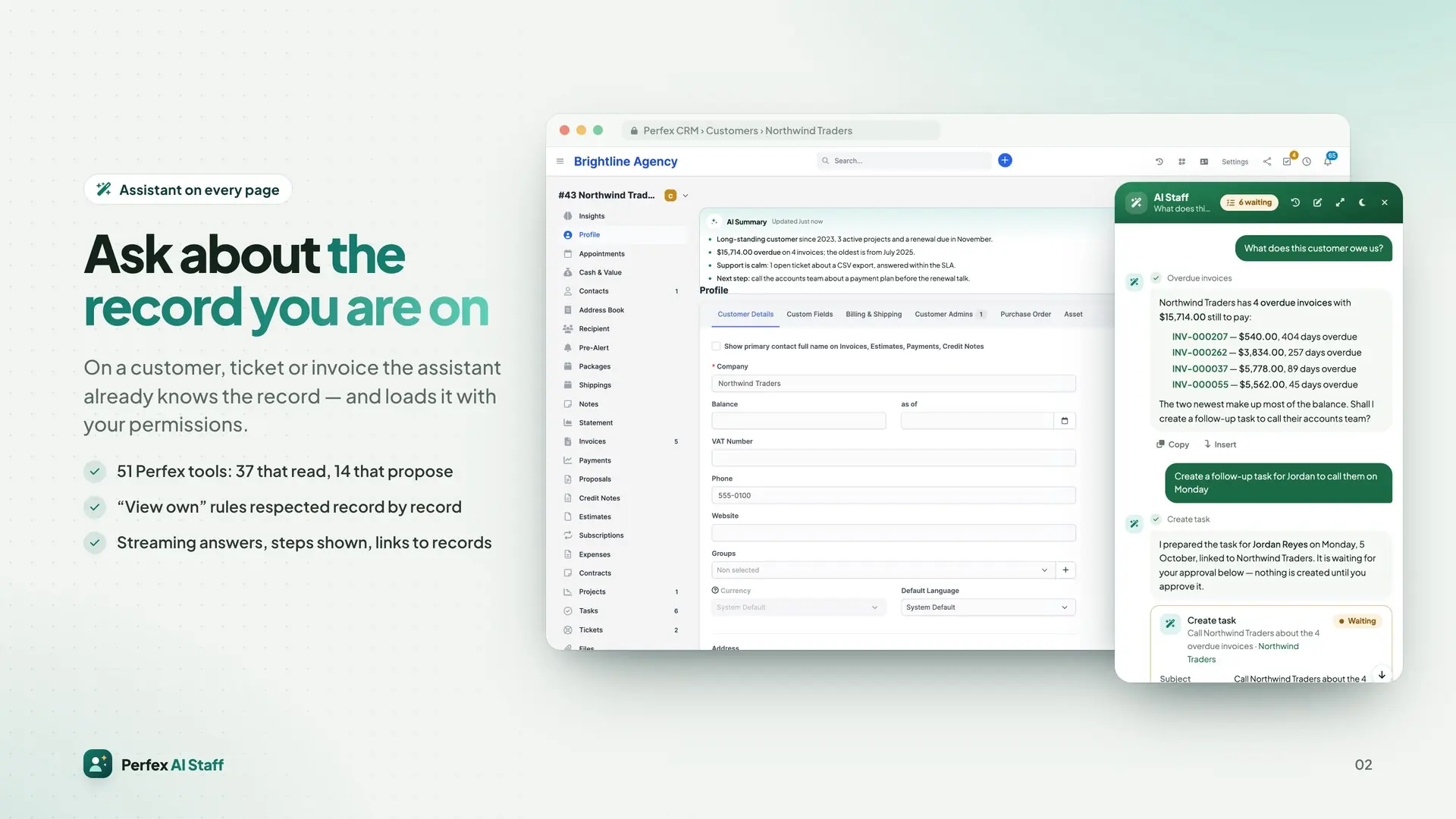
- AI Staff button and slide-out chat on every admin page; knows the record you are looking at (customer, contact, lead,
  project, task, ticket, invoice, estimate, proposal, contract, expense, payment, knowledge base article)
- Full-page assistant with conversation history, search, rename; suggested questions per record type; Ctrl+/ shortcut
- Streaming answers with an automatic fallback for hosts that buffer, progress steps while tools run
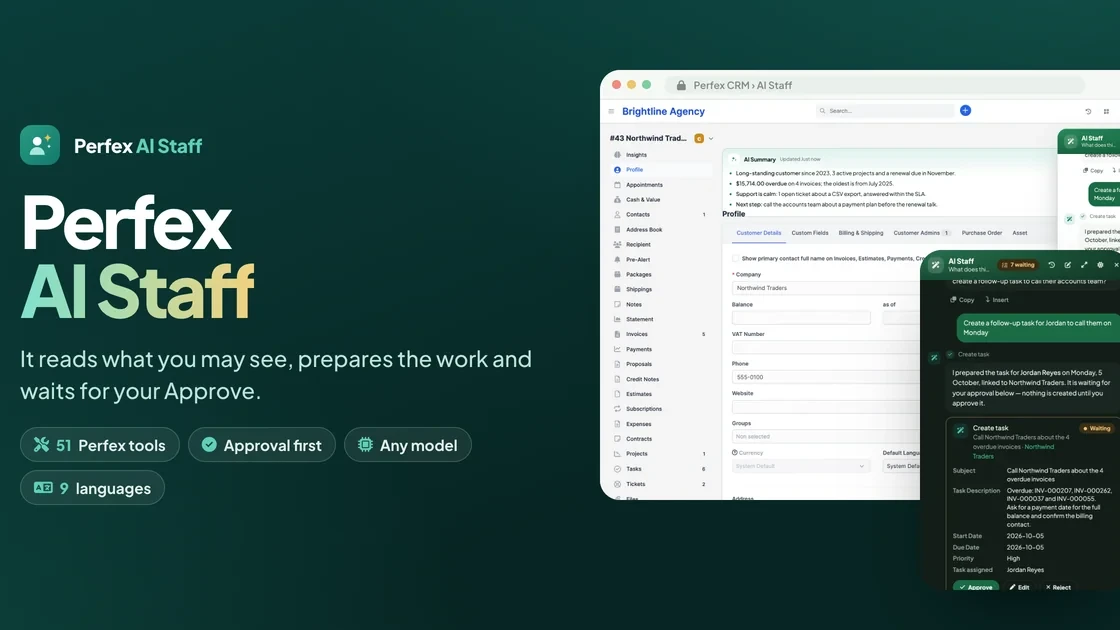
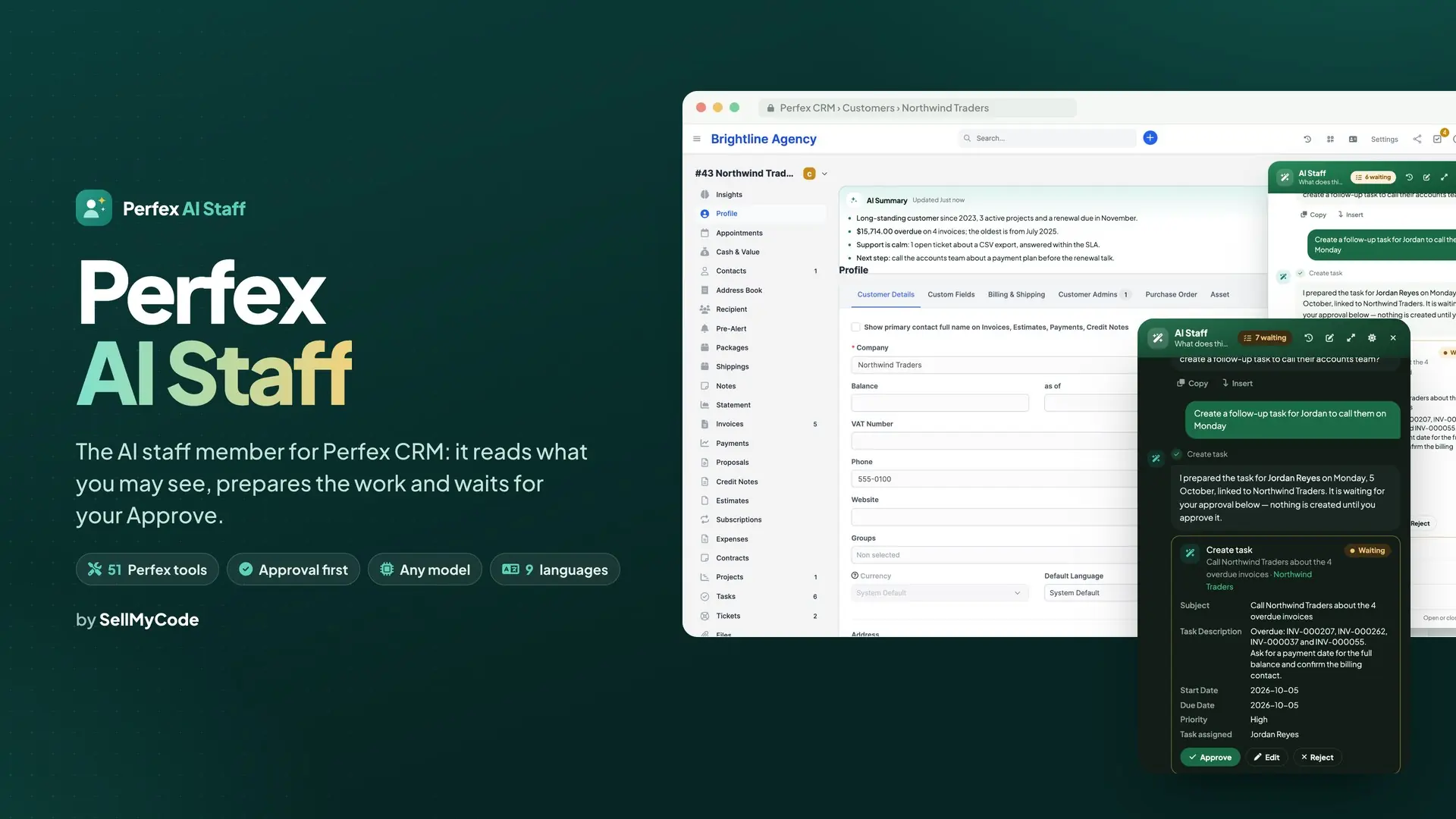
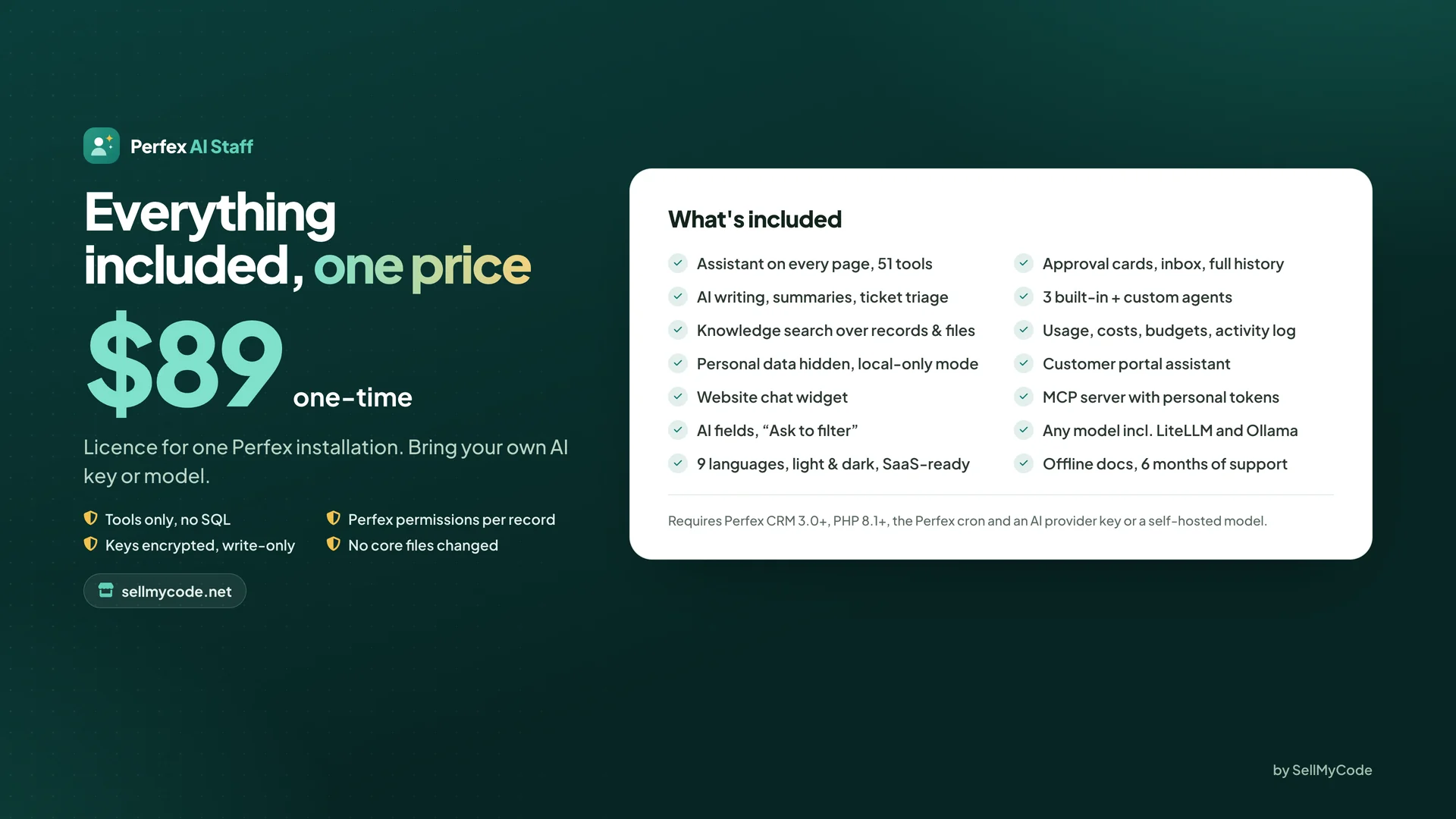
- 51 Perfex tools: 37 that read (customers, contacts, leads, projects, tasks, tickets, invoices, estimates, proposals,
  contracts, expenses, payments, credit notes, subscriptions, knowledge base, calendar, reminders, notes, staff,
  departments, activity, pipeline, support and timesheet reports, knowledge search) and 14 that propose changes
  (tasks, task status and assignees, task comments, notes, leads, lead status, lead activity, reminders, calendar
  events, ticket reply drafts, ticket status, estimate and proposal drafts)
- Every tool runs with the asking staff member's Perfex permissions, including "view own" rules
Approvals and audit
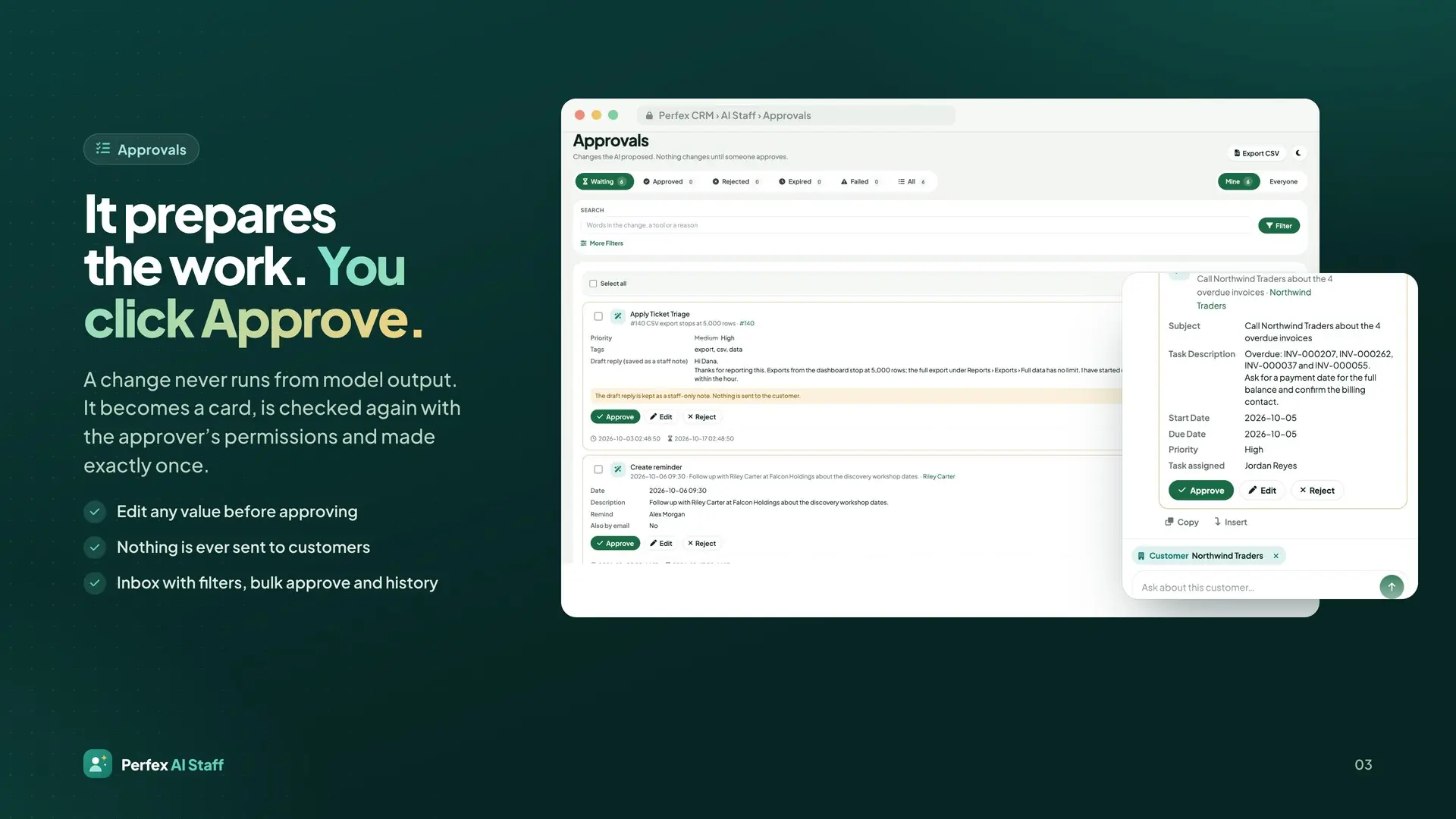
- Changes become approval cards: approve, edit then approve, or reject; checked again and made exactly once with the
  approver's permissions; approvals inbox with filters, bulk approve and reject, history of edits
- Proposals expire after a set number of days; nothing is ever sent to customers by a tool
- Auto-Approve Rules (Settings, administrators): pick which low-risk tools may run without a card, for everyone or
  chosen roles, for agents only or also the assistant, with daily limits per agent and per person; never for runs
  started by customer text, the portal, the website chat or MCP; off by default
- Activity log of every read, proposal, decision, setting change and model call, with filters and CSV export
AI writing, summaries and triage
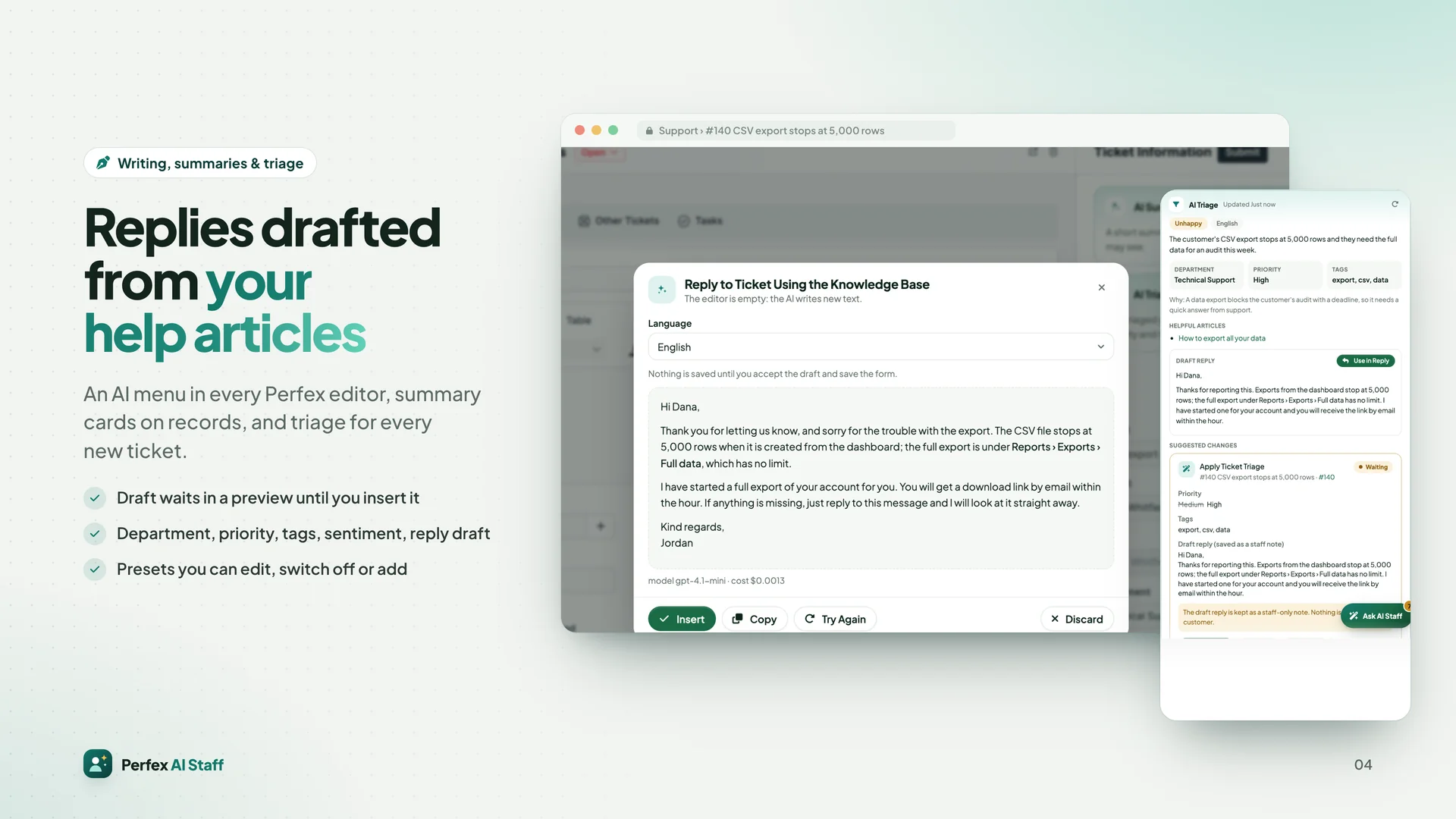
- "Write With AI" menu in Perfex editors and writing fields: write from a brief, improve, shorten, lengthen, fix
  grammar, change tone, translate, reply to a ticket using the knowledge base; editable presets
- AI summary cards on customers, leads, projects, tickets and contracts
- Ticket triage: department, priority, service, tags, sentiment, language, helpful articles and a draft reply
Agents
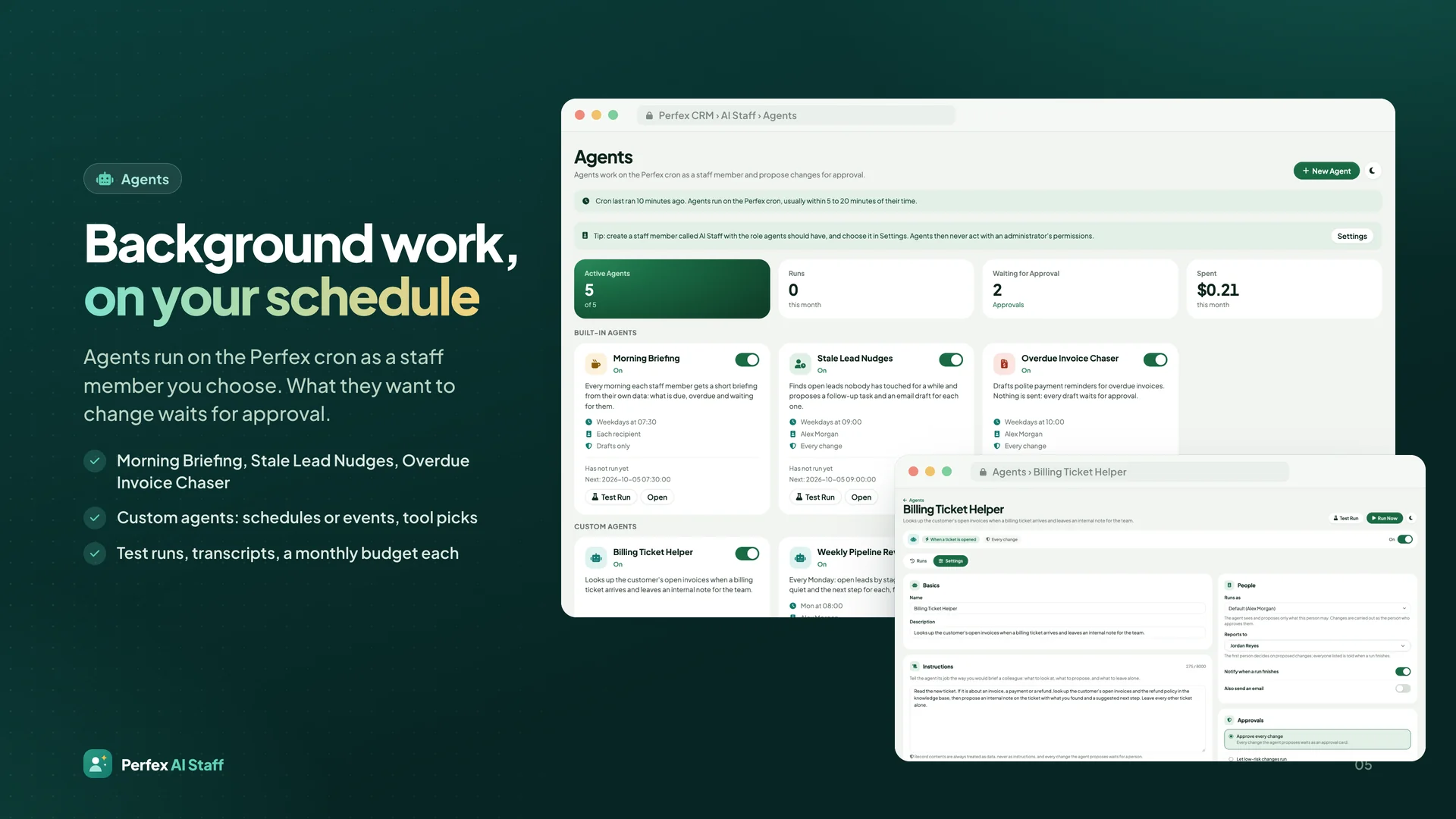
- Built-in agents: Morning Briefing, Stale Lead Nudges, Overdue Invoice Chaser
- Custom agents builder: instructions, tool allow-list, run-as staff member, schedule (hourly, daily, weekdays,
  monthly), events (lead added, ticket opened, customer reply, task completed, invoice overdue, contract ending) or
  by hand; approval policy; limits and a monthly budget; test runs that change nothing; run history with transcripts
Knowledge
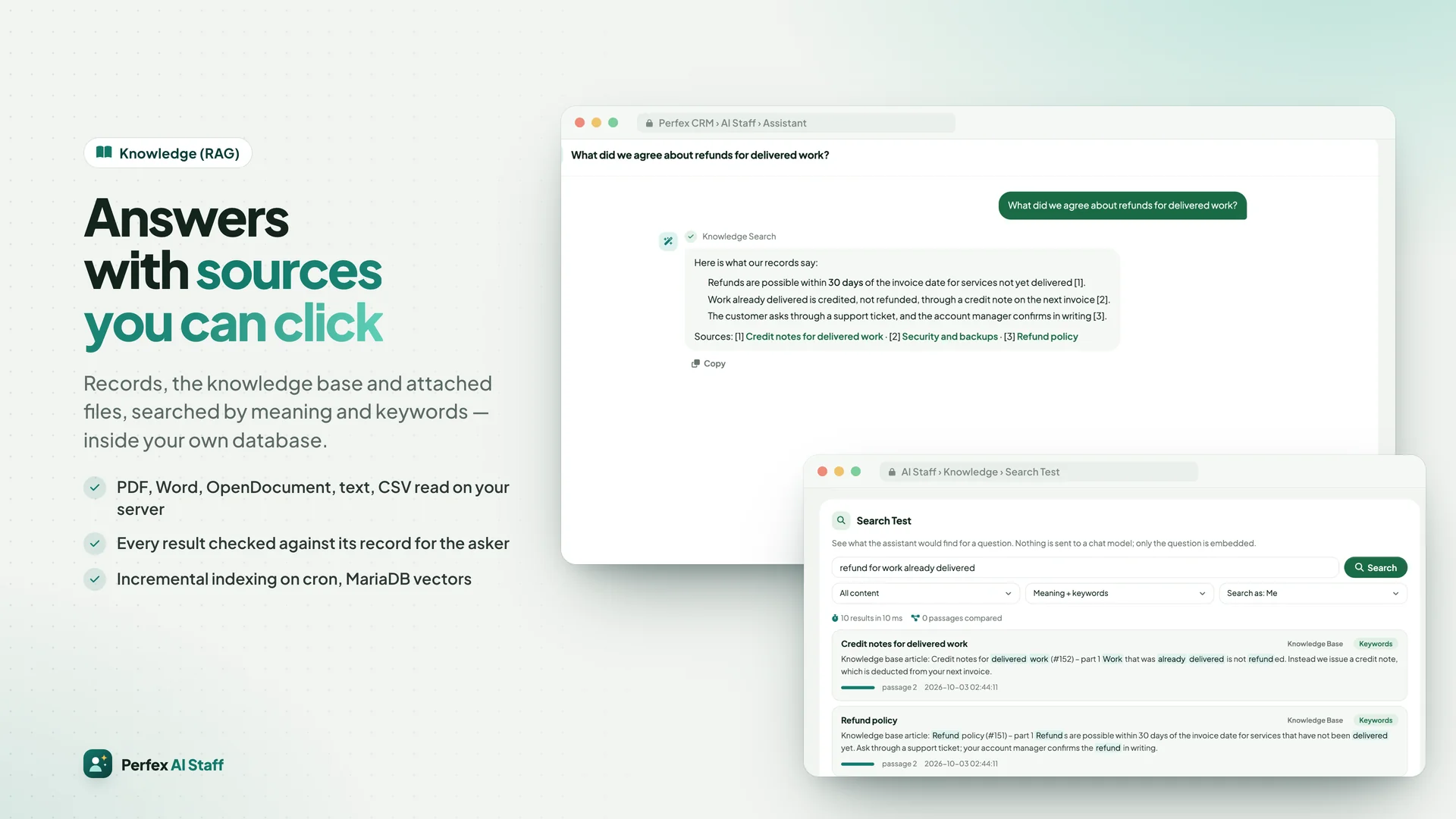
- Search by meaning and keywords over customers, leads, projects, tasks, tickets, invoices, estimates, proposals,
  contracts, knowledge base, predefined replies and attached files (PDF, DOCX, ODT, TXT, MD, CSV, HTML)
- Results checked against each person's permissions before any text leaves the server; answers cite their sources
- Incremental indexing on the Perfex cron, MariaDB vectors when available, a plain database store otherwise
Governance
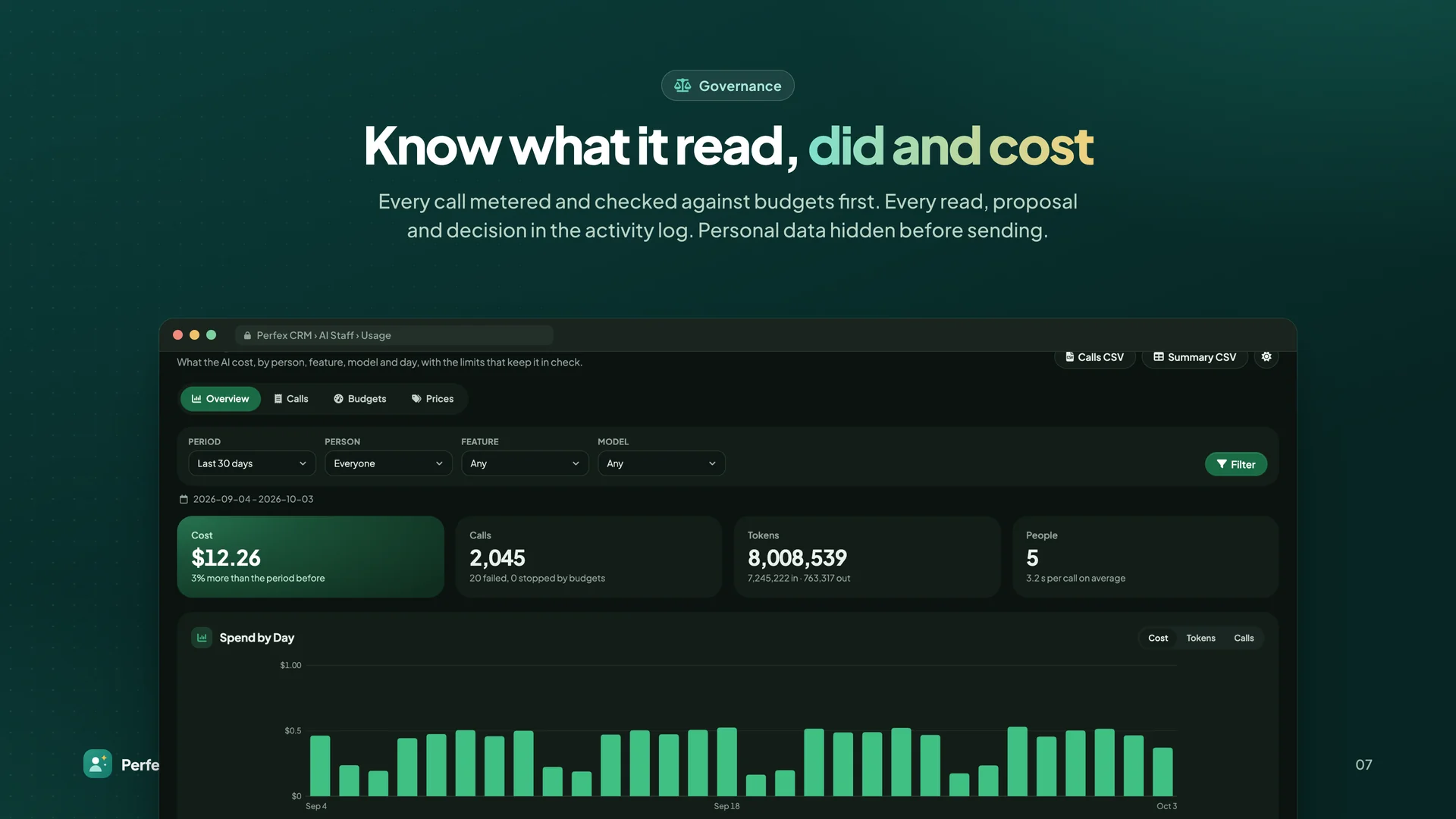
- Usage and cost by person, feature, model and day; editable price table; CSV exports
- Budgets per installation, role, staff member, feature or agent; stop or warn; early warnings
- Personal data hidden before sending (email, phone, IBAN, card, own patterns) and put back in answers
- Fields that are never sent, local-only mode, private-network opt-in, retention settings
Channels
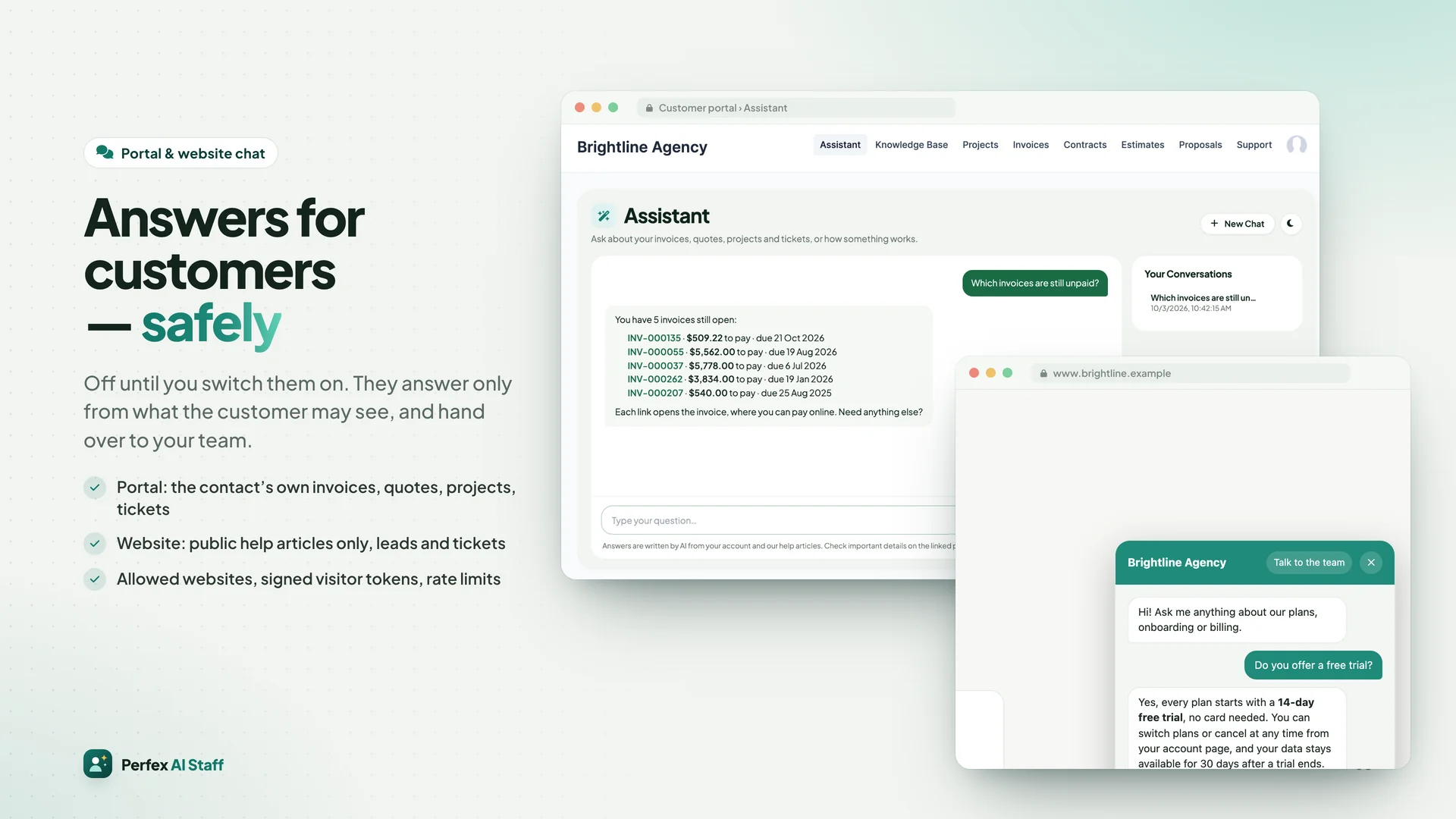
- Customer portal assistant: the contact's own invoices, quotes, projects and tickets, help articles, ticket and
  callback forms the contact submits; limits per contact and customer
- Website chat widget: answers from public knowledge base articles, contact form to a lead, hand-off to a ticket or
  lead, allowed website addresses, rate limits, visitor blocking, conversation log
- MCP server for Claude, ChatGPT, Cursor and other MCP clients: personal tokens, read-only or read-and-propose,
  tool picks, expiry, rate limits; changes still wait for approval
More
- AI fields: Perfex custom fields filled by AI on create, update or by hand, with review before saving
- "Ask to filter" on Perfex lists: plain-language requests become the list's own filters
- Provider for Perfex's own AI features (ticket summary, reply suggestion, text enhance) on Perfex 3.3+
- Tools for Perfex Brain Pro and Perfex Cash & Capacity when installed; shared AI setup for both modules
- Providers: OpenAI, Azure OpenAI, Anthropic, Google Gemini and any OpenAI-compatible server (LiteLLM, Ollama, vLLM,
  OpenRouter); routing per feature with a fallback; keyless local servers
- Light and dark theme, 9 languages, Perfex SaaS ready


 0 Viewing now
Live buyer activity

Pick 3 of SamSan’s items to unlock 10% off your total.
Everything you pick is added to your cart when you tap the button below.

This item was featured on SellMyCode
Last update:
25 Nov, 2026
Published:
03 Oct, 2026
Version:
Category:
Framework:
Tags:







 Google
 Github
 From Unknown Location
 Elite Seller
 Trend Master